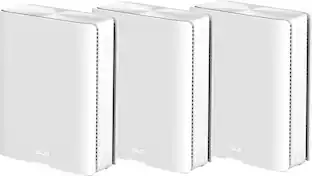
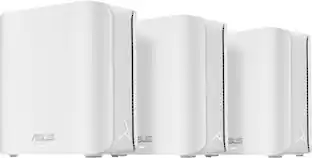
TP-Link - Deco 7 Pro BE14000 Tri-Band Wi-Fi 7 Whole Home Mesh Router System - Deco BE68 (3-pack) - White
Number of Wi-Fi Satellites Included
3Wireless Networking Standard
Wi-Fi 7Key Accessories:
- TP-Link - Deco 7 Outdoor BE11000 Tri-Band Wi-Fi 7 Outdoor Mesh Router – Deco BE65 Outdoor - White$249.99The price was $299.99

Related Item

Highlights
- Key Specs
- Wi-Fi Range: 8100 square feet (The device will provide a Wi-Fi connection to this approximate area.)
- Wi-Fi Mesh System: true (A single wireless network consisting of a main router (connected directly to a modem) that connects to a series of satellite modules or nodes placed around the home. Routers with this capability promote stronger, faster wireless signals as well as increase Wi-Fi coverage by reducing interference and eliminating dead zones.)
- Number of Wi-Fi Satellites Included: 3 (Quantity of Wi-Fi satellite modules/nodes for a Wi-Fi Mesh System that come with the product.)
- Number Of LAN Ports: 3 (Number of devices able to be connected to the Local Area Network (LAN). LAN ports allow wired connections to other networking devices (wireless access points, range extenders, etc.) in order to share the internet connection received through a WAN port.)
- Wi-Fi Speed: 14 gigabits per second (The maximum rate at which data is transferred between a network device and wireless router.)
- Works With: Amazon Alexa, Google Home (Compatible with or able to be connected to other smart devices or applications.)
- General
- Brand: TP-Link
- Model Number: Deco BE68(3-pack)
- Product Name: Deco 7 Pro BE14000 Tri-Band Wi-Fi 7 Whole Home Mesh Router System - Deco BE68 (3-pack)
- Color: White
- Security
- Data Encryption: true
- Encryption Type: WPA, WPA2, WPA3, WPA2-PSK (The security protocols or certification programs that protect the Wi-Fi network.)
- Firewall Type: SPI (The method the firewall uses to filter and process data to increase network security, primarily by blocking malicious traffic requests while allowing legitimate traffic through.)
- Security Features: Parental Controls, Guest Network, WPA3, HomeShield, DoS, SPI Firewall
- Parental Controls: true (Allows user to block unwanted content, signals, channels, networks, etc. from being received or accessed.)
- Network
- Quality Of Service (QoS) Traffic Prioritization: true (Allows a user to manage a device's network performance by configuring the types of traffic that receive top priority for transmission. High priority functions and applications receive maximum network performance, while low priority traffic receives minimum performance.)
- Band Technology: Tri (Refers to the number of frequency bands used to wirelessly transmit an internet signal. For example, dual-band devices may use one 2.4 and one 5 GHz band, while tri-band devices may use one 2.4 and two 5 GHz bands. Multiple bands also provide more flexibility for designating connected devices to specific band use.)
- Ethernet Standard: 10/100/1000/10000 (Each standard is a variation of the IEEE 802.3 set of computer networking technologies known as Ethernet. New versions evolved to include higher bandwidth, different physical media, and other new and improved features. Standards are often denoted by speeds (in Megabits per second). For example, a 10/100/1000 Ethernet port transmits at 10 Mbps, 100 Mbps, and 1000 Mbps (1 Gbps).)
- Number Of Connected Devices: 200
- Number of Antennas: 7
- Frequency Band: 6.0 GHz, 5.0 GHz, 2.4 GHz (Bands may be grouped into categories such as low- and high-band VHF (Very High Frequency), low- and high-band UHF (Ultra High Frequency), or certain frequency channels (measured in MHz or GHz). Generally, higher frequencies transmit information faster but have shorter range than lower frequencies.)
- Wireless Networking Standard: Wi-Fi 7 (The wireless networking standard used by the device. Each iteration of the standard developed by the Wi-Fi Alliance corresponds to an existing IEEE 802.11 protocol; for example, standard 802.11ac (or AC) is termed Wi-Fi 5. Refers specifically to the standard the device is designed to use, but ultimately determines product interoperability and backward compatibility including previous versions.)
- Wireless Standard: BE, AX, AC, N (The wireless networking protocol used by the device. Each iteration of the protocol is based on the 802.11 standard developed by the Institute of Electrical and Electronics Engineers (IEEE) Standards Association. Denoted by letters following 802.11 (802.11a, 802.11ac, etc.), each version, published in alphabetical order, encompasses all previous versions.)
- Wi-Fi Range: 8100 square feet (The device will provide a Wi-Fi connection to this approximate area.)
- Input/Output Technology: MU-MIMO (Multi-user Multiple-Input Multiple Output) (Generally, multiple-input multiple-output communication technologies allow for more signals to be transmitted at a single time, which can improve the device's overall performance.)
- Number of 2.4Ghz Streams: 2 (A router's streams are like lanes on a highway. The more streams a router has, the less traffic congestion. Because the 2.4 GHz band is used to transmit wireless signals to a wide variety of devices, there is often high amounts of traffic on that stream. But with multiple streams, each can be designated to a specific device for optimal performance. For example, if one 2.4 GHz stream is assigned to one device, such as a desktop computer, it leaves the remaining streams open for guest users, devices that use more data, or devices with specific band compatibility.)
- Number of 5.0Ghz Streams: 3 (A router's streams are like lanes on a highway. The more streams a router has, the less traffic congestion. The 5.0 GHz band provides high speed, short-range data transmission and typically has less traffic than the 2.4 GHz band. With multiple streams, each can be designated to a specific device for optimal performance. For example, if one 5.0 GHz stream is assigned to one device, such as a streaming media player, it leaves the remaining streams open for guest users, devices that need less data, or devices with specific band compatibility.)
- Number of 6.0Ghz Streams: 3
- Wi-Fi Mesh System: true (A single wireless network consisting of a main router (connected directly to a modem) that connects to a series of satellite modules or nodes placed around the home. Routers with this capability promote stronger, faster wireless signals as well as increase Wi-Fi coverage by reducing interference and eliminating dead zones.)
- Number of Wi-Fi Satellites Included: 3 (Quantity of Wi-Fi satellite modules/nodes for a Wi-Fi Mesh System that come with the product.)
- Number of Wi-Fi Satellites Supported: 3 (Maximum quantity of Wi-Fi satellite modules/nodes that are able to be connected to the main router in a Wi-Fi Mesh System.)
- Wired Backhaul: true (Also known as Ethernet backhaul or backbone, this capability can be enabled to directly wire a secondary router or satellite to the main router via Ethernet cable. This connection allows for faster and more stable data upload.)
- Certifications Listings & Approvals
- ENERGY STAR Certified: false (Devices carrying the ENERGY STAR service mark, such as computer products and peripherals, kitchen appliances, and other products, generally use 20% to 30% less energy than required by federal standards.)
- Features
- App Compatible: true (The product can be connected to a program or software application on a mobile device, which then receives collected data from the product.)
- App Name: TP-Link Deco
- Beamforming: true (A signal processing technique that enables a router to focus a Wi-Fi signal in a specific direction. The router determines where a connected device in the network is located and projects a stronger signal in that specific direction. This can result in faster and higher quality data transfer as well as reduced signal interference.)
- Integrated Modem: false
- Auto Detecting: true
- Wireless: true
- Ports
- Number Of WAN Ports: 3 (Number of devices able to be connected to the Wide Area Network (WAN). This type of port may simply be labeled "Internet," and it allows the device to share its internet connection with all devices connected to it via LAN ports.)
- Port Type(s): RJ-45 (USB 2.0 connects external drives, gaming controllers, smartphones, MP3 players and other accessories.USB 3.0 transfers data faster than USB 2.0, but only when used with USB 3.0 devices.USB Type-C provides fast speeds and versatile power, featuring connectors with identical ends that plug in upside down or right side up. Adapters allow for video as well as backward compatibility.Thunderbolt provides ultra-high bandwidth for fast data transfer between devices featuring a Thunderbolt or MiniDisplayPort connection.HDMI allows you to connect a projector or display HD media on your HDTV or monitor.Media card slots allow you to transfer photos from your digital camera or camcorder.)
- Number Of LAN Ports: 3 (Number of devices able to be connected to the Local Area Network (LAN). LAN ports allow wired connections to other networking devices (wireless access points, range extenders, etc.) in order to share the internet connection received through a WAN port.)
- Speed
- Wi-Fi Speed: 14 gigabits per second (The maximum rate at which data is transferred between a network device and wireless router.)
- Gigabit Ethernet Speed: true (Supports the gigabit Ethernet networking standard, which has a data rate of at least one gigabit per second, or 1,000 Mbps.)
- Compatibility
- Works With: Amazon Alexa, Google Home (Compatible with or able to be connected to other smart devices or applications.)
- Dimensions
- Product Height: 6.93 inches (The out of box height of the item. Height is measured as the vertical distance from the bottom of the item to the top as it would be primarily used or placed.)
- Product Length: 4.23 inches (The out of box length of the item. Length is measured as the longest dimension of the item.)
- Product Width: 4.23 inches (The out of box width of the item. Width is measured as the horizontal distance from one side of the item to the other as it would be primarily used or placed.)
- Product Weight: 9.93 pounds (The out of box weight of the item.)
- Warranty
- Warranty - Parts: 2 year limited
- Warranty - Labor: 2 Year Limited Warranty
- Other
- UPC: 840460600156
Upgrade your home network with the Deco BE68 (3-Pack) Whole-Home Mesh System, powered by cutting-edge Wi-Fi 7 technology for ultra-fast, reliable connectivity. With speeds up to 14 Gbps and coverage up to 8,100 sq. ft., this tri-band system ensures seamless performance in every corner of your home. Advanced features like Multi-Link Operation, 4K-QAM, and a powerful 6 GHz band let you connect up to 200 devices with unmatched speed and stability—perfect for streaming, gaming, and working from home. Equipped with a 10G WAN/LAN port, a 2.5G port, and a USB 3.0 port, the Deco BE68 delivers lightning-fast downloads, uploads, and data transfers. Setup is quick and easy with the Deco app, while TP-Link HomeShield provides enterprise-grade security to keep your network safe. Upgrade today and enjoy seamless, high-speed Wi-Fi without limits.
- Blazing Fast 14 Gbps Tri-Band Wi-Fi 7: Experience next-gen speeds of up to 14 Gbps across three bands, delivering seamless 4K/8K streaming, lag-free video calls, and lightning-fast downloads for even the most demanding households.
- Stronger Wi-Fi Everywhere: Eliminate dead zones and slow connections with Wi-Fi 7-powered whole-home coverage. Blanket up to 8,100 sq. ft. with ultra-fast, uninterrupted connectivity—perfect for sprawling multi-story homes. (1,2)
- Connect 200+ Devices Without Compromise: Power your smart home with ease. Connect smartphones, TVs, gaming rigs, and IoT devices—all at peak performance, even in the busiest networks. (1)
- Wi-Fi 7 Backhaul for Maximum Performance: Drastically boost speeds and reliability by simultaneously connecting across multiple bands, reducing latency and eliminating dropouts.
- Congestion-Free 6 GHz Performance: Unlock the power of 6 GHz for faster speeds, lower interference, and unmatched reliability, even in device-dense environments.
- Ultimate 10G Connectivity: Designed for multi-gig internet, each Deco features a 10G WAN/LAN port, a 2.5G port, and a USB 3.0 port—delivering ultra-fast wired speeds for gaming PCs, NAS, and more.
- Wi-Fi 7 Backhaul for Maximum Performance: Harness tri-band Wi-Fi 7 and 10G backhaul for unrivaled speed, stability, and coverage, ensuring seamless performance across your entire network. (1)
- Multi-Link Operation (MLO) for Ultra-Fast Wi-Fi: Drastically boost speeds and reliability by simultaneously connecting across multiple bands, reducing latency and eliminating dropouts. (2, 4)
- Congestion-Free 6 GHz Performance: Unlock the power of 6 GHz for faster speeds, lower interference, and unmatched reliability, even in device-dense environments. (1)
- Seamless AI-Driven Roaming: Stay effortlessly connected as AI-powered roaming automatically optimizes your connection, ensuring smooth transitions between Decos without interruptions.
- Easy Setup & Universal Compatibility: Get online in minutes with the Deco app. Works with all Wi-Fi generations and is compatible with any internet provider.
- Enterprise-Grade Security with HomeShield: Keep your network safe and private with TP-Link’s premium security suite, offering advanced parental controls, real-time IoT protection, and network security monitoring. (5)
- Smart Home Ready – Works with Alexa & Google Assistant: Control your Wi-Fi hands-free with voice commands—enable guest networks, manage devices, and more with Alexa or Google Assistant.
Whats Included
- Deco BE68 Unit x 3
- Quick Installation Guide x 1
- RJ45 Ethernet Cable x 1
- Power Adapter x 3
Disclaimers
- 1 - Maximum wireless signal rates are the physical rates derived from IEEE Standard 802.11 specifications. Connection up to 200 devices is based on laboratory test data, which analyzed the connections of different devices on the 6 GHz, 5 GHz, and 2.4 GHz bands simultaneously.
- Actual wireless data throughput, wireless coverage, and connected devices are not guaranteed and will vary as a result of internet service provider factors, network conditions, client limitations, and environmental factors, including building materials, obstacles, volume and density of traffic, and client location.
- Actual network speed may be limited by the rate of the product's Ethernet WAN or LAN port, the rate supported by the network cable, internet service provider factors, and other environmental conditions.
- 2 - Use of Wi-Fi 7 (802.11be), Wi-Fi 6 (802.11ax), and features including Multi-Link Operation (MLO), 320 MHz Bandwidth, 4K-QAM, Multi-RUs, OFDMA, MU-MIMO and BSS Color requires clients to also support the corresponding features. The 320 MHz bandwidth is only available on the 6 GHz band.
- 3 - 5/2.5 Gbps internet speeds require compatible service plans and equipment. All WAN/LAN ports will operate as either WAN or LAN ports. Only one port can serve as a WAN port at a time.
- 4 - Clients need to support 802.11k/v/r and may require additional setup. Performance may vary depending on the client device.
- 5 - HomeShield includes both basic and advanced features. Advanced features require a paid subscription. For details, visit tp-link.com/homeshield. Some features are under development and will be supported with subsequent software updates.
- Actual network speed may be limited by the rate of the product's Ethernet WAN or LAN port, the rate supported by the network cable, internet service provider factors, and other environmental conditions. This Deco may not support all the mandatory features as ratified in IEEE 802.11be specification. Further software upgrades for feature availability may be required.
Q: Does this mesh system support wired backhaul?
A: Yes, this mesh system supports wired backhaul.
Q: What is the coverage area of this mesh Wi-Fi system?
A: This mesh system covers up to 8,100 sq. ft.
Q: How do I set up this mesh system?
A: You can set it up easily using the Deco app.
Q: What is the maximum Wi-Fi speed this mesh system can achieve?
A: This mesh system can achieve speeds up to 14 Gbps.
Q: Does this system work with voice assistants?
A: Yes, it works with Alexa and Google Assistant.
Q: How many devices can connect to this mesh Wi-Fi system?
A: This mesh system can connect up to 200 devices.
Q: Which frequency band does this router use?
A: This router uses the 6.0 GHz, 5.0 GHz, and 2.4 GHz frequency bands.
A: Hi Kevin, Only the main Deco node needs to be connected to your existing Internet source (e.g., modem) via Ethernet cable.
Compare similar products
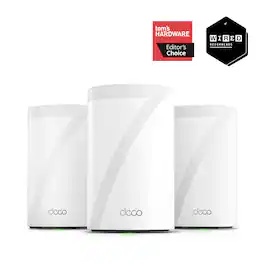
Upgrade your home network with the Deco BE68 (3-Pack) Whole-Home Mesh System, powered by cutting-edge Wi-Fi 7 technology for ultra-fast, reliable connectivity. With speeds up to 14 Gbps and coverage up to 8,100 sq. ft., this tri-band system ensures seamless performance in every corner of your home. Advanced features like Multi-Link Operation, 4K-QAM, and a powerful 6 GHz band let you connect up to 200 devices with unmatched speed and stability—perfect for streaming, gaming, and working from home. Equipped with a 10G WAN/LAN port, a 2.5G port, and a USB 3.0 port, the Deco BE68 delivers lightning-fast downloads, uploads, and data transfers. Setup is quick and easy with the Deco app, while TP-Link HomeShield provides enterprise-grade security to keep your network safe. Upgrade today and enjoy seamless, high-speed Wi-Fi without limits.
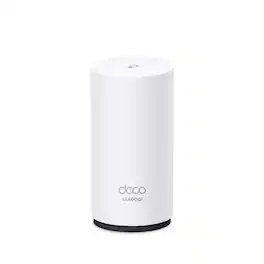
Supercharged by the latest Wi-Fi 7 technology, the Deco BE65-Outdoor Outdoor mesh router delivers faster speeds, broader coverage and less inteference for your increasing high-bandwidth online activities. Unleashing the full potential of the Wi-Fi 7 MLO technology, 320 MHz channel and 4K-QAM, Deco BE65-Outdoor provides unprecedented 11 Gbps 6-Stream Tri-Band Wi-Fi. (1,3) 2× ultra-fast 2.5 Gbps WAN/LAN ports with PoE ensure boosted thoughput and maximize the performance of the network, as well as operate in complex outdoor environments.(4) IP65 Weatherproof and versatile mouting solutions (pole mount, wall mount and tabletop) enclosure for outdoor environments(5). With built-in AI-Roaming technology, it creates the ideal Wi-Fi solution with its advanced algorithms and selflearning. Walk through indoors to outdoors and enjoy seamless streaming at the fastest possible speeds(2). TP-Link HomeShield protect your network and devices comprehensively when you are at home or on th go.(5) A safer internet experiences bring more happiness to your smart living.

Supercharged with the latest Wi-Fi 7 technology, the Deco BE65 Pro mesh system elevates your Wi-Fi network's power and efficiency to new levels. It provides combined speeds of up to 11 Gbps across three bands with six streams, utilizing Wi-Fi 7 features like MLO, a 320 MHz channel, and 4K-QAM.¹,² Equipped with two 5 Gig ports and one USB 2.0 port, it offers maximum expandability. Its built-in AI-Roaming technology, featuring advanced algorithms and self-learning capabilities, ensures an optimal Wi-Fi experience throughout your home, allowing you to enjoy seamless streaming at the highest speeds.³ TP-Link HomeShield protects your home network with state-of-the-art network and IoT security features.⁵

Experience uninterrupted streaming, video calls, gaming and more with Wi-Fi 6E whole home tri-band mesh system. Routers previously operated on 2.4 GHz and 5 GHz bands, with Wi-Fi 6E, connected devices can now operate on the 6 GHz band resulting in faster speeds, greater capacity and expanded coverage throughout your home. Take full advantage of internet plans up to 2.5 Gbps using one 2.5 Gbps WAN/LAN port. Three Deco units work together to provide speeds up to 5400 Mbps and coverage up to 7,200 sq. ft. reaching every corner of your home.
| Pros for TP-Link - Deco 7 Pro BE14000 Tri-Band Wi-Fi 7 Whole Home Mesh Router System - Deco BE68 (3-pack) - White | |||
|---|---|---|---|
| Setup Ease, Connectivity, Coverage, Signal Strength, App Usability | Setup Ease, Connectivity, Coverage, Build Quality, Weather Resistance | Setup Ease, Coverage, Connectivity, Signal Strength, Range | Coverage, Speed, Ease of use, Overall Performance, Setup |
| Cons for TP-Link - Deco 7 Pro BE14000 Tri-Band Wi-Fi 7 Whole Home Mesh Router System - Deco BE68 (3-pack) - White | |||
| There were no cons for this product— | There were no cons for this product— | Size, Web Interface, Performance | Connectivity, Lag, Parental Controls, Price, App |
Specs
Reviews
Customers are saying
Customers express satisfaction with the Deco BE68 Wi-Fi 7 router's straightforward setup and excellent app usability. The router's connectivity, coverage, and range are also well-received, with users noting stable connections throughout their homes. Furthermore, the signal strength and multiple port options contribute to a positive user experience. Overall, customers seem pleased with the Deco BE68 Wi-Fi 7 router.
- Setup Ease (26)
- Connectivity (19)
- Coverage (12)
Customer Images
The vast majority of our reviews come from verified purchases. Reviews from customers may include My Best Buy members, employees, and Tech Insider Network members (as tagged). Select reviewers may receive discounted products, promotional considerations or entries into drawings for honest, helpful reviews.
- Rated 5 out of 5 stars
Works Great! Easy to Set Up.
Our Orbi died after five years. I bought this to cover a 3,400 s.f. two-story house. It was easy to set up, and the phone app gave clear instructions throughout the process. We are enjoying fast WiFi throughout the house. Although we use the LAN for our TVs, we use WiFi for several laptops or tablets, security cameras, Smart devices, and a couple of Kindle readers. After experimenting to find the optimal locations for the two satellites, the only problem I had was reaching the control panel for the solar energy system in the garage. That was probably due to large metal beams in between the mesh router and the control panel. It was easy to add a fourth mesh router at a location that was line of sight to both the primary router and the solar control panel.
DennyCraneEsq Posted
- Rated 5 out of 5 stars
Exceptional good router with 10GB Ethernet
Easy to setup, keep away from floors for best signal strength like all other WiFi routers, and avoid sending signals going through brick walls. 14000gbit/s is fairly theoretical, I get 6-8gbit/s TCP und 9 on UCP with my Mac Studio connected to another unit on 10gbit/s Ethernet. No fan and noiseless operation is great. I measured power consumption of about 10W per unit which is also acceptable. The bandwidth drops significantly when QoS is enabled, so I’ll leave it off.
sdietric Posted
- Rated 2 out of 5 stars
Not Happy..
TP-Link BE68 (BE14,000) Deco7 (3 pack) Purchased October 2025, it is now May 2026. Problems are unresolved with tplink tech support. Ive tried every suggestion/tweak that I can find, but its pretty much been the same trouble since it was installed.. TVs buffer occaisonally, with one tv only 6 feet from main router. Ring cameras and smart home devices like thermostats, garage door openers and smart monitors, all seem to work flawlessly, as does the items conected by LAN cables.. speeds are also good. The larger PROBLEM, is that phones and tablets anywhere in the house are constantly showing connected to the wifi, yet when you try to open an app, like smart thermostat, or banking app, or ebay, or grage door app, etc.. your screen just says loading and the spinning wheel of eternity appears.. after several minutes, you can swipe down and turn off wifi, which puts your device back to cellular, and the apps open instantly.. allowing you to complete your task.. and also all of your emails, text messages, and notifications start sounding off, like youve been off the grid for hours and just now got service back.. so its hard telling how long your phone or tablet had been showing you as connected, without actually allowing any traffic through.. So, your thermostat is connected to the wifi and your phone and your spouse's phone are both connected to the that same wifi.. neither one of you can get your app to load.. so you both disconnect from the wifi, reverting to cellular, and magically you are able to open the app, and communicate with the thermostat, who is obviously still connected to the wifi.. Your child brings you their tablet or ipad, and says my youtube wont load, and everything is grayed-out with no images or video pins... you swipe down and turn off their wifi, cellular takes over and boom, youtube is rolling on like thunder... This is happening all within 12 feet of the main hub/router in the same living room.. You can forget it if you go outside too.. my starink mini has great service sitting in my front yard, going through my house into my back yard.. Tp-link tech support has no solution... i thought i had done my research on this unit.. but I am glad that I'm a best buy premium member, because its going back... Had ORBI for 10 years previously.. no problems
Tatermasher20 Posted
Explore tech essentials Sponsored
 $119.99The price was $139.99