Turonic - TP1 Wireless Touchpad, Bluetooth, USB C Rechargeable, 150x105 mm Area, 30H Use, Multi Device Support - White
Customers are saying
Customers highly value the TP1 Wireless Touchpad for its ease of use, long battery life, and reliable performance, mirroring the functionality of a laptop touchpad. The consistent and dependable Bluetooth connectivity is also a significant advantage. Overall, users appreciate the convenience and seamless experience offered by this device.
Features
Wireless and Wired Connectivity
Wireless touchpad and wireless trackpad for pc with Bluetooth 2.4GHz, USB-C fast charging, 30H runtime, 150x105mm sensing area, accurate gestures, and support for up to 4 multi-touches.
Multi Device Pairing and Range
Computer touch pads and bluetooth trackpad feature 10 m Class 2 range, quick multi-device pairing, fast mode switching, non-slip pads for stability, slim 160×115×9 mm body, and durable plastic + glass
Wired and Dongle Support
Track pad for windows pc and wired trackpad with 2.4GHz dongle, Type-A to Type-C adapter, 1.5m cable, USB 2.0, fast mode switching, and reliable wired or wireless performance for laptops and desktops.
Precision and Battery Life
Bluetooth touchpad with high precision, gesture recognition, 500mAh lithium rechargeable battery, non-slip pads, lightweight 153g build, 30H battery life, and seamless USB Type-C connectivity.
Productivity and Portability
Touchpad laptop accessory offering wireless/wired flexibility, connection to 3 devices, 30H battery life, portability, smooth gestures, precise control, and reliable performance for work or study.
Specifications
- Form FactorCompact (60%), ErgonomicConnection TypeWireless, Wired
Reviews
Rating 5 out of 5 stars with 6 reviews
- Ease of Use (4)
- Battery Life (3)
- Connectivity (3)
- Performance (3)
Customer Images
The vast majority of our reviews come from verified purchases. Reviews from customers may include My Best Buy members, employees, and Tech Insider Network members (as tagged). Select reviewers may receive discounted products, promotional considerations or entries into drawings for honest, helpful reviews.
Compare similar products
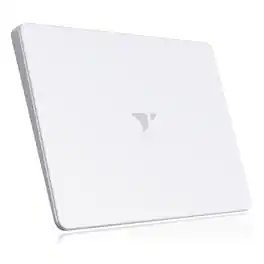
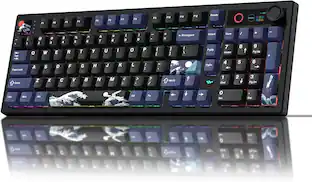
Work smarter and navigate with precision every day using the Turonic TP1, a next generation external touchpad built for productivity, convenience, and comfort. Designed for students, professionals, and creatives, this slim device combines wireless freedom and wired reliability in a compact design. With a 150x105mm sensing area, support for up to four touches, and smooth gesture control, it delivers portability and performance. Featuring Bluetooth 2.4GHz and wired connectivity, the TP1 works as a USB touchpad or USB trackpad and adapts instantly to your needs. The USB C port powers a 500mAh lithium battery with up to 30 hours of use, while the 160x115x9mm body and 153g weight keep it easy to carry. Non slip pads provide stability, and the durable plastic and glass housing ensures reliability. Ideal for daily tasks, it functions as a touch pad mouse for PC or a versatile touchpad for Windows, and also works as a wireless touchpad for Mac with support for up to three connected devices. As a modern computer input device, the TP1 delivers precise control, fast response, and smooth navigation, offering an affordable and intuitive trackpad solution for browsing, editing, and creative work.

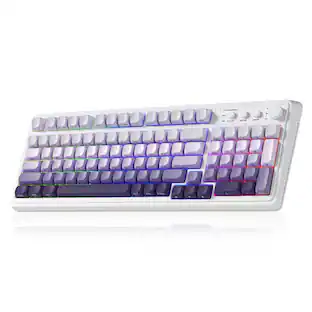
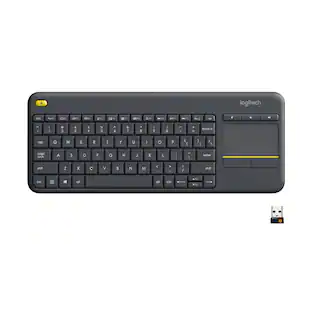
The Logitech Wireless Touch Keyboard K400 Plus lets you experience PC-to-TV entertainment the way you Watch video, browse the web, chat with friends and much more. The all-in-one keyboard with touchpad ends the hassle—and clutter—of multiple devices. And a 32.8-foot wireless range ensures your fun won’t be interrupted. Comfortable, quiet keys and a large (3.5-inch) touchpad make navigating entertainment effortless. Even setup is a snap thanks to the tiny, plug-and-play Unifying receiver.

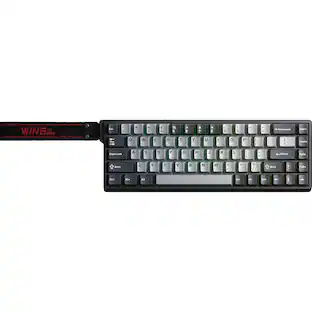
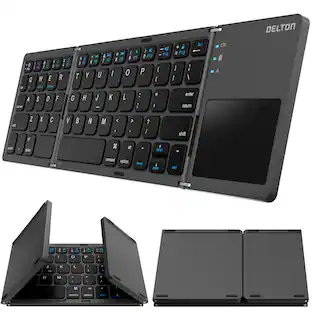
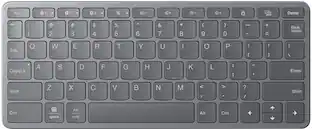
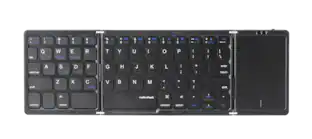
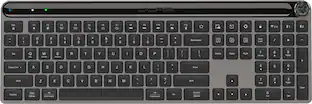
Transform your typing experience with our foldable bluetooth keyboard, the ultimate tool for the on-the-go professional. This ergonomic keyboard folds down to a mere 3.8 x 6 inches, easily sliding into your backpack. It's equipped with Bluetooth for rapid, stable connections and features a touchpad with full touchpad gesture support for effortless navigation. The long-lasting rechargeable battery promises up to 50 hours of continuous use, ensuring you stay productive throughout the longest work sessions. Designed with precision in mind, this portable keyboard offers quiet keys and a comfortable layout for accurate typing, and it is compatible with all your devices, including laptop/PC, tablets, and smartphones, across Windows, macOS, and iOS. This bluetooth keyboard lightweight build doesn't compromise durability, making it a reliable travel companion.

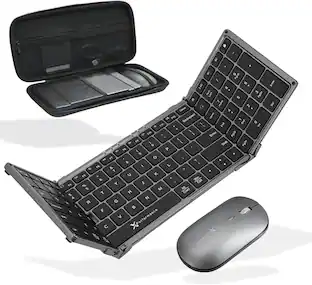
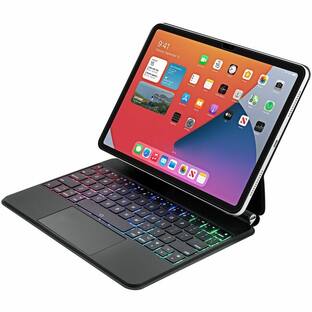
Simply designed for convenience and utility, the aluminum Bluetooth keyboard combined with a cover that converts into a stand holding the iPad Pro 12.9 inch 3rd generation 2018 edition, 4th generation 2020 edition, 5th generation 2021 edition, 6th generation 2022 edition, iPad Air 13 inch 2024 (M2) edition. Turn your mobile device into a mobile workstation wherever you are. The slim case magnetically secures and protects the tablet and keyboard when traveling. The low profile scissor-switch keys provide a tactile response for faster typing. At only 6mm thick, the lightweight yet sturdy aluminum keyboard works equally well on the road or in your home office. More from the Manufacturer
| Pros for Turonic - TP1 Wireless Touchpad, Bluetooth, USB C Rechargeable, 150x105 mm Area, 30H Use, Multi Device Support - White | |||
|---|---|---|---|
| Ease of Use, Battery Life, Connectivity, Performance | Ease of use, Touchpad, Size, Wireless, Overall Performance | There were no pros for this product— | There were no pros for this product— |
Specs
Customers often buy these together


More to consider
 $34.99The price was $49.99
 $38.24The price was $44.99
Explore tech essentials Sponsored
 Top Deal$129.99The price was $159.99
 $103.49The price was $114.99



Keep exploring
 $71.99The price was $89.99
 $59.99The price was $69.99
 $91.49The price was $107.49
 $129.95The price was $159.95