Labor Day Appliances SaleEnds 9/16. Limited quantities. No rainchecks.Shop now

Skip to contentGo to Product Search
Main Content

Turtle Beach - Command Series KP7 Wired Hall-Effect Gaming Keypad for PC - Black

Model: TBK-7001-05
SKU: 6676908
Sold byBest Buy

About this product

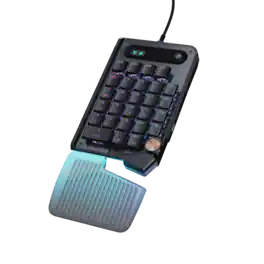
The Turtle Beach Command Series KP7 Modular Keypad is engineered for speed, precision, and adaptability across gaming, creation, and productivity workflows. Use it as a dedicated keypad, macro pad, or numpad, with seamless docking to the Turtle Beach Command Series KB7 Wired TKL Keyboard via dual modular rails, or as a standalone device. Titan low-profile Hall-Effect switches rated for 100 million clicks deliver fast, precise input with adjustable actuation and Rapid Trigger. True 8K wired performance ensures 0.125ms latency. A low‑profile chassis with kickstands, detachable wrist rest, programmable scroll wheel, extendable thumb bar when mounted to the right side of the Command Series KB7 or as a standalone, and per‑key RGB lighting completes a premium experience. The KP7 delivers a powerful, modular control solution for users who demand adaptability, performance, and workflow efficiency.

Features
  • Compact Footprint

    Built for fast, efficient input, the compact layout keeps essential controls within easy reach while freeing up space for smooth, precise mouse movement.

  • Modular Design

    Seamlessly docks with the Command Series KB7 keyboard via rail‑based mounting or works as a standalone with simple plug‑and‑play flexibility.

  • Titan Low-Profile Hall-Effect Switches

    Lightning‑fast analog precision with adjustable actuation down to 0.1 mm, Rapid Trigger support, pre‑lubed smoothness, and a 100‑million keystroke lifespan.

  • True 8K Low‑Latency Performance

    True 8K polling rate and 0.125ms latency enable response up to 8x faster than standard keyboards for fast, precise, low‑latency input.

  • Premium Double Shot PBT Keycaps

    Premium double‑shot PBT keycaps resist shine and wear while delivering a refined tactile feel and balanced acoustics. Additional textured WASD keys provide added grip for confident control.

  • Low‑Profile Design

    Slim 29 mm/1.14in design promotes natural wrist alignment, with aluminum reinforcement, adjustable kickstands, and a detachable wrist rest.

  • Extendable Thumb Bar & Programmable Wheel

    Adaptive thumb bar mirrors spacebar functionality when mounted to right side of the KB7 keyboard or as a standalone, while a programmable scroll wheel enables intuitive macro and shortcut control.

  • Per‑Key RGB Illumination

    Fully customizable per‑key RGB lighting powered by Swarm II for a cohesive, personalized setup.

  • Advanced Customization with Swarm II Software

    Create profiles, fine‑tune performance, and personalize RGB lighting with Swarm II desktop software.

See all features
Specifications
  • Lighting Type
    RGB
    Form Factor
    40%
    Keyboard Technology
    Magnetic hall effect
    Key Switch Behavior
    Linear
    Connection Type
    Wired
Sponsored

Reviews

Rating 4.4 out of 5 stars with 26 reviews

92% would recommend to a friend

Customer Images

The vast majority of our reviews come from verified purchases. Reviews from customers may include My Best Buy members, employees, and Tech Insider Network members (as tagged). Select reviewers may receive discounted products, promotional considerations or entries into drawings for honest, helpful reviews.

  • Rated 4 out of 5 stars

    worthy gaming keypad, software not so much

    The Turtle Beach Command Series KP7 is an interesting device that is primarily marketed as a gaming keypad and companion device for the Turtle Beach KB7 keyboard. I do not own the KB7, so I have been using the KP7 as a standalone device connected directly to my ASUS ROG gaming laptop via the included USB-C (device side) to USB-A cable (computer side). Initially I wasn't sure how useful a dedicated keypad would really be, but after spending time with it I found it to be a good addition to my setup. My primary use case is gaming. I have the illuminated wrist rest attached, and I have extended both the thumb bar and the wheel assembly to make them easier to reach during gameplay. The compact design frees up additional room around my mouse, which is especially useful where large mouse movements are used. The thumb bar also creates a more comfortable hand position than I expected and gives quick access to important command keys on the right side of the keypad without having to reposition my hand. The hardware is where the KP7 really stands out. The Hall Effect switches feel fast and responsive, with smooth key presses and adjustable actuation settings for those who like to fine tune their controls. While I cannot honestly say I notice the full benefit of the advertised 8,000Hz polling rate during normal gameplay, input responsiveness has never been a concern and the keypad always feels immediate. The PBT keycaps feel durable and the overall build quality is much closer to a premium gaming keyboard than a typical numpad or macro pad. The programmable wheel is another feature that I ended up using more than expected. Depending on the game or application, it can be assigned to useful functions and adds another convenient input option without taking up additional desk space. Although the KP7 is designed primarily for gaming, I could also see it being useful for productivity shortcuts, streaming controls, or even light content creation tasks. Software support comes through Turtle Beach's Swarm II application. It provides a considerable amount of customization; however, it is the weakest part of the overall experience. The hardware feels polished and premium, while the software not so much, it gets the job done but leaves room for improvement. Overall, I came away more impressed with the KP7 than I expected. While Turtle Beach positions it as part of a larger ecosystem, it works perfectly well as a standalone device. If you already own a gaming laptop or desktop and want a compact controller for gaming that also offers macro functionality and customization options, the KP7 is worth considering. >>> Pros >> Hall Effect switches feel fast and responsive >> Compact footprint leaves more room for mouse movement >> Comfortable wrist rest and extendable thumb bar >> Premium build quality with durable PBT keycaps >> Programmable wheel adds additional functionality >>Works well as a standalone device without requiring the KB7 keyboard >> Plenty of customization options through Swarm II (although hoping for some improvements on the software side). <<< Cons << Swarm II software could be more better << Premium price compared to traditional gaming keypads or number pads << Some of the ecosystem-focused features are less relevant if you do not own a KB7 << May be overkill for users who only play casual games.

    Posted by Bappy

  • Rated 5 out of 5 stars

    KP7 Keyboard: Small Footprint, Big Features

    This is my first gaming keypad and I was looking forward to checking out the ergonomics edge it gives you while gaming. I'm using the Turtle Beach Command Series KP7 as a standalone gaming peripheral plugged directly into my PC alongside my existing keyboard. It's also built to slide into the rails of the Command Series KB7 keyboard. However, it works great on its own next to any gaming keyboard. I wanted a dedicated device I could game with without taking up a ton of desk space. These peripherals have come a long way and have a surprising amount of well designed gaming features. - Design/Build/Unboxing - The packaging is minimal and mostly eco-friendly. There's a 6 ft braided USB-C to USB-A cable, a silicon wrist pad, a keycap pull device, and four glossy textured keys that can replace the highly used W,A,S, and D keys. The build quality feels solid and sturdy with adequate weight. It weighs about 8 ounces and has a brushed aluminum look. It's heavier than it looks but that's a good thing when you're gaming. There are two kickstands on the back to help you find the right resting angle. The footprint is compact and it has a nice ergonomic feel. The layout is 28 keys with a dedicated toggle at the top where you can switch between a number pad and a gaming device. There's an indicator light to show you what mode you are in. There's a clickable volume wheel and four programmable macro keys. There are also additional function keys at the top. The keys are double-shot PBT, which also helps with wear and tear. The silicon wrist rest clicks into the keypad. The RGB actually illuminates through the translucent body. There's a USB-C port on the back that allows for standalone use. - Specs/Features - The KP7 has low-profile magnetic Hall-Effect linear switches. These switches operate magnetically and reduce mechanical friction, which can increase their lifespan. The default actuation point is 1.2 but the keys can travel from .1 to 3.2mm. You can dial them in per key for both actuation and release. With analog switches the Rapid Trigger resets the key the moment you start lifting off of it instead of waiting for a fixed point. ReacTap handles opposing inputs so if you're pressing two keys at the same time, it's going to respond to the last key press. There's 8000 Hz polling, .125ms latency, 32MB of memory for profiles (you can cycle through these with the profile button up top), full N-key rollover with anti-ghosting, and per-key RGB. I like the way the wheel and thumb keys are out to the lower right because you can naturally land on them when gaming. The wheel is also fully programmable so it's not just for volume. - Swarm II Software - Everything is configured through the Swarm II software. I've used it before with mice, keyboards and headphones so I'm already familiar with it. The software worked great for me. It's intuitive and there are pop-ups if you need guidance. The software is divided into 3 sections: Primary/FN, Game Mode, and Easy Shift. Under Primary/FN you can adjust your global (all keys) actuation point from .1 to 3.2mm. You can also test it before you leave the adjustment screen which is helpful when you need to make adjustments versus finding out in the middle of a game. On the Game Mode section you can adjust actuation per-key by clicking on any key. Here, you can set actuation and release point during a keypress. You can view Global Rapid Trigger settings, and Global Multi-Input (where you can set 3 different actuation points.) You can also apply Reactap to keys. For each key you can set the Primary function, the FN function, Remap the key you want for Game Mode and Easy Shift. There are almost 50 games that have game-specific macros you can choose from. This saves you a little time (also gives you great micro ideas), but you can also record macros if you want custom macros for a given game. There are 8 preset light effects, and a custom selection where you can dial in your own effect, including setting custom RGB values. You can also adjust brightness and speed for each effect. - Performance - When you switch to game mode the center of the keypad becomes WASD and the keys around it map to the ones you would actually use around it on the left side of the keyboard. The secondary keys are labeled on the caps so you can see what they are in gaming mode. Even though it's not a full size keyboard, you're hand will naturally go to most keys so there's not much of an adjustment period. (Tab, Shift, Caps Lock, Q,E,R, Ctrl, Alt). I did need to adjust a little bit to the ctrl and the space key but you will adapt to them fairly quick. The switches feel light and smooth and don't take much effort. Dialing in the actuation point will help you. What's nice about adjusting per-key actuation is you can set movement keys shallow, and other keys standard or lower so that it takes a good press to activate. The wheel is great for cycling through weapons in FPS games or scrolling through items. The four dedicated macro keys down the right side are great for gaming but also for productivity. My gaming system tends to switch between work and play so this is convenient. Rapid trigger feels great on this keypad. The instant you change direction it responds the instant you lift your finger. The 8000 Hz polling rate pretty much guarantees you won't have any lag. - Pros/Cons - -Pros- * Hall Effect switches with per-key adjustable actuation * Plenty of extra keys including a profile switch and toggle for game/number pad * Onboard Memory * Silicon wrist pad is comfortable for long gaming sessions * double shot PBT caps adds durability * Scroll wheel is in clever position * Keycap Puller and four extra textured caps -Suggestions/Needs Improvement * F13-F15 function keys don't light up * I had to stretch slightly to the ctrl and space keys with medium size hands I really like this for gaming. It's a fast, adjustable, comfortable set of keys with macros and a programmable wheel right where my thumb rests. The switches feel exceptional, it has a good build quality, and every key can be customized by input or actuation. When you're not gaming it becomes a handy keypad and more for a productivity environment. I would recommend this peripheral to casual and serious gamers.

    Posted by NanoEthan

  • Rated 5 out of 5 stars

    Calling all accounting, finance & data gamers!

    Your 10-key just got a serious upgrade with this offering from Turtle Beach with their Command Series KP7 Keypad! I love this thing for work and play, the keys are whisper-quiet, excellent travel, great lighting, and easy to use software to boot! First thing you notice when taking the keypad out of the box is just how sturdy it feels, as it should, with the deck under the keys being brushed aluminum and the Hall Effect keys are sturdy with a large amount of plastic bracing the keycap. The keycaps are also very easy to change out, as it’s a circle with a plus design that holds the key in place and actuates the switch. The switch actuation is smooth, like buttery smooth! Using this thing for gaming is amazing easy by utilizing it with the per-key RGB, swappable keycaps (some included for custom key), or using it as a numpad with however you may assign those keys! I use a 10-key regularly enough professionally that I thought I’d give it a try at my desktop/workstation in my home office to get the most use out of it, at least initially, and wow was that the correct choice! My normal daily keyboard is a Logitech G915 that also has per-key lighting, so my 10-key is already lit in an easily identifiable way (for me) to know if they’re being used as a traditional number pad, or if it’s setup in a custom ‘macro’ mode. I carried that same lighting style to this… and have been making excellent use of the four ‘M’ keys for macro switching, even more with the “quick shift” button in the top right of the keypad! The added visual cue to quickly indicate that the keypad has switched from work to play is amazing! No more going into software or trying to remember if the keypad is in numbers or game control mode, just a quick push of the dedicated button and it shifts my RGB, key assignments, and even the dial control to their ‘game’ modes. If only it would also slide the bottom right of the keypad out for games and in for work, too! That I am nervous about, as the sliding mechanism doesn’t seem especially sturdy once it’s extended out like it is in the collapsed form, but I hit the space key pretty hard and it’s held up so far, here’s hoping it holds up like that in the long run otherwise you might lose your period/decimal and [second] ‘Enter’ key. Oh yeah, the enter key is split in two, which makes sense since this keypad has split personalities. One is all about business, the other is whatever you want it to be! There’s also F13-16 and a mode changing key for different user profiles that add even MORE functionality and customization abilities! Turtle Beach even added rails to both sides with contacts to attach it to either side of the Command Series keyboard & other accessories and a detachable three zone RGB wrist rest. I don’t know how the sliding period/Windows key, Enter/Alt, Space, and wheel work with the keyboard on the right side of the keypad, or with any of the other possible accessories works, but it seems thought out enough that they’ve thought of this, at least based on the thought that’s been put into this part of the system. This is one seriously cool, seriously overkill, but incredibly functional keypad and I’d recommend it to professionals, whether that’s a professional gamer or Excel warrior, you’ll love how you can build out this whole series, especially the KP7 Keypad!

    Posted by Mike

  • Rated 4 out of 5 stars

    Great hardware but with some software issues.

    This Turtle Beach Command Series KP7 Hall-Effect Gaming Keypad has great features and great potential. It is built great with quality materials and feels great to the touch. The keys are smooth and super responsive with the Hall-Effect switches. I love having a dedicated keypad. It makes all the difference in the world. I use it for gaming and for productivity as well. As far as gaming, it works like a charm, but it has its quirks. The Swarm II software seems to be a bit of an issue. I am almost certain that the firmware and the software itself have updated several times over the past several weeks that I have had this keypad. The issues that I have had is that the keypad becomes disconnected at times, and I have to restart my computer before it will recognize it again. Also, the per key RGB lighting seems to be off quite a bit too. I have had to freeze up on me and have had it just stop working. When it freezes up, the entire game freezes. I have to restart my computer. When it just stops working, I have to disconnect the keypad, restart the computer and then connect it again. There have been updates that I thought fixed the issues, but it will work fine for a bit, then start some of the issues again. The hardware itself is fantastic. I have no issues with the hardware. It’s the software, Swarm II, that seems to be causing the issues. I uninstalled the software after doing the firmware updates, and just tried the keypad without the software, which I don’t recommend, because you can’t set the adjustable key actuation settings, the lighting or any other custom settings. I just wanted to see if I had issues with the keypad without the software installed. I did have some issues, but not like I did when it was installed. It’s a great keypad for gaming, and the issues will be taken care of in updates. In the box you get the keypad, keycap puller, USB Cable, User Manual Setup: install the Swarm II software on your computer and follow the instructions. Setup isn’t that bad. Pros: -It’s versatile and can be used as a gaming keypad, macro pad, or numpad -Integrates seamlessly with the KB7 keyboard -Titan low profile Hall Effect switches with 100-million click lifecycle -Rapid Trigger -adjustable key actuation Cons: -Swarm II software needs new updates -has trouble staying connected -has trouble freezing

    Posted by MoniMouse

  • Rated 4 out of 5 stars

    Great for smaller keyboard lovers

    I'm a big fan of smaller keyboards but the one downside is when I need a keypad. This solves that problem and still offers the hall effect keys I can't live without anymore. Probably a little pricier than I'd like but it does it's job and does it well. It's also fairly versatile. Setup is as easy as any keyboard. Plug it in and you're ready to go. The included USB cable is braided and feels nice and is plenty long. Onboard memory means you don't always have to keep the software running but you'll probably want to install it to customize things. That's where this keypad shines. On top of being just a ready to go keypad if your current keyboard doesn't have one, you can customize everything about every key to make it do exactly what you want it to do. Swap it to the left side of your keyboard and activate Game Mode and there's an existing configuration that turns it into a small WASD section of your keyboard. Customize profiles for a very specific game you need certain keys for. The software even has a bunch of prebuilt macros for a lot of games already included. Customizing what each key does is one thing but hall effect keyboard are known for an extra benefit, customizing HOW each key does it. Every key can customize it's actuation point as well as well known up and down activation for rapid presses or linking two keys so the keyboard ignores the first one when a new one is pressed (great for strafing without needing to full depress a key). The RGB is fairly basic but there are a dozen or so prebuilt settings and then you can make a custom one with limited abilities. It does it's job well enough. The volume/scroll knob at the bottom is a little bit stiff and moves the keypad when you try and scroll it sometimes. Not ideal. If you own the Command Series KB7, this keypad slots right in on either side. I don't have that keyboard but thought it was neat when I saw the slide track and contact on each side. You can dock the keypad to either side (or each side if you have two of these!) and make this a natural extension of your keyboard. Overall, this is a nice keypad for those times when you're missing a keypad. But it also doubles as just a nice gaming pad when you switch sides instead of using your keyboard's standard WASD controls. The keys feel good and are as customizable as you'd expect for a hall effect keyboard. Great little pad that could be better for a few less dollars. Give this one a look if it fits your budget and you miss being able to fly in GTA 5.

    Posted by swemoney

Compare similar products

Turtle Beach - Command Series KP7 Wired Hall-Effect Gaming Keypad for PC - Black
4.4(26)

The Turtle Beach Command Series KP7 Modular Keypad is engineered for speed, precision, and adaptability across gaming, creation, and productivity workflows. Use it as a dedicated keypad, macro pad, or numpad, with seamless docking to the Turtle Beach Command Series KB7 Wired TKL Keyboard via dual modular rails, or as a standalone device. Titan low-profile Hall-Effect switches rated for 100 million clicks deliver fast, precise input with adjustable actuation and Rapid Trigger. True 8K wired performance ensures 0.125ms latency. A low‑profile chassis with kickstands, detachable wrist rest, programmable scroll wheel, extendable thumb bar when mounted to the right side of the Command Series KB7 or as a standalone, and per‑key RGB lighting completes a premium experience. The KP7 delivers a powerful, modular control solution for users who demand adaptability, performance, and workflow efficiency.
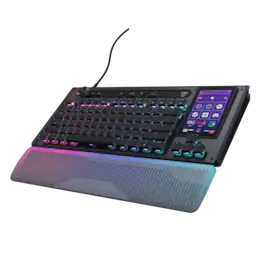
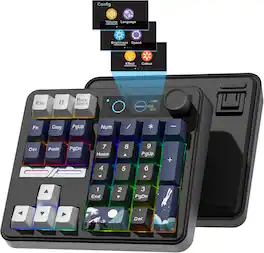
Womier - SK30 Mechanical Numpad, Mini Keyboard,Macro Software RGB Number Pad Hotswap with Screen & Knob for Mac Windows - Black
5.0(1)

Wireless Gaming Mechanical Numpad,30-key Numeric, Backlit Creamy Keyboard

Turtle Beach - Command Series KB7 TKL Wired Hall-Effect Gaming Keyboard for PC - Black
3.8(29)

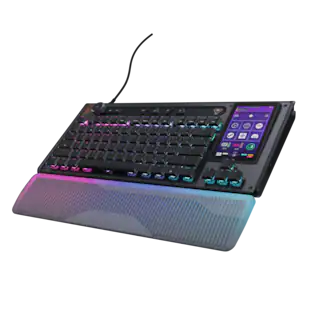
The Turtle Beach Command Series KB7 isn’t just another keyboard. It’s your command center. At the core of the KB7 is an ultra-responsive 4.3” Command Touch Display that lets you switch profiles, trigger macros, monitor system stats, and manage key functions instantly. Adjust audio, launch apps, and control system or stream functions directly from the display, all while staying locked in. Titan low-profile Hall-Effect switches rated for 100 million clicks deliver fast, precise input with adjustable actuation. Built to last, KB5’s premium double‑shot PBT keycaps maintain a clean matte finish for a superior tactile feel. Additional textured WASD keys add enhanced grip and control. A slim aluminum‑reinforced chassis and a detachable wrist rest ensure lasting comfort and durability. True 8K polling, an integrated Action Bar, and per‑key RGB lighting elevate the experience even further. Dual modular rails expand functionality with Command Series accessories like the Command Series KP7 keypad, making the KB7 the centerpiece of the Command Series ecosystem.
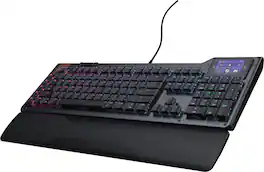
CORSAIR - GALLEON 100 SD Stream Deck-Integrated Mechanical Gaming Keyboard - Black

GALLEON 100 SD fuses iconic Stream Deck technology into a high-performance mechanical keyboard, giving you precise, real-time command of your entire gaming setup all from one device. Customizable shortcut keys and dials help you react faster without breaking focus, whether you're executing complex in-game combos or controlling apps like Discord and Spotify. Keep tabs on everything from hardware stats to your favorite Twitch channels on a fullcolor 5" LCD screen. The keyboard also delivers serious gaming performance with lightning-fast 8,000Hz hyperpolling, FlashTap SOCD, and smooth MLX Pulse switches. It’s more than just a keyboard—it’s a new era of input.

Pros for Turtle Beach - Command Series KP7 Wired Hall-Effect Gaming Keypad for PC - Black
There were no pros for this productThere were no pros for this productThere were no pros for this productBuild Quality, Key Feel, Stream Deck Integration, Customization, Noise Level
Cons for Turtle Beach - Command Series KP7 Wired Hall-Effect Gaming Keypad for PC - Black
There were no cons for this productThere were no cons for this productThere were no cons for this productSoftware

Specs

Questions & Answers
No content

Customers often buy these together

Sponsored

Finance Options

My Best Buy® Credit Card
Buy Now, Pay Later

Special Offers

Top Offers
Included with Purchase