Labor Day Appliances SaleEnds 9/16. Limited quantities. No rainchecks.Shop now

Main Content

Turtle Beach - Command Series KB5 Full-Size Wired Mechanical Gaming Keyboard for PC - Black

Model: TBK-1005-01-US
SKU: 6676910
Sold byBest Buy

About this product

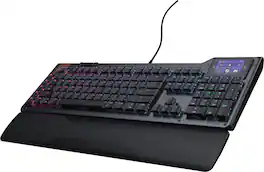
The Turtle Beach Command Series KB5 full-size mechanical keyboard puts total control at your fingertips with a 2.4” Command Touch Display that lets you customize profiles, trigger macros, and monitor key system stats while staying immersed in the game. Titan low-profile mechanical switches that actuate at just 1.2mm deliver fast, precise input. Premium double‑shot PBT keycaps maintain a clean matte finish for a superior tactile feel. Additional textured WASD keys add enhanced grip and control. Pre‑lubed switches, tuned stabilizers, and true 8K wired polling deliver smooth, ultra‑responsive keystrokes, while five dedicated macro keys and a top‑mounted clickable volume barrel provide fast, intuitive control. A low‑profile, aluminum‑reinforced chassis paired with a detachable palm rest ensures lasting comfort and durability. The KB5 isn’t just a keyboard, it’s your ultimate command center built for gaming, streaming, and beyond.

Features
  • 2.4” Command Touch Display

    Take control without breaking focus. Customize profiles, trigger macros, monitor system stats, and manage audio or apps directly from the Command Touch Display.

  • Titan Low‑Profile Mechanical Switches

    Titan low‑profile mechanical switches actuate at 1.2mm with a 3.1mm total travel and a 50‑million‑click lifecycle, enhanced by pre‑lubed switches and stabilizers.

  • Premium Double Shot PBT Keycaps

    Premium double‑shot PBT keycaps resist shine and wear while delivering a refined tactile feel and balanced acoustics. Additional textured WASD keys provide added grip for confident control.

  • ReacTap SOCD

    The technology prioritizes the most recent directional input between two keys, enabling smooth, continuous movement with faster, more precise counter‑strafing and directional control.

  • True 8K Low‑Latency Performance

    True 8K polling rate and 0.125ms latency enable response up to 8x faster than standard keyboards for fast, precise, low‑latency input.

  • Low‑Profile Design

    Low‑profile switches and keycaps deliver smooth, precise input, paired with a slim 27mm/1.06in aluminum‑reinforced chassis for lasting comfort and durability.

  • Extended Form Factor

    A full-size extended layout with a numpad and five macro keys delivers expanded control without breaking your flow.

  • Volume Barrel

    A top‑mounted clickable volume barrel enables fast media control with instant mute.

  • Per‑Key RGB Illumination

    Fully customizable per‑key RGB lighting powered by Swarm II for a cohesive, personalized setup.

  • Advanced Customization with Swarm II Software

    Advanced customization for the Command Touch Display, profiles, RGB lighting, macros, and performance tuning.

See all features
Specifications
  • Lighting Type
    RGB
    Form Factor
    Full-size
    Keyboard Technology
    Mechanical
    Key Switch Behavior
    Linear
    Connection Type
    Wired
Sponsored

Reviews

Rating 4.2 out of 5 stars with 11 reviews

73% would recommend to a friend

Customer Images

The vast majority of our reviews come from verified purchases. Reviews from customers may include My Best Buy members, employees, and Tech Insider Network members (as tagged). Select reviewers may receive discounted products, promotional considerations or entries into drawings for honest, helpful reviews.

  • Rated 4 out of 5 stars

    Decent Low-Profile KB, Uncomfortable Palm Rest

    Pros: - Works as Plug & Play. - Touchscreen works like a more flexible streamdeck. - Quiet, Tactile, and Smooth switches. Cons: - Palm rest included is a hard plastic and uncomfortable for long sessions of gaming. - Touch screen sensitivity is low. Out-of-the-Box: Turtle Beach included in the box the Command Series KB5 keyboard, snap-on Palm rest, USB-C to USB-A braided cable, and a key-pulling tool with 4 alternative keys. The 4 alternative keys can technically be used anywhere but are shaped to replace the WASD, to provide additional texture for the movement keys most games use. I was pleased to find that the Command Series KB5 was Plug-&-Play, meaning it didn’t require any software to be used immediately. Though, to use the touchscreen requires the Swarm II software, which Turtle Beach conveniently provided a link to download on the touchscreen when you first turn on the keyboard. Software: The Command Series KB5 uses the Swarm II app for updates, configuration and customization. I’m familiar with the Swarm II app from previous Turtle Beach devices, I find it to be easy and straightforward to use. I still think Swarm II best feature is having all the settings easily accessible from the device tab. I did have some issues getting Swarm II to launch, but after a restart that resolved itself. In Swarm II you can set the different applications that can be launched from the touchscreen, such as Steam or Discord, which is helpful if you don’t have a streamdeck or other controller for quick launching. Build & Feel: The Command Series KB5 is a full sized low profile keyboard, with only 27mm/~1in of height when flat on the table. A major part of this is the Low-Profile Mechanical switches, which have low key actuation and travel distance. The key caps remind me of a laptop keyboard, both in feel and typing. The front plate is made of brushed aluminum with the back of the keyboard being a hard smooth black plastic. Unfortunately, the palm rest is made of the same material as the back of the keyboard, a hard black plastic. I found it to be uncomfortable during long durations of use, like a late-night gaming session. It did raise my hands up to the right level to use the keyboard comfortably, but if you’re going to include a palm rest for a gaming focused keyboard, at least make it comfortable for long durations of use. I ended up removing it to use a foam palm rest instead as my palm started to get sore after a couple of days of using it. The key caps have a good smooth tactile feel, but for a gaming keyboard I would have preferred a bit of texture on the keys over a completely smooth key. The included alternative key caps would be nice, except that the texture on them doesn’t really provide any more grip compared to the default smooth keys. It’s a preference, but I like matte textured key caps with a bit of grip, especially for tactile focused keyboards. Gaming on it worked well, my biggest complaint was the palm rest comfortability. The low-latency is helpful in more competitive games, but for average gaming it is less important than say a stable internet connection. I’m always cautious about using features like ReacTap SOCD, because in competitive games it is seen as a macro input for directional movement enhancement, but for casual gaming it is a fun feature to help improve your movements. Just check the Terms of Service before enabling it in online PvP games. Touch Screen: The touchscreen is the focus of the Command Series KB5, which works like a more powerful stream deck providing quick control for media and apps, being customizable in the Swarm II app. I found the touchscreen sensitivity to be lower than I would have preferred, it responded like a screen with a slightly too thick screen protector on it. It took a while to get the required touch down paired with the right motions to navigate. I was underwhelmed by it. I found being able to customize the applications I could open on the quick panels was the best part, as it made quickly accessing websites or tools as easy as clicking on the task bar, but could do so from the keyboard with less clicks. Switches: The Low-Profile Mechanical switches are the main reason the KB5 is as low-profile as it is. With an actuation distance at 1.2mm and key travel distance of 3.1mm, this is on the low end for most keyboards, the typing can feel a bit too sensitive or shorted as the keys activate quickly and bottom out sooner than you might expect. The short travel distance does take a bit to get used to, it is more like typing on a laptop or membrane keyboard than a traditional mechanical keyboard, the feel is very similar to chicklet keyboard typing. The switches are very quiet and tactile, there is a noticeable muted click but it isn’t loud. That is thanks to the pre-lubed stabilized keys. Overall, the typing is smooth and responsive. Conclusion: The Command Series KB5 keyboard by Turtle Beach is a good take on a low-profile mechanical keyboard. The built-in touch screen is an added benefit, like having a more flexible stream deck built right into your keyboard. But the sensitivity of the touch screen does make it a little difficult to use accurately, which is unfortunate. The included palm rest should just not be included; it raises your wrist up to the right height but is not comfortable over long durations of use. Overall, I don’t dislike using the Command Series KB5, but it leaves a lot to be desired which makes it a maybe consider it for my recommendation.

    Posted by BradfordBT

  • Rated 5 out of 5 stars

    Awesome Functionality; Beautiful RGB Lighting

    This Turtle Beach KB5 is a great looking and seemingly endlessly customizable mechanical keyboard. Anyone who likes mechanical keyboards will love this one. Starting with the physical keyboard it's low profile and lightweight, being just over 1" thick including keycaps and weighing just under 2 pounds. The switch plate is brushed aluminum screwed onto a plastic case/chassis. The case has six rubber non-slip pads on the bottom and a pair of adjustable kickstands. The switches are Turtle Beach's Titan low-profile pre-lubed linear mechanical switches. They're smooth and quiet (except for the clack) and have a solid feel to them. The keycaps are premium double-shot PBT. The keyboard has a 2.4 inch 3-page touchscreen display. Each page can be changed (using Turtle Beach's Swarm II app) to one of 23 different preset templates ranging from computer controls to various app and various game controls or you can create your own customized templates. Use the Swarm II app to customize key functions and create macros for use in any of the four keyboard modes available - Primary (standard keyboard functions), FN mode, Game Mode, or Easy Shift mode. Easy Shift mode is an additional layer of functions accessible when in Game Mode. The Swarm II app itself doesn't have much how-to help and can be overwhelming. I recommend going online to the Turtle Beach site downloads and downloading the Command Series KB5 Quick Start Guide. It fully explains keyboard functionality, touchscreen information and short-cut keys for accessing/switching keyboard modes. There's a long list of preset gaming macros for specific games in the Swarm II app. It's easy to just pick out the macro you want to use for a particular game and assign a key. If the function or game isn't listed, then you can create your own. It's a twostep process - first create the macro, then go to keyboard assignments to assign the trigger key. There's a pressable roller on the top left of the keyboard that they label as a Volume Barrel which is its default. Roll it forward to increase volume or back to decrease and press to mute. However, like everything else it can be customized to do other media commands like roll forward or back for next song/previous song and press to pause/play. Or mouse actions can be assigned to it. Finally, compared to everything else, the RGB customizing using Swarm II is simple and straightforward. Do lighting by preset grouping like main keys, WASD keys, number keys, arrow keys, FN keys or individual keys or groups you choose. The RGB lighting is beautiful - the key switches are translucent, and the keycaps have short skirts so the RBG lighting glows not only through the keycap legends but all around the keys themselves and reflects off the aluminum switch plate. See my photo! The keyboard comes with braided USB cable, attachable wrist rest, keycap puller and textured WASD keycaps. It took me quite a while working with the app and keyboard to understand all the possibilities and how to enable and use them. Only then did I come to appreciate everything this keyboard has to offer and is capable of. This keyboard is awesome! I give it two thumbs up!

    Posted by uicc676

  • Rated 5 out of 5 stars

    Great Keyboard, Middling Display Controller

    While not perfect, I do love the Turtle Beach KB5 full size wired mechanical gaming keyboard. It’s spacious, has the type of switches I prefer, lots of keyboard customization, all at a great price. My qualms are small with one being able to be fixed in future software updates. This screen could be a game changer and while it does add some handy features (especially if you’re a streamer) there is a lot of functionality that could be added to push this across the finish line. Let’s start with what this keyboard’s main use is. Being a keyboard, which it excels at doing. It’s a full size keyboard and I do mean FULL size. It took a little bit to get used to because it's so spacious but boy do I love it. They are linear switches (soft, no click) which I like but might not be everyone's choice of key switch. It is surprising they don’t offer other switch types for folks who don’t like linear. Now onto the software. Swarm II is solid software for customizing the keyboard and makes it relatively easy for getting the display up and running. RGB customizations, macro keys, etc are all really easy to adjust on the fly! I’m a fan of the software. Where it does fall flat is how much I can customize the display. I was really hoping the Discord integration would allow me to map custom sounds to buttons and other features of Discord Nitro, but it is actually quite limited in its integration. You can have one click channel join, and audio controls but that’s it. I know other gamer displays have that functionality so hopefully it’s something that Turtle Beach will add in the future. Other weird things about the display are, it has a timer button but it can’t go above 10 minutes so I can’t use it as a pomodoro timer for work. It can do 10 minutes so I’m not sure why it can do all double digit times. The built-in game specific macros are all for old games (It has Mass Effect 2 but not 1 or 3?) so that’s not super handy and you will find yourself having to add your own macros which is fine. This is a very impressive keyboard on the hardware side and the software side has a great starting point with a lot more room to grow. I’m excited to see future updates add more features so I can truly make this display a part of my routine and less of an occasional use feature. Pros: Excellent spacious keyboard Easy setup Great keyboard customization Great price Sturdy build quality Cons: Only Linear smooth switches available Lack of customization with display

    Posted by Matt

  • Rated 3 out of 5 stars

    Get past the setup to get the experience

    I wanted to love the Turtle Beach Command Series KB5 almost immediately after taking it out of the box. Visually, this is one of the more interesting keyboards I have used in quite a while. Unfortunately, actually getting everything working proved considerably more difficult than I expected. Starting with the good, the hardware itself is excellent. The KB5 has a distinctive industrial appearance with its aluminum-reinforced top plate, exposed hardware, low-profile keys, integrated display and volume control. It manages to look like a gaming keyboard without looking quite like every other gaming keyboard on the market. There is something almost niche about the design that I really enjoy. I also really like typing on it. The low-profile mechanical switches are quiet, smooth and responsive without the clacky soundtrack that accompanies many gaming keyboards. For those who need to be observant of their noise output will appreciate it. I have another gaming keypad that can probably be heard from orbit when I get going on it. The KB5 is dramatically quieter. The best analogy I can come up with for the typing experience is somewhere between a very good laptop keyboard and a mechanical gaming keyboard. You get the low-profile, relatively effortless feel of the former, but there is still enough travel and response that it doesn't feel vague or mushy. Whether that description sounds appealing will probably depend on what you normally type on, but I have found it extremely comfortable. The integrated touchscreen is also a nice touch. Being able to assign shortcuts, macros and other controls directly to the keyboard has a lot of potential, and the RGB customization, dedicated controls and overall feature set give you plenty to play with. Unfortunately, this is also where my experience became considerably less enjoyable. The KB5 is unusually particular about its USB connection. Turtle Beach specifies that it should be connected directly to the PC and does not support USB hubs, and in my experience it really meant it. I had trouble with multiple connection arrangements, and even a front-panel USB port connected directly to the motherboard headers didn't behave reliably for me. Ultimately, the keyboard was happiest occupying a dedicated USB port directly on the rear I/O of my motherboard. That isn't necessarily a deal breaker, but it is a surprisingly restrictive requirement for a keyboard, particularly on a modern desktop where USB hubs and shared peripheral arrangements are common. The larger source of frustration for me, however, was Swarm II. There is quite a lot you can configure through the software, including RGB lighting, macros, profiles and the functions available through the touchscreen. The problem was getting the software and keyboard to consistently agree with one another. I encountered communication problems, firmware-update headaches and settings that did not always behave the way I expected. Even something as simple as building useful shortcuts for the touchscreen occasionally became an exercise in working around the software rather than simply configuring the keyboard. Some of those limitations aren't entirely Turtle Beach's fault. For example, I wanted to build a clean Spotify shortcut and discovered that Spotify itself doesn't make accomplishing exactly what I had in mind particularly straightforward. But small obstacles like that compound the more fundamental issue: configuring the KB5 already requires more patience than I think a keyboard in this class should demand. Interestingly, I experienced similar firmware and setup frustrations with another recent Turtle Beach peripheral. In both cases, once I got through the setup process, I liked the physical product considerably more than I liked the process required to get there. That is ultimately where I land on the KB5 as well: there is a genuinely good keyboard here. In fact, the hardware is good enough that I was willing to keep troubleshooting it because I wanted to use it. I love the appearance, I enjoy typing on it, I appreciate how quiet it is, and I like what Turtle Beach is trying to accomplish with the integrated touchscreen and customization. At the same time, a keyboard simply shouldn't require this much troubleshooting. I had the tools available to dig into what was happening and eventually work through most of the problems I encountered. A typical buyer shouldn't need to do that, and I wouldn't blame someone for simply putting it back in the box if their initial experience mirrored mine. The KB5 feels a little like hardware built for a world in which software integration is completely seamless: connect it, tell it what you want everything to do, and it simply works. If we lived in that world, I would be considerably more enthusiastic about it. We're just not quite there yet, and that gap is what keeps an otherwise impressive piece of hardware from being as easy to recommend as I would like. As hardware, I think the KB5 is distinctive, comfortable and genuinely appealing. As a complete product experience, the software and setup still need refinement. If Turtle Beach can smooth out that side of the equation, there is a lot here worth liking.

    Posted by Caladbolg

  • Rated 5 out of 5 stars

    Full-Size Wired High Performance Gaming Keyboard

    Turtle Beach Corporation is a premier American gaming manufacturer based in San Diego, California. Turtle Beach released a new Command Series KB5 full-size wired mechanical keyboard. A 2.4" programmable touch screen lets you oversee system stats without interrupting your game. You can also trigger macros, customize profiles, and adjust sound & apps with this full color touch display. The Titan low-profile mechanical switches are phenomenal! They actuate at just 1.2mm, provide positive feedback with dampened sound and are rated at 50-million keystrokes. Further enhancing the keyboard feel, double-shot PBT keycaps with textured WASD provide excellent grip and endurance. I love the matte finish on the keycaps. Swarm II software is quick to connect and can configure RGB illumination, which is visible on each key. The included 5.9 foot braided cable connects USB-C to USB-A. KB5 features an 8,000 Hz polling rate, updating every 0.125 milliseconds! This is eight times faster than the standard 1,000 Hz rate, and produces much lower input latency and delay. CONCLUSION: Turtle Beach KB5 elevated my gameplay, and has become my favorite gaming & work keyboard. The subtle points are perfected, such as adjustable height, and retained palm rest. KB5 earns my highest recommendation.

    Posted by gadgetguy11

From the Manufacturer

Compare similar products

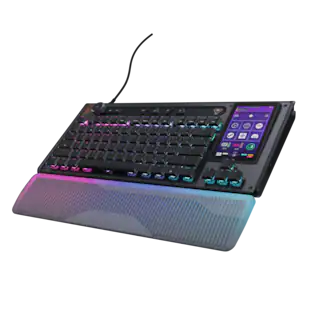
Turtle Beach - Command Series KB5 Full-Size Wired Mechanical Gaming Keyboard for PC - Black
4.2(11)

The Turtle Beach Command Series KB5 full-size mechanical keyboard puts total control at your fingertips with a 2.4” Command Touch Display that lets you customize profiles, trigger macros, and monitor key system stats while staying immersed in the game. Titan low-profile mechanical switches that actuate at just 1.2mm deliver fast, precise input. Premium double‑shot PBT keycaps maintain a clean matte finish for a superior tactile feel. Additional textured WASD keys add enhanced grip and control. Pre‑lubed switches, tuned stabilizers, and true 8K wired polling deliver smooth, ultra‑responsive keystrokes, while five dedicated macro keys and a top‑mounted clickable volume barrel provide fast, intuitive control. A low‑profile, aluminum‑reinforced chassis paired with a detachable palm rest ensures lasting comfort and durability. The KB5 isn’t just a keyboard, it’s your ultimate command center built for gaming, streaming, and beyond.
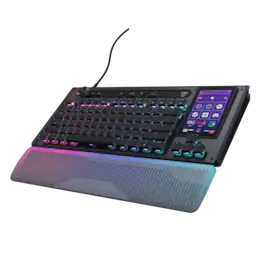
Turtle Beach - Command Series KB7 TKL Wired Hall-Effect Gaming Keyboard for PC - Black
3.4(14)

The Turtle Beach Command Series KB7 isn’t just another keyboard. It’s your command center. At the core of the KB7 is an ultra-responsive 4.3” Command Touch Display that lets you switch profiles, trigger macros, monitor system stats, and manage key functions instantly. Adjust audio, launch apps, and control system or stream functions directly from the display, all while staying locked in. Titan low-profile Hall-Effect switches rated for 100 million clicks deliver fast, precise input with adjustable actuation. Built to last, KB5’s premium double‑shot PBT keycaps maintain a clean matte finish for a superior tactile feel. Additional textured WASD keys add enhanced grip and control. A slim aluminum‑reinforced chassis and a detachable wrist rest ensure lasting comfort and durability. True 8K polling, an integrated Action Bar, and per‑key RGB lighting elevate the experience even further. Dual modular rails expand functionality with Command Series accessories like the Command Series KP7 keypad, making the KB7 the centerpiece of the Command Series ecosystem.
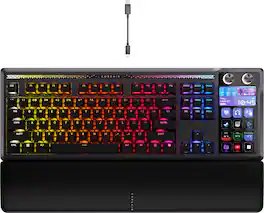
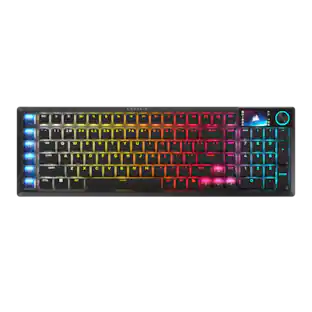
CORSAIR - GALLEON 100 SD Stream Deck-Integrated Mechanical Gaming Keyboard - Black
4.4(99)

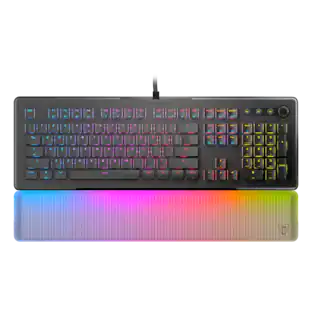
GALLEON 100 SD fuses iconic Stream Deck technology into a high-performance mechanical keyboard, giving you precise, real-time command of your entire gaming setup all from one device. Customizable shortcut keys and dials help you react faster without breaking focus, whether you're executing complex in-game combos or controlling apps like Discord and Spotify. Keep tabs on everything from hardware stats to your favorite Twitch channels on a fullcolor 5" LCD screen. The keyboard also delivers serious gaming performance with lightning-fast 8,000Hz hyperpolling, FlashTap SOCD, and smooth MLX Pulse switches. It’s more than just a keyboard—it’s a new era of input.

Turtle Beach - Command Series KP7 Wired Hall-Effect Gaming Keypad for PC - Black
4.2(6)

The Turtle Beach Command Series KP7 Modular Keypad is engineered for speed, precision, and adaptability across gaming, creation, and productivity workflows. Use it as a dedicated keypad, macro pad, or numpad, with seamless docking to the Turtle Beach Command Series KB7 Wired TKL Keyboard via dual modular rails, or as a standalone device. Titan low-profile Hall-Effect switches rated for 100 million clicks deliver fast, precise input with adjustable actuation and Rapid Trigger. True 8K wired performance ensures 0.125ms latency. A low‑profile chassis with kickstands, detachable wrist rest, programmable scroll wheel, extendable thumb bar when mounted to the right side of the Command Series KB7 or as a standalone, and per‑key RGB lighting completes a premium experience. The KP7 delivers a powerful, modular control solution for users who demand adaptability, performance, and workflow efficiency.

Pros for Turtle Beach - Command Series KB5 Full-Size Wired Mechanical Gaming Keyboard for PC - Black
There were no pros for this productThere were no pros for this productBuild Quality, Key Feel, Customization, Stream Deck Integration, Noise LevelThere were no pros for this product
Cons for Turtle Beach - Command Series KB5 Full-Size Wired Mechanical Gaming Keyboard for PC - Black
There were no cons for this productThere were no cons for this productSoftwareThere were no cons for this product

Specs

Be the first to ask a question.

We’ll try to get your question answered within 24 hours by a Best Buy customer or brand representative.

No content

Customers often buy these together

Sponsored

Finance Options

My Best Buy® Credit Card
Choose a benefit:Or
Buy Now, Pay Later

Finance Options

My Best Buy® Credit Card
Choose a benefit:Or
Buy Now, Pay Later

Special Offers

Top Offers
Included with Purchase

Special Offers

Top Offers
Included with Purchase