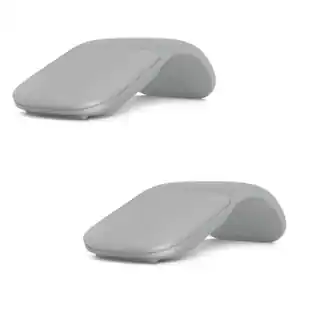
Apple - Magic Mouse - Multi-Touch Surface (USB-C) - Wireless - White Multi-Touch Surface
Customers are saying
Customers regard this product highly for its excellent overall performance, long battery life, and sleek, lightweight design. Users also frequently praise its ease of use and seamless connectivity with other devices. While the majority of feedback is positive, some users have noted concerns regarding the placement of the charging port, the physical size of the device, and the sensitivity of the scrolling feature.
Color
White Multi-Touch SurfaceFeatures
Compatible Mac Models
MacBook Air (2020 and later), MacBook Pro 14-inch (2021 and later), MacBook Pro 16-inch (2019 and later), MacBook Pro 13-inch (2020), Mac Studio (2022 and later), Mac mini (2018 and later), Mac Pro (2019 and later)
Compatible iPad Models
iPad Pro 13-inch (M4 and later), iPad Pro 11-inch (1st generation and later), iPad Pro 12.9-inch (1st generation and later), iPad Air 13-inch (M2 and later), iPad Air 11-inch (M2 and later), iPad Air (4th generation and later), iPad (8th generation and later), iPad mini (5th generation and later)
Specifications
- Connection TypeWireless
Reviews
Rating 4.6 out of 5 stars with 1457 reviews
- Overall Performance (432)
- Battery Life (195)
- Ease of Use (188)
- Design (166)
- Connectivity (115)
- Charging Port Placement (39)
- Scrolling (12)
- Size (12)
Customer Images
The vast majority of our reviews come from verified purchases. Reviews from customers may include My Best Buy members, employees, and Tech Insider Network members (as tagged). Select reviewers may receive discounted products, promotional considerations or entries into drawings for honest, helpful reviews.





Compare similar products

Magic Mouse is wireless and rechargeable, with an optimized foot design that lets it glide smoothly across your desk. The Multi-Touch surface allows you to perform simple gestures such as swiping between web pages and scrolling through documents. The rechargeable battery will power your Magic Mouse for about a month or more between charges.* It’s ready to go right out of the box and pairs automatically with your Mac. It features a USB-C port and includes a woven USB-C Charge Cable that lets you pair and charge by connecting to a USB-C port on your Mac, so you can charge all of your favorite devices with just a single cable.

Upgrade to smarter scrolling, better comfort, and more productivity with the Signature M650 L. The versatile mouse features an adaptive scroll SmartWheel that delivers line-by-line precision, and auto-switches to super-fast free spin mode with the flick of a finger. A choice of sizes for smaller, larger and left hands means there's a perfect fit for anyone. Seamless wireless connectivity, customizable side buttons, and a comfort shape keep you comfortably and productive hour after hour. Logitech’s SilentTouch technology delivers silent clicks to keep you focused – while the up to 24-month battery life and universal operating system compatibility ensure hassle-free performance.

Elevate your computing experience with the Macally BTDYNAMOUSE, a sleek and wireless Bluetooth mouse that brings a perfect blend of elegance and functionality to your desk. Whether you use a Mac, PC, or even an iPad, this Bluetooth mouse for Mac and Bluetooth mouse for PC is engineered to meet your needs. Key Features: Dependable Bluetooth Connectivity: This Bluetooth mouse easily connects to any Bluetooth-enabled Mac or PC, as well as iPads, providing a reliable connection up to 30 feet away. It's the perfect Bluetooth mouse for iPad and Bluetooth mouse for iPad Pro. Silent, Quiet-Click Buttons: Equipped with a silicon membrane, the buttons of this Apple Bluetooth mouse reduce noise by 90%, making it ideal for quiet environments. Smooth and Precise: Featuring an optical sensor with adjustable DPI settings (800/1200/1600), this Bluetooth wireless mouse allows for smooth and precise control. It’s a must-have Bluetooth mouse for MacBook Air and Bluetooth mouse for MacBook Pro. Slim and Compact: The sleek, ambidextrous design not only looks great on any desk but also makes it an excellent Bluetooth travel mouse. This cordless mouse is also perfect for on-the-go scenarios. Comfortable Design: The ambidextrous form factor ensures that both right-handed and left-handed users can enjoy the comfort of this Bluetooth Mac mouse. Long Lasting Battery: Enjoy up to 3 months of usage with just two AAA batteries (included), making it a great choice as a rechargeable Bluetooth mouse. Whether you're looking for a small Bluetooth mouse to carry in your laptop bag, a Bluetooth mouse for laptop, or a Bluetooth computer mouse to use at your desk, the Macally BTDYNAMOUSE is your go-to solution. Also ideal as a Bluetooth mouse for Chromebook, this versatile device ensures compatibility across devices. Don't wait any longer! Add the Macally BTDYNAMOUSE to your cart and start enjoying a quieter, more efficient workflow today. Trust Macally for dependable support and hassle-free returns with every purchase.

Magic Trackpad is wireless and rechargeable, and it includes the full range of Multi-Touch gestures and Force Touch technology. Sensors underneath the trackpad surface detect subtle differences in the amount of pressure you apply, bringing more functionality to your fingertips and enabling a deeper connection to your content. It features a large edge-to-edge glass surface area, making scrolling and swiping through your favorite content more productive and comfortable than ever. Magic Trackpad pairs automatically with your Mac, so you can get to work right away. The rechargeable battery will power it for about a month or more between charges. It includes a woven USB‑C Charge Cable that lets you pair and charge by connecting to a USB‑C port on your Mac. Magic Trackpad works seamlessly with Apple Vision Pro for activities like arranging apps in 3D space or navigating complex spreadsheets.
| Pros for Apple - Magic Mouse - Multi-Touch Surface (USB-C) - Wireless - White Multi-Touch Surface | |||
|---|---|---|---|
| Overall Performance, Battery Life, Ease of Use, Design, Connectivity | Overall Performance, Ease of use, Ergonomics, Size, Noise Level | There were no pros for this product— | Overall Performance, Ease of Use, Design, Battery Life, Connectivity |
| Cons for Apple - Magic Mouse - Multi-Touch Surface (USB-C) - Wireless - White Multi-Touch Surface | |||
| Charging Port Placement, Scrolling, Size | There were no cons for this product— | There were no cons for this product— | There were no cons for this product— |
Specs
Customers often buy these together
Computer Keyboards

![The text on the image reads:
888 DD DI DD 4 DSC i F2 F3 4 FS T6 ET 1. 1N IN F.. 11 1.. 114 1n F1 F12 118 in9 - a ee 1 8F 2 3 $ 4 % 5 A 6 & 7 . 8 I 9 I 0 ee I + = delete fn home page up clear - / + tab Q W E R T Y U I 0 P { [ ] ] | I delete end page down 7 8 9 ee caps lock A S D F G H J K L : I - return 4 5 6 + shift Z X C V N M < F > ? / shift a 1 2 3 control option 2 command 3 command option control Y - 0 enter
After grouping and correcting the text, it reads:
888 DD DI DD 4 DSC i F2 F3 4 FS T6 ET 1. 1N IN F.. 11 1.. 114 1n F1 F12 118 in9 - a ee 1 8F 2 3 $ 4 % 5 A 6 & 7 . 8 I 9 I 0 ee I + = delete fn home page up clear - / + tab Q W E R T Y U I 0 P { [ ] ] | I delete end page down 7 8 9 ee caps lock A S D F G H J K L : I - return 4 5 6 + shift Z X C V N M < F > ? / shift a 1 2 3 control option 2 command 3 command option control Y - 0 enter](https://pisces.bbystatic.com/image2/BestBuy_US/images/products/f4059d3a-0c2a-46ef-bcfd-4e11b9b26d5d.jpg;maxHeight=232;maxWidth=233?format=webp)

![The text on the image is a list of keys on a keyboard. Here is the grouped and corrected text:
1. Function keys: F1, F2, F3, F4, F5, F6, F7, F8, F9, F10, F11, F12
2. Numeric keys: 1, 2, 3, 4, 5, 6, 7, 8, 9, 0, -, =, +, (, )
3. Modifier keys: shift, control, option, command, caps lock, and return
4. Navigation keys: arrow keys (up, down, left, and right), and home and end keys
5. Punctuation keys: [, ], |, /, and ;
6. Numeric keypad keys: 7, 8, 9, *, -, and =
7. Other keys: tab, Q, W, E, R, T, Y, U, I, O, P, J, K, L, and Z
This list includes all the keys on a standard keyboard, grouped by their functions and types.](https://pisces.bbystatic.com/image2/BestBuy_US/images/products/eba31cb9-2606-42ab-9643-ed4280533545.jpg;maxHeight=232;maxWidth=233?format=webp)
![esc
F1
F2
F3
F4
F5
F6
F7
F8
F9
F10
F11
F12
F13
F14
F15
F16
F17
F18
F19
2 /
! 1
@ 2
# 3
$ 4
% 5
6
& 7
* 8
( 9
) 0
- -
+ =
Q
W
E
R
T
Y
U
I
O
P
{ [
} ]
\
X
7
8
9
-
A
S
D
F
G
H
J
K
L
:
Z
X
C
V
B
N
M
,
.
fn
control
option
command
command
option
control](https://pisces.bbystatic.com/image2/BestBuy_US/images/products/03e73583-7980-4105-a109-8d5c0e200240.jpg;maxHeight=232;maxWidth=233?format=webp)
![esc
F1
F2
F3
F4
F5
F6
F7
F8
F9
F10
F11
F12
~ /
! 1
@ 2
# 3
$ 4
% 5
^ 6
& 7
* 8
( 9
) 0
- -
+ =
Q
W
E
R
T
Y
U
I
O
P
{ [
} ]
A
S
D
F
G
H
J
K
L
: ;
" '
Z
X
C
V
B
N
M
< >
? /
control
option
command
command
option](https://pisces.bbystatic.com/image2/BestBuy_US/images/products/b0b8a609-507c-46fa-8954-8a8f3577c8ae.jpg;maxHeight=232;maxWidth=233?format=webp)

Mouse Pads





More recommended items
 Laptop Docking Stations
 Cables and Adapters
More to consider
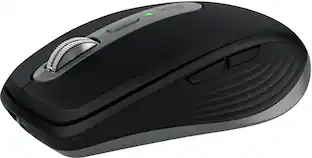
Logitech MX Anywhere 3S for Mac Wireless Bluetooth Optical Fast Scrolling Mouse with Programmable Buttons
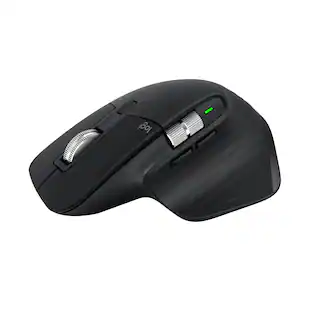
Top Deal$69.99The price was $89.99Logitech MX Master 3S Bluetooth Edition Performance Wireless Optical Mouse with Ultra-fast Scrolling and Quiet Clicks
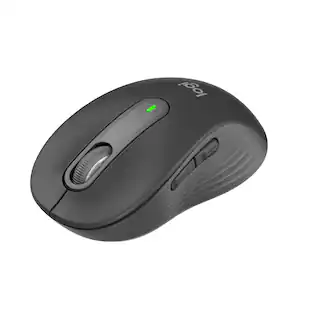
Top Deal$79.99The price was $99.99Logitech Signature M650 L Full-size Wireless Optical Scroll Mouse with Silent Clicks
Top Deal$33.99The price was $39.99Logitech MX Anywhere 2S Bluetooth Edition Wireless Laser Mouse with Hyper-Fast Scrolling
Top Deal$49.99The price was $59.99






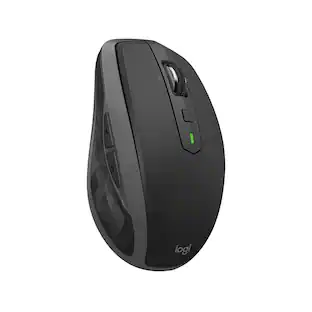

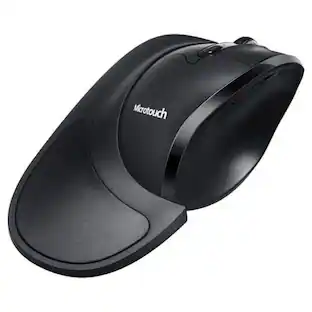
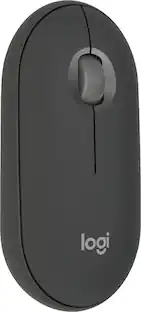
Explore tech essentials Sponsored
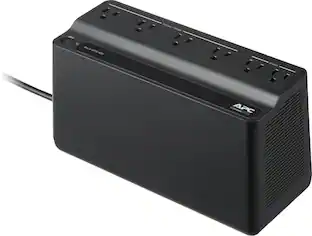





Discover related products
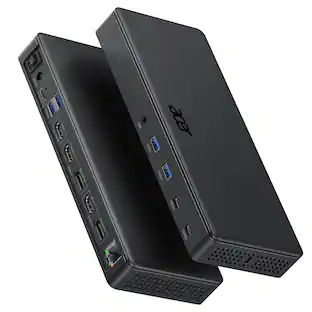
Acer USB C Docking Station With 2 HDMI, 9-IN-1 Docking Hub with USB A&C 3.0, SD/Micro SD, 100W Charging
$40.99The price was $47.99Macally Wireless Bluetooth Keyboard for Mac - Compatible Apple Keyboard - Up to 3 Devices with 110 Keys
$49.99The price was $59.99Intel Core i5-14400F 14th Gen 10-Core 16-Thread - 4.7GHz Turbo Socket LGA1700 Unlocked Desktop Processor
$170.99The price was $191.99








Keep exploring
GravaStar Mercury X Wireless Optical Gaming Mouse with 32000 DPI and 49g Magnesium Alloy Frame
$79.95The price was $109.95Logitech Design Mouse Limited Edition Wireless Optical 3-button Mouse with Broad Compatibility
$29.46The price was $55.07Logitech B100 Corded Mouse – Wired USB Mouse for Computers and laptops, for Right or Left Hand Use
$13.29The price was $20.06