Swann - Fourtify 4 Wireless Security Camera System 64GB Micro SD Card 4 Cameras1080p NVR System 2-Way Audio Indoor/Outdoor - White
Related Item

Highlights
- Key Specs
- Camera Resolution: 1080 (Refers to the number of pixels, both horizontally and vertically, used to capture video/images. The higher the resolution the finer the detail that can be seen.)
- Field Of View: 90 degrees (The area of a target, measured as an angle from the location of viewing, that can be observed.)
- Night Vision: true
- Number Of Cameras Included: 3
- Camera Power Source: Cable with AC Adapter/Plug-in
- Works With: Amazon Alexa, Google Home (Compatible with or able to be connected to other smart devices or applications.)
- Wireless Connectivity: Wi-Fi (The manner in which a device sends data to another device over a short distance without the use of wires or cables.)
- Storage Type: Cloud, Memory card
- Indoor Or Outdoor Use: Indoor and outdoor (Indicates the appropriate environment product was designed to be used in.)
- Minimum Operating Temperature: -22.0 degrees fahrenheit (The lowest recommended ambient (surrounding) temperature in which the product can ideally operate stated by the manufacturer. Generally long-term exposure of the product to temperatures less than the minimum can result in ineffective operation.)
- Maximum Operating Temperature: 122 degrees fahrenheit (The highest recommended ambient (surrounding) temperature in which the product can ideally operate stated by the manufacturer. Generally long-term exposure of the product to temperatures more than the maximum can result in ineffective operation.)
- General
- Brand: Swann
- Model Number: SWIFI-FOURTIFY4-US
- Product Name: Fourtify 4 Wireless Security Camera System 64GB Micro SD Card 4 Cameras1080p NVR System 2-Way Audio Indoor/Outdoor
- Color: White
- Camera
- Video Camera Resolution: Full HD (1080p) (Refers to the number of pixels, both horizontally and vertically, used to capture video/images. The higher the resolution the finer the detail that can be seen.)
- Camera Resolution: 1080 (Refers to the number of pixels, both horizontally and vertically, used to capture video/images. The higher the resolution the finer the detail that can be seen.)
- Field Of View: 90 degrees (The area of a target, measured as an angle from the location of viewing, that can be observed.)
- Night Vision: true
- Night Vision Distance: 100 feet
- Night Vision Image: Color
- Number Of Cameras Included: 3
- Number Of Cameras Supported: 16
- Frame Rate: 15 frames per second (The frequency at which consecutive images can be captured. The higher the frame rate, the more detail that can be captured.)
- Day/Night Mode: true (Captures images/video with optimal clarity by automatically adjusting settings to various light levels.)
- Camera Infrared Distance: 130 feet (The distance over which the camera's infrared, or night vision, capabilities can detect objects.)
- Infrared Cut Off Filter: true (Often referred to as an IR or heat-absorbing filter, this camera feature is designed to block infrared light during the day to produce optimally lit images, while still allowing for night vision capabilities in low light.)
- Camera Mount Type: Wall mount
- Power
- Camera Power Source: Cable with AC Adapter/Plug-in
- Sensor Power Source: Hard wired
- Compatibility
- App Compatible: true (The product can be connected to a program or software application on a mobile device, which then receives collected data from the product.)
- App Features: Watch live or playback videos on your smartphone from anywhere in the world.
- Camera Compatibility: Swann
- Operating System Compatibility: Android, Apple iOS, Windows, Mac
- Works With: Amazon Alexa, Google Home (Compatible with or able to be connected to other smart devices or applications.)
- Voice Assistant Built-in: No (A digital assistant built into the device that uses voice commands to answer questions and control smart devices.)
- Connectivity
- Camera Connectivity: Wired, Wireless (Security system cameras can be set up in several ways. Wired cameras require cables for power and footage transmission, while wire-free cameras don't need cables for either. Wireless cameras still require cables for receiving power but are able to transmit footage via a wireless network.)
- Wireless Connectivity: Wi-Fi (The manner in which a device sends data to another device over a short distance without the use of wires or cables.)
- Network Connectivity: None (The manner in which a device sends data to another device over a long distance using a cellular network.)
- Frequency Band: 2.4 GHz (Bands may be grouped into categories such as low- and high-band VHF (Very High Frequency), low- and high-band UHF (Ultra High Frequency), or certain frequency channels (measured in MHz or GHz). Generally, higher frequencies transmit information faster but have shorter range than lower frequencies.)
- Recording & Playback
- Streaming Video: true (The ability to transmit a live video feed from the product.)
- Subscription: Optional but not included
- Video Recording Prompt: Motion detection
- Storage
- Storage Type: Cloud, Memory card
- Performance
- Indoor Or Outdoor Use: Indoor and outdoor (Indicates the appropriate environment product was designed to be used in.)
- Minimum Operating Temperature: -22.0 degrees fahrenheit (The lowest recommended ambient (surrounding) temperature in which the product can ideally operate stated by the manufacturer. Generally long-term exposure of the product to temperatures less than the minimum can result in ineffective operation.)
- Maximum Operating Temperature: 122 degrees fahrenheit (The highest recommended ambient (surrounding) temperature in which the product can ideally operate stated by the manufacturer. Generally long-term exposure of the product to temperatures more than the maximum can result in ineffective operation.)
- Features
- Mobile Notifications: true
- 3-Axis Adjustable: false
- Auto-On Detection: Motion
- Alarm Type: Audible
- Alarm Location: On camera
- Dimensions
- Camera Height: 2.6 inches
- Camera Width: 3.2 inches
- Camera Depth: 3.7 inches
- Camera Weight: 0.93 pounds
- Display
- Camera Color Display: true
- Included
- Camera(s) Included: true
- DVR Included: false
- Monitor Included: false
- Included Software: Swann
- Cable(s) Included: true
- Warranty
- Warranty - Parts: 2 years
- Warranty - Labor: 2 years
- Other
- UPC: 840236134557
The Fourtify Wi-Fi Security Kit is a great way to get more security for less. It’s easy to install and you’ll have multi-camera monitoring in the palm of your hand before you know it. Simply connect the main camera to power and your wi-fi network, then using the cables, connect the three additional cameras to the main camera. Having 4 weatherproof cameras allows you to have full perimeter protection and you’ll know what’s happening at any hour. You’ll have night vision, 2-way audio, True Detect heat & motion detection and 1080p Full HD resolution.
- 1080p Fourtify Hubless Security 4 Camera System: The main camera connects to power & Wi-Fi & then connect the 3 wired cameras into it for an easy & affordable security solution. The cameras provide reliable 1080P full HD video footage, making them ideal for both indoor and outdoor use, ensuring comprehensive home security.
- 2-Way Talk & Siren: Use the microphone & speaker to talk with people near the camera. Scare off intruders or ask the delivery person to hide the package somewhere safe.
- Flexibility First: You can operate 100% wire-free with the rechargeable battery or connect to your existing doorbell wiring. It’s built tough to withstand the elements, with an IP56 rating.
- You’ll Never Be in the Dark: The SwannBuddy can even see up to 16ft (5m) in the dark, with powerful infrared night vision that automatically kicks in as night falls!
- 2-Year Limited Warranty: Experience top-of-the-line security technology without any additional monthly payments. Swann's surveillance and security systems are backed by a 2-year limited warranty. Trust Swann for a reliable security solution.
- Cost Effective: Low cost of ownership with free alerts and local storage.
- Swann Secure+ Plans: Receive peace of mind from having additional cloud video recording, smart alerts, rich notifications, 3 year extended warranty, insurance coverage and exclusive special offers.
- Your Security & Privacy Is Our #1 Priority: All your data and video files are encrypted and securely stored in the USA. Swann products and their components are NDAA compliant, ensuring your privacy is protected.
Whats Included
- Fourtify 4 Wireless Security Camera System 64GB Micro SD Card 4 Cameras1080p NVR System 2-Way Audio Indoor/Outdoor
Product Manuals
Q: How does the True Detect feature enhance security?
A: True Detect uses heat signatures from people and cars to trigger push notifications and video recording, ensuring reliable security.
Q: Can I use this camera system both indoors and outdoors?
A: Yes, this camera system is suitable for both indoor and outdoor use.
Q: What is the night vision distance of this camera system?
A: The night vision can reach up to 100 feet.
Q: Why is this camera system considered cost-effective?
A: This system has a low cost of ownership due to free alerts and local storage.
Q: How many cameras are included in this system?
A: This system includes four cameras.
Q: Does this security camera system support two-way audio?
A: Yes, you can talk and listen to people near the camera using the microphone and speaker.
A: I had to go into RUN which is similar to the old DOS and delete partitions the hard way and then go into DSK MGT and activate the cards. Very odd! Once the cards are initially formatted on the unit remove them to do any additional formatting.
Q: What type of wires connect to the camera? Can they be extended longer then 60 feet?
A: Hi Cpslim. The 3 cables that run between the main camera and the 3 secondary cameras are coax cables with BNC & power connectors on each end. You can extend these with our BNC extension cables which are sold in 50ft, 100ft and 200ft lengths. -SD, Swann team
Compare similar products

The Fourtify Wi-Fi Security Kit is a great way to get more security for less. It’s easy to install and you’ll have multi-camera monitoring in the palm of your hand before you know it. Simply connect the main camera to power and your wi-fi network, then using the cables, connect the three additional cameras to the main camera. Having 4 weatherproof cameras allows you to have full perimeter protection and you’ll know what’s happening at any hour. You’ll have night vision, 2-way audio, True Detect heat & motion detection and 1080p Full HD resolution.

Introducing the Night Owl Wi-Fi Hub with Plug-in Wireless 4K Deterrence Cameras, designed to provide unparalleled security and convenience. Each camera captures stunning 4K video and features onboard AI for human and vehicle detection, offering precise alerts that minimize false notifications. Included is a 64GB microSD card for free local storage, with the option to expand to a hard drive (sold separately) for even more storage capacity. With HDMI spot out view, you can easily view your cameras on a TV or monitor utilizing our free mobile app. Built to withstand the elements, these weather-resistant cameras are perfect for both indoor and outdoor use. The cameras are AC-powered, plug-and-play, making them incredibly easy to install and move as your coverage needs change. The Night Owl Wi-Fi Hub creates a secure wireless network, safeguarding your data privacy while keeping your property under constant surveillance. By choosing Night Owl, you eliminate the hassle of mandatory monthly fees, subscription costs and hidden charges. Protect your property with confidence, knowing that your data remains private and secure, and enjoy the peace of mind that comes with comprehensive, state-of-the-art surveillance technology.
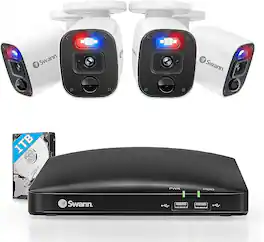
Swann's 1080p business and home security cameras come with Active Deterrence, a reliable way to protect what matters most to you. Equipped with powerful infrared night vision that extends up to 100ft in black and white, you can have peace of mind knowing that you have a reliable wired security camera system. Stay on top of things with alerts that notify you when activity is detected, and access live streaming and stored footage on your mobile device via multi-camera live streaming that is always available. With the pre-installed hard drive, you can choose between 24/7 continuous recording or Swann True Detect heat and motion-triggered event-only recordings, giving you up to 365 days of stored video. Swann provides a Do-it-Yourself CCTV camera security system, and we take pride in our role in making all our communities safer. Our product range is designed with the goal of making the latest business and home security system solutions accessible, affordable, and user-friendly. Swann also provides a 2-year limited warranty for protection against factory defects and technical support. Swann loves what we do because we have the vision to be the world leader in smart cameras for home security, taking care of people and making your place safe is what we do. As technology and security continue to evolve, our commitment is to always deliver smarter, faster, and the most reliable security solutions.

Transform your home security with the eufyCam S330 5-Camera Kit and experience unparalleled peace of mind. Place the five cameras throughout a property to capture activities in colorful 4K clarity, day and night. Say goodbye to unnecessary alerts with exclusive BionicMind self-learning AI that boasts an impressive 99.9% accuracy over time, ensuring you’re only notified when unfamiliar faces appear. With the included HomeBase S380, you gain expandable storage up to a whopping 16TB (storage drive sold separately) as on-board local storage eliminates the need for costly monthly cloud storage fees giving you complete control of all recorded footage. HomeBase S380 is a centralized hub that creates a seamless home security ecosystem to manage and control all your connected eufy Security devices. Keep up to date on what's happening at home anytime, anywhere with the intuitive eufy App. Enjoy the freedom of 365-day solar-powered battery life and flexible installation options, ensuring your home is always protected with the eufyCam S330 5-Camera Kit.
| Pros for Swann - Fourtify 4 Wireless Security Camera System 64GB Micro SD Card 4 Cameras1080p NVR System 2-Way Audio Indoor/Outdoor - White | |||
|---|---|---|---|
| Video Quality, Motion Detection, Setup Ease, Connectivity, App Usability | Setup, Ease of use, Image Quality | Video Quality, Overall Performance, Motion Detection, Night Vision, Storage | Ease of use, Overall Performance, Setup, Camera Quality, Battery Life |
| Cons for Swann - Fourtify 4 Wireless Security Camera System 64GB Micro SD Card 4 Cameras1080p NVR System 2-Way Audio Indoor/Outdoor - White | |||
| There were no cons for this product— | There were no cons for this product— | Installation, Ease of use | Motion Detection, Connectivity, Price, Size |
Specs

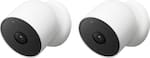
- Google - Nest Cam 2 Pack Indoor/Outdoor Wire Free Security Cameras - Snow$269.99The price was $329.99
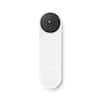
- Google - Nest Wi-Fi Video Doorbell - Battery Operated - Snow$139.99The price was $179.99
- Google - Nest Thermostat - Programmable Wi-Fi Smart Thermostat - Snow$99.99The price was $129.99
- Google - Nest Learning Thermostat (4th gen) with Nest Temperature Sensor (2nd gen) - Polished Obsidian$239.99The price was $279.99



Reviews
Customers are saying
Customers find value in the Swann Fourtify 4 Wireless Security Camera System for its easy setup, weatherproof design, and impressive video quality, both in daylight and darkness. While some customers wish the additional cameras were wireless, many are pleased with the overall performance and reliability of the system.
- Video Quality (17)
- Setup Ease (13)
- Motion Detection (8)
Customer Images
The vast majority of our reviews come from verified purchases. Reviews from customers may include My Best Buy members, employees, and Tech Insider Network members (as tagged). Select reviewers may receive discounted products, promotional considerations or entries into drawings for honest, helpful reviews.
- Rated 4 out of 5 stars
Easy system to set up!
I’m writing this review after having a few days to play with these cameras and app. Setup is super easy, just download the Swann Security app to your mobile device and create a login, tap the “pair device” button in the app and power up the main camera. The app and the camera then walk you through the rest of the setup. I had my wifi router already configured to use both the 2.4 and 5 GHz frequencies, the main camera only connects at 2.4 GHz which it did automatically after I selected my wifi network and entered the wifi password in the app. It did take a minute after setup finished before the live view appeared in the app. You can connect just the main camera at first if you want, then add the other three cameras later on when you have time which is what I did, the app added in the additional cameras seamlessly. Only the main camera has a microphone and speaker, the other three are just cameras so take that into account for your installation. The app has a push-to-talk button when you tap the mic icon in the live view of the main camera and you get live audio on that camera as well. There’s also a siren that you can activate yourself or automatically in the settings to scare off intruders when they get too close. One nice feature is that the notifications that come to my phone indicate either “motion detected” or “person detected” so I have some idea immediately if it’s a small animal or a person in range. The manual said to take your smartphone to the location you’d like to mount the main camera and make sure you have at least two full bars of wifi showing to be sure you’ll have a good connection. That’s a neat thing about these cameras, after you pair it but before you mount the main camera and run any cables, you can just plug the power supply in and hold the camera where you think you want it, check the view you’ll get in the app and check the wifi reception in device settings also so you’ll know if you’re good before you drill any holes. The main camera just needs a 120v outlet to plug in the power supply, then there are 60ft camera extension cables and a 40ft power extension cable to make up the connections. Picture quality- these are 1080p cameras so you’ll get good video of people closer to your house but may not be able to capture something small like vehicle license plate numbers out in the street unless they’re facing the camera nearly head on. Night vision on these is great, the infrared illumination is actually fairly even without hot spots. If you need greater detail farther away, you might need to look into a 4k or better camera system. The app allows you to take photos from the live view or a recorded clip and puts them straight into the camera roll on your mobile device. Super easy. For videos, you can tap the video cam button in the app but my experience with that gave me a grainy, choppy video. What worked for me was to save a recorded clip into my Onedrive folder and transfer it out from there to share. I thought I would have to remove the microSD card from the camera to move video clips to my PC but, happily, that is not the case. The app does it all. Note that you don’t have to sign up for a Secure+ plan, but you do get additional cloud storage if you do. There’s a motion detection mask that you can paint in through the app to help with false alerts. For instance, we have a potted plant on our porch that moves with the wind. I painted a mask over the plant so the moving leaves don’t trigger a motion alert every time the wind blows. Another nice feature about the app is it allows you to configure three modes: home, night, and away. This allows you to set different sensitivities for whether you’re in the house and active, in bed, or out of the house. You can build a schedule and it will switch modes following your schedule.
Stephen H Posted
- Rated 5 out of 5 stars
Affordable 4 camera security system!
One of the issues that stop many people to install wireless security cameras is the battery, because they are wireless devices, they have batteries that periodically have to be recharged. With this four camera system the battery problem is solved, since it has a main camera from which the remaining cameras get power and also connect wired to send the video signal, then the main camera is the one that sends the signal via wifi. In the box come two boxes one where come the 3 regular cameras, with cables and accessories, in the second box comes the main camera with a cable extension for connection to the power supply and accessories for installation. In the box includes an installation guide that at first seems a little confusing the diagram that comes printed, however once you start connecting the first cables is becoming simpler installation, it takes a little time and patience. Once you have chosen the right place to install the cameras and installed everything correctly you will need to download the Swann Sevurity app to configure the cameras. The configuration is not complicated but I consider that the app needs some improvements because when synchronizing the cameras the app indicates that everything is configured correctly but when reviewing the recordings of the detected events, it was not possible to view them, I had to turn off the cameras, remove and insert again the 64gb micro sd that comes previously installed in the main camera, after turning on the cameras again it began to record the movement or people detected. Regarding the detection I think it has very good sensors even in medium sensitivity as it can be increased if necessary. The app sends notifications almost immediately after having detected movement or a person, what I don't like is that if I click on the notification, it takes me to the live view of the camera in question instead of showing me the recording of what it detected. Despite this, the recordings are saved by date and time, and can be exported if necessary. You can program zones where you do not want the cameras to detect motion. The main camera is the only one that has speaker and microphone which fulfill their function, they are not of great quality but they are of great help. It is possible to connect the cameras via ethernet which makes the connection of the cameras to the home internet network even more stable. The video quality is very good in color and in night mode, however it is not possible to modify anything in terms of video capture in the settins inside the app. In summary it seems to me that it is a very affordable security system considering that there are four wireless cameras, the app fulfills its function satisfactorily keeping you informed of what happens around your home, although it does not record continuously, quickly detects movement or unwanted guests. Honestly for that price I think you get more than you pay for, definitely recommended.
Serv Posted
- Rated 5 out of 5 stars
Easy to setup and install
This Swann camera set is a pretty good value for what it offers. I’ve had experience with the “older” camera setups that used an NVR and BNC cables, and the newer camera setups that are more wireless and higher tech with apps, and this Swann package offers the best of both worlds. I’ve never been a big fan of wireless devices as they are not nearly as reliable or fast as a hard-wired cables, but when it comes to camera’s the wireless option can be a big relief. To recap this setup, you will still have to run these BNC cables throughout your house, but instead of having to connect to one NVR or central source that sits in a single room, your central source is the primary camera which is less in-wall wiring and running of cables. You only need a single power source to run all these cameras, so if you have a power outlet in your attic your job is already super easy. I personally am running a network cable to the main camera (optional), and the other camera’s feed into the main camera. Do keep in mind that you will need wifi to setup your camera’s even if you do have a hard cable. Setup was straightforward and all done from your phone. The App has a solid rating of 4.7 in the iOS app store which is pretty rock solid, and I believe works with most of Swann’s newer camera systems, so you can mix and add different Swann cameras and manage all from one interface. There is one SD card in the main camera for all the cameras, 64GB which is included but can expand to 256GB to hold additional recordings. I am impressed with the quality of the live view when set to High and night vision works quite well. Each camera (channel) can be defined with its own detection settings which I like, so some area’s can be more motion-sensitive than others. The main camera has additional features that the other cameras don’t, such as triggering an alarm manually or by motion, and a microphone/speaker combo to listen in and/or talk with people. Unfortunately, you do not have these options with the other cameras, but the options you do have with all cameras is to take a snapshot photo and manually record videos. You can also pinch-to-zoom with live view and during playback to get a closer view. One thing to note is that these camera’s only record motion events and do not record 24x7. If you have detection settings set to off, you will have no recordings. I prefer 24x7 recordings personally in case things don’t get picked up, but I understand that most newer camera systems that don’t have a large physical hard drive will not support this. TLDR; Pros - Easy setup overall, with wiring and the initial app setup - Good streaming quality, see daytime and nighttime image attached - I like the alarm, it is reasonably loud but not excessive. - Simple interface to manage the cameras - Memory card included and upgradeable - Ethernet cable optional for better quality or as a backup if wifi fails - Picks up motion well and sends alerts to your phone - Premium subscription option for cloud storage and other perks at a reasonable cost - Nice option esthetically to keep camera’s indoors/outdoors/mixed. The secondary camera’s are smaller and lightweight, less obvious than a bulky camera Not so Pros: - Microphone could be improved, quality is mediocre - Limited options for camera management settings. Would like to see additional settings for recordings - Camera’s 2-4 do not have a microphone or speaker, they are basically 3 extra sets of eyes for the main camera - No option to record motion without notifications enabled (can be annoying during high traffic moments) Overall I think this is a great value. 4 Camera’s with 1080p full HD that is hardwired and never have to worry about battery life and easy management from a phone. I also plug my camera’s and network devices into a battery backup (similar to whats used for computers) to keep the camera’s active even if there is a power outage. While I’m fairly new to the Swann brand and this is my second product, they are starting to become one of my favorites.
Jp223 Posted
Control, Comfort, Convenience Sponsored
- $699.99The price was $819.99