Black Friday Deals are hereEnds Nov. 28.Shop now

Skip to contentGo to Product Search
Main Content

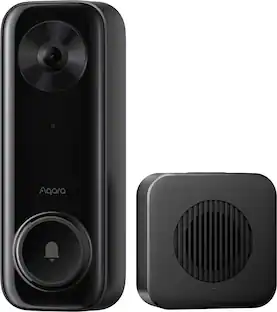
Aqara - Video Doorbell Camera - Wired/Battery Powered - Hub G410 Select - Black

Model: CH-C09D
SKU: 6638669
Sold byBest Buy

Customers are saying

Customers often highlight the solid video quality, simple installation process, and reliable overall performance as the standout features of this product. Users also appreciate the versatile connectivity, effective motion detection, and the convenience of locally stored facial recognition. While the device is highly regarded for its functionality and broad compatibility, some customers have expressed concerns regarding its wide physical size and the longevity of the battery.

Generated by AI based on customer reviews.

Highlights

Features

  • HomeKit, Matter and Other Ecosystem Support

    The Aqara Doorbell Camera Hub G410 Select supports major smart home platforms. It offers HomeKit Secure Video with 2-way audio, local streaming, and face recognition via Aqara Home Signals. With RTSP and Matter Bridging, it works with Home Assistant and supports local automations. Direct streaming to Google Home, Alexa, and SmartThings ensures wide compatibility. One doorbell, multiple platforms, seamless integration.

  • Hub for Aqara and Third-Party Devices

    The G410 Select bridges Aqara Zigbee and Matter, acting as a hub for Aqara devices while exposing them to Matter. It also integrates third-party Matter devices into Aqara Home, supporting one of the widest ranges of Matter device types— including many new ones other hubs can’t.

  • Radar Detection, Free Local Recognition and Alerts

    G410 Select offers smart, private detection with mmWave radar for accurate presence sensing and stable battery life. On-device face recognition enables personalized alerts—no cloud, subscriptions, or Internet required. Tamper-proof design triggers sirens and recording if removed. Intelligent, private, and secure.

  • Local and E2E-Encrypted Cloud Storage Options

    Aqara G410 Select secures your recordings with triple-layer storage: up to 512 GB microSD, NAS support for stable local backup, and encrypted cloud access via HomeGuardian. Theft-resistant and always accessible—your footage stays safe, wherever it's stored

  • 95 dB Chime-Hub Included

    Built-in 95dB speaker with custom ringtones eliminates additional chimes and plays pre-recorded voice messages for personalized alerts. USB-C power enables flexible placement with easy mini UPS support for power backup. Loud customizable audio and versatile power—no extra hardware needed.

Specifications

  • Camera Resolution
    1440 x 1440
    Field Of View
    175 degrees
    Night Vision
    Yes
    Installation Type
    Surface
    Works With
    Apple Home, Google Home, Amazon Alexa, SmartThings
Sponsored

Reviews

Customers are sayingCustomers often highlight the solid video quality, simple installation process, and reliable overall performance as the standout features of this product. Users also appreciate the versatile connectivity, effective motion detection, and the convenience of locally stored facial recognition. While the device is highly regarded for its functionality and broad compatibility, some customers have expressed concerns regarding its wide physical size and the longevity of the battery.
This summary was generated by AI based on customer reviews.
  • Video Quality (24)
  • Installation Ease (16)
  • Overall Performance (15)
  • Connectivity (7)
  • Facial Recognition (5)
  • Size (8)
  • Battery Life (5)

Customer Images

The vast majority of our reviews come from verified purchases. Reviews from customers may include My Best Buy members, employees, and Tech Insider Network members (as tagged). Select reviewers may receive discounted products, promotional considerations or entries into drawings for honest, helpful reviews.

  • Rated 5 out of 5 stars

    Nothing fancy on the outside, but inside!!!

    I’ve been wanting to try some Aqara products for a while because they’re gaining a great reputation in the smart home space. I’ve been using Google video doorbells for quite some time — both the first and second generations — but when the Aqara G410 became available, I decided to give it a try. It checked all the boxes for me, including HomeKit support, which was a big selling point. First Impressions Out of the box, the doorbell is huge — much larger than most competitors that offer the same feature set. The size seems to come from its dual power design: it supports both battery and hardwired power, but the batteries are standard AAs. So, most of the bulk comes from the compartment needed to hold them. I’m using mine hardwired, so I can’t comment on battery life. The build is mostly plastic — nothing fancy to look at — just a large black rectangular slab. However, the doorbell button itself is excellent: large, nicely raised, glows red so visitors know where to press, and gives a satisfying, clicky tactile feedback when pushed. Installation & Design Flaw My first and almost only complaint is about the security screw and its location. My doorbell is mounted on the right side of my door frame, with brick on either side. Because of the size of the unit and the need to use the angled wedge bracket, I have no way to access the security screw to tighten the doorbell to the frame. Where the screw is positioned makes it impossible to reach in this setup. It would’ve been much better if the screw were accessible from the top or bottom instead of the side. This doesn’t affect performance, but it’s frustrating not being able to secure it properly. Power & Chime Setup I wired the doorbell into my home’s existing low-voltage wiring from the original doorbell. One thing to note: the G410 does not support using your existing chime. You must use the included chime that comes in the box. This chime plugs into an outlet via USB-C and should stay within moderate range of the doorbell. It’s fine — gets very loud, and the volume is adjustable. It also has a microSD card slot for local storage, so you don’t need an Aqara subscription to view recorded events or use 24/7 timeline recording. While I wish it supported existing chimes, this isn’t a dealbreaker. Setup & Smart Home Integration Setup is super simple. You can either download the Aqara Home app or just open Apple Home and scan the included HomeKit QR code to add it directly. I highly recommend also downloading the Aqara app because that’s where you’ll find all the advanced configuration options, fine-tuning, and additional features that make this doorbell great. Once the chime is paired (and powered via USB-C), you’re good to go. Aqara does offer cloud storage subscription plans, but I’m using a local microSD card, so all my recordings are stored locally — nothing goes to the cloud. Another major plus: the doorbell acts as a built-in Aqara Home Hub. You don’t need to buy a separate hub to connect or automate other Aqara or Matter-compatible smart home devices. That’s a huge bonus if you’re building a connected ecosystem. Video Quality & Performance The 2K video quality is excellent — clear during both day and night. Out of the box, the image looked slightly dark, but you can adjust the exposure in the app. I bumped mine up about 16% (to around 66% total), which provided the best color balance and brightness for my setup. One of my favorite features is the on-device facial recognition, which uses millimeter-wave radar. Because I also have an Aqara smart door lock, I created an automation so that when the doorbell recognizes family faces, it automatically unlocks the front door. It’s not lightning fast — you have to face the camera for a second or two — but it’s incredibly convenient, especially when carrying groceries or bags. With HomeKit integration, it gets even better: when someone approaches the door, our Apple TV automatically displays a live video feed. You get instant alerts and don’t have to pull out your phone. The millimeter-wave radar also enables linger detection, notifying you if someone is loitering near your door. It works well but can sometimes send false alerts, so I ended up disabling that feature. Still, it’s great to have the option. Field of View & Aspect Ratio The G410 improves on the original G4 with a 1440p 4:3 aspect ratio, giving you a taller field of view and 175° coverage overall. You can see more of visitors head-to-toe, plus packages left near the door. It’s not the tallest FOV in the market (my Google 2nd-gen doorbell shows slightly more vertically), but it’s wide, clear, and very usable. Customization & Privacy Features The Aqara app offers tons of customization. You can tweak video resolution, switch between black-and-white or color night vision, and even set up privacy zones — areas in the frame that you don’t want recorded. You can also upload custom audio files, which is great for seasonal greetings or announcements when specific faces are recognized. Final Thoughts Overall, performance has been fantastic. I’ve had a few false events where motion wasn’t detected right away, but since I record locally 24/7, I haven’t missed anything important. Facial recognition has noticeably improved over time with updates. I would highly recommend the Aqara G410 to anyone who wants top-tier doorbell features without paying a subscription for video storage. Aqara does lock some newer AI features behind a paywall, but they’re not essential for normal operation. I’m really glad I upgraded to the G410 — it’s powerful, flexible, and integrates perfectly into my smart home setup.

    Posted by HarvickFan

  • Rated 4 out of 5 stars

    A doorbell that Matters

    I’ve been using the Aqara Doorbell G410 for only about a week or so and here’s my experience with it so far. First off, the build quality isn’t great. It’s made of plastic, feels really light, and doesn’t have that premium feel but it’s expected for the price point. The screw that keeps it installed is on the right side of the doorbell and if you use the wedge, it makes it a challenge to screw it tight without stripping the screw. It's a bit bulky but now couriers won't have an excuse that they couldn't see my doorbell. You’ll also need the Aqara chime hub for it to work but on the upside, the hub helps with local AI features and enables smart integrations. If you have Matter devices, you can use this as a hub. The speaker is pretty loud and voices are clearly heard. The Chime hub uses a USB-C connection for power and it includes a USB-C to USB-A cable. The hub also has a micro SD card slot that supports up to 512GB. It supports dual band wifi (2.4GHz & 5GHz). The G410 supports HomeKit, Google Home, Matter, and more. I mainly use HomeKit, and it works great — my HomePod mini chimes when someone rings, and it even uses Apple Photos app to recognize faces. Sadly, I couldn’t add the camera to Google Home for some reason. I got the hub added though. Now, I don’t get the video feed to show on my Google smart display so gotta figure that out. For storage, Aqara gives you a couple of nice free options: you can use a microSD card for local recording, and HomeKit Secure Video also works without any subscription. There’s also Aqara’s HomeGuardian service, but that one requires a paid plan and a lot more AI features are included. The doorbell’s 2K resolution video quality is pretty good during the day, but night vision could definitely be better — it’s a bit grainy in low light. My doorbell actually has a ghostly blotch on the center of the image (see pic). That might be a reflection from my white fence but my previous doorbell didn’t have the same image issue. Even tried changing the shutter frequency to 60Hz. One cool feature though is lingerer detection, which alerts you if someone hangs around your door for too long. It’s surprisingly handy for extra security. Battery life isn’t great — it drains quicker than I’d like. It uses 6 AA batteries. Thankfully, you can hardwire it to your home’s power, which I’d recommend if possible. Overall, the Aqara G410 is a solid smart doorbell with strong HomeKit integration, free video storage, and some smart AI features like face and lingerer detection. It’s not perfect — the build feels cheap, and the night video isn’t the best — but if you’re in the Apple ecosystem, it’s definitely worth considering.

    Posted by neio11

  • Rated 5 out of 5 stars

    Great Video Doorbell that Needs No Subscription!

    The Aqara Camera Hub G 410 is a surprisingly polished system that works well without subscription. It works with Google, Apple, Amazon and Matter home automation systems. The video doorbell unit is completely wireless and is battery operated. The bell chime repeater unit is rated at 95 decibels, which is loud enough for a two-story home, and it is powered through a USB-C cable. I can configure how loud the bell is through the app. Installation is easy and is very intuitive. There’s an app to download, which will be useful to configure the system and to perform firmware update. Every time there’s a person approaching the door, the app will automatically send a notification, and the user can monitor the video feedback. There’s also an audio function through which we can communicate with people outside the door. User can even mask his voice with robotic, anonymous or clown voice. The video doorbell unit is rated to withstand weather conditions. However, it is recommended to install it on a porch or in other shaded areas. Video quality is very good both in the daylight and nighttime. The video maintains good quality in low light, with clear images and sufficient resolution to recognize people. The best part of this video doorbell system is that it works well without subscription. When they say no subscription required, they really mean it. Videos are saved to both local and cloud storage. For an increased level of privacy, the user can disable cloud video upload. Facial recognition system is also locally stored. There’s a micro-SD slot available on the bell chime repeater unit and we can also configure the system to connect to Network-Attached-Storage (NAS) for local video storage. This is a huge win for customers, since many video doorbell systems need a subscription to work well. The subscription system does give extra benefits such as premium AI event and AI video summary, as well as up to 90 days of video event history and 10-minute timed snapshot. However, these are just extra features since even without subscription the video doorbell system works great. Lastly, the app works really well. It’s quite easy to navigate the menu and access our videos. Accessing video archive through the cloud and local storage are both easy. The app is surprisingly polished, and it is very useful. Pros: Works great without subscription Great video quality App works well IP rating to withstand weather conditions Cons: None so far.

    Posted by Fudgear

  • Rated 1 out of 5 stars

    Great Potential, Bad Connectivity

    The camera is great when it works, but it doesn’t always function properly. If it’s not hardwired, you lose out on most features, and the camera will only record events. It’s great that local storage is an option, but it’s useless if it only captures events and not continuous streams. In their opinion, Aqara prioritizes battery life over functionality. The problem is connectivity. Sometimes, a device restart fixes everything, but most of the time, it doesn’t.

    Posted by AndreyT

  • Rated 5 out of 5 stars

    Watch Out for those Lingerers!

    The Aqara G410 is both a Doorbell and a smart hub for Aqara devices as well as 3rd-party Matter devices. It’s my first look into the Aqara ecosystem and I’d have to say that this doorbell and the Aqara app really hit the marks. Bottom line: This is one of the most versatile offerings I’ve seen in a doorbell system that would work for almost anyone in the market looking to make the move to a smarter home. Overview: Spec-wise, the G410 is a 1440p (2K) resolution camera with a 175 degree field of view, giving you that super wide view of what’s going on at your doorstep. It utilizes mmWave aide in motion detection to reduce false alerts so it’s not relying solely on video motion as people/pets/objects move closer to your doorstep. If needed, two-way audio allows you to speak to your front door guests from anywhere as long as you have access to the Aqara app and have internet access. It comes equipped with 2.4/5GHz dual band WiFi for a strong connection between the doorbell and the chime as well as other Aqara devices should you decide to invest in their ecosystem. The doorbell can be used wirelessly via 6AA alkaline batteries giving you about 5 months of use, or hard-wired to your existing home. A huge surprise is the inclusion of a microSD slot, allowing for local 24/7 recordings without the need for a subscription, which I think will make a ton of people happy. First Impressions: At first glance, the doorbell is actually quite large. It’s so large that I think guests will have little to no problem locating it. Its size can be attributed to both the 6AA batteries that it has to house. It is offered in black, white and what I’m going to call graphite, so depending on what color you choose, you can make this doorbell blend in with the aesthetics of your home exterior. Setup: I opted to use the included 6AA batteries and was able to get them in within 5 minutes of opening. The chime itself is powered via USB and was placed within reasonable distance from the front door. What took much, much longer was the app setup. The Aqara app requires a QR code to add a new Aqara device. The doorbell itself had one, and the chime had three. Naturally I chose the doorbell QR code and was greeted with an error message stating it was the incorrect code. Long story short, I scanned every single QR code until something stuck. Once added to my account, I was able to see my doorbell feed on the app. I pressed the doorbell button and received my first chime! The app notified me of the doorbell being pressed almost instantly. Out-of-the-box Daily Use: I feel like most consumers will use this doorbell as is for the first few weeks before honing in on what works best for their home. Performance out-of-the-box has been pleasantly well. Each ring of the doorbell has prompted the chime to ring inside the house and app notifications come through perfectly. When it comes to notifications, I love that I can swipe down on my banner notification and actually see a snap of the person ringing the doorbell rather than just see a worded message. What I actually found surprising was its ability to detect people coming within proximity of the doorbell and reporting a “lingerer” and a “package” at your doorstep. I found this surprisingly useful as a notification because I know a lot of deliveries come to the door and the delivery driver usually doesn’t ring the doorbell. For the most part, these are the three main notifications that I’ve been receiving from the doorbell. Based on the default settings in the app, proximity detection is set to about 10 feet, which is when I start to get the lingerer notifications. Finally, the doorbell does let people know that it is being seen; the doorbell icon will begin to flash red and blue (and honestly, I can’t figure out if there’s a meaning between red and blue) to let someone know that the doorbell button is right here. Battery Life: This is the most difficult thing to measure, especially if you live in a high traffic area or if you live in the middle of nowhere. Aqara advertises 5 months between battery swaps, but after a week I was down to about 80% using the default settings. So we’ll see. For those of you that are lucky enough to hardwire, this won’t be an issue for you. The Aqara Home App: The Aqara Home App is quite overwhelming, even for the most tech savvy. The good news is that if you only have the doorbell as your sole Aqara device, then you don’t really need to venture too far down the app’s rabbit hole. On the bottom left corner of the app, there is a “Home” button that takes you directly to the Device page and a preview of your doorbell’s feed. If you tap into the doorbell, you’ll be able to see the doorbell’s Control Panel where you can see your event history in a list or in a timeline. The timeline is a great way to review events by simply scrolling up or down to see the video history as opposed to the list view where you have to click into each one. That’s my preference, anyway. When it comes to dialing in your doorbell, there are two main features that I would change to make the doorbell perform better, especially when it comes to those using it via battery. The first would be to change the proximity sensor trigger distance. Defaulted to 3 meters, the value can be changed from 1 meter to 5 meters. So if your door is right off the street, then you might want to shorten the proximity detection to preserve battery and reduce the amount of unneeded notifications. The second thing I would change is the privacy zones, especially if your porch has things that easily move due to wind or the like. This will further reduce the amount of unnecessary notifications and preserve battery life. The HomeGuardian Service: Like most other companies, Aqara offers a paid service that offers cloud recording. If you purchase the G410 “Select”, you’ll be given 90 days of cloud service on their HomeGuardian Basic plan. And so far, it has been solid in keeping all my recordings, up to 90 days. Also given with the basic plan are other detections such as People, Package, Vehicle, Animal, and even Fire. There’s a full listing and description of each feature provided by HomeGuardian in the app. But then there is HomeGuardian Unlimited, which adds AI analysis to your video feeds. It’s a nice-to-have, but not necessary to operate this doorbell. Each plan will cost you a monthly service fee. I’m a proponent of cloud use, but know that you have the ability to add a 512GB microSD card to keep recordings local to your home. The Aqara Hub: Finally, there’s the other aspect of this doorbell kit, which is the hub. I was not able to exercise this feature only because I had no other devices from Aqara or any Matter-specific devices that I could add. It did look like it supported Zigbee devices, but I think it’s only for Aqara devices. But looking through the app, I can see that there is a landing page dedicated for adding new devices, and there are a vast variety of accessories you can add. If you’re starting your smart home from scratch, then Aqara might be your one and only ecosystem. The app does have a page for the Aqara Store, where you can purchase more Aqara products to add to your ecosystem. Personally, I’m 3 ecosystems deep in my own home and I’m very envious of an Aqara system that does it all.

    Posted by softwareEngineer

Compare similar products

Aqara - Video Doorbell Camera - Wired/Battery Powered - Hub G410 Select - Black
4.4(71)

The Aqara Doorbell Camera Hub G410 Select delivers 2K video clarity, intelligent detection, and smart home control in one device. Advanced mmWave radar and face recognition provide accurate alerts without false alarms, while built-in Zigbee and Thread/Matter hubs connect your entire smart home ecosystem. End-to-end encrypted streaming keeps your video secure, and expandable local storage enables 24/7 recording. Compatible with HomeKit Secure Video and dozens of third-party devices, the G410 Select lets you see who's at your door, control your locks, lights, and security systems, all while maintaining complete privacy. One doorbell. Complete smart home control.

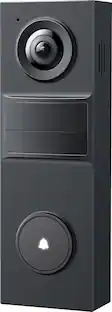
Aqara - G400 Select 24V Hardwired 2K 1536 x 1536 Res Wi-Fi Video Doorbell, Head-to-Toe View, Surface Install - No Subscription - Black
5.0(3)

Aqara Doorbell Camera G400 Select, the first always-on doorbell camera with PoE or wired power, keeps your doorstep secure day and night. See every visitor and package in crisp 2K with a 165° ultra-wide vertical view, using invisible infrared night vision. Smart local AI detects people, motion, and custom intrusion zones, sending alerts only when it matters. Unlock, talk, or view live from your favorite smart home apps, or connect with Aqara devices for smarter deliveries. Weatherproof, tamper-proof, Wi-Fi 6 ready, and fully compatible with HomeKit, Alexa, Google, and SmartThings.
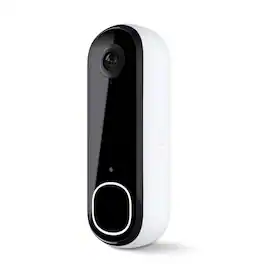
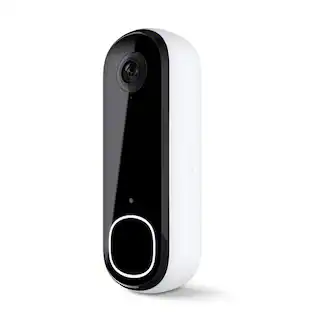
Arlo - Smart Wi-Fi Video Doorbell (2nd Generation) - Wired/Battery Operated with 2K Resolution - White

Elevate your home security with the Arlo Video Doorbell 2nd Generation, a smart doorbell camera built for reliable protection and everyday convenience. This wireless video doorbell delivers sharp 2K resolution, making it an ideal solution for modern homes. The 180-degree field of view provides a complete head-to-toe image, so your video doorbell camera captures packages, visitors, and activity with clarity. Equipped with motion detection, this smart doorbell camera sends real-time motion alerts to keep you informed of activity at your door. As a premium smart video doorbell, it features night vision for continuous monitoring in any lighting condition and an IP65 weather-resistant design built to withstand rain, heat, and cold for reliable outdoor performance. Designed for dependable operation, this wireless doorbell camera supports 2.4 GHz WiFi connectivity, ensuring a stable connection for smooth video streaming, fast alerts, and consistent smart doorbell performance. With two-way audio, this wireless video doorbell system lets you communicate directly with visitors or deter unwanted guests. Installation is simple with flexible power options, including a rechargeable battery or wired trickle charging. The included 1-month trial of Arlo Secure enhances your 2K video doorbell experience with advanced smart detection that identifies people, vehicles, packages, and animals, along with 60-day cloud storage for video history. Even without a subscription, this wireless video doorbell provides live streaming, motion alerts, and two-way communication directly to your phone. A built-in siren adds an extra layer of protection, allowing this smart doorbell camera to actively help secure your home. Whether you are upgrading to a wireless video doorbell or looking for a high-performance smart doorbell solution, Arlo delivers advanced security, awareness, and peace of mind. Compatible with smart home platforms including Amazon Alexa, Samsung SmartThings, Apple Home, and Google Home, allowing your smart assistant to announce motion alerts, notify you of visitors, and trigger automations like turning on lights when motion is detected.

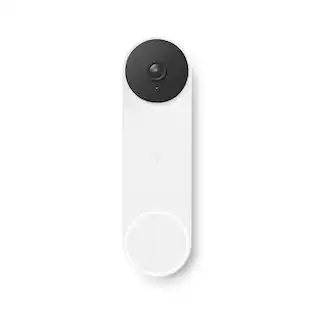
Google - Nest Wi-Fi Video Doorbell - Battery Operated - Ivy

The Nest Doorbell is the battery-powered video doorbell that works with any home. See what’s happening at your door from anywhere and get intelligent alerts about important activity, like when there’s a person, package, animal, or vehicle.* And because there are no wires, you can install it yourself. Nest Doorbell requires the Google Home app and a Google Account – it’s not compatible with the Nest app or the home.nest.com site.

Pros for Aqara - Video Doorbell Camera - Wired/Battery Powered - Hub G410 Select - Black
Video Quality, Overall Performance, Installation Ease, Connectivity, Facial RecognitionThere were no pros for this product—Video Quality, Ease of use, Overall Performance, Installation, Battery LifeVideo Quality, Ease of use, Overall Performance, Installation, Design
Cons for Aqara - Video Doorbell Camera - Wired/Battery Powered - Hub G410 Select - Black
Size, Battery LifeThere were no cons for this product—Connectivity, Response Time, Price, LagBattery Life, Size, Connectivity, Compatibility, Notifications

Specs

No content

Customers often buy these together

Sponsored