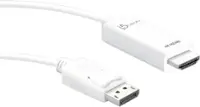
j5create - ScreenCast Wireless Display Adapter - White
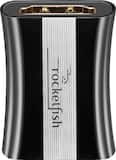
- Rocketfish™ - 8K HDMI Coupler - Black$19.99

More Buying Options
Related Item

About This Item
- Key Specs
- Connector Type (End 1): USB-A
- Gender (End 1): Male
- Connector Type (End 2): HDMI Type A
- Gender (End 2): Male
- General
- Brand: j5create
- Model Number: JVAW56
- Product Name: ScreenCast Wireless Display Adapter
- Color: White
- Quantity: 1
- Compatibility: Windows, Android, macOS with AirPlay support. IOS 10.0 or later. iPadOS 13 or later.
- Connectivity
- Cable Type: USB, HDMI
- Product Type: Adapter
- Connector Type (End 1): USB-A
- Gender (End 1): Male
- Connector Type (End 2): HDMI Type A
- Gender (End 2): Male
- Warranty
- Warranty - Parts: 1 year limited
- Warranty - Labor: 1 year limited
- Other
- UPC: 847626004797
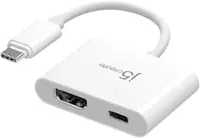
Wirelessly display content from a phone, tablet, or laptop onto a bigger screen with the ScreenCast Wireless Display Adapter. With its support of multiple wireless display standards (Miracast, AirPlay, and Chromecast), this wireless display adapter is compatible with devices and TVs you already own, including Windows, macOS, iOS, iPadOS, and Android operating systems. Perfect for home, travel, office, and more. The ScreenCast works with a wide variety of apps. Just connect and share!
- Turn Your TV into a Smart TV: Wirelessly display content from your mobile devices onto a high-definition TV.
- Experience the Visual Rush of HD Video: Supporting 1080p full HD video and HD audio.
- Dual Band to Ensure a Stable Connection: Built-in dual band (2.4 GHz and 5 GHz) connects to the Internet through your wireless network for higher stability and smoother streaming.
- Works with Various Cast-Compatible Devices: With its support of multiple wireless display standards (Miracast, AirPlay, and Chromecast), the ScreenCast is compatible with devices and TVs you already own, including Windows, macOS, iOS, Android and cast compatible laptops, tablets and mobile phones.
- Native support for AirPlay, Miracast & Chromecast (Google Cast): Wirelessly display content from your compatible device without connecting the ScreenCast to the Internet.
- Expand Your Entertainment Possibilities: Perfect for home, travel, office, and more. The ScreenCast works with a wide variety of apps. Just connect and share.
Whats Included
- 1 - JVAW56 ScreenCast Wireless Display Adapter
- 1 - USB Type-A extension cable (23.6")
- 1 - Quick Installation Guide (QIG)
Product Manuals
Q: Does this adapter require an internet connection to work?
A: The adapter can work with or without an internet connection. It supports native AirPlay, Miracast, and Chromecast, allowing you to wirelessly display content from compatible devices without connecting to the internet.
Q: What comes included with the ScreenCast Wireless Display Adapter?
A: The adapter comes with a USB extension cable that can power the adapter and increase the antenna distance.
Q: Which operating systems are compatible with this wireless display adapter?
A: The ScreenCast Wireless Display Adapter is compatible with Windows, macOS, iOS, iPadOS, and Android operating systems.
Q: How far away can I be from the adapter and still maintain a stable connection?
A: The adapter provides a stable wireless connection up to 49 feet.
Q: Why is this adapter good for travel?
A: The adapter has a compact, portable design that makes it ideal for travel.
Q: What is the maximum resolution supported by this adapter?
A: This adapter supports a maximum resolution of 1080p Full HD video and HD audio.
A: You can use this device to add a wireless display to your computer via Wi-Fi. You will not be able to connect the hdmi plug of the device into your computer, and then the usb port into your monitor. That will not work. It appears the best option for you would be to get a USB to HDMI/VGA/DVI adapter (such as our JUA350, JUA310, JUA330) which will allow you to connect a USB video adapter to your USB port on your computer, and then connect a video cable from your monitor to the adapter.
A: It should work but if the TV is not supplying enough power to the ScreenCast device, you would need to plug the USB cord into a USB power adapter and connect it to an outlet. Once the device is connecting, select your TV's input/source until you see the setup screen and follow the setup guide. If your Android phone supports "DisplayPort Mode" over USB-C, the JCC153G or JCC155G with "Power Delivery" (Phone must support) would be another option. The JUA165C will also work if your phone does not support "DisplayPort Mode and "Power Delivery". Please refer to the manufacturer of your hardware for more information on your device.
Reviews
Customers are saying
Customers enjoy the ScreenCast Wireless Display Adapter for its ease of use, connectivity, and simple setup. The adapter is also praised for its compatibility, USB functionality, and compact size. Some customers have noted concerns regarding lag and video quality, while others have suggested a more competitive price point. Overall, the ScreenCast Wireless Display Adapter seems to be well-received for its user-friendly features.
Customer Images
The vast majority of our reviews come from verified purchases. Reviews from customers may include My Best Buy members, employees, and Tech Insider Network members (as tagged). Select reviewers may receive discounted products, promotional considerations or entries into drawings for honest, helpful reviews.
Compare similar products

Wirelessly display content from a phone, tablet, or laptop onto a bigger screen with the ScreenCast Wireless Display Adapter. With its support of multiple wireless display standards (Miracast, AirPlay, and Chromecast), this wireless display adapter is compatible with devices and TVs you already own, including Windows, macOS, iOS, iPadOS, and Android operating systems. Perfect for home, travel, office, and more. The ScreenCast works with a wide variety of apps. Just connect and share!
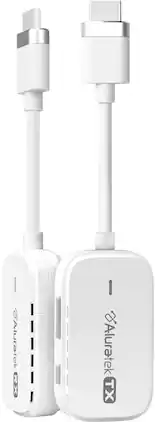
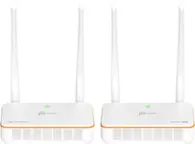
The Streamcast Pro lets you wirelessly mirror your favorite content from your HDMI enabled laptop, desktop computer or any AV devices to any HDTV. No need to worry about network setups, apps to download or accounts to create. The streaming kit comes with a receiver unit and a transmitter unit that comes pre-paired out of the box so you can get streaming fast with family, friends and colleagues. Supports full HD 1080p resolution. Great for presenting and other display setup needs. The wireless HDMI transmitter and receiver are perfect for TV’s that do not have built-in streaming apps. Watch movies, streaming series, sports and gaming videos from your subscribed content providers such as Amazon Prime, Netflix, and more.

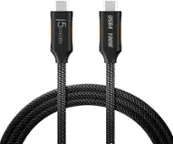
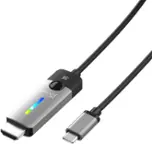
Our USB-C to HDMI 2.1 8K Cable allows you to conveniently connect your gaming laptop, MacBook , Chromebook, or tablet to an 8K UHD / 4K 144Hz external monitor, 8K UHDTV, projector and other display device using an HDMI input. This cable offers the latest USB-C to 8K or 4K 144Hz HDMI connection, letting you connect an HDMI display to a gaming laptop, tablet, or phone that supports DisplayPort Alternate Mode, for a plug and play connection.

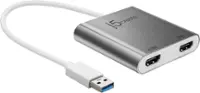
This USB 3.0 to Dual HDMI Multi-Monitor Adapter acts as an external video card for your MacBook or Windows computers. It allows you to add two additional displays through your USB 3.0 port, boosting your productivity by giving you more screen space to work from. One of the HDMI ports can output resolutions up to 4K, while the other can output resolutions up to 2048 x 1152. This is the perfect alternative to a costly video card. With this USB 3.0 Multi-Monitor Adapter, you can quickly install the driver with a simple USB plug-in. Afterwards, connect the device to your monitors using HDMI cables and then you will have a dual-display workstation!
| Pros for j5create - ScreenCast Wireless Display Adapter - White | |||
|---|---|---|---|
| Ease of use, Compatibility, Connectivity, Setup, USB | There were no pros for this product— | Compatibility, HDMI, Ease of use, Overall Performance, Refresh Rate | Ease of use, HDMI, Compatibility, Performance, Size |
| Cons for j5create - ScreenCast Wireless Display Adapter - White | |||
| Lag, Price, Video Quality | There were no cons for this product— | Price | Price, Lag, Driver, Resolution, Heat |