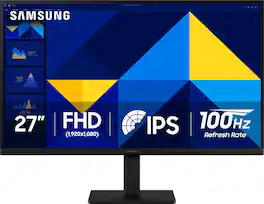
Samsung - 27" S3 (S30GD) IPS LED FHD 100Hz Monitor (HDMI, D-sub) - Black
Screen Size
27"
Key Accessories:
- Apple - Magic Mouse - Multi-Touch Surface (USB-C) - Wireless - White Multi-Touch Surface$79.99
More Buying Options from Best Buy and Marketplace sellers
Related Item

Highlights
- Key Specs
- Refresh Rate: 100Hz (The number of frames per second the device can produce natively without enhancement. Higher rates help produce smooth, seamless pictures.)
- Maximum Resolution: 1920 x 1080 (Maximum resolution refers to the highest number of pixels that a screen can process and display. Higher resolution signals produce more detailed images.)
- Response Time: 5 milliseconds (The speed at which pixels can change colors is called response time. It is measured in milliseconds (ms).)
- Panel Type: IPS (Technology that affects response time and image quality.)
- Synchronization Technology: Not Applicable (Generally, these technologies allow syncing between a computer/console game's frame rate and the device's refresh rate for a smoother display without tearing.)
- Screen Size: 27 inches (Size of the screen, measured diagonally from corner to corner.)
- Display Connector(s): 1 x HDMI 1.4 (The number and type of connectors used to connect to an external display.)
- General
- Brand: Samsung
- Model Number: LS27D300GANXZA
- Product Name: 27" S3 (S30GD) IPS LED FHD 100Hz Monitor (HDMI, D-sub)
- Color: Black
- Operating System Compatibility: Windows
- Display
- Refresh Rate: 100Hz (The number of frames per second the device can produce natively without enhancement. Higher rates help produce smooth, seamless pictures.)
- Maximum Resolution: 1920 x 1080 (Maximum resolution refers to the highest number of pixels that a screen can process and display. Higher resolution signals produce more detailed images.)
- Native Resolution: 1920 x 1080 (Native resolution of a screen refers to its single, fixed resolution. Sometimes screens must scale an image up or down in order to fit the native resolution. This can cause a loss of resolution or detail.)
- Contrast Ratio: 1000:1 (Measured difference between a displayed image's brightest whites and darkest blacks. The larger the first number, the more detail and color that can be displayed.)
- Response Time: 5 milliseconds (The speed at which pixels can change colors is called response time. It is measured in milliseconds (ms).)
- Display Type: LED
- Panel Type: IPS (Technology that affects response time and image quality.)
- Synchronization Technology: Not Applicable (Generally, these technologies allow syncing between a computer/console game's frame rate and the device's refresh rate for a smoother display without tearing.)
- Aspect Ratio: 16:9 (The measurement of the width of a screen compared to the height of a screen, expressed as a ratio.)
- Curved Screen: false
- Brightness: 250 candela per square meter (A measure of the total light output.)
- Screen Size: 27 inches (Size of the screen, measured diagonally from corner to corner.)
- High Dynamic Range (HDR): false (An HDR-compatible 4K TV or other HDR-compatible product displays HDR video content when it's available from sources like 4K Ultra HD Blu-ray Discs and 4K streaming services.)
- Horizontal Viewing Angle: 178 degrees (The maximum angle at which the display can be viewed with acceptable visual performance from either side.)
- Vertical Viewing Angle: 178 degrees (The maximum angle at which the display can be viewed with acceptable visual performance from above or below.)
- Touch Screen: false (Touch-screen devices make navigating more intuitive. Using a touch-screen display, you can do things such as tap to select, hold and drag to move items, swipe to scroll, and pinch to zoom.)
- On-Screen Display Languages: English (The available language options for displayed text.)
- Color Gamut (NTSC): 72 percent
- Connectivity
- Number of DisplayPort Inputs (Total): 0
- Number of HDMI Inputs (Total): 1
- Number of Mini DisplayPort Inputs: 1
- Number of Thunderbolt Ports (Total): 0
- Display Connector(s): 1 x HDMI 1.4 (The number and type of connectors used to connect to an external display.)
- Number of USB Ports (Total): 0
- USB Ports: None (The number and type of USB ports the product has.)
- Headphone Jack: false (The device features an interface that allows for the connection of headphones.)
- Compatibility
- Wall Mountable: true (The product is able to be secured to a wall. Some products are designed ready to mount, while others may require additional hardware/accessories for installation.)
- VESA Wall Mount Standard: 100mm x 100mm (VESA wall mount standards refer to the spacing of screw holes built into a TV in order to fit with standard TV wall mounts. These standards are implemented into most TVs and monitors.)
- Voice Assistant Built-in: Not Applicable (A digital assistant built into the device that uses voice commands to answer questions and control smart devices.)
- Features
- Tiltable: true
- Adjustable Stand Height: false
- Anti-Glare: false (Product has features, such as a matte finish, that reduce the likelihood for screen glare.)
- Built-In Webcam: false
- Integrated Speaker(s): false
- Smart Capable: false (Smart, or smart-capable devices are able to connect directly to your home network in order to stream content from the Internet, run Internet-based apps, or connect to other smart devices.)
- Dimensions
- Product Height With Stand: 18.5 inches
- Product Height Without Stand: 14.2 inches
- Product Width: 24.1 inches (The out of box width of the item. Width is measured as the horizontal distance from one side of the item to the other as it would be primarily used or placed.)
- Product Depth (With Stand): 7.9 inches
- Product Depth Without Stand: 1.4 inches
- Product Weight: 6.4 pounds (The out of box weight of the item.)
- Stand Included: true
- Power
- Power Consumption: 25 watts
- Certifications Listings & Approvals
- ENERGY STAR Certified: false (Devices carrying the ENERGY STAR service mark, such as computer products and peripherals, kitchen appliances, and other products, generally use 20% to 30% less energy than required by federal standards.)
- EPEAT Qualified: false (The Electronic Product Environmental Assessment Tool (EPEAT) was designed to provide an environmental assessment tool for purchasers. In order to qualify for EPEAT, a product must meet all 23 required criteria.)
- Warranty
- Warranty - Parts: 1 year
- Warranty - Labor: 1 year
- Other
- UPC: 887276903217
Samsung’s 27" S3 Monitor enables smooth performance, heightened productivity, and greater comfort. The IPS Panel delivers a stunning color experience across the entire display with less color washing, offering clarity from any viewpoint so tones stay consistent and accurate. The 100Hz refresh rate reduces lag and motion blur while playing games, watching videos, or working. Game Picture Mode with optimizable game settings enables instant adjustment of color and image contrast. Eye Saver Mode protects vision, reduces blue light and screen flicker, and extends comfort even during long sessions. The ergonomic super-slim design is a stylish addition to any environment, while ultra-thin border bezels make the most of screen space. Multiple connectivity enables devices to be plugged straight into the monitor for increased flexibility.
- IPS Panel: Stay in the action when playing games, watching videos, or working on creative projects. The 100Hz refresh rate reduces lag and motion blur so you don't miss a thing in fast-paced moments.¹
- 100Hz Refresh Rate: Experience stunning colors across the entire display with the IPS panel. Colors remain bright and clear across the screen, even when you change angles. Tones and shades are represented consistently and beautifully with less color washing.
- Game Mode: Gain a competitive edge with optimizable game settings. Color and image contrast can be instantly adjusted to see scenes more clearly and spot enemies hiding in the dark, while Game Mode adjusts any game to fill your screen with every detail in view.
- Eye Saver Mode & Less Screen Flickering: Protect your vision and stay comfortable, even during long sessions. Stay focused on your work with reduced blue light and screen flicker.
- Super-Slim Design: Featuring a super-slim design with ultra-thin border bezels, this monitor enhances any setup with a sleek, modern look. Enjoy a lightweight and stylish addition to any environment.
- Multiple Connectivity: Plug devices straight into your monitor for increased flexibility, making your computing environment even more convenient.
Whats Included
- Power Cable
- HDMI Cable
Disclaimers
- ¹Default refresh rate is set to 60Hz, and may be adjusted to 100Hz in the monitor's settings.
Q: How does the Eye Saver Mode on this Samsung monitor work?
A: Eye Saver Mode reduces blue light and screen flicker to protect your vision and reduce eye strain.
Q: How does the Game Mode on this Samsung monitor enhance gaming experience?
A: The Game Mode optimizes game settings, allowing for instant adjustment of color and image contrast for clearer visuals and enhanced detail, giving you a competitive edge.
Q: What is the response time of this Samsung monitor?
A: This monitor has a response time of 5 milliseconds.
Q: Can I connect devices directly to this Samsung monitor?
A: Yes, this monitor offers multiple connectivity options for connecting devices directly.
Q: What is the benefit of the 100Hz refresh rate on this Samsung monitor?
A: The 100Hz refresh rate reduces lag and motion blur, ensuring smoother visuals, especially during fast-paced games or videos.
Q: What type of panel does this Samsung monitor use?
A: This Samsung monitor uses an IPS panel.
Q: Does this Samsung monitor have built-in speakers?
A: No, this monitor does not have built-in speakers.
A: There is a tilt adjustment but not a height adjustment.
Compare similar products
Samsung’s 27" S3 Monitor enables smooth performance, heightened productivity, and greater comfort. The IPS Panel delivers a stunning color experience across the entire display with less color washing, offering clarity from any viewpoint so tones stay consistent and accurate. The 100Hz refresh rate reduces lag and motion blur while playing games, watching videos, or working. Game Picture Mode with optimizable game settings enables instant adjustment of color and image contrast. Eye Saver Mode protects vision, reduces blue light and screen flicker, and extends comfort even during long sessions. The ergonomic super-slim design is a stylish addition to any environment, while ultra-thin border bezels make the most of screen space. Multiple connectivity enables devices to be plugged straight into the monitor for increased flexibility.

Samsung's 27" S3 FHD 100Hz Curved Monitor with Speakers provides an immersive viewing experience. The 1800R Curved Screen enhances depth perception and minimizes peripheral distractions, enabling greater focus. The 100Hz Refresh Rate reduces lag and motion blur when playing games, watching videos, or working on creative projects. Game Mode with optimizable settings allows color and image contrast to be instantly adjusted, filling the screen with every detail in view. Built-in Speakers free up desk space, minimize connections, and create a more efficient working environment for listening with ease. Eye Saver Mode with TÜV-certified eye comfort technology reduces irritating screen flicker and minimizes excessive blue light, even during long sessions. Multiple Connectivity enables devices to be plugged straight into the monitor for a more convenient computing environment.
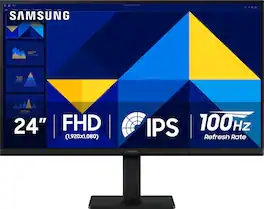
Samsung’s 24" S3 Monitor enables smooth performance, heightened productivity, and greater comfort. The IPS Panel delivers a stunning color experience across the entire display with less color washing, offering clarity from any viewpoint so tones stay consistent and accurate. The 100Hz refresh rate reduces lag and motion blur while playing games, watching videos, or working. Game Picture Mode with optimizable game settings enables instant adjustment of color and image contrast. Eye Saver Mode protects vision, reduces blue light and screen flicker, and extends comfort even during long sessions. The ergonomic super-slim design is a stylish addition to any environment, while ultra-thin border bezels make the most of screen space. Multiple connectivity enables devices to be plugged straight into the monitor for increased flexibility.
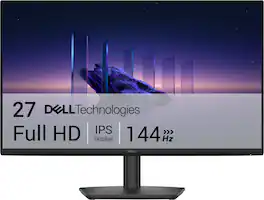
Breeze through everyday tasks on this 27-inch monitor with 144Hz refresh rate, 1ms Moving Picture Response Time (MPRT), and TÜV 3-star certification for eye comfort.
| Pros for Samsung - 27" S3 (S30GD) IPS LED FHD 100Hz Monitor (HDMI, D-sub) - Black | |||
|---|---|---|---|
| Performance | Overall Performance, Resolution, Refresh Rate, Screen Size | Overall Performance, Resolution, Refresh Rate, Size, Connectivity | Refresh Rate, Color Quality, Design, Adjustability, Eye Comfort |
| Cons for Samsung - 27" S3 (S30GD) IPS LED FHD 100Hz Monitor (HDMI, D-sub) - Black | |||
| There were no cons for this product— | Adjustability, Port Count, Connectivity | Adjustability, Port Count, Button Layout, Speakers | There were no cons for this product— |
Specs
Reviews
Rating 4.8 out of 5 stars with 327 reviews
- Performance (3)
Customer Images
The vast majority of our reviews come from verified purchases. Reviews from customers may include My Best Buy members, employees, and Tech Insider Network members (as tagged). Select reviewers may receive discounted products, promotional considerations or entries into drawings for honest, helpful reviews.
Customers often buy these together
Computer Keyboards

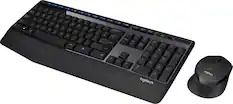
Logitech - MK270 Full-size Wireless Membrane Keyboard and Mouse Bundle for PC - Black
$23.99The price was $29.99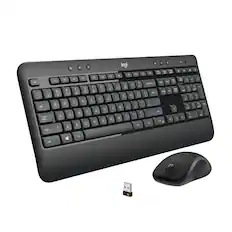
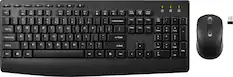
Logitech - MK540 Full-size Advanced Wireless Membrane Keyboard and Mouse Combo for PC - Black
$49.99The price was $59.99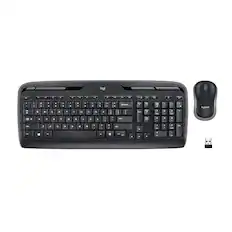
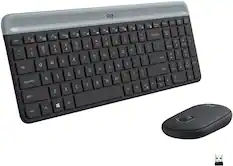
Logitech - MK320 Full-size Wireless Membrane Keyboard and Mouse Bundle for PC - Black
Top Deal$29.99The price was $34.99
![Sure, here is the corrected and grouped text:
```
ESC F1 F2 F3 F4 F5 F6 F7 F8 F9 F10 F11 F12 1 2 3 logitech - - 1 2 # $ 4 % 5 6 & 7 8 9 0 - - back insert home page up num lock clear / . tab Q W E R T Y U I O P { [ } ] / delete end page down 7 home 8 A 9 P9 up + caps lock A S D F G H J K L : ; a enter 4 5 6 shift Z X C V B N M < > ? shift 1 end 2 3 pg dn enter ctrl fn start alt opt alt crnd x alt cmd x fn ctrl alt opt 0 ins del 1 logitech
```](https://pisces.bbystatic.com/image2/BestBuy_US/images/products/5761/5761911_sd.jpg;maxHeight=232;maxWidth=233?format=webp)
![esc ! i 1 tab caps lock shift F1 2 Q A aas E4 F3 F2 $ % # 4 5 3 E R W F S D X C Z FS A 6 T G V F6 & 7 Y H B 17 * 8 U J N logi HI FI0 P9 FB ) - ( - 9 0 o P I K L > < M I P + = { [ A : I : ? I alt cmd3 2 0 3 10% 1 F12 page home up backspace ins page I delete end down } ] / enter shift ctrl fn opt^= Q I * / clear 8 9 + 7 pg up home 5 6 4 , 4 2 3 enter 1 dn pg end = 0 del ins ctrl start opt alt cmd](https://pisces.bbystatic.com/image2/BestBuy_US/images/products/6571/6571662_sd.jpg;maxHeight=232;maxWidth=233?format=webp)
![Esc F1 F2 F3 F4 F5 F6 F7 F8 F9 F10 F11 F12 Print Screen Scroll Lock Pause Break 1 2 3 4 5 6 7 8 9 0 - + = Backspace Insert Home H Page Up A Num Look 1 I Tab Q W E R T Y U I o P { [ } ] I I Delete End IN Page Down 7 Home 8 9 Pg Up Caps A Lock A S D F G H J K L ; : DE g Enter 4 5 6 Shift Z X C V N M < > ? I Shift 1 End 2 3 Pp Dn Enter Ctrl Alt Alt Ctrl 0 Ins Del](https://pisces.bbystatic.com/image2/BestBuy_US/images/products/a588d446-5678-40ae-86b8-1f15e0026e66.jpg;maxHeight=232;maxWidth=233?format=webp)
Monitor Stands

j5create - Ergonomic Dual Monitor Desk Mount for Most 17” -32” Monitors - Black
$89.99The price was $99.99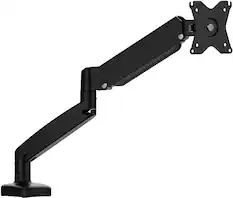
j5create - Ergonomic Monitor Desk Mount for Most 17” -32” Monitors - Black
$45.99The price was $59.99
More recommended items
 Monitor and Video Cables
 Laptop Docking Stations
 Computer Speakers
 Web Cameras
 Cables and Adapters
 Mouse Pads
More to consider
 $139.99The price was $144.99
 $109.99The price was $139.99
 $129.99The price was $209.99
 $109.99The price was $149.99
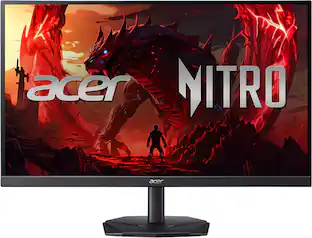 Top Deal$149.99The price was $199.99
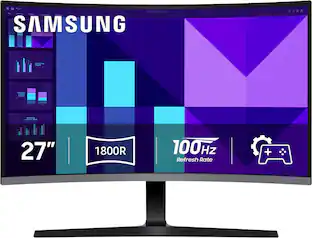
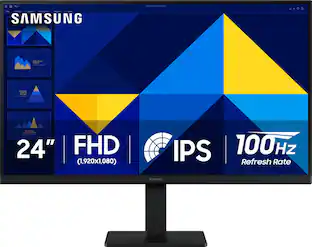
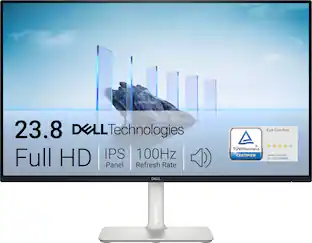


Explore tech essentials Sponsored
- $109.99The price was $139.99
 $279.99The price was $369.99

Discover related products
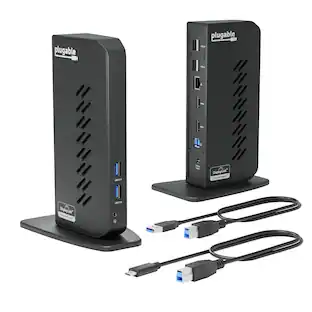
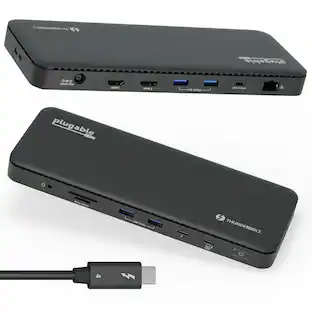
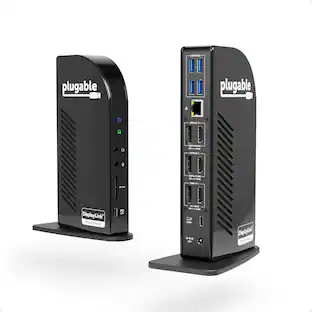
Plugable - USB 3.0 and USB-C Universal Laptop Docking Station for Windows, Mac, ChromeOS | Dual HDMI
$112.95The price was $135.35
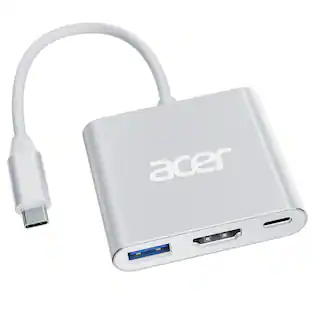
Acer - 5 in 1 USB C Hub with 4K HDMI, 100W Power Delivery, 3 USB A Data Ports, USB C to HDMI Adapter
$14.99The price was $16.99 $13.99The price was $19.99
 $339.98The price was $399.99
 $139.99The price was $152.98
 $69.99The price was $75.49




Keep exploring
 $159.99The price was $179.99
 $194.49The price was $226.99
 $537.59The price was $699.99
 $349.99The price was $379.99
 $191.99The price was $199.99