Skip to contentGo to Product Search
Main Content

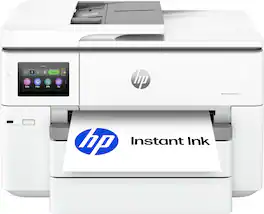
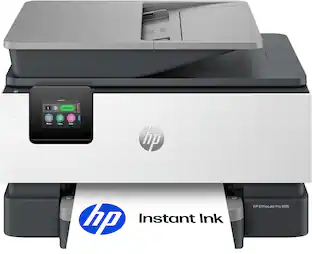
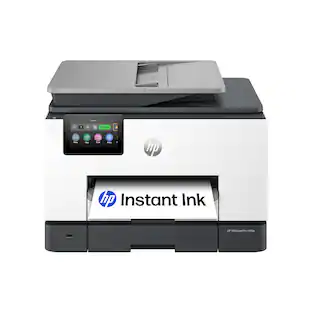
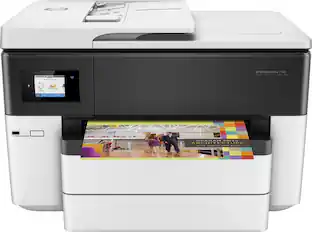
HP - OfficeJet Pro 9730 Wireless Wide Format All-in-One Inkjet Printer, Scanner, Copier, AI-Enabled with 3 Mos of Instant Ink - White

Model: OfficeJet Pro 9730/C2WH0A#B1H
SKU: 6673909
Sold byBest Buy

Customers are saying

Customers find value in the impressive print quality and speed offered by this device. Users also appreciate the reliable connection stability, noting that the product performs consistently and without issues.

Generated by AI based on customer reviews.

Features

  • From America's most trusted printer brand

    The wide-format OfficeJet Pro 9730 is perfect for offices printing professional-quality color documents like floorplans, mood boards and spreadsheets. Print speeds up to 22 ppm black, 18 ppm color.

  • Optimize print formatting with HP AI¹

    Print web pages and emails with precision—no wasted pages or awkward layouts; HP AI easily removes unwanted content, so your prints are just the way you want

  • Easily achieve vibrant, screen-accurate prints

    Print true to screen with the world's first and only wide-format printer with P3 for a wider color gamut vs. sRGB

  • Upgraded features

    Fast color printing up to 11 x 17, copy, auto 2-sided printing, auto document feeder with single-pass 2-sided scanning, and two 250-sheet input trays

  • Wireless printing

    Stay connected with our most reliable dual-band Wi-Fi, which automatically detects and resolves connection issues

  • 3-month Instant Ink trial included

    Subscribe to Instant Ink delivery service to get ink delivered directly to your door before you run out. After 3 months, monthly fee applies unless canceled.

  • Protects your data

    HP Wolf Pro Security bolsters security and helps keep your network protected from cyber threats

  • HP app

    Print, scan, copy, or fax right from your smartphone with the easiest-to-use print app

  • 4.3-inch touchscreen

    Quickly navigate your printer with a large color touchscreen and a phone-like user interface

  • Sustainable design

    Made with more than 30% recycled plastic

  • Dynamic security

    This printer is intended to work only with cartridges with original HP chips or circuitry and will block cartridges using non-HP chips or circuitry. Periodic firmware updates will maintain the effectiveness of these measures.

Specifications

  • Networking
    Wireless, Wired
    ENERGY STAR Certified
    Yes
    Printer Type
    All In One
    ISO Color Print Speed
    18 pages per minute
    Output Tray Capacity
    75
    Touch Screen
    Yes
Sponsored

Reviews

Rating 4.6 out of 5 stars with 29 reviews

97% would recommend to a friend
Customers are sayingCustomers find value in the impressive print quality and speed offered by this device. Users also appreciate the reliable connection stability, noting that the product performs consistently and without issues.
This summary was generated by AI based on customer reviews.
  • Print Quality (22)
  • Connection Stability (9)

Customer Images

The vast majority of our reviews come from verified purchases. Reviews from customers may include My Best Buy members, employees, and Tech Insider Network members (as tagged). Select reviewers may receive discounted products, promotional considerations or entries into drawings for honest, helpful reviews.

  • Rated 5 out of 5 stars

    Larger Footprint, Greater Performance

    There is no doubt that HP is a leader in the printing industry. For years, their products have proven their efficiency and performance. No exception, this HP Officejet 9730 is no exception. I was surprised by how big it is; it is massive compared to other Officejet in the same segment, because it prints and scans 11 × 17-inch documents and has two paper trays. It feels more like a professional office printer, and I think the extra size is worth it, knowing that this printer is going to be all-in-one with extra capabilities that I may need. From the first moment, I liked how the design is clean and solid and felt premium. As usual, setup was easy using the HP Smart app and following the steps, and in a few minutes the printer was up and running. The 4.3-inch color touchscreen is really helpful and responsive, making it very easy to navigate the printer's settings. Printing is fast, quality is excellent, and text looks sharp. Since this printer is all-in-one, the 35-sheet automatic document feeder supports single-pass duplex scanning, meaning it scans both sides of a document in one pass instead of feeding the paper through twice. It also supports automatic two-sided printing, so everything is handled without manually flipping pages. Except for ID card scanning, both sides required flipping the ID. The printer supports dual-band Wi-Fi, Ethernet, USB, Apple AirPrint, Wi-Fi Direct, and the HP Smart app, so I can print from everywhere whether I’m home or away since it supports cloud printing. The Wi-Fi connection has remained stable, and I haven't experienced any unexpected disconnects. One thing that's kind of disappointing here is that this printer uses regular ink cartridges rather than an HP Smart Tank that relies on a refillable ink tank, which makes the printing cost way less. However, this is not a deal-breaker for me; the printer offers a combination of printing quality, performance, automatic functions, a big touchscreen, and two massive paper trays.

    Posted by Zaid

  • Rated 5 out of 5 stars

    11x17 is what I wanted. 11x17 is what I got

    HP has been in the printing industry for a long long time. The office jet pro 9730 is another step to their stake in the printing industry. Setup was pretty easy with the exception scan to HP cloud and Scan to Google. We will get to that in a bi.. Pulled out of the box slid it out (be careful super heavy you probably need to team lift this beast of a printer). Plugged in. Walked through Wi-Fi connection via on screen prompt and I was in. My Android phone found it no problems, my various household PC same. Found it with no issues. Print quality and speed is good for ink jet. HP very nice crisp and fast. I tried using the app. It found the printer no problems. Copy function is great! 11x17 scan/Copy is ONLY through flat bed. Automatic document feeder does not take 11x17. So make sure you are aware of this. Also note. Paper tray for 11x17 will cause for the try you put the 11x17 in to stick out. If you are OCD this might bother you. So going back to the scan to cloud and Scan to HP Cloud. I had some issues with setting this up. I ended up resetting the printer to the original Firmware and not updating it and I was finally able to keep the scan to cloud function to stay. I think HP might be working on a solution for this but in the meantime this isy suggested work around for this issue. Also this requires an ink subscription to work. Other than that. Great printer. I love my 11x17 option.

    Posted by PhillipB

  • Rated 5 out of 5 stars

    Great Office Printer!

    The HP OfficeJet Pro 9730 is built for anyone who has ever needed more than a standard letter-size page. It prints and scans up to 11 by 17 inches, which is a genuine help for large spreadsheets, floor plans, brochures, and photos that simply will not fit on ordinary paper. Setup was straightforward, and the wireless connection stayed reliable. The 4.3-inch color touchscreen is clear and easy to navigate. The HP app lets you print or scan from a phone without extra steps. Two 250-sheet trays mean you are not constantly loading paper, and automatic two-sided printing saves both time and paper. The automatic document feeder handles stacks of pages well. The AI feature is more useful than it first sounds. When you print a web page or email, it tidies the layout and strips out extra clutter so you get a clean page instead of wasted sheets. Color output looks rich and close to what you see on screen. A three-month Instant Ink trial is included, which takes the worry out of running low. This printer is larger than a typical home model, so measure your desk space first. For a home office or small team that needs professional-looking wide documents without extra fuss, the 9730 is a practical, capable choice.

    Posted by EnglishD

  • Rated 5 out of 5 stars

    Great large format printer.

    I really like this printer. Easy to read display. It is larger than what is on the little brother of this printer. The scan bed is large as well. 11 x 17 tabloid size media can be scanned and printed and the two media bins come in handy for switching between paper sizes. Duplex printing is a joy. Auto document feeder is a nice touch. The two trays that hold 250 pages each pretty much makes sure you are covered when it comes to whatever you usually print depending on home office use or side hustle. I like the three months of free ink if you subscribe to the service HP offers. Gives a good length of time to be able to get the hang of the bugs that you know are bound to show up when you're dealing with technology. I have been able to print some great prints from some random photos I forgot I had on my phone. Wireless printing is always a bonus when you don't have space for the printer near a outlet for your network. Now for the not so fun part. If you register this printer with HP and do a firmware upgrade you can forget using ink that isn't made by HP. Other than that it is a very good printer.

    Posted by Malcolm

  • Rated 4 out of 5 stars

    Solid printer with some nice features

    Unpacking was back breaking, this thing is HUGE. But credit to HP, they have it in the box inside of a heavy duty bag with strong handles that can be used to pull it out. Made it MUCH easier for a disabled vet like me to get it into the room I wanted. This is replacing a much smaller HP printer - my old HP (410) is about 1/5 or 1/6 of the volume of this thing. NOT a fan of things that try to force you to a smart device and a QR code. Not like initial setup requires anything that intense - give it paper, pull off all the tape, insert cartridges, set date / time / timezone, get it on wireless if needed (I'm using mine wired), and you are ready to go. Sent a test page from my laptop, came through just fine. At that point I had only let Windows 11 find the printer and install the drivers automatically. I could print. Printer properties offered all the standard settings though. And many presets, from factory defaults, normal printing, duplex, photo printing, even fast/economical printing. Test page came through very quick. Hit the HP page to download the utilities for scanning and everything. Two options, the online installer or the offline installer. I was a bit disappointed to see that the offline installer was from 2023, so hopefully I actually get something more recent from the online installer, otherwise this generic offline installer hasn't been addressed by HP for any updates in 3 years. So doing the easy start, and I'm on my private network, and it won't install until you walk to the printer to hit "allow." So I'm traipsing to the other side of my house to push a button on a printer just to install printer software. This is ANNOYING for a disabled person like me. HP, I'm seriously not worried that someone will install printer drivers on a computer behind my printer's back... Got past all of the HP prompts wanting data and hit a roadblock. My internet works - obviously, since I'm running the ONLINE INSTALLER. But it says it can't check for a firmware update. So clearly something in the HP ecosystem is screwed up today. No option to continue anyway. You can retry, or EXIT SETUP. Fortunately, the EXIT option doesn't kill the whole setup, so I was able to continue with the install routine skipping the firmware update. I chose the option to install everything, rather than the smart start lesser one. Since the laptop this is on is used only at my house here (I use my Surface Pro 11 ARM to go to work with me) the full install should be fine. And out of the blue the install appeared to have failed. I recently tried another HP printer, and had even more issues since that was the Surface Pro and HP didn't do well with ARM for their installers, I had to settle for their universal printer driver. This install didn't give any error - simply vanished. But it looks like it actually DID finish since I have HP twain driver entries in my start menu now. But no warning, no message, no "install complete" message, it simply vanished? That's hardly a good installer routine. Scan software has the normal options for save file types - save as PDF or JPG, email as PDF or JPG. Where you could select options for the saved files, such as the type of document, how many sided, resolution, etc, there is a "more" option. But that button locked up the software and I had to go to task manager and end task. Second time I tried it brought me to more detailed options. I've never had to print from a smart phone or tablet but played with it anyway. I had already put the printer on my network with a static IP so the software found the existing printer just fine. Tried to scan, worked well, and gave me the options to save or email or send to messages, all the normal things I'd see when doing something with a file on my iPhone. Printing from it offered to find files and photos on my phone, or accounts like evernote, dropbox, box, etc. I grabbed something from my onedrive and sent it to print without issues. Then I hit my web browser, found a page, sent it to print. Once again, printed without issues. Not sure I'll ever have to print from a mobile device, never had to in all these years, but it worked, so I know I CAN moving forward. Noise levels are about as you'd expect from a larger inkjet. I've got a photo scanner for my high res needs, but this is great simply for documents. I've had issues with their software on my ARM device a few months ago, but for scanning they have an ARM version explicitly, so that was what I installed. I like that it installs the prerequisites it needs as well, rather than erroring out and making you go hunt them down yourself. My other multi function printer lacked duplex scanning, so this is a nice feature to have again, and it worked well. I also appreciate the installer's option to set up scan to PC so that you can simply go to the printer, initiate a scan, indicate your PC, and have it sent there as whatever file type you prefer. So simple and quick. It's a bit pricey compared to other options, but it works well overall. Fast prints, good quality results, larger paper format compatibility, and one of the better touch screen display panels I've seen on something that isn't a business class full sized MFP.

    Posted by JDThird

Compare similar products

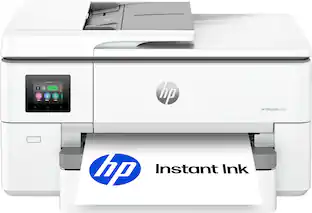
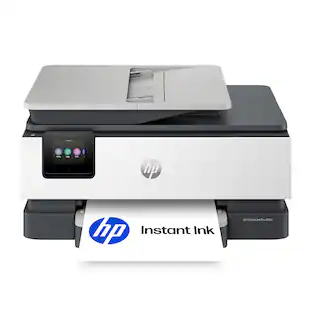
HP - OfficeJet Pro 9730 Wireless Wide Format All-in-One Inkjet Printer, Scanner, Copier, AI-Enabled with 3 Mos of Instant Ink - White
4.6(29)

The HP OfficeJet Pro 9730 Wide-Format All-in-One Printer delivers fast color, fade-resistant prints, 500-sheet paper capacity, and single-pass duplex scan and copy capabilities perfect for your office. Print up to 11 x 17 inches, and scan legal-size documents on the flatbed scanner. Navigate this printer with the 4.3" color touchscreen and phone-like user interface. It includes wireless and printer security features to keep your multifunction printer up to date and secure, and is made with more than 30% recycled plastic content. Optimize print formatting with HP AI, that easily removes unwanted content from emails and web pages so your prints are just the way you want—no wasted pages or unwanted content. Subscribe to Instant Ink delivery service and get 3 months of free ink delivered directly to the door of your office. The HP OfficeJet Pro 9730 Wide-Format All-in-One also lets you print from anywhere with the HP app.
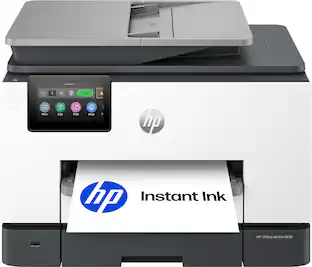
HP - OfficeJet Pro 9720 Wireless Wide Format All-in-One Inkjet Printer, Scanner, Copier, AI-Enabled with 3 Mos of Instant Ink - Cement
4.6(27)

The HP OfficeJet Pro 9720 Wide-Format All-in-One Printer delivers fast color, fade-resistant prints, 250-sheet paper capacity, and scan and copy capabilities perfect for your office. Print up to 11 x 17 inches, and scan legal-size documents on the flatbed scanner. Navigate this printer with the 2.7" color touchscreen and phone-like user interface. It includes wireless and printer security features to keep your multifunction printer up to date and secure, and is made with more than 30% recycled plastic content. Optimize print formatting with HP AI, that easily removes unwanted content from emails and web pages so your prints are just the way you want—no wasted pages or unwanted content. Subscribe to Instant Ink delivery service and get 3 months of free ink delivered directly to the door of your office. The HP OfficeJet Pro 9720 Wide-Format All-in-One also lets you print from anywhere with the HP app.

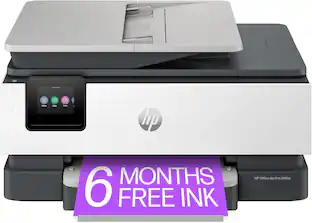
HP - OfficeJet Pro 9135 Wireless All-in-One Inkjet Printer, Scanner, Copier, AI-Enabled with 3 Months of Instant Ink - Cement

The HP OfficeJet Pro 9135 All-in-One Printer delivers fast color, fade-resistant prints, 500-sheet paper capacity, and single-pass duplex scan, copy capabilities plus fax, perfect for your office. Navigate this printer with the 4.3" color touchscreen and phone-like user interface. It includes wireless and printer security features to keep your multifunction printer up to date and secure, and is made with more than 40% recycled plastic content. Optimize print formatting with HP AI, that easily removes unwanted content from emails and web pages so your prints are just the way you want—no wasted pages or unwanted content. Subscribe to Instant Ink delivery service and get 3 months of free ink delivered directly to the door of your office. The HP OfficeJet Pro 9135 All-in-One also lets you print from anywhere with the HP app.
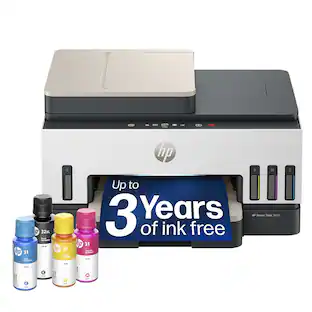
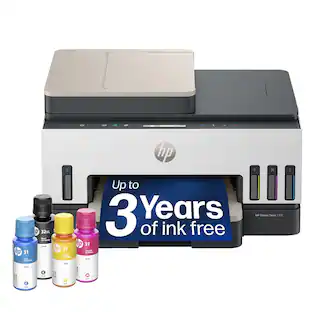
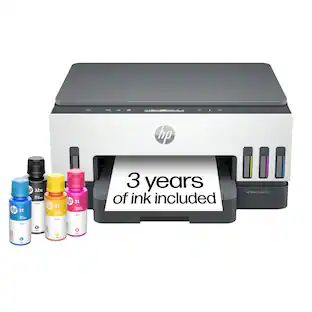
HP - Smart Tank 7603 Wireless All-in-One AI-Enabled Cartridge-Free Supertank Inkjet Printer w/ Fax and 3 Yrs of Ink Included¹ - White

From America's most trusted printer brand², the HP Smart Tank 7603 is a smart, connected and refillable tank printer that makes printing seamless for your home and small business with its high capacity, wireless connectivity and Ethernet networking. Create everyday color documents at a low cost with 3 years of Original HP Ink included in the box¹. It's AI-enabled³ to intuitively adapt to your workflow, with wireless and security features that keep your multifunction printer up to date and secure.

Pros for HP - OfficeJet Pro 9730 Wireless Wide Format All-in-One Inkjet Printer, Scanner, Copier, AI-Enabled with 3 Mos of Instant Ink - White
Print Quality, Connection StabilityPrint Quality, Overall Performance, Connectivity, Interface DesignPrint Quality, Overall Performance, Connectivity, Noise LevelPrint Quality, Noise Level, Connectivity, Ease of Setup, Design
Cons for HP - OfficeJet Pro 9730 Wireless Wide Format All-in-One Inkjet Printer, Scanner, Copier, AI-Enabled with 3 Mos of Instant Ink - White
There were no cons for this product—Display BrightnessSizeThere were no cons for this product—

Specs

Questions & Answers

  • Does this use high yield size ink cartridges?

    Yes, this printer supports both standard-yield and high-yield ink cartridges.

    Answered by HP Team
    HP Team response
  • Does it come with two paper trays?

    Yes. This printer includes two paper trays, with a total paper capacity of up to 500 sheets (two 250-sheet input trays).

    Answered by HP Team
    HP Team response
  • Can you print on card stock?

    Yes, this printer supports cardstock. For best results, use cardstock that is compatible with inkjet printers and select the appropriate paper type in the print settings.

    Answered by HP Team
    HP Team response
  • What size of ink are the black in the color?

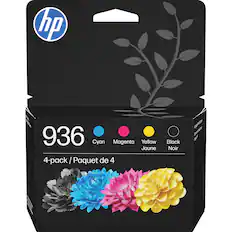
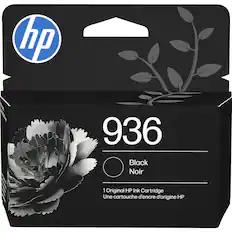
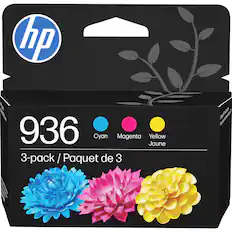
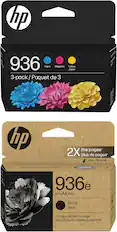
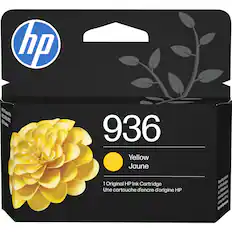
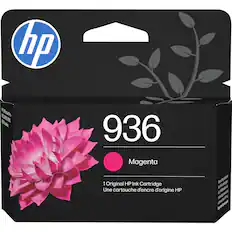
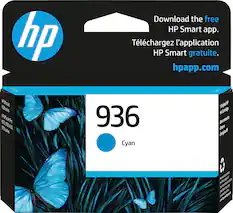
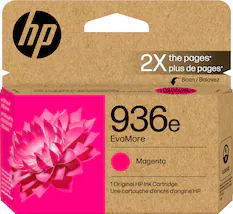
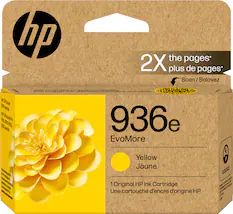
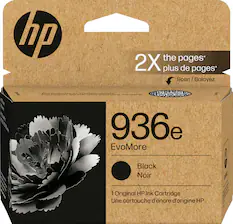
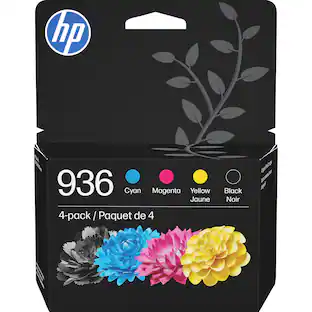
    The printer takes 936 ink cartridges for black and color.

    Answered by RJ724
  • What is the warranty period and can you purchase an extended warranty?

Ask a question
No content

Customers often buy these together

Sponsored