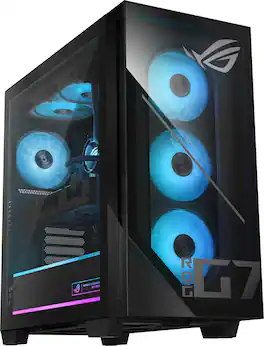
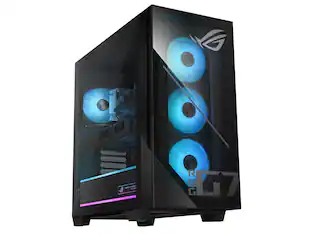
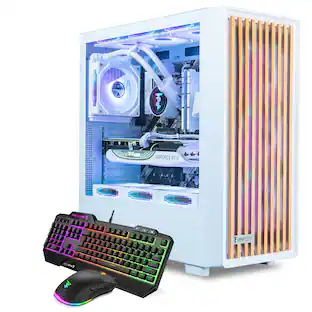
ASUS - ROG GM700 Gaming Desktop - AMD Ryzen 7 7800X3D (2023) - 32GB Memory - NVIDIA GeForce RTX 5070 - 1TB Storage - Black
About this product
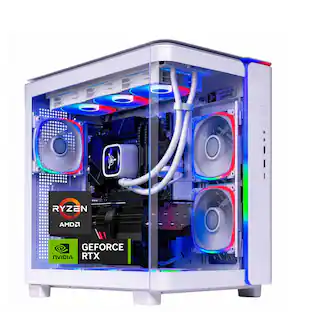
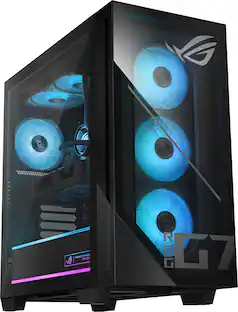
The ROG GM700 Gaming Desktop combines fearless design, next-generation power, and advanced connectivity into a striking and versatile package. Its dual-glass panel chassis showcases the bold ROG identity with the iconic ROG Slash and Fearless Eye logo, complemented by customizable RGB lighting with Aura Sync. Powered by the next-gen AMD Ryzen processors and an NVIDIA GeForce RTX GPUs, the GM700 is equipped with high-speed DDR5 RAM and PCIe Gen 4 storage for unparalleled performance. A quad-fan airflow system, a 240mm AIO liquid cooler, and dust filters ensure optimal thermal management and system longevity. Built for reliability and flexibility, the spacious 58L chassis accommodates triple-slot GPUs and a full-sized 850W power supply, while the tool-less design allows for effortless upgrades and maintenance. Dolby Atmos delivers a multidimensional soundscape for an immersive audio experience. The GM700 is the ultimate choice for gamers and creators seeking a future-ready, high-performance desktop.
Processor Model:
AMD Ryzen 7 7000 SeriesHighlights
Features
Powered by Windows 11 for Next-Level Gaming
Get a full-featured, game-ready operating system built for smooth multitasking, so you can jump between games, streaming apps, and everyday productivity without missing a beat.
Powered by AMD Ryzen 7 7800X3D for Reliable, High-Speed Gaming
This 8-core, 16-thread CPU with 3D V-Cache delivers the single-threaded speed today's top games demand, plus enough multitasking muscle to stream and chat while you play.
Dominate with NVIDIA GeForce RTX 5070 Prime Graphics
Push your favorite AAA titles and esports games to their highest settings with next-gen ray tracing, DLSS 4, and Frame Generation for buttery-smooth, eye-catching frame rates.
Multitask Freely with 32GB DDR5 RAM & 1TB PCIe Storage
Load games in a flash and run your game, stream, and Discord all at once, with room to grow thanks to its ample PCIe Gen 4 SSD storage.
Stay Cool Under Pressure with a 240mm AIO Liquid Cooler
A quad-fan airflow design paired with liquid cooling keeps the CPU running cool and quiet, even during marathon gaming sessions or heavy overclocking.
Stand Out with Iconic ROG Design
Dual glass front and side panels showcase the signature ROG Slash and Fearless Eye logo, with customizable Aura Sync RGB lighting that makes this rig an instant showpiece.
Upgrade with Ease Thanks to Tool-Less Access
Standard-sized components and tool-less side and front panels make it simple to add storage, swap in a new GPU, or clean your system as your needs grow.
Built to Last with Rock-Solid Reliability
Rigorously tested components, durable Loop Dynamic Bearing fans rated for up to 160,000 hours, and a trusted ASUS motherboard keep your system running strong for years.
Always Stay Connected with Versatile Ports
USB 3.2 Gen 2 Type-C, HDMI, and DisplayPort outputs make it easy to hook up your monitor, peripherals, and network for smooth, uninterrupted online play.
Game Instantly with an Included RGB Keyboard and Mouse
The GM700 comes complete with a RGB gaming keyboard and RGB gaming mouse, so you can plug in and start playing the moment you unbox it.
Jump Right In with 3 Months of PC Game Pass
Enjoy hundreds of PC games right out of the box, so your new battlestation is ready to play from day one.
Specifications
- Processor ModelAMD Ryzen 7 7000 SeriesStorage TypeSSDTotal Storage Capacity1000 gigabytesSystem Memory (RAM)32 gigabytesGraphics TypeDedicated
Reviews
Rating 4.8 out of 5 stars with 27 reviews
4.8Customer Images
The vast majority of our reviews come from verified purchases. Reviews from customers may include My Best Buy members, employees, and Tech Insider Network members (as tagged). Select reviewers may receive discounted products, promotional considerations or entries into drawings for honest, helpful reviews.

- Rated 5 out of 5 stars
Very capable medium-high gaming PC & looks clean
PROS: * 1440p on Ultra for most AAA games (4K is possible with a few minor hiccups) * The look of the case is clean and minimal, with lights, but not overwhelming like some cases * Build quality is excellent * Easily upgradable and simple to work on * Very quiet, even when playing demanding games *Came with a very capable keyboard and mouse (better than most added peripherals) SO-SO: * Price (currently $2700) - with the prices of RAM, we’re seeing much higher prices for specs that would be much less just a year ago CONS: * Some older components (Wi-Fi, for example) For the past several years, I’ve been an Asus fan. The build quality of most of their premium devices has been consistent enough that I always feel comfortable choosing their products over any others because I know they’ll work. My current desktop is a beefed-up ROG Strix, which has been great for me as my main office CPU. It’s not the most spec’d-out gaming PC, but it has been very solid and well supported by Asus since 2024. However, I felt it was time to upgrade, as I’ve been getting more and more into PC gaming as a serious hobby. While my ROG Strix is a unified, smaller-case desktop, the ROG GM700 is a full-size, prebuilt desktop in the upper-midrange segment. It’s a few steps above the Strix in that department, so I was excited to play AAA on High or even Ultra settings. There have been a few hiccups, but overall, the ROG GM700 is a super solid gaming PC that will whet the appetites of most beginners and experienced gamers. Some may not like the RGB lighting on ROG machines, but I feel like they don’t go overboard like they used to. The case has a very clean look and is mostly minimal, aside from the ROG badging. I actually love the look. The Strix has more lighting on the front and inside the case, but even that isn’t too much for me. The internals are easy to view, and you can tell when it’s time to dust or do maintenance. The GM700 has a big, well-built case with plenty of room for upgrades to future-proof the machine. Everything is easy to remove and simple to work on, even if you’re just following a Youtube video. I haven’t done any upgrades yet, but knowing I can whenever the honeymoon phase goes away feels good. The 850W, 80 PLUS Gold power supply is non-modular but sufficient for future GPU upgrades. Gaming performance is outstanding, with smooth play at both 1440p and 4K, plus efficient, quiet cooling. However, the Wi-Fi speeds are slower than anticipated. It does come with an antenna, typical for Asus, but it lacks the latest Wi-Fi capabilities. It’s not a huge deal for me, as I’m fine with the speeds it gets, but if you want the latest or have a router/modem that can squeeze out top speeds, that may be a hindrance. The configuration I received includes an AMD Ryzen 7800X3D (still a very good gaming CPU and comes with a 240mm AIO cooler), an RTX 5070, 32GB of DDR5 RAM, a 1TB Gen 4 SSD, a B650M motherboard, and an 850W power supply. The GM700 offers many USB ports, though most are the slower USB 2.0 type. This is enough for peripherals, but the faster ports are still limited. The RTX 5070 delivers very good 1440p gaming performance. You can play 4K on lower graphics settings, but I find the sweet spot is 1440p on very high settings; in some AAA titles, Ultra still stutters. 32 GB of DDR5 RAM is standard but can be overclocked to 6000 MT/s.The few games I’ve played are S.T.A.L.K.E.R. 2 at 4K Ultra, though the frame rate is capped at 60 and there have been occasional stutters. Overall, the ability to play at 4K Ultra is worth it. I also played Spider-Man 2, which really taxes the CPU, but even on 4K Ultra settings, it’s playable; I dropped the resolution to 1440p and lowered a few settings to Very High. This is all at a capped 60fps, so more serious gamers will want to tweak settings further to push fps to 120+. The one game I fully maxed out is Starfield, which I've been wanting to get back into for some time. It looks absolutely beautiful and runs very smoothly, even in high-density areas. See the added pictures of Starfield in action. All in all, with RAM prices getting higher and higher, this is a solid choice if you’re jumping into PC gaming and don’t want to start at the bottom. It’s higher-mid-range, with room to upgrade later or beef it up if you need to. It’s not there for me yet. I’m enjoying playing my backlog, and that’s what matters most to me.
Posted by Bryan
- Rated 5 out of 5 stars
Exceptional Performance and Upgradeability
PROS + Exceptional gaming performance driven by the powerful AMD Ryzen 7 7800X3D processor with 3D V-Cache, keeping CPU temperatures under 60°C via the pre-installed 240mm AIO liquid cooler + Outstanding frame rate performance using NVIDIA's DLSS suite, easily hitting over 60 FPS in The Witcher 3 Remastered with ray tracing and 60–88 FPS in Cyberpunk 2077 with path tracing at 4K using DLSS + Awesome upgradeability and tinker-friendliness for a pre-built PC, featuring toolless glass/panel entry, standard components, a spacious interior, and multiple open M.2 NVMe storage expansion slots Impressive thermal and acoustic performance, remaining remarkably quiet and cool even during extended gaming sessions + Clean software suite with virtually zero forced bloatware and an unobtrusive Armoury Crate utility that doesn't force-open or bog down system resources + Generous 32 GB of RAM and a reliable 850W power supply providing solid out-of-the-box headroom + Cable management in the back is clean and efficient, utilizing built-in clips and zip ties that make routine maintenance or component swaps a breeze CONS - Included bundled keyboard feels very mushy and uncomfortable for long typing or gaming sessions; the included wired mouse is basic and cheap - ASUS ROG branding is a bit excessive on the exterior of the case for my liking - 12 GB of VRAM on the RTX 5070 Prime graphics card can become a borderline bottleneck for VRAM-hungry modern titles at 4K, especially with Ray or Path Tracing - Non-modular power supply locks in cables, requiring a full PSU swap if your graphics card upgrade demands different power connectors - RGB brightness controls in Armoury Crate can be finicky or unintuitive when trying to dim lighting for dark environments like a home theater OTHER THINGS OF NOTE * Comes bundled with 3 months of Xbox PC Game Pass which is a nice bonus I made extensive use of in my testing * The stock GPU support bracket does a fantastic job preventing sag, though it is custom-molded to the exact size of the stock card and must be removed if you swap in an aftermarket GPU, which can be a bit of a hassle with how screwed in it is to the case frame THE LONG AND SHORT OF IT To start, I'm going to review this from a few different lenses, both as an avid PC gamer as well as someone who loves to tinker with desktop hardware and customize upgrades. Having spent the last couple of weeks putting the ASUS ROG GM700 through its paces with daily work tasks and heavy gaming sessions across both a 4K OLED home theater TV and a 1440p ultrawide monitor, it has easily proven itself to be the best pre-built gaming desktop I've used, and that comes down mainly to one thing; it doesn’t feel like a pre-built. What I mean by this is that, it feels almost like a PC I would have built for myself from scratch, with components you can buy off the shelf that are actually well regarded, and thus make repairability and upgradeability easy. With the exception of the PSU, which is also great in its own right albeit less modular, and the excessive ROG branding everywhere, it's a PC I would be proud to build if I had built it. Out of the gate, the desktop is fairly large—certainly a full-size tower that dwarfs smaller mini or micro ATX builds I've focused on in the past. However, that physical footprint is put to exceptional use. The case features plenty of internal workspace and robust airflow support, housing three RGB intake fans on the front, a 240mm AIO CPU liquid cooler, and a rear exhaust fan, leaving ample room to accommodate almost any massive graphics card you might want to drop in later. On the design front, my main aesthetic critique is that the ASUS ROG branding is a bit excessively loud. It's plastered everywhere—visible within the glass side panel, front glass panel, on the lower frame beneath the GPU, and across the top magnetic dust cover, just to name a few spots. While the case itself looks sleek and well-built, it certainly doesn’t hide what gaming brand made it, from every angle without much subtlety. This isn’t the PC to get if you want it to be undercover on your desk, but it is far from gaudy. Just up to your preference. Unboxing the system is straightforward, though it comes with one of my major gripes: the bundled peripherals. While it's nice that ASUS includes a wired keyboard and mouse, I genuinely disliked the keyboard. It felt remarkably mushy and lacked any satisfying tactile feedback, making it uncomfortable for long typing or daily work sessions. The bundled wired mouse is similarly basic and cheap. I quickly swapped them out for my personal peripherals, and I'd recommend most users do the same. Once you get past the peripherals and fire up the hardware, however, the GM700 absolutely sings. Equipped with an AMD Ryzen 7 7800X3D processor featuring 3D V-Cache, the system handles CPU-intensive games like Marvel's Spider-Man, and The Witcher 3 Remastered effortlessly. Paired with the 240mm AIO liquid cooler, thermal performance is astonishingly good—I never recorded CPU temperatures north of 60° Celsius after multi-hour sessions in these games. There’s a reason it has a reputation as one of the best gaming CPUs ever made. Graphics performance from the included ASUS RTX 5070 Prime is similarly stellar, particularly when leveraging NVIDIA's software features. On my 1440p ultrawide display, frame rates easily zoomed past 100 to 120 FPS in newer AAA games with some DLSS help. Pushing the PC in a home theater setup on a 77-inch 4K OLED TV, I was able to play The Witcher 3 Remastered with ray tracing enabled easily over 60 FPS. In Cyberpunk 2077, running path tracing with DLSS ultra performance mode and frame generation yielded a fluid 70 to 90 FPS. Multi-frame generation pushed numbers right up to my display's max refresh rate. As a big fan of frame generation for single-player titles played on a controller, the slight latency hit was completely imperceptible and manageable. The only caveat here for my Home Theater gaming is that at 4K, particularly native 4K, can occasionally hit VRAM limits in texture-heavy AAA games due to the card's 12 GB buffer (which is why I'd suggest bumping up to a 16 GB VRAM configuration for the GPU if budget permits). However, with some basic dialing in of settings, you can still get an incredible visual experience. What truly sets the GM700 apart for enthusiasts, though, is its unprecedented upgradeability from a pre-built, which is what really set this apart for me vs other pre-builts I have used. Unlike traditional pre-builts that lock you into proprietary parts or restricted layouts, the GM700 feels entirely like a custom PC you built yourself. It features great toolless side panel removal—requiring just a single thumbscrew per side with the glass front panel easily lifting out and latching back into place. Definitely the nicest side panel removal I have had in a pre-built desktop. During my testing, I decided to test its modularity by installing a second 2 TB NVMe drive (utilizing one of the two accessible PCIe storage slots on the front of the motherboard) and swapping in my own AMD Radeon RX 9070 XT graphics card. While removing the stock GPU required navigating a slightly stubborn multi-screw support bracket, and the non-modular stock power supply meant I had to swap out the PSU to match my new card's dual 8-pin power cables, the entire process was remarkably painless. The motherboard is a standard ASUS board, the cable routing in the back is clean with built-in clips, and there are no annoying security locks or proprietary restrictions holding you back. Once done, everything booted for the first time without issue, and I was up and running in less than an hour. If you want to upgrade this yourself in the future, I am confident you can do so without much hassle. On the software side, the experience is wonderfully bloat-free for the most part. You still have to go through the standard Windows 11 installation, which is always annoying with all of the Windows updates and pop-ups. But once through the Windows stuff, setting up launchers like Steam, Epic Games, and Xbox felt like working on a fresh blank slate, complemented by a generous 3 months of PC Game Pass. The only real “bloat” I found was the included Armoury Crate utility which handles fan curves, power profiles, updates, and Aura Sync RGB lighting, however this really doesn’t feel like bloat as it was largely excellent and useful without acting like an intrusive resource hog. The only issue with Armory Crate I had was that while managing RGB brightness in a dark home theater environment, it proved a little finicky with not letting me easily adjust RGB brightness, until I decided to just turn it off entirely, which wasn’t an issue for me. I am sure with some further experimenting I could have figured it out, but I tend to prefer my PC without much RGB anyways. Ultimately, the ASUS ROG GM700 is a phenomenal machine. It delivers quiet acoustics with the out-of-the-box fan curve, great thermal management across all components, top-tier gaming performance, and—most importantly—the kind of open-ended upgradeability that tinkerers like me dream of in a pre-built system. If you're looking for a powerful, high-performance desktop that won't fight you when it's time for future upgrades, this is an easy and enthusiastic recommendation.
Posted by Jacbo14
- Rated 5 out of 5 stars
A No-Nonsense Gaming Rig That Performs
The ASUS ROG GM700 might just be the speedy gadget your looking for if you want to play games and dont actually care too much about each of the components The price point of this particular configuration with 32GB of memory, NVIDIA's GeForce RTX 5070 and 1TB of SSD space makes this very clear and hyper-focused on gamers looking for high end performance at a non flash tier price point. The config pairing on paper looks great One processor that almost became synonymous with gaming geekery back when it first came out is the Ryzen 7 7800X3D which had a massive 3D V-Cache, while the RTX 5070 has plenty of GPU muscle for playing at high rates at 1440p and supports many of the new NVIDIA features. Consequently, you can equip the desktop computers with 32GB of RAM and quick SSD storage for better responsiveness and performance, not only in games, but also in desktop activities, streaming, multi-tasking and creating content. This configuration is my favorite since ASUS didn't penny pinch around and give us a nice shiny graphics card paired with a poor-core CPU or reduce memory to give it a better look. Performance The performance boost is obviously the reason to purchase a system such as this, and the Ryzen 7 7800X3D is an impressive selection. The 7800X3D is based on AMD's Zen 4 architecture and is 8 cores 16 threads, but the added advantage of 3D V-Cache is what makes this processor game friendly. This additional buffer space can really help with CPU-intensive games, especially when running at higher framerates. For competitive shooters, esports, simulation, or if you are going to try pushing a high refresh rate monitor you'll be very thankful for having a CPU like this. Its a great match for the RTX 5070. This is the sort of graphics card that leaves the GM700 with ample breathing room, at 1440p. Modern action games can be taxing on your CPU, particularly when ray-tracing is turned on, but Nvidia's latest game generation's new technologies like DLSS and frame generation can help make things a lot smoother if you're looking to have your game look more rugged into the details. It is probably this aspect that the machine enjoys the sweetest convergences: 1440p high-frame rate games. Yes it can be used for 1080p gaming but its kind of a waste of money A decent 1440p display preferably with a high refresh rate is a much better mate though. In theory it will go extremely fast under certain conditions (game and graphics settings) while it will undoubtedly drop in frame rates from game to game. There is no point expecting much at 4K resolution, as the RTX 5070 will still push out an enjoyable experience. Ultra settings can overload even the most powerful GPUs along with demanding ray tracing. This is where DLSS really brings some value, and supported games in which it is implemented can jump start the smooth ride that DLSS provides. The Ryzen 7 7800X3D nonetheless remains an awesome gaming processor. Interestingly in this particular setup is the processor used. The Ryzen 7 7800X3D is not the latest Ryzen processor, so that doesn't necessarily make it a poor gaming chip, right?But the Ryzen 7 7800X3D is not the most recent processor AMD ever launched, so that does not automatically mean that it is the worst gaming processor quite the opposite. It's an extremely capable machine for gaming, and for many games the disparity between it and newer CPUs isn't that significant, as model numbers would indicates. I'd rather see ASUS dedicate more resources to a CPU that's more suited to gamers, and a good graphics card, rather than overspending on a CPU that makes minimal impact when you are actually gaming at 1440p. Its also built with eight cores and sixteen threads making it more than capable of general everyday multitasking. The system will not get "cramped" when you run a game while communicating in Discord, while your browser has tabs open, watching a video or doing other things. Additionally it is a fine processor for any person seeking to get their computer to work for several years. The 7800X3D still has room to spare when it comes to examples of processing fat, and games are getting heavier on CPU as well.When it comes to playing CPU-hungry games, the 7800X3D still has enough margin of error to make it unlikely that it'll become a limiting factor anytime soon, 32GB of RAM The other major positive is the amount of memory offered in the configuration. In a shared gaming PCs like this, 16 Gigs may now be more of a minimum as opposed to an optimum. Modern games can use an astounding amount of memory and even Windows itself, along with the browser, launchers, Discord, streaming software and so much more that runs without your knowledge can take up a lot of RAM space. If you have 32 GB, you'll not have to think about it much. You don't need to be concerned about used memory at runtime when other applications are running It's especially helpful for streamers, editors, users who install mods and other folks who simply have a habit of leaving a ton of browser tabs open while gaming. It also is designed to provide some extra life to the GM700. This won't be enough for all the games out there today, but for now, I would rather have the 32GB just in case, rather than deciding to purchase a new gaming desktop and then immediately considering upgrading. With 1tb storage its an okay capacity but its one I would be watching. The first drawback you may experience is the 1TB storage drive it's currently fast enough and not too big for a gaming PC. Modern games are enormous. Some AAA games are quite large for example, more than 100GB can be quite a bit of space, and a large Steam or Xbox library can fill the 1TB space quite quickly. 1TB is fine for you, if you are one of those gamers who play a few games. However, if you are after installing everything you have and want to always have several big games running at the same time, you'll need extra storage space at some point. Fortunately, one of the most straightforward upgrades to make in a desktop will be adding more storage. A gaming tower will provide you with much more flexibility as opposed to when you purchase a laptop that only has limited internal expansion. Personally with the 1tb drive I think that is a perfect base and not a reason to avoid it. NVIDIA's software ecosystem is one of the key advantages of having an RTX 5070-powered PC over just the previous generation of gaming PCs. While raw power is, naturally, crucial, these days PC gaming isn't simply about rasterization. While supported games can benefit from lighting, reflections and shadows via ray tracing, it costs performance. Thats where DLSS really comes into play. I don't see any of these technologies like upscaling and frame generation, as gimmicks, anymore, but as becoming a part of the PC gaming experience. With good use, they can be used to set up your computer's visual requirements to be more demanding and still keep things running smoothly. Its important to know what your getting into No frame doesn't mean no speed gains on the native GPU and latency may still be an issue in a competitive game. For AAA singleplayer games it is quite a handy one this makes the GM700 a perfect choice for gamers looking to tinker with the latest in graphics technology instead of just setting everything to MAX and going along for the ride. One of the things that is not always conveyed by benchmark charts is what a gaming PC feels like when playing games. It should seem very rapid. A responsive Windows and swift to launch applications, smooth and fast games without a lot of lagging and while switching from regular desktop tasks to high end games, there will be little hesitation thanks to the elongation of the 7800X3D performance with the RTX 5070. As far as I am concerned this is the one of the things I like about it. Generally it's not really as satisfying as picking everything you need yourself but it does mean that the major pieces of this machine have been brought together, tested and configured. It's well appreciated by guys that just want a monitor in their system, and perhaps install their favorite games and begin playing. The ASUS ROG GM700 Gaming Desktop is a type of gaming PC that doesn't require much embellishment. The best part about it is the pairing of the Ryzen 7 7800X3D and the RTX 5070. 1440p is a combination that works well for serious gamers, although 3D is the one area that could feel lacking, and the overall despite of its appropriate memory and processor units seems to be well suited for a modern gaming PC. The 1 TB SSD is sufficient but a future upgrade to more storage should be considered if you have tons of games. On top of that the hardware is not very easy to criticize. But more than a list of features on a product page this is one heck of an impressive list of features. This is a set up that can be really implemented in the real world. The processor is directly aimed at gaming, the GPU ensures it is able to handle demanding software titles in today's age, the memory capacity is ample and the platform should last years to come. Overall, I would suggest that the ASUS ROG GM700 is a good buy for gamers who want to enjoy a powerful, out-of-the-box gaming pc, especially at high 1440p resolution and refresh rate. This is not a necessary combination for those who play casual games, but it's a brilliant combination for those who are playing their way up to the upper-midrange to the high-end PC gaming arena and desire a machine that will be suitable for the modern applications without having to make instant improvements right away.
- Rated 5 out of 5 stars
No compromises
I have been using ASUS products for years and I have always found them to be well-built and reliable. My old Asus gaming desktop is still going strong, but in a few newer games I noticed I was having to compromise on quality to make them playable (it got worse when I compared my computer to my daughter's new RTX 4070 equipped laptop). With my new ROG GM700 I don't have to compromise anymore; I continue to be impressed with both the performance and design. Pros 1. Rock solid and powerful. The AMD Ryzen 7 7800X3D CPU, RTX 5070 Prime GPU, and 32GB of DDR5 RAM are a great performance combo and value. For most games, I started off using the games specific recommended configuration settings in the NVIDIA app as a baseline. I was able to play every game I have tried at 100fps or more (except those with in game frame rate caps) on the higher quality settings with ray-tracing enabled. I did have to toggle frame-generation off so I could enable V-Sync to get the best out of Resident Evil Requiem with my monitor. So far I have played Forza 6, Mech Warrior 5, Metro Exodus Enhanced, Halo Campaign Evolved, Resident Evil Requiem, FNAF Security Breach, and Fortnight... all of which looked fantastic and smooth on my 27" 4k ROG gaming monitor. I also played FNAF Secret of the Mimic in VR using a Meta Quest 3 and was impressed with how smooth it was. Some of these games I have played thru a multiple times; spots that used to bog my old computer down where no issue for the GM700 and a few of the games looked so much better that it gave them a different feel. I have not had any crashes or had to play with drivers to get a game to work. 2. Awesome lighting inside the case that syncs with my ROG monitor. 3. Great temperature management. The water-cooled CPU combined with multiple case fans keep everything cool, even under load. Case, GPU, and CPU temperatures were never an issue, even after hours of gameplay (<70C at max). The color changing, variable speed fans are very smooth and are relatively quiet even at full power. 4. The tool-less case access makes cleaning and modification easy. There is an extra M.2 slot and 2x additional DDR 5 slots (up to 64GB) to allow for future expansion. I have already added an additional 2TB PCIe Gen 4 drive in the M.2 slot to make room for my Steam library. The second M.2 spot is slightly covered by the video card, so I had to swap to a lower profile heatsink, but it still accessible and gets plenty of cooling air from the lower front case fan. 5. Front (top) mounted ports (Mic input, headphone jack, 1x USB-C 5G, 2x USB-A 3.2) make it easy to swap out devices. These are great for when I need my Meta Quest 3, Xbox controller, and/or headphones for certain games. I also like being able to quickly plug in my external drive or Go Pro to the front ports, rather than in the back. 6. Tons of USB ports on the back (4x USB-A 2.0, 2x USB-A 3.2, 1x USB-A 3.2 10G, 1x USB-C 3.2 10G). 7. The Asus Armory Crate software allows you to change cooling fan speed/temperature response curves, configure precision boost overdrive (PBO) to balance CPU performance vs cooling, and change lighting colors/patterns (which can sync with compatible ROG devices). 8. Bluetooth and Wi-Fi 6 work great with the included external antenna. Things to Consider 1. The included color changing keyboard and mouse look cool and are a nice bonus from Asus, but I will probably keep them as a backup set. They are a bit lightweight and not compatible with the Asus Armory Crate app. The mouse does have a toggle button for DPI and forward/back keys, but you cannot change the button defaults. The colors/patterns can only be changed via the default buttons on the keyboard and mouse separately (no Aura sync). 2. The 1TB SSD is a fast (Gen 4) and made by Micron. There is minimal preloaded software (70GB), which gives you around 858GB of storage to start off with. While that is a reasonable amount for most people, you can quickly fill that up by downloading 5-10 newer games. Thankfully there is an additional M.2. slot to easily add additional storage.
Posted by MGoose
- Rated 4 out of 5 stars
Powerhouse of a Gaming PC
Do you need a gaming PC that can run any game that currently exists? This gaming desktop can do just that. This is an excellent gaming computer that can also be used for projects or work-related stuff. But I did run into a few minor caveats when running my project/work-related stuff that I’ll cover in this review. This is my review of the ASUS – ROG GM700 Gaming Desktop. *TLDR at the bottom ========= IN THE BOX/SET-UP: The GM700 comes packed nicely with a protective fabric cover that can also be used as a dust shield. The PC is packed tightly in the box, so you may need help removing it from the box. A gaming keyboard and mouse are included too with the PC. Finally, a power cable, Wi-Fi antenna, and some documentation were included in another box. Setup is straightforward. It is your typical Windows 11 out-of-the-box experience. I recommend installing all Windows updates and driver updates (e.g., GPU updates) to have a smooth experience. Of course, when I did this, I ended up having a software-breaking bug that broke my XBOX Game Bar app. A reinstall of the app ended up fixing this issue. Many manufacturers like to install bloatware on fresh new computers. While there are important ASUS apps that are used to control some hardware (RGB lights, fans), I can confirm that there isn’t a whole lot of bloatware that comes preinstalled on this computer. Kudos to ASUS for this. ========= DESIGN/SPECS: In terms of design, the GM700 does have a large space for airflow, so operating temperatures won’t be an issue. The case is very ASUS-branded, with most of the case covered in either the ASUS logo, the ROG brand, or some wording. This is my least favorite part of the case and something that ASUS needs to cut back on. There is a physical switch on the GPU itself that is set to performance mode by default. The GPU is held up by a mounted support bracket that is screwed into the case. This is nice to see, as sometimes there are prebuilts out there with limited to no support for the GPU, which can end up damaging the motherboard. There is an extra NVMe M.2 slot available on the motherboard. There are also 2 extra DDR5 memory slots for those who can afford the extra memory. A 240mm AIO cooler is being used to cool the CPU, with enough space to upgrade to a 360mm, if desired. There are also enough USB-A and USB-C ports for all your peripherals. The ports on top of the PC allow up to 5GBps transfer speeds. Finally, the PC can be easily opened by removing a single screw that is holding the tempered glass in place. This PC has plenty of high-end components that can perfectly handle all workloads that you throw at it. The highlight of this PC is the AMD Ryzen 7 7800X3D, an excellent gaming CPU, and the NVIDIA RTX 5070, a high-end GPU. I will cover performance more in depth in the following section, but this PC handles gaming incredibly well. Below are some of the computer’s internal hardware specs: CPU: AMD Ryzen 7 7800X3D GPU: NVIDIA GeForce RTX 5070 Memory: 32GB Storage: 1 TB SSD NIC: Realtek 8851BE Wireless LAN Wi-Fi 6 PCI-E ========= PERFORMANCE: I was able to use the GM700 Gaming Desktop in a variety of situations over the past couple of days. Most of my focus was on gaming, but I work with plenty of technical applications daily and was able to stress test some of the work/project capabilities there. I was also able to watch a couple of movies and live events. Finally, I ran several benchmark software programs. I will first cover the benchmark software. The first one I ran was 3DMark. This was used to test out the PC’s gaming capabilities. PCMark was used to test out the computer’s capabilities with modern office applications like Word, video conferencing software, web browsing, data processing, etc. Cinebench was used to test out the computer’s CPU rendering, and CanYouRunIt was used to see what percentage of the most popular games the computer could run at minimum and recommended requirements. The scores for these benchmark applications can be seen below. 3DMark Graphics Score: 22813 CPU Score: 13097 Time Spy Score: 20528 PCMark10 Overall Score: 9627 *Individual scores for a specific category in the PC Mark image Cinebench GPU: 74970 CPU (Multiple Threads): 4165 CPU (Single Thread): 429 CanYouRunIt CYRI Score Min: 100% CYRI Score Rec: 100% *This score is the percentage of games your computer can run at the minimum and recommended requirement levels. Before I cover performance in-depth, there are a few side notes. I ran all these benchmarks with all updates(Windows/driver) installed. I verified no other apps were running while the benchmarks were running. Finally, I overclocked my memory to use the maximum speed of 5600MT/s, as the default value was set to 5200MT/s. I did most of my testing with gaming but was also able to conduct work/project related tasks. The PC can handle any game on the current market. The CYRI score for both minimum and recommended requirements is at 100%, which means that the PC can perfectly handle any game available. I played a myriad of games, including RPGs, action(hack-and-slash), and FPS games. I played games where quality may be the focus and other games where performance is more necessary than quality. For example, in Indiana Jones, I was able to max out all quality settings, and I was averaging about 60FPS. But the PC did start struggling as soon as I turned on Ray Tracing, which takes an extreme amount of VRAM to run. With RT on and quality settings set to the max, I was averaging about 10FPS. But even with RT off, the game looked incredibly beautiful on my 4K OLED monitor. The results were similar with Control. I was able to set all quality settings to Ultra and was averaging about 70FPS. But as soon as I set RT to anything higher than medium, textures start to break, and my frame rate drops significantly. Now, where performance is more important than quality, the PC can handle these games incredibly well. In Ninja Gaiden 2 Black, the PC provided smooth and clear gameplay. This game does cap at around 120FPS, but I was easily able to hit that frame rate even with some higher quality settings turned on(I did need to shut off RT to reach the maximum framerate). In Battlefield 6, with quality settings set to the lower side, I was able to average about 220FPS, which is amazing for a fast-paced game where framerate is very important. On the other hand, in BF6, I was averaging about 60FPS with quality settings set to the highest setting possible. When it comes to multitasking and work/project related tasks, the PC does a good job with these types of tasks. I run a home lab on the side and also dabble with coding occasionally. So, I find it important that my main system can handle multitasking. While the PC was able to handle everything I threw at it, it is noticeably slower at processing and rendering tasks compared to my old system. Although this is by design, as the CPU installed on this system only contains 8 cores and my previous system’s CPU contained 16 cores (older CPU but still performs great). My benchmarks with Cinebench were also able to confirm this, with older CPUs outperforming the Ryzen 7 7800X3D. But this doesn’t take away the fact that the CPU is still a great processor for gaming, and for the most part, does run cool too compared to other CPUs of the same caliber. ========= FEATURES/OTHER NOTES: The following lists some features and other notes about the GM700: - The included gaming keyboard and mouse are a good starter gaming KB and mouse combo but aren’t the most comfortable and ergonomic - The included gaming keyboard and mouse have limited onboard RGB configs, and the mouse has several DPI settings - The PC runs cool and quiet for the most part unless heavy workloads are running (e.g., gaming, video processing, etc.) - The preinstalled Armoury Crate app is an all-in-one tool for the PC’s hardware - The Armoury Crate app can be used as a system monitor(CPU frequency, temperature, usage, etc.), for fan mode configurations(from silent to full speed), firmware, and ASUS apps/services software updates, RGB configuration for the LEDs inside the case, macro creator(for compatible devices only), and much more - The Aura Creator app is an RGB lighting editor for supported ASUS devices - The PC can be overclocked through the BIOS, but it may run hotter - A Wi-Fi 6 NIC is installed; it would’ve been nice if a Wi-Fi 7 NIC was installed instead to future-proof the PC - The PC comes with XBOX Game Pass Premium ========= CONCLUSION/TLDR: Overall, the GM700 Gaming Desktop is a wonderful gaming computer that can easily handle any game on the current market. With the NVIDIA 5070 and the AMD Ryzen 7 7800X3D, most games will run amazingly. And in other games, you’ll be able to max out quality settings without sacrificing performance too much. The PC can also be used for multitasking and work/project related stuff, but the CPU isn’t the fastest when it comes to processing or rendering tasks. So, if that is something you are looking for out of this PC, you may need to look somewhere else. Regardless, if you are a gamer looking for a powerhouse of a gaming PC that can run any game to your liking, certainly give this PC a run. It will wholeheartedly make your gaming sessions much more immersive and exciting!
Posted by BarackObama
Featured products
SponsoredCompare similar products

The ROG GM700 Gaming Desktop combines fearless design, next-generation power, and advanced connectivity into a striking and versatile package. Its dual-glass panel chassis showcases the bold ROG identity with the iconic ROG Slash and Fearless Eye logo, complemented by customizable RGB lighting with Aura Sync. Powered by the next-gen AMD Ryzen processors and an NVIDIA GeForce RTX GPUs, the GM700 is equipped with high-speed DDR5 RAM and PCIe Gen 4 storage for unparalleled performance. A quad-fan airflow system, a 240mm AIO liquid cooler, and dust filters ensure optimal thermal management and system longevity. Built for reliability and flexibility, the spacious 58L chassis accommodates triple-slot GPUs and a full-sized 850W power supply, while the tool-less design allows for effortless upgrades and maintenance. Dolby Atmos delivers a multidimensional soundscape for an immersive audio experience. The GM700 is the ultimate choice for gamers and creators seeking a future-ready, high-performance desktop.
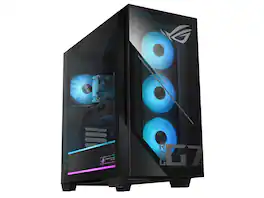
ASUS Gaming Desktop PC GM700TZ-PS776 AMD Ryzen 7 8700F 32GB DDR5 1TB PCIe SSD GeForce RTX 5070 Windows 11 Home
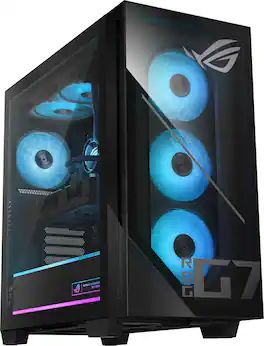
The ROG GM700 Gaming Desktop combines fearless design, next-generation power, and advanced connectivity into a striking and versatile package. Its dual-glass panel chassis showcases the bold ROG identity with the iconic ROG Slash and Fearless Eye logo, complemented by customizable RGB lighting with Aura Sync. Powered by the next-gen AMD Ryzen processors and an NVIDIA GeForce RTX GPUs, the GM700 is equipped with high-speed DDR5 RAM and PCIe Gen 4 storage for unparalleled performance. A quad-fan airflow system, a 240mm AIO liquid cooler, and dust filters ensure optimal thermal management and system longevity. Built for reliability and flexibility, the spacious 58L chassis accommodates triple-slot GPUs and a full-sized 850W power supply, while the tool-less design allows for effortless upgrades and maintenance. Dolby Atmos delivers a multidimensional soundscape for an immersive audio experience. The GM700 is the ultimate choice for gamers and creators seeking a future-ready, high-performance desktop.
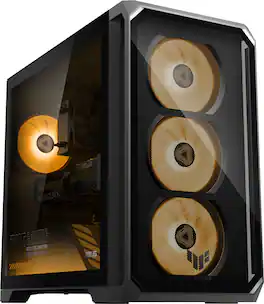
The TUF Gaming TM700 is engineered for elite performance, powered by up to a next-gen NVIDIA GeForce RTX GPU and the latest high-performance AMD Ryzen processors. Equipped with high-speed DDR5 memory and lightning-fast PCIe Gen 4 storage, the TM700 crushes heavy multitasking and delivers flawless, ultra-high-FPS gameplay. True to the TUF heritage, it features military-grade MIL-STD-810H durability wrapped in a rugged, mecha-inspired chassis designed for maximum airflow. With a striking front-panel design and customizable RGB accents, the TM700 is the ultimate blend of raw power, rock-solid reliability, and futuristic style.
Specs
Customers often buy these together
Monitors
Alienware - AW2726DM 27" QD-OLED QHD 240Hz 0.03ms FreeSync Premium Pro Gaming Monitor with HDR (HDMI, DisplayPort) - Black
Black Friday Deal$279.99$27999The price was $349.99Alienware - 32" QHD 240Hz 1ms FreeSync Premium Curved Gaming Monitor with HDR (HDMI, DisplayPort) - Black
Black Friday Deal$229.99$22999The price was $299.99Acer - Predator 27" QD-OLED QHD 240Hz 0.03ms FreeSync Premium Gaming Monitor with HDR (DisplayPort, HDMI) - Black
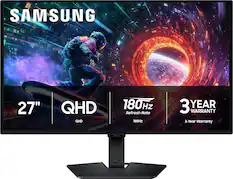
Black Friday Deal$299.99$29999The price was $379.99Samsung - 27" Odyssey G5 (G50F) QHD Fast IPS 180Hz 1ms G-Sync & FreeSync Compatible Gaming Monitor (DisplayPort, HDMI) - Black
Black Friday Deal$169.99$16999The price was $279.99Alienware - 27" QHD 280Hz 1ms FreeSync Premium Gaming Monitor with HDR (HDMI, DisplayPort) - Black
Black Friday Deal$179.99$17999The price was $229.99Samsung - 27" Odyssey OLED G5 (G50SF) QHD 180Hz 0.03ms G-Sync & FreeSync Compatible Glare Free Gaming Monitor - Black
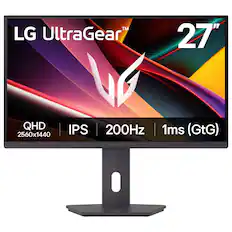
Black Friday Deal$319.99$31999The price was $499.99LG - UltraGear 27" IPS QHD 200Hz Gaming Monitor with DisplayHDR 400 (HDMI, DisplayPort) - Black
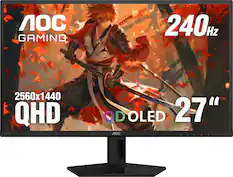
Black Friday Deal$159.99$15999The price was $249.99AOC - 27” QD-OLED, QHD, 240hz, G-Sync Compatible, .03ms, Gaming Monitor - Black
$299.99$29999The price was $499.99
Computer Keyboards
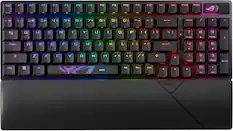
ASUS - ROG Strix Scope II 96 96% Wireless Mechanical Gaming Keyboard with Hot-Swappable ROG NX Snow Switches - Black
Black Friday Deal$109.99$10999The price was $179.99Razer - Huntsman Mini 60% Wired Optical Clicky Switch Gaming Keyboard with Chroma RGB Backlighting - Black
Black Friday Deal$65.54$6554The price was $119.99CORSAIR - K65 PLUS RGB 75% Wireless Mechanical Pre-Lubricated MLX Red Linear Switch Gaming Keyboard with Hot-Swappable Switches - Black/Gray
Black Friday Deal$99.99$9999The price was $159.99Razer - BlackWidow V4 TKL HyperSpeed Wireless Mechanical Orange Switch Gaming Keyboard with Hot-Swappable Design - Black
Black Friday Deal$99.99$9999The price was $179.99Razer - Huntsman V3 Pro 8KHz Full Size Wired Analog Optical Linear Switch Gaming Keyboard with Snap Tap - Black
Black Friday Deal$189.99$18999The price was $249.99CORSAIR - VANGUARD 96 RGB Wired MLX Quantum Linear Mechanical Switch 96% Gaming Keyboard with FlashTap SOCD - Dual Tone
Black Friday Deal$109.99$10999The price was $179.99CORSAIR - K70 CORE RGB Mechanical Gaming Keyboard - Gray
Black Friday Deal$69.99$6999The price was $99.99
More recommended items
Mice
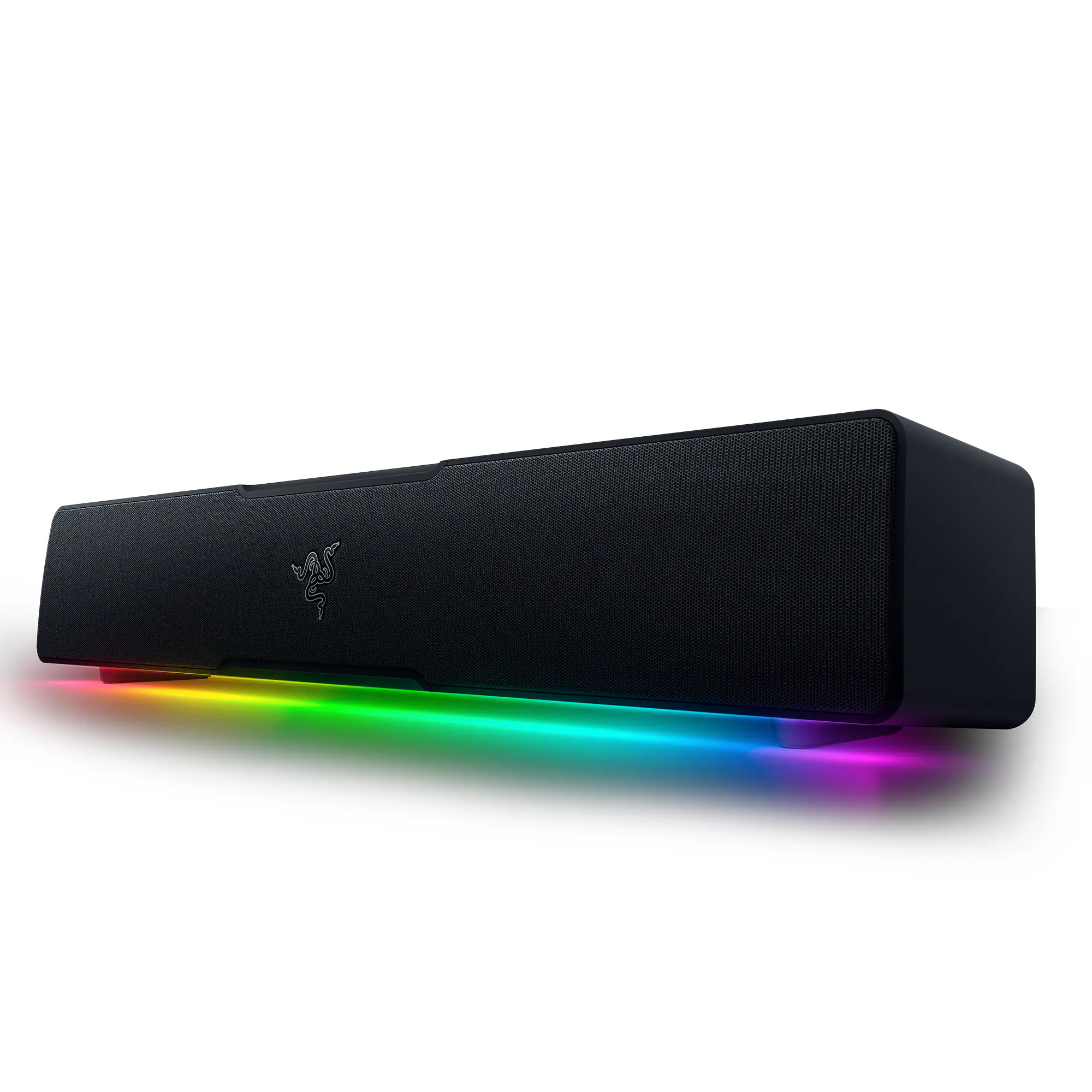
Computer Speakers
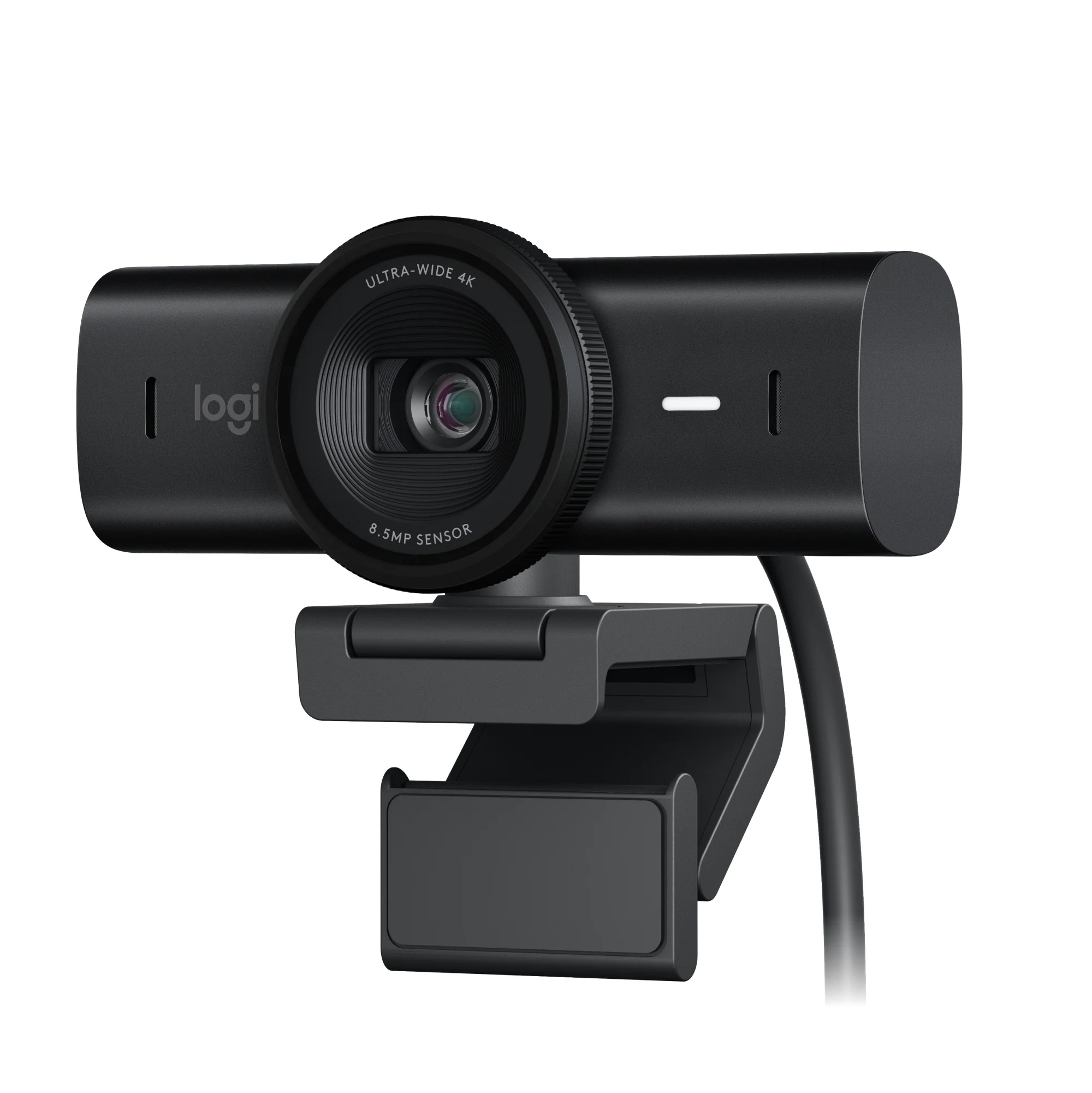
Web Cameras
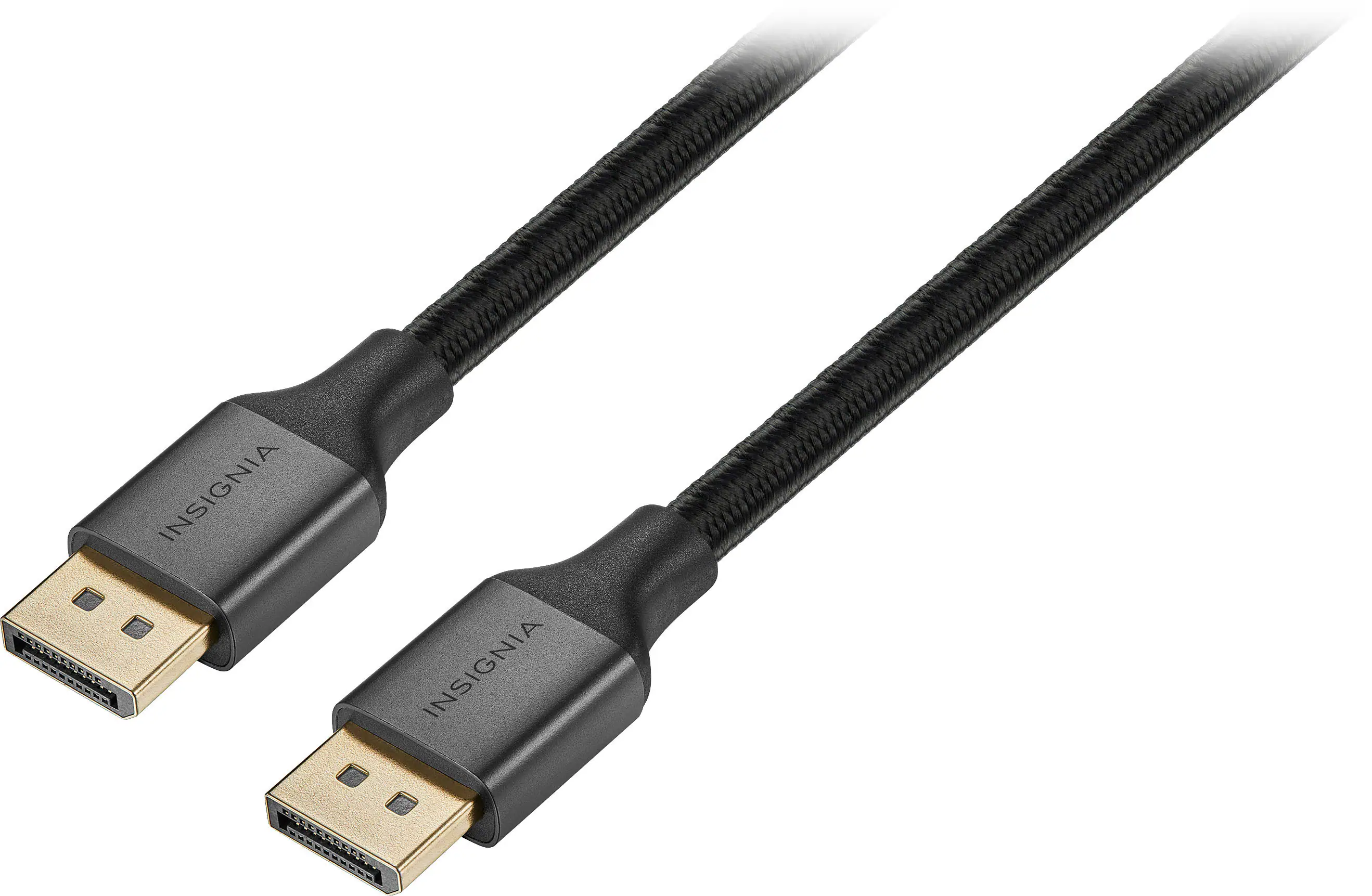
Monitor and Video Cables

PC Gaming Headsets

Mouse Pads
Customers ultimately bought
ASUS ROG GM700 Gaming Desktop - AMD Ryzen 7 9800X3D (2024) - 32GB Memory - NVIDIA GeForce RTX 5070Ti - 2TB Storage
$2,799.99$2,79999The price was $3,499.99Acer Nitro 65 Gaming Desktop - AMD Ryzen 9 9900X 2024 - NVIDIA GeForce RTX 5070 - 32GB DDR5 Memory – 1TB Storage
$1,979.99$1,97999The price was $2,599.99Acer Nitro 65 Gaming Desktop - AMD Ryzen 7 8700F 2024 - AMD Radeon RX 9060 XT - 16GB DDR5 Memory – 1TB Storage
$1,199.99$1,19999The price was $1,699.99ASUS ROG G700 Gaming Desktop - Intel Core Ultra 7 270K (2026) - 32GB Memory - NVIDIA GeForce RTX 5080 - 2TB Storage
$3,299.99$3,29999The price was $3,799.99ASUS Gaming Desktop PC GM700TZ-PS776 AMD Ryzen 7 8700F 32GB DDR5 1TB PCIe SSD GeForce RTX 5070 Windows 11 Home
Reviews coming soon
$2,199.99$2,19999The price was $2,414.70
Explore tech essentials Sponsored
HP OMEN 35L Gaming Desktop - AMD Ryzen 7 7800X3D - 32GB DDR5 Memory - NVIDIA GeForce RTX 5060 Ti - 1TB SSD
$2,449.99$2,44999The price was $3,144.99HP OMEN 35L Gaming Desktop - AMD Ryzen 7 8700F - 32GB DDR5 Memory - NVIDIA GeForce RTX 5070 - 1TB SSD
$2,249.99$2,24999The price was $2,749.99Logitech G502 X PLUS Wireless Gaming Mouse for Desktop with HERO 44K Sensor and 13 Controls, USB-C mouse for PC, Mac
Black Friday Deal$119.99$11999The price was $159.99
Discover related products
Deco Gear 49" Super Ultrawide Dual-QHD 5120×1440 1500R Curved Monitor 120Hz HDR, 1ms MPRT, FreeSync, USB-C 65W, KVM
Black Friday Deal$499.99$49999The price was $846.99Acer Predator Helios Neo 16" WQXGA 240Hz Intel Core Ultra 9 275HX NVIDIA RTX 5070Ti AI Gaming Laptop 16GB RAM 1TB SSD
$1,686.01$1,68601The price was $2,285.90GIGABYTE GAMING A16 PRO Gaming Laptop - 16" 165Hz 2560x1600 IPS Intel Core 7 240H - 1TB SSD - 32GB LPDDR5X RAM GeForce RTX 5080
Reviews coming soon
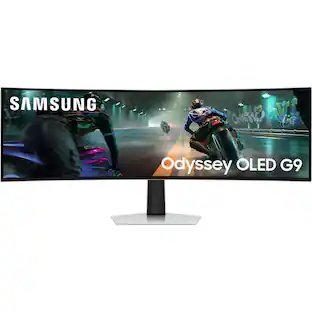
$2,179.00$2,17900The price was $2,249.99Samsung 49 inch Odyssey G9 Dual QD-OLED Curved Ultrawide Gaming Monitor LS49DG910SNXZA
$899.99$89999The price was $1,299.99Lenovo Legion 5 15.1" OLED WQXGA 165HZ Gaming Laptop AMD Ryzen 7 260 NVIDIA GeForce RTX 5060 16GB RAM 512GB SSD
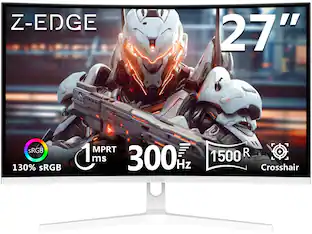
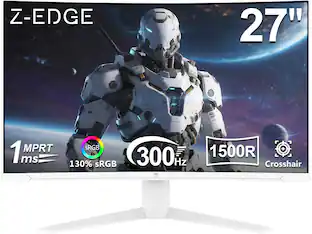
Black Friday Deal$1,399.99$1,39999The price was $1,799.99Z Z-Edge 27 inch 1080P Full HD 1920 x 1080 300Hz 1ms Curved Gaming Monitor
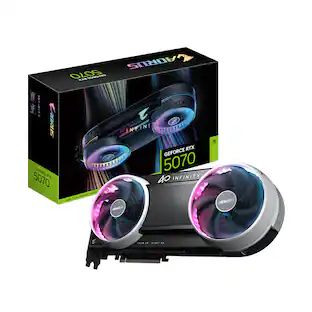
Black Friday Deal$149.99$14999The price was $179.99GIGABYTE AORUS GeForce RTX 5070 INFINITY 12G PCIe 5.0 Graphics Card
Reviews coming soon
$1,081.49$1,08149Z Z-Edge UG27S- 27" 1080P Full HD 300 Hz 1 ms Curved Gaming Monitor, HDMI x 2, DP x 2, FreeSync Compatible
Black Friday Deal$149.99$14999The price was $179.99Apple MacBook Pro 14-inch Apple M4 chip Built for Apple Intelligence- 16GB Memory - 512GB SSD
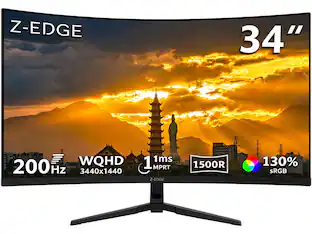
Black Friday Deal$1,399.99$1,39999The price was $1,599.00Z Z-Edge 34" 21:9 UWQHD 3440x1440 200Hz 1ms Curved Gaming Monitor, FreeSync, HDMI x2, DP x2, PBP & PIP Mode
Black Friday Deal$199.99$19999The price was $249.99
Keep exploring
Acer Veriton GN100 VGN100 AI Mini Workstation NVIDIA GB10 Grace Blackwell 128GB RAM 2TB SSD NVIDIA Blackwell GPU
$6,099.99$6,09999The price was $6,390.88CLX Horus Gaming Desktop - AMD Ryzen 9 9950X3D w/Tryx Panorama - 96GB DDR5 Memory, GeForce RTX 5080 16GB - 4TB NVMe SSD
Reviews coming soon
$7,299.99$7,29999The price was $8,199.99Kamrui GK3Plus 4K Mini PC - Ιntel N3350 (bis zu 2.4 GHz, 2C/ 2T) - 8GB LPDDR3 RAM 256GB SSD - WiFi5 BT4.2 Win11pro
Reviews coming soon
$179.00$17900The price was $409.00Periphio Castle Gaming PC Ryzen 5 5500 Radeon RX 6500 XT 16GB RAM 1TB SSD WiFi Windows 11 RGB Bundle 24" Monitor
Reviews coming soon
$989.97$98997The price was $1,064.97GEEKOM A5 Mini PC, AMD Ryzen 7 7730U, 16GB DDR4 RAM& 500GB SSD, Agentic AI PC, Silent Operation, Win 11 IoT Enterprise
Black Friday Deal$466.00$46600The price was $899.00Skytech Gaming Skytech PRISM5 Gaming Desktop - AMD Ryzen 7 9800X3D, 5090, 32GB 6000 MHz DDR5 RAM, 1000W GOLD A3 PSU
Reviews coming soon
$12,299.99$12,29999The price was $14,749.99Minisforum AtomMan G1 Pro Gaming PC, AMD Ryzen 9 8945HX, NVIDIA GeForce RTX 5060, 32GB DDR5 + 1TB SSD, 5G Ethernet, Wi-Fi 7
Reviews coming soon
Black Friday Deal$1,758.00$1,75800The price was $2,199.99


![esc 1 ! 2 @ 3 # 4 $ 5 % 6 ^ 7 & 8 * 9 ( 0 ) - = | F1 F2 F3 F4 F5 F6 F7 F8 F9 F10 F11 F12 tab Q W E R T Y U I O P [ ] { } | caps A S D F G H J K L : : enter shift Z X C V B N M , < > ? shift ctrl alt fn ctrl](https://pisces.bbystatic.com/image2/BestBuy_US/images/products/bc5bce35-ca08-45da-bcc3-8d6fb215154b.jpg;maxHeight=232;maxWidth=233?format=webp)


![Sure, here is the corrected and grouped text from the image:
**Top Row:**
- ESC
- F1
- F2
- F3
- F4
- F5
- F6
- F7
- F8
- F9
- F10
- F11
- F12
- PRTSC
- DEL
**Number Row:**
- 1
- 2
- 3
- 4
- 5
- 6
- 7
- 8
- 9
- 0
- -
- =
- \
**Letter Row:**
- TAB
- Q
- W
- E
- R
- T
- Y
- U
- I
- O
- P
- [
- ]
- \
**Letter Row:**
- CAPS
- A
- S
- D
- F
- G
- H
- J
- K
- L
- ;
- '
**Letter Row:**
- SHIFT
- Z
- X
- C
- V
- B
- N
- M
- ,
- .
- /
**Function Row:**
-](https://pisces.bbystatic.com/image2/BestBuy_US/images/products/9be10b95-8e90-4a5d-b85f-cbc6a7d8e8df.png;maxHeight=232;maxWidth=233?format=webp)