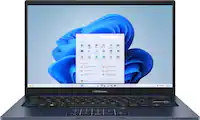
ASUS - Vivobook 14" FHD Laptop - Intel Core i3-1215U with 8GB Memory - 128GB SSD - Quiet Blue
FREE shipping to
More Buying Options
Related Item

Highlights
- Key Specs
- Screen Size: 14 inches (Size of the screen, measured diagonally from corner to corner.)
- Screen Resolution: 1920 x 1080 (Full HD) (Screens come in a range of resolutions (measured in pixels, horizontal x vertical). The higher the resolution, the greater the picture quality.)
- Touch Screen: false (Touch-screen devices make navigating more intuitive. Using a touch-screen display, you can do things such as tap to select, hold and drag to move items, swipe to scroll, and pinch to zoom.)
- Brightness: 250 nits (A measure of the total light output.)
- Processor Model: Intel 12th Generation Core i3 (Your computer's processor is like its brain. Working in combination with system memory, the power of the processor determines the complexity of software you can run, how many programs you can have open at the same time, and how fast those programs will run. Most computers feature an AMD, Intel or Snapdragon processor.)
- CPU Base Clock Frequency: 1.2 gigahertz (Actual central processing unit (CPU) speed may vary by device configuration and design. The average rate at which the processor is able to execute tasks under normal operating conditions as asserted by the manufacturer.)
- Storage Type: SSD
- Total Storage Capacity: 128 gigabytes
- System Memory (RAM): 8 gigabytes (Random-access memory (RAM) is a computing device's short-term data storage, which allows active information to be accessed quickly. The size and type of RAM determines how efficiently the device can handle large amounts of information at one time. For example, gaming or video editing requires more RAM for optimal performance.)
- Graphics: Intel UHD Graphics (Often referred to as a "graphics processing unit" (GPU), this device is responsible for displaying image content and decoding/encoding video content in programs and games.)
- Display Connector(s): 1 x HDMI 1.4 (The number and type of connectors used to connect to an external display.)
- Battery Life (up to): 10 hours (Battery life will vary depending on the product configuration, product model, applications loaded on the product, power management setting of the product and the product features used by the customer. As with all batteries, the maximum capacity of this battery will decrease with time and usage.)
- Battery Chemistry: Lithium-ion
- 2-in-1 Design: false (A laptop and a tablet combined in one lightweight, portable device. Sometimes referred to as "convertible" or "hybrid" laptops, these devices deliver the processing power and keyboard of a laptop. When you're ready to play, either detach the screen or fold your 2-in-1 into tablet mode to comfortably watch movies, play games, read an e-book and more.)
- Backlit Keyboard: false (Integrated lights allow for visibility of the keys in low-light conditions.)
- General
- Brand: ASUS
- Model Number: X1404ZA-I38128
- Product Name: Vivobook 14" FHD Laptop - Intel Core i3-1215U with 8GB Memory - 128GB SSD
- Color: Quiet Blue
- Year of Release: 2024
- Display
- Display Type: LED
- Screen Size: 14 inches (Size of the screen, measured diagonally from corner to corner.)
- Screen Resolution: 1920 x 1080 (Full HD) (Screens come in a range of resolutions (measured in pixels, horizontal x vertical). The higher the resolution, the greater the picture quality.)
- Touch Screen: false (Touch-screen devices make navigating more intuitive. Using a touch-screen display, you can do things such as tap to select, hold and drag to move items, swipe to scroll, and pinch to zoom.)
- Brightness: 250 nits (A measure of the total light output.)
- Processor
- Processor Brand: Intel
- Processor Model: Intel 12th Generation Core i3 (Your computer's processor is like its brain. Working in combination with system memory, the power of the processor determines the complexity of software you can run, how many programs you can have open at the same time, and how fast those programs will run. Most computers feature an AMD, Intel or Snapdragon processor.)
- Processor Model Number: 1215U
- CPU Base Clock Frequency: 1.2 gigahertz (Actual central processing unit (CPU) speed may vary by device configuration and design. The average rate at which the processor is able to execute tasks under normal operating conditions as asserted by the manufacturer.)
- CPU Boost Clock Frequency: 4.4 gigahertz (Actual central processing unit (CPU) speed may vary by device configuration and design. The maximum rate at which the processor is able to execute tasks, typically only used for a short period of time as needed. This rate may temporarily boost the processor's performance, but may result in overheating, shutdown, or damage to equipment if sustained.)
- Number of CPU Cores: 6-core (A core, or "brain" of a CPU, allows it to receive and execute instructions. Each core can work independently or together to perform parallel operations.)
- Storage
- Storage Type: SSD
- Total Storage Capacity: 128 gigabytes
- Solid State Drive Capacity: 128 gigabytes (The amount of data that can be stored on the device's solid state drive (SSD). SSD is a flash-based storage with faster speeds than a hard disk drive (HDD).)
- Memory
- System Memory (RAM): 8 gigabytes (Random-access memory (RAM) is a computing device's short-term data storage, which allows active information to be accessed quickly. The size and type of RAM determines how efficiently the device can handle large amounts of information at one time. For example, gaming or video editing requires more RAM for optimal performance.)
- Type of Memory (RAM): DDR4 (Each type of RAM delivers a different level of speed, bandwidth, energy efficiency and performance.)
- System Memory RAM Speed: 3200 megahertz (How fast the information-storing hardware operates. The faster the RAM, the faster memory can be transferred to other system components. Ultimately, faster RAM improves operational efficiency.)
- Number Of Memory Slots: 1
- Number of Memory Sticks Included: 1
- System Memory RAM Expandable To: 8 gigabytes (Adding more random-access memory (RAM) to a computer speeds up performance and improves efficiency. Upgrades to memory are limited by the number of expansion slots for additional RAM and existing RAM installed on the device.)
- Graphics
- Graphics Type: Integrated (Dedicated graphics uses a separate graphics card for processing video images. Because it does not use memory from the system's RAM, there is no extra burden on the CPU and graphics are processed more efficiently. Integrated graphics shares system RAM to process video images.)
- GPU Brand: Intel
- Graphics: Intel UHD Graphics (Often referred to as a "graphics processing unit" (GPU), this device is responsible for displaying image content and decoding/encoding video content in programs and games.)
- Compatibility
- Operating System: Windows 11 Home in S Mode (The operating system manages all software and hardware, including files, memory and connected devices. Most importantly, it lets you interact with your device and your programs in a visual way; otherwise, you'd be typing computer code to get anything done.)
- Operating System Architecture: 64-bit (An operating system (OS) manages computer hardware, software resources, and programs in conjunction with the system's processor. 64-bit operating systems can handle more data at once than 32-bit systems, resulting in faster speeds, more effiency, and overall improved performance.)
- Connectivity
- Display Connector(s): 1 x HDMI 1.4 (The number and type of connectors used to connect to an external display.)
- Number of HDMI Outputs (Total): 1
- Number of DisplayPort Outputs (Total): 0
- Number of Thunderbolt Ports (Total): 0
- Number of VGA Ports: 0 (VGA (Video Graphics Adapter or Video Graphics Array) is a display standard that transmits via analog signals. This type of interface is typically used to connect a computer to a display device such as a monitor, projector, or TV.)
- USB Ports: 1 x USB-A 2.0, 2 x USB-A 3.2, 1 x USB-C 3.2 (The number and type of USB ports the product has.)
- Number of USB Ports (Total): 4
- Headphone Jack: true (The device features an interface that allows for the connection of headphones.)
- Microphone Input: true (The device features an input for connecting an external microphone.)
- Wireless Connectivity: Bluetooth, Wi-Fi (The manner in which a device sends data to another device over a short distance without the use of wires or cables.)
- Wireless Standard: AX (The wireless networking protocol used by the device. Each iteration of the protocol is based on the 802.11 standard developed by the Institute of Electrical and Electronics Engineers (IEEE) Standards Association. Denoted by letters following 802.11 (802.11a, 802.11ac, etc.), each version, published in alphabetical order, encompasses all previous versions.)
- Wireless Networking Standard: Wi-Fi 6E (The wireless networking standard used by the device. Each iteration of the standard developed by the Wi-Fi Alliance corresponds to an existing IEEE 802.11 protocol; for example, standard 802.11ac (or AC) is termed Wi-Fi 5. Refers specifically to the standard the device is designed to use, but ultimately determines product interoperability and backward compatibility including previous versions.)
- Network Connectivity: None (The manner in which a device sends data to another device over a long distance using a cellular network.)
- Cooling
- CPU Cooling System: Air
- Power
- Power Supply Maximum Wattage: 45 watts
- Battery Life (up to): 10 hours (Battery life will vary depending on the product configuration, product model, applications loaded on the product, power management setting of the product and the product features used by the customer. As with all batteries, the maximum capacity of this battery will decrease with time and usage.)
- Battery Cells: 3-cell
- Battery Chemistry: Lithium-ion
- Camera
- Front-Facing Camera: true
- Front Facing Camera Video Resolution: 720p (Refers to the number of pixels, both horizontally and vertically, used by the camera facing the user to capture video. The higher the resolution the finer the video detail that can be seen.)
- Built-In Microphone: true
- Features
- 2-in-1 Design: false (A laptop and a tablet combined in one lightweight, portable device. Sometimes referred to as "convertible" or "hybrid" laptops, these devices deliver the processing power and keyboard of a laptop. When you're ready to play, either detach the screen or fold your 2-in-1 into tablet mode to comfortably watch movies, play games, read an e-book and more.)
- Backlit Keyboard: false (Integrated lights allow for visibility of the keys in low-light conditions.)
- Foldable Screen: false
- GPS Enabled: false
- Stylus Dock: None
- Dimensions
- Product Height: 0.78 inches (The out of box height of the item. Height is measured as the vertical distance from the bottom of the item to the top as it would be primarily used or placed.)
- Product Width: 8.5 inches (The out of box width of the item. Width is measured as the horizontal distance from one side of the item to the other as it would be primarily used or placed.)
- Product Depth: 12.8 inches (The out of box depth of the item. Depth is measured as the distance from the front of the item to the back as it would be primarily used or placed.)
- Product Weight: 3.1 pounds (The out of box weight of the item.)
- Certifications Listings & Approvals
- ENERGY STAR Certified: true (Devices carrying the ENERGY STAR service mark, such as computer products and peripherals, kitchen appliances, and other products, generally use 20% to 30% less energy than required by federal standards.)
- EPEAT Qualified: false (The Electronic Product Environmental Assessment Tool (EPEAT) was designed to provide an environmental assessment tool for purchasers. In order to qualify for EPEAT, a product must meet all 23 required criteria.)
- Included
- Numeric Keypad: false
- Warranty
- Warranty - Parts: 1 year
- Warranty - Labor: 1 year
- Other
- UPC: 197105482364
ASUS Vivobook Laptop. Enjoy everyday activities with this ASUS notebook PC. The Intel Core i3 processor and 8GB of RAM let you run programs smoothly.
- Windows 11 Home In S Mode Operating System: Windows 11 has all the power and security of Windows 10 with a redesigned and refreshed look. It also comes with new tools, sounds, and apps. Every detail has been considered. All of it comes together to bring you a refreshing experience on your PC.
- 14" FHD Display: The 1920 x 1080 resolution boasts impressive color and clarity. Energy-efficient LED backlight.
- Processor: Intel i3-1215U
- Graphics: UMA
- 8GB System Memory For Intense Multitasking And Gaming: Reams of high-bandwidth DDR4 RAM to smoothly run your graphics-heavy PC games and video-editing applications, as well as numerous programs and browser tabs all at once.
- 128GB SSD: Save files fast and store more data. With massive amounts of storage and advanced communication power.
- Windows 11 Home In S Mode Operating System: Windows 11 has all the power and security of Windows 10 with a redesigned and refreshed look. It also comes with new tools, sounds, and apps. Every detail has been considered. All of it comes together to bring you a refreshing experience on your PC.
- 14" FHD Display: The 1920 x 1080 resolution boasts impressive color and clarity. Energy-efficient LED backlight.
- Processor: Intel i3-1215U
- Graphics: UMA
- 8GB System Memory For Intense Multitasking And Gaming: Reams of high-bandwidth DDR4 RAM to smoothly run your graphics-heavy PC games and video-editing applications, as well as numerous programs and browser tabs all at once.
- 128GB SSD: Save files fast and store more data. With massive amounts of storage and advanced communication power.
Whats Included
- Vivobook 14" Laptop - Intel Core i3-1215U with 8GB Memory - 128GB SSD
- Vivobook 14" Laptop - Intel Core i3-1215U with 8GB Memory - 128GB SSD
Q: What is the resolution of the ASUS Vivobook Laptop's display?
A: The ASUS Vivobook Laptop's display has a resolution of 1920 x 1080, which is also known as Full HD.
Q: What is the maximum battery life of this ASUS Vivobook?
A: The ASUS Vivobook has a battery life of up to 10 hours.
Q: Does the ASUS Vivobook have a backlit keyboard?
A: No, the ASUS Vivobook does not have a backlit keyboard.
Q: How much storage space does this ASUS notebook PC have?
A: This ASUS notebook PC has a 128GB SSD for storing your files and data.
Q: What type of operating system does this ASUS notebook PC come with?
A: This ASUS notebook PC comes with the Windows 11 Home in S mode operating system.
Q: What is the screen size of this ASUS Vivobook Laptop?
A: This ASUS Vivobook Laptop features a 14-inch display screen.
Q: Are there two ram slots? Can I upgrade the ram to 16 gb?
A: Yes, for this model, X1404ZA-I38128, it has an extra slot. It can detect up to 24 GB of RAM. Additionally, if you were wondering, the storage space is also expandable up to 4TB.
Q: How do I get this out of S Mode? Every time I try it tells me something went wrong.
A: I ran into that "something went wrong" error many times when trying to use the Microsoft method of disabling S mode on my new Windows 11 Home - Vivobook. As a Linux technician, this was quite frustrating. I need to be able to install multiple browsers and Windows Sub-system Linux (from the Windows Store!) to able to work. That is not possible in S Mode. I also learned that you can't just use function keys to access the BIOS menu any longer. My 17yo daughter helped me find an accurate YouTube video to assist. First, I edited the Registry Hive Key to disable the policy that forces S Mode to be enabled. If you're not familiar - BE EXTREMELY CAUTIOUS IN THE REGISTRY! This gentleman (CyberCPU Tech) shows how to do that part, as well as if you are having trouble opening the Registry Editor thanks to Windows security measures: https://youtu.be/ZTWKvDF1dqI. He indicates that you may not need to do anything else in order to disable S Mode. I had to also use Windows Settings >> System >> Recovery to "Restart Now" (related to Advanced startup) in order to access the BIOS. This article may be helpful with that part: https://www.wikihow.com/Turn-Off-S-Mode-in-Windows-11. I used the second method, "Without a Microsoft Account", even though I have a Microsoft account and was logged into it at the time. From the blue landing page, use "Troubleshoot" to see the Advanced Options to get into "UEFI Firmware Settings", aka BIOS. Once the BIOS menu opens, look at the top for the "Security" tab. On the Security tab you should find "Secure boot" enabled. Disable it, save & exit. Double check in Windows >> Settings >> System >> About to verify that S Mode is no longer present. Best of luck!
Compare similar products
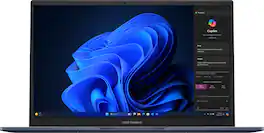
ASUS Vivobook Laptop. Enjoy everyday activities with this ASUS notebook PC. The Intel Core i3 processor and 8GB of RAM let you run programs smoothly.

Do less and accomplish more. The HP Chromebook 14-inch brings a reliable Intel processor, 14-inch high definition screen, dual speakers, and dependable Wi-Fi technology, so you can easily knock out any assignment, listen to music, or stream your favorite videos and games.

Turn everyday tasks into something special with Vivobook 14, your essential tool for getting things done easier, anywhere. It’s completely user-friendly too, with its 180° lay-flat hinge and physical webcam shield. Make all your days more enjoyable with Vivobook 14!
Turn everyday tasks into something special with Vivobook 14, your essential tool for getting things done easier, anywhere. It’s completely user-friendly too, with its 180° lay-flat hinge and physical webcam shield. Make all your days more enjoyable with Vivobook 14!
| Pros for ASUS - Vivobook 14" FHD Laptop - Intel Core i3-1215U with 8GB Memory - 128GB SSD - Quiet Blue | |||
|---|---|---|---|
| There were no pros for this product— | Overall Performance, Portability, Battery Life, Speed, Design | Overall Performance, Portability, Processor Speed, Battery Life, Weight | Overall Performance, Processor Speed, Battery Life, Portability, Weight |
| Cons for ASUS - Vivobook 14" FHD Laptop - Intel Core i3-1215U with 8GB Memory - 128GB SSD - Quiet Blue | |||
| There were no cons for this product— | Screen Quality, Storage Capacity, Heat Dissipation, Compatibility | Screen Quality, Storage Capacity, Touchpad, Speakers | Screen Quality, RAM, Fan Noise |
Specs
Reviews
Customer Images
The vast majority of our reviews come from verified purchases. Reviews from customers may include My Best Buy members, employees, and Tech Insider Network members (as tagged). Select reviewers may receive discounted products, promotional considerations or entries into drawings for honest, helpful reviews.
- Rated 5 out of 5 stars
aop3d loves this asus laptop
I recently purchased the ASUS Vivobook 14" Laptop with an Intel Core i3-1215U, 8GB of memory, and a 128GB SSD in Quiet Blue, and I couldn't be happier with my choice! From the moment I unboxed it, the sleek and sophisticated design in Quiet Blue impressed me. It's not just a laptop; it's a style statement that adds a touch of elegance to my workspace. Performance-wise, this laptop is a powerhouse for its category. The Intel Core i3-1215U processor, combined with 8GB of RAM, ensures smooth multitasking and reliable performance for everyday tasks, whether I'm browsing the web, streaming videos, or working on documents. The 128GB SSD speeds up boot times and ensures quick access to files, which has significantly improved my productivity. One of the standout features is the display – the 14" screen offers vivid colors and sharp images, making it perfect for both work and entertainment. The lightweight design also makes it incredibly portable, easily fitting into my bag without adding bulk. Another aspect I appreciate is the impressive battery life. It lasts through a full day of work or study without needing a recharge, which is essential for my on-the-go lifestyle. Overall, the ASUS Vivobook 14" Laptop is a fantastic investment for anyone in need of a reliable and stylish machine. It offers excellent value for the price, and I highly recommend it to students, professionals, or anyone looking for a high-performing, budget-friendly laptop. Five stars!
This review is from ASUS - Vivobook 14" FHD Laptop - Intel Core i3-1215U with 8GB Memory - 128GB SSD - Quiet Blue
Posted by AOP3DTECH
- Rated 5 out of 5 stars
Entry Level Best
I recently purchased the **ASUS Vivobook 14" Laptop** (Intel Core i3-1215U, 8GB RAM, 128GB SSD) in Quiet Blue, and I’m thoroughly impressed with its performance. For the price point, this laptop offers exceptional value. **Performance:** The Intel Core i3-1215U processor is more than capable for everyday tasks like browsing, word processing, and even light multitasking. With 8GB of RAM, it handles multiple applications without slowing down, and the 128GB SSD provides quick boot-up times and fast data access. **Design & Build:** The Quiet Blue color is sleek and modern, and the overall build quality feels solid without being too heavy. It's a perfect balance between portability and durability. The 14" screen size is ideal for both work and leisure, offering a clear and vibrant display. **Battery Life:** Battery life is impressive for a laptop in this range. It lasts a full workday on a single charge, which is perfect for students or professionals who need something reliable for on-the-go use. **Keyboard & Trackpad:** The keyboard is comfortable for typing for extended periods, and the trackpad is responsive, which makes navigation smooth. **Value for Money:** For anyone looking for a budget-friendly laptop that doesn’t compromise on performance or design, the ASUS Vivobook 14" is a fantastic choice. It’s perfect for daily use and light productivity tasks, and I highly recommend it. Overall, the **ASUS Vivobook 14"** exceeded my expectations, and I would definitely recommend it to others looking for a reliable and affordable laptop.
This review is from ASUS - Vivobook 14" FHD Laptop - Intel Core i3-1215U with 8GB Memory - 128GB SSD - Quiet Blue
Posted by DineshRAUT
- Rated 5 out of 5 stars
Great Laptop for Online Classes!
I recently purchased the ASUS Vivobook 14" Laptop (Intel Core i3-1215U, 8GB Memory, 128GB SSD, Quiet Blue) for my kid's online classes, and it's been a great experience so far! Got it for a good deal as well. The laptop's performance has been smooth, and it handles online learning platforms with ease. The display is clear, and the battery life is impressive. The Quiet Blue color looks sleek and modern, too! One of the significant advantages of this laptop is the expandable memory. I've already ordered additional RAM from Best Buy (waiting for delivery), which will further enhance the laptop's performance. The only reason I didn't give it a full 5 stars is that the 128GB SSD might be a bit limited for storing larger files or programs. However, for online classes and general use, it's more than sufficient. Overall, I'm extremely satisfied with this purchase, and I'd highly recommend it to anyone looking for a reliable and affordable laptop for online learning or basic use. Pros: - Smooth performance for online classes - Expandable memory (easy to upgrade) - Clear display and impressive battery life - Sleek design and Quiet Blue color - Affordable price point Cons: - 128GB SSD might be limited for storing larger files I'm looking forward to the RAM upgrade, which will further enhance the laptop's capabilities!
This review is from ASUS - Vivobook 14" FHD Laptop - Intel Core i3-1215U with 8GB Memory - 128GB SSD - Quiet Blue
Posted by Shan