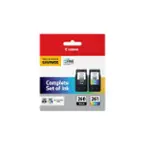
Canon - 250/251 4-Pack Standard Capacity Ink Cartridges + Photo Paper - Black/Cyan/Magenta/Yellow
- General
- Brand: Canon
- Model Number: 6497B004
- Product Name: 250/251 4-Pack Standard Capacity Ink Cartridges + Photo Paper
- Color: Black/Cyan/Magenta/Yellow
- Features
- Package Type: Multiple
- Ink Type: Dye
- Cartridge Color(s): Black, Cyan, Magenta, Yellow
- High Yield: true (Contains more ink or toner than a comparable standard-size unit and is capable of producing a higher page yield.)
- Photo Compatible: true
- Water Resistant: false (Resists some degree of water penetration.)
- Ink Code: Canon 250, Canon 251 (
The manufacturer’s alpha-numeric code that identifies a printer ink cartridge or bottle. The code is used to connect compatible ink cartridges or bottles to compatible printers.
)
The code format is as follows: Brand, 2-3 letters, dash or space, 2-3 figure number. Vendors do not always use all these elements. Color and capacity are not included because this information is not needed to connect printers and cartridges.
- Included
- Ink Cartridges Included: 1 x Black, 1 x Cyan, 1 x Magenta, 1 x Yellow (The quantity and color of ink cartridges included.)
- Performance
- Approximate Page Yield (Black): 1100
- Approximate Page Yield (Color): 300
- Warranty
- Warranty - Parts: Not Available
- Warranty - Labor: Not Available
- Other
- UPC: 660685050921
Designed for use with select Canon PIXMA all-in-one and photo printers, these Canon 250/251 6497B004 ink tanks allow you to print bold, crisp text and bright, stunning images on the included 50 sheets of photo paper.
- Compatible with select Canon PIXMA printers: Including PIXMA MG6320 and MG5420 wireless inkjet all-in-one printers and PIXMA iP7220 wireless inkjet photo printers for use with your existing printer.
- Black ink tank: Produces rich, dark text.
- Cyan, magenta and yellow ink tanks: Provide vibrant, true-to-life colors.
- 4-pack: To meet your printing needs.
- Includes 50 sheets of 4" x 6" glossy photo paper: So you can begin achieving ChromaLife100+ results right away.
- Compatible with select Canon PIXMA printers: Including PIXMA MG6320 and MG5420 wireless inkjet all-in-one printers and PIXMA iP7220 wireless inkjet photo printers for use with your existing printer.
- Black ink tank: Produces rich, dark text.
- Cyan, magenta and yellow ink tanks: Provide vibrant, true-to-life colors.
- 4-pack: To meet your printing needs.
- Includes 50 sheets of 4" x 6" glossy photo paper: So you can begin achieving ChromaLife100+ results right away.
Q: What colors are the ink cartridges?
A: The ink cartridges are black, cyan, magenta, and yellow.
Q: What type of ink does the black ink tank produce?
A: The black ink tank produces rich, dark text.
Q: Is this ink optimized for smooth workflow?
A: Yes, the ink is optimized to keep your workflow moving smoothly.
Q: How many ink cartridges come in this pack?
A: This product is a 4-pack of ink cartridges.
Q: Are these ink cartridges compatible with Canon PIXMA printers?
A: Yes, these ink cartridges are compatible with select Canon PIXMA printers.
Q: How many sheets of photo paper are included?
A: This product includes 50 sheets of 4" x 6" glossy photo paper.
A: These are not the high yield.
Q: Does this fit a PIMXA MX892 printer
A: According to CanonUSA.com, the Pixma MX892 uses is PGI-225/ CLI-226. Just go to CanonUSA.com, enter your printer number and scroll down to click on "Ink."