
Canon - PIXMA TR4720 Wireless All-In-One Inkjet Printer - Black
Color
BlackFREE shipping to
- Elementree - Sustainable Printer Paper For Everyday Printing and Copying, 8.5 x 11 20lb/ 75gsm 500 Sheets Per Ream (00918) - White$6.99

More Buying Options
Related Item

Specifications
- NetworkingWirelessENERGY STAR CertifiedYesPrinter TypePrinter, Copier, Scanner, FaxISO Color Print Speed4.4 pages per minuteISO Mono Print Speed8.8 pages per minuteTouch ScreenNo
- Key Specs
- Networking: Wireless
- ENERGY STAR Certified: true (Devices carrying the ENERGY STAR service mark, such as computer products and peripherals, kitchen appliances, and other products, generally use 20% to 30% less energy than required by federal standards.)
- Printer Type: Printer, Copier, Scanner, Fax
- ISO Color Print Speed: 4.4 pages per minute (The number of color pages able to be printed per minute in the device's default single-side mode, as tested by the International Standards Organization (ISO).)
- ISO Mono Print Speed: 8.8 pages per minute (The number of black ink (grayscale) pages able to be printed per minute in the device's default single-side mode, as tested by the International Standards Organization (ISO).)
- Touch Screen: false (Touch-screen devices make navigating more intuitive. Using a touch-screen display, you can do things such as tap to select, hold and drag to move items, swipe to scroll, and pinch to zoom.)
- General
- Brand: Canon
- Model Number: 5074C002
- Product Name: PIXMA TR4720 Wireless All-In-One Inkjet Printer
- Color: Black
- Display Screen: true
- Display Screen Size: 1 inches
- Dimensions
- Product Height: 7.5 inches (The out of box height of the item. Height is measured as the vertical distance from the bottom of the item to the top as it would be primarily used or placed.)
- Product Width: 17.2 inches (The out of box width of the item. Width is measured as the horizontal distance from one side of the item to the other as it would be primarily used or placed.)
- Product Depth: 11.7 inches (The out of box depth of the item. Depth is measured as the distance from the front of the item to the back as it would be primarily used or placed.)
- Product Weight: 12.7 pounds (The out of box weight of the item.)
- Features
- Automatic Document Feeder: true
- Photo Printing: true
- Wide Format Printing: false (Machines with this function support printing on media with widths between 18 and 100 inches, such as posters, banners, canvases, and more.)
- Wide Format Scanning: false
- Monochromatic/Color: Color
- Automatic Reduction/Enlargement: false
- Automatic Two-Sided Printing: true
- Tray Capacity: 100
- Duty Cycle: Up to 1,200 (The maximum number of pages per month that the device can produce without failing, as specified by the manufacturer.)
- Connectivity
- Wired Connectivity: USB-A
- Wireless Connectivity: Wi-Fi (The manner in which a device sends data to another device over a short distance without the use of wires or cables.)
- Minimum System Requirements: Android, Windows, macOS *As of August, 2021: Check with manufacturer for the most up-to-date compatibility
- Certifications Listings & Approvals
- EPEAT Qualified: true (The Electronic Product Environmental Assessment Tool (EPEAT) was designed to provide an environmental assessment tool for purchasers. In order to qualify for EPEAT, a product must meet all 23 required criteria.)
- EPEAT Level: Silver (The Electronic Product Environmental Assessment Tool (EPEAT) was designed to provide an environmental assessment tool for purchasers. In order to qualify for EPEAT, a product must meet all 23 required criteria. Products are rated Bronze, Silver or Gold based on how many of 28 optional criteria they meet (below 50%, 50%, 75%).)
- Scanner Info
- Scanner Type: Flatbed, Sheetfed
- Duplex Scan Function: false
- Scanner Resolution: Up to 600 x 1200 (Refers to the number of pixels/dots, both horizontally and vertically, of the image produced by the scanner. Generally, the higher the resolution, the sharper and cleaner the produced image.)
- Fax Info
- Integrated Fax: true
- Ink
- Compatible Cartridges: Canon PG-275, Canon CL-276
- Ink Subscription Service Available: true (The printer monitors ink usage and alerts the subscription provider when levels are low. A purchased subscription provides refills of ink based on usage.)
- Ink Cartridges Required: 1 x Black, 1 x Tri-color (The quantity and color of ink cartridges required for the printer to operate.)
- Ink Cartridges Included: 1 x Black, 1 x Tri-color (The quantity and color of ink cartridges included.)
- Ink Bags/Bottles Required: None (The quantity and color of ink bags/bottles required for the printer to operate.)
- Ink Bags/Bottles Included: None (The quantity and color of ink bags/bottles included.)
- Memory
- Memory Card Slot: false
- Paper Info
- Automatic Document Feeder Capacity: 20 sheets
- Maximum Document Length: 26 inches
- Maximum Document Width: 8.5 inches
- Paper Feeder: Front loader
- Paper Handling: Input Tray 1 Minimum: 4 x 6" / 10.2 x 15.2 cm Maximum: 8.5 x 14" / 21.6 x 35.6 cm
- Copier Info
- Maximum Number Of Copies: 99
- Performance
- First Page Out Time: 11 seconds (The time it takes the printer to print and deliver the first page in the output tray. May depend on the complexity of the copy being printed.)
- Printer Resolution (Black): Up to 4800 x 1200 (Refers to the number of pixels/dots, both horizontally and vertically, of the image produced by the printer in black ink. Generally, the higher the resolution, the sharper and cleaner the produced image.)
- Printer Resolution (Color): Up to 4800 x 1200 (Refers to the number of pixels/dots, both horizontally and vertically, of the image produced by the printer in colored ink. Generally, the higher the resolution, the sharper and cleaner the produced image.)
- Warranty
- Warranty - Parts: 1 year limited
- Warranty - Labor: 1 year limited
- Compatibility
- Works With: Amazon Alexa, Google Home (Compatible with or able to be connected to other smart devices or applications.)
- Other
- UPC: 013803340648
For all your work or home printing needs, the PIXMA TR4720 Wireless* All-in-One Printer has you covered. Enjoy simple setup through the Canon PRINT Inkjet/SELPHY Ap** and an easy to install 2-Cartridge hybrid ink system and front loading 100-sheet paper tray. Big on performance, the PIXMA TR4720 is equipped with Auto 2-Sided Printing, an Auto Document Feeder for multi-page scanning, and built-in Fax functionality. With a variety of connectivity options, you'll be able to do it all from your PC or mobile devices— plus, the PIXMA TR4720 is compatible with Canon apps for printing, scanning, creative projects and more. Simple, productive office and home printing in a compact size— that’s the PIXMA TR4720.
- Prints up to 8.8 ISO ipm*** in black, up to 4.4 ISO ipm*** in color: Produces documents quickly.
- Be sure you have the right cartridge: Compatible with PG-275 Black and CL-276 Color ink cartridges.
- Ideal for home or small business use: This inkjet printer offers excellent print quality for photos and documents and accepts a variety of paper types and sizes.
- Wireless and mobile printing capability: Connect computers or devices easily with built-in Wi-Fi. Plus, print from your mobile device and from select online cloud services with Canon's free mobile printing app or Apple AirPrint.^
- Connect your way: Plus, print from connected cloud-based services through PIXMA Cloud Link2. The TR4720 also has voice-activated Smart Assistant Support for compatible Amazon Alexa and Google Home devices.8
- Simple printer interface: With the 2-Line LCD display and simple buttons, easily adjust printer settings, make copies, and send faxes with the number pad. Receive a Document Removal Reminder on the display if you forget your original document on the scanner.
- Quality documents & photos: The PIXMA TR4720 utilizes a hybrid ink system with pigment-based black and dye-based color for sharp black text and vivid color prints. Product quality documents, photos, and also borderless11 prints up to 8.5” x 11”.
- Front paper tray: A fast and easy to load front paper tray with 100 sheet plain paper capacity reduces the need to refill paper as frequently.
- Unleash your creativity: Get creative with Canon with a variety of apps and programs. Use Easy PhotoPrint Editor^^ to print collages, calendars, business cards, ID photos and more.
Whats Included
- PIXMA TR4720 Wireless All-in-One Printer
- Power Cord
- RJ-11 Telephone/Modem Cable
- Set of Starter (PG275/CL-276) Ink Cartridges
- Documentation
Product Manuals
Disclaimers
- *Requires a high-speed Internet connection.
Q: WHAT INK DOES THE CANNON PIX TR4720 TAKE?? IS IT THE 246? 245?
A: Black 275 and tricolor 276. I wouldn’t but this printer. The black ink is not dark black, black ink but a grayish black ink like draft mode in my other printer with 5 separate ink cartridges. I printed word document which should use only the pigmented black cartridge but it looks faded black even in standard quality. I also printed on highest quality and it was same grayish color.
Q: Can it fax
A: Yes it can I just haven’t tried that part it even comes with a phone cord. It’s bigger then I thought , but it’s a good size for the space I have. Also for the price go get it quality , quiet. I like it all in one
A: It is compatible with windows 11..
Q: How much are the ink cartridges
A: The most expensive cartridges I’ve ever used, approximately $90 for both. Almost the same as the cost of the printer. And currently unavailable in any store I checked. If I had known this, I would have bought a different model.
Q: how do you load the paper into the printer
A: It loads in the front but the tray doesn't close after loading it. You'd have to remove the paper if you wanna close it.
Q: Can this printer be used non-wireless? Is there a USB port?
A: yes and yes
Q: What type of ink cartridge?
A: Canon PG-275/CL-276
Q: Does TR4720 have a flatbed scanner?
A: Yes it has a flat bed scanner
Compare similar products
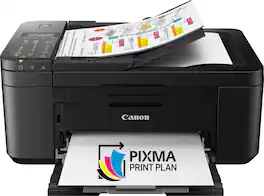
For all your work or home printing needs, the PIXMA TR4720 Wireless* All-in-One Printer has you covered. Enjoy simple setup through the Canon PRINT Inkjet/SELPHY Ap** and an easy to install 2-Cartridge hybrid ink system and front loading 100-sheet paper tray. Big on performance, the PIXMA TR4720 is equipped with Auto 2-Sided Printing, an Auto Document Feeder for multi-page scanning, and built-in Fax functionality. With a variety of connectivity options, you'll be able to do it all from your PC or mobile devices— plus, the PIXMA TR4720 is compatible with Canon apps for printing, scanning, creative projects and more. Simple, productive office and home printing in a compact size— that’s the PIXMA TR4720.
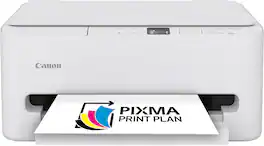
The PIXMA TS6520 strikes a perfect balance between functionality and affordability. While it doesn’t include an ADF like the TR7120, it still offers high-quality printing, scanning, and copying for everyday tasks. Its auto 2-sided printing helps save on paper and its 1.42” OLED display and simple setup make it user-friendly, and its compact design fits easily into any home workspace. With reliable Wi-Fi and mobile printing support, it’s great for printing school projects, recipes, and vibrant photos—without the extra bells and whistles. Best for: Families and students who want a reliable, easy-to-use printer for occasional use without needing advanced features.

Designed for home use, the Canon PIXMA TS3720 All-in-One inkjet printer delivers high-quality printing and outstanding wireless connectivity in a compact size. The PIXMA TS3720 is easy to set up and maintain and offers great media versatility to print on a variety of media types and sizes, including photo paper, envelopes, borderless photos, banners and more. Use Poster Artist Online1 to create professional-posters, banners and signage. Print both documents and photos on a variety of paper types using a hybrid ink system with pigment black for sharp black text and dye-based colors for vivid photos up to 8.5” x 14”. Produce crisp, colorful documents and photos quickly and cost-effectively with fast print speeds and high-quality 2 cartridge FINE Hybrid ink system. Keep printing with a plain paper capacity of up to 60 sheets in the rear paper tray. Easily connect and print through high-speed USB or wirelessly2 from computers or mobile devices, and easily print from your compatible mobile devices using the free Canon PRINT app and more. This comes with a 1-year limited warranty* and is backed by Canon's Service and Support network.
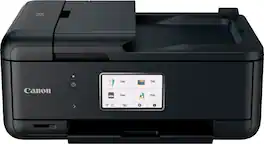
When you need a compact home office printer that can handle all your work needs, the PIXMA TR8620a has you covered. With front and rear paper feeding, a 5-Individual Ink System, 4.3” LCD Touchscreen, and impressive wired and wireless5 connectivity options, you’ll be able to do it all. The PIXMA TR8620a can easily transition from scanning a multi-page contract with the built-in Auto Document Feeder to printing double-sided homework assignments from online classrooms systems, or a family photo wirelessly from your smartphone. Whether it’s printing documents and reports, or faxing and scanning, the PIXMA TR8620a is the ultimate compact home office printer that’s big on performance and productivity.
| Pros for Canon - PIXMA TR4720 Wireless All-In-One Inkjet Printer - Black | |||
|---|---|---|---|
| There were no pros for this product— | Print Quality, Size, Setup Ease, Connectivity, Noise Level | There were no pros for this product— | Print Quality, Size, Ease of use, Overall Performance, Setup |
| Cons for Canon - PIXMA TR4720 Wireless All-In-One Inkjet Printer - Black | |||
| There were no cons for this product— | There were no cons for this product— | There were no cons for this product— | Paper Tray |
Specs



Reviews
Customer Images
The vast majority of our reviews come from verified purchases. Reviews from customers may include My Best Buy members, employees, and Tech Insider Network members (as tagged). Select reviewers may receive discounted products, promotional considerations or entries into drawings for honest, helpful reviews.
- Rated 5 out of 5 stars
Great value and easy to use
I’ve been really happy with this product so far. It was easy to set up and works exactly as expected. The quality is great for the price, and I’ve had no major issues using it. I would definitely recommend it if you’re looking for something reliable and easy to use.
This review is from Canon - PIXMA TR4720 Wireless All-In-One Inkjet Printer - Black
- Rated 5 out of 5 stars
Cannon TR4720 Printer
Set up was easy, I followed the menu through the set up and it went smoothly. I did have trouble figuring out how to load the paper.
This review is from Canon - PIXMA TR4720 Wireless All-In-One Inkjet Printer - Black
BrianV Posted
- Rated 5 out of 5 stars
Great investment for a decent price
Prints well… very easy to set up and the ink cartridges are very easy to install
This review is from Canon - PIXMA TR4720 Wireless All-In-One Inkjet Printer - Black
BrittanyB Posted






