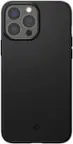
Clicks - Keyboard for Apple iPhone 16 Pro - Surf
Color
SurfRelated Item

About This Item
- Key Specs
- Brand Compatibility: Apple
- Model Compatibility: Apple iPhone 16 Pro
- Case Style: Keyboard
- Screen Protector: false
- Integrated Stand: false
- General
- Brand: Clicks
- Model Number: CK-6100-6
- Product Name: Keyboard for Apple iPhone 16 Pro
- Color: Surf
- Compatibility
- Brand Compatibility: Apple
- Model Compatibility: Apple iPhone 16 Pro
- Features
- Case Style: Keyboard
- Screen Protector: false
- Integrated Stand: false
- Wireless Charging Compatible: Yes (Allows for wireless charging to pass through it. Some products do so by allowing power to flow through the material, while others may have a physical, proprietary method of doing so (ex. MagSafe).)
- Material: Polycarbonate, Polyurethane, Faux leather, Aluminum
- Non-Slip Grip: false
- Belt Clip: false
- Dimensions
- Product Height: 0.43 inches (The out of box height of the item. Height is measured as the vertical distance from the bottom of the item to the top as it would be primarily used or placed.)
- Product Width: 2.93 inches (The out of box width of the item. Width is measured as the horizontal distance from one side of the item to the other as it would be primarily used or placed.)
- Product Depth: 7.53 inches (The out of box depth of the item. Depth is measured as the distance from the front of the item to the back as it would be primarily used or placed.)
- Product Weight: 0.13 ounces (The out of box weight of the item.)
- Warranty
- Warranty - Parts: 1 YEAR
- Warranty - Labor: 1 year
- Other
- UPC: 850063244305
Clicks pushes the benefits of buttons beyond typing, transforming how you use iPhone 16. By using Clicks together with shortcuts created through the Shortcuts app, each key can be configured to take an action. Pressing the Clicks Key along with another button on the keyboard allows users to take simple actions like opening an app or calling a contact, or trigger advanced app commands like controlling house lights or identifying a song. Clicks Keyboard for iPhone 16 has been redesigned to include new ergonomically contoured keys that can help you type faster, longer and more accurately. This premium keyboard experience makes typing feel natural so you can write long notes, edit documents, or take action on ideas, without having to wait to get back to your laptop or tablet. By moving the keyboard off the screen, Clicks helps you gain up to 50% more usable display to immerse yourself in chats, browsing, working and more. Clicks connects directly to iPhone so there's no battery to charge or Bluetooth connection. With MagSafe compatibility and support for USB-C accessories that require data (like CarPlay or a computer), Clicks for iPhone 16 is designed for your digital ecosystem.
- Ergonomically designed keyboard: All new key shape increases key size and ergonomic spacing for the best typing experience yet.
- Immersive content: Clicks nearly doubles the usable iPhone display for work, play, and beyond.
- MagSafe built in: Clicks for iPhone 16 adds MagSafe compatibility for use with wireless charging and other popular accessories.
- USB-C data mode: Clicks for iPhone 16 works with USB-C accessories that require data (like CarPlay or a computer).
- New premium materials and finishes: Brushed aluminum side keys, a microfiber interior, and a new enclosure that feels great while adding protection inside and out.
- Clicks Keyboard app: Customize and personalize key settings like backlight, key function, and typing preferences.
- Easy On and Off: Add a compact, lightweight keyboard when needed, or leave it on all the time - you decide!
- Unibody design: Fits snug and feels like a natural extension of your iPhone.
- Backlight: Toggle on the keyboard backlight for typing at night or in the dark.
- Pass through charging: Connect to iPhone with USB-C.
- Ergonomically designed keyboard: All new key shape increases key size and ergonomic spacing for the best typing experience yet.
- Immersive content: Clicks nearly doubles the usable iPhone display for work, play, and beyond.
- MagSafe built in: Clicks for iPhone 16 adds MagSafe compatibility for use with wireless charging and other popular accessories.
- USB-C data mode: Clicks for iPhone 16 works with USB-C accessories that require data (like CarPlay or a computer).
- New premium materials and finishes: Brushed aluminum side keys, a microfiber interior, and a new enclosure that feels great while adding protection inside and out.
- Clicks Keyboard app: Customize and personalize key settings like backlight, key function, and typing preferences.
- Easy On and Off: Add a compact, lightweight keyboard when needed, or leave it on all the time - you decide!
- Unibody design: Fits snug and feels like a natural extension of your iPhone.
- Backlight: Toggle on the keyboard backlight for typing at night or in the dark.
- Pass through charging: Connect to iPhone with USB-C.
Whats Included
- 1x Clicks for iPhone 16 Pro
- 1x Quick Start Guide
- 1x Clicks for iPhone 16 Pro
- 1x Quick Start Guide
Product Manuals
Disclaimers
- Phone Not Included
- Phone Not Included
Q: Why is the keyboard designed with ergonomically contoured keys?
A: The ergonomically contoured keys help you type faster, longer, and more accurately.
Q: Is the keyboard compatible with USB-C accessories that require data?
A: Clicks for iPhone 16 has support for USB-C accessories that require data.
Q: What is the weight and dimensions of the keyboard?
A: The keyboard weighs 0.13 ounces and measures 7.53 inches in depth, 2.93 inches in width, and 0.43 inches in height.
Q: What is the warranty period for the keyboard?
A: The keyboard comes with a 1-year warranty for both parts and labor.
A: Pressing the Clicks Key along with another button on the keyboard allows users to take simple actions like opening an app or calling a contact, or trigger advanced app commands like controlling house lights or identifying a song.
Q: How does the keyboard connect to the iPhone?
A: Clicks connects directly to iPhone so there's no battery to charge or Bluetooth connection.
Q: What is the warranty period for the keyboard?
A: The keyboard has a one-year warranty for both parts and labor.
Q: What are the benefits of using the keyboard with the Shortcuts app?
A: Using the Clicks keyboard with the Shortcuts app allows each key to be configured to take an action, from simple tasks like opening an app to more advanced commands like controlling smart home devices.
Reviews
Customers are saying
Customers are impressed with the keyboard quality for the Apple iPhone 16 Pro, noting its excellent construction. They also appreciate the perfect functionality of the keyboard. Overall, users seem satisfied with the product's features.
Customer Images
The vast majority of our reviews come from verified purchases. Reviews from customers may include My Best Buy members, employees, and Tech Insider Network members (as tagged). Select reviewers may receive discounted products, promotional considerations or entries into drawings for honest, helpful reviews.


Compare similar products

Clicks pushes the benefits of buttons beyond typing, transforming how you use iPhone 16. By using Clicks together with shortcuts created through the Shortcuts app, each key can be configured to take an action. Pressing the Clicks Key along with another button on the keyboard allows users to take simple actions like opening an app or calling a contact, or trigger advanced app commands like controlling house lights or identifying a song. Clicks Keyboard for iPhone 16 has been redesigned to include new ergonomically contoured keys that can help you type faster, longer and more accurately. This premium keyboard experience makes typing feel natural so you can write long notes, edit documents, or take action on ideas, without having to wait to get back to your laptop or tablet. By moving the keyboard off the screen, Clicks helps you gain up to 50% more usable display to immerse yourself in chats, browsing, working and more. Clicks connects directly to iPhone so there's no battery to charge or Bluetooth connection. With MagSafe compatibility and support for USB-C accessories that require data (like CarPlay or a computer), Clicks for iPhone 16 is designed for your digital ecosystem.
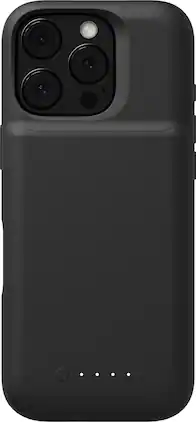
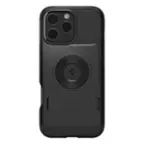
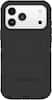
The Mophie Juice Pack provides extended power, capacity, and enhanced 6-foot drop protection for your iPhone. This protective case contains an internal, rechargeable battery that sends power directly to your iPhone with the push of a button. The juice pack can provide your iPhone with up to an extra 50% battery life. So, at the end of a long day, you never have to worry about sending a text, ordering a ride, or finding out where everybody’s meeting. Juice Pack has a slim, lightweight design that slips easily in your pocket and won’t weigh you down.
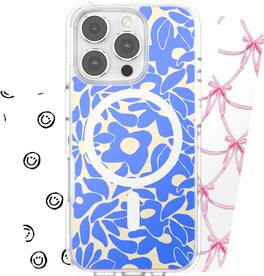
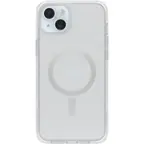
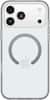
Make It Yours. Swap your style with Looks case inserts. Cost-efficient solution to change the look of your phone without buying a new case! Our graphic inserts are printable films that slide underneath your clear phone case.
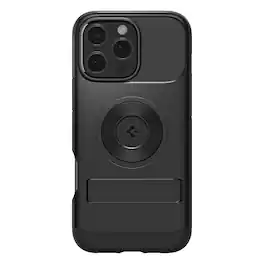
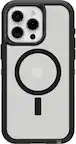
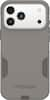
A lean, mean fighting machine. The Slim Armor MagFit conditions your iPhone 16 to be in its best-case scenario. It features dual-layered protection that’s anything but starved. Make your iPhone MagSafe ready while making it fit for drops. We got you.
| Pros for Clicks - Keyboard for Apple iPhone 16 Pro - Surf | |||
|---|---|---|---|
| Keyboard Quality, Full Screen, Functionality | Battery Life, Size, MagSafe, Overall Performance, Case Protection | There were no pros for this product— | There were no pros for this product— |
| Cons for Clicks - Keyboard for Apple iPhone 16 Pro - Surf | |||
| There were no cons for this product— | Wireless Charging, Ease of use | There were no cons for this product— | There were no cons for this product— |