CORSAIR - VANGUARD 96 WIRELESS Mechanical Gaming Keyboard for PC - Black

Specifications
- Lighting TypeRGBForm Factor96%Keyboard TechnologyMechanicalKey Switch BehaviorLinearConnection TypeWireless, Wired
- Key Specs
- Lighting Type: RGB
- Form Factor: 96% (The size, arrangement, and physical configuration of the product.)
- Keyboard Technology: Mechanical (Type of technology that detects a key press.)
- Key Switch Behavior: Linear (Refers to the mechanisms under the keycaps on a keyboard that enable you to type faster and more precisely. Linear switches move straight up and down without any sound or bump. Tactile switches provide a noticeable bump in the key press, and no sound. Clicky switches provide a bump in the key press and "clicky" sound.)
- Connection Type: Wireless, Wired
- General
- Brand: CORSAIR
- Model Number: CH-91F901E-NA
- Product Name: VANGUARD 96 WIRELESS Mechanical Gaming Keyboard for PC
- Color: Black
- Features
- Lighting Type: RGB
- Customizable Lighting: true
- Numeric Keypad: true
- Touchpad: false
- Keyboard Type: Gaming, Programmable
- Palm Rest: false
- Spill Resistant: false (Designed to resist some degree of accidental liquid spill. The level of spill-resistance is indicated by the product manufacturer, but the degree of protection may not be guaranteed after normal wear of the product.)
- Keycap Material: PBT, ABS
- Maximum Number of Memory Profiles: 5
- Functions
- Form Factor: 96% (The size, arrangement, and physical configuration of the product.)
- Keyboard Technology: Mechanical (Type of technology that detects a key press.)
- Adjustable Tilt Function: false
- Key Switch Behavior: Linear (Refers to the mechanisms under the keycaps on a keyboard that enable you to type faster and more precisely. Linear switches move straight up and down without any sound or bump. Tactile switches provide a noticeable bump in the key press, and no sound. Clicky switches provide a bump in the key press and "clicky" sound.)
- Actuation Distance: 2.0mm
- Actuation Force: 45g
- Connectivity
- Connection Type: Wireless, Wired
- Wireless Connectivity: Radio Frequency (RF - 2.4 Ghz/Low Latency), Bluetooth (The manner in which a device sends data to another device over a short distance without the use of wires or cables.)
- Wired Connectivity: USB-C
- Cable Length: 6 feet
- Detachable Cable: true
- Number Of USB Port(s): 1 (The total number of USB ports including all generations and versions.)
- Number of Devices Connectable Simultaneously: 2
- Compatibility
- Operating System Compatibility: Windows
- Plug and Play Operation: true
- Power
- Rechargeable Battery: true
- Dimensions
- Product Height: 1.69 inches (The out of box height of the item. Height is measured as the vertical distance from the bottom of the item to the top as it would be primarily used or placed.)
- Product Width: 5.55 inches (The out of box width of the item. Width is measured as the horizontal distance from one side of the item to the other as it would be primarily used or placed.)
- Product Depth: 15.27 inches (The out of box depth of the item. Depth is measured as the distance from the front of the item to the back as it would be primarily used or placed.)
- Product Weight: 2.57 ounces (The out of box weight of the item.)
- Warranty
- Warranty - Parts: 2 years
- Warranty - Labor: 2 years
- Other
- UPC: 840440403319
CORSAIR’s VANGUARD 96 WIRELESS shrinks a full keyboard with arrow keys, a tenkey pad, an LCD screen, rotary dial, and 6 programmable G-keys into a super-compact frame. Featuring wobble-free pre-lubricated CORSAIR MLX switches, it’s also hotswappable, supporting compatible 3-pin and 5-pin switches. The stunning LCD screen takes personalization to the next level with animations, stats, and game integration support. Quad-layer sound dampening provides satisfying keypress acoustics, and 8,000Hz wireless hyper-polling delivers lightning-fast inputs via SLIPSTREAM WIRELESS. VANGUARD 96 also features Elgato Virtual Stream Deck integration, FlashTap SOCD handling, and easy customization via our web-based utility, CORSAIR Web Hub.
- 96% keyboard that makes it 100: The optimized 96% layout means you’ll have full keyboard with arrow keys, a tenkey pad, an LCD screen, rotary dial, and 6 programmable G-keys, but in a super-compact frame that’s roughly the size of a TKL keyboard.
- Vibrant full-color LCD screen: The keyboard of the future is here! Personalize your keyboard on a whole new level with a luminous integrated 1.9” LCD screen you can use to display custom animations, images, system specs, and more.
- 8,000Hz hyper-polling, wired and wireless: Enjoy 8,000Hz hyper-polling in both wireless and wired modes to eradicate input lag. Get the fastest response times for your in-game actions and stream commands, even without a wire, thanks to SLIPSTREAM WIRELESS.
- Elgato Virtual Stream Deck integration: Map Stream Deck functions directly to the programmable G-keys and utilize Virtual Stream Deck to create clickable shortcuts. Unlock a world of newfound productivity and enhanced ingame performance.
- FlashTap SOCD: With CORSAIR FlashTap SOCD handling, choose how the keyboard should resolve accidental SOCD inputs so you can Move Like You Mean It.
- Wobble-free CORSAIR MLX switches: Wobble-free CORSAIR MLX keyswitches feature pre-lubricated stems and Fresnel lensing for stunning RGB lighting. Refined for top-tier responsiveness and rated for 80 million keypresses.
- Hotswap support for 3-pin and 5-pin switches: The versatile VANGUARD 96 WIRELESS allows you to hotswap in your choice of compatible 3-pin and 5-pin mechanical keyswitches.
- Quad-layer sound dampening: 4 layers of sound dampening foam help keep unwanted keyboard noise to a minimum, so you’re better able to enjoy your satisfying keypress acoustics.
- 6 Dedicated, low-profile G-keys: Set up in-game actions, productivity macros, or common key combinations for quick access on the 6 G-keys. Their low-profile design helps ensure they don’t get triggered accidentally.
- Versatile tri-mode connectivity: Connect via robust 2.4GHz wireless connection, convenient Bluetooth® , or USBC cable. Enjoy up to 125 hours* of wireless gaming freedom.
- Customizable via CORSAIR Web Hub: Enjoy lightweight, powerful customization with no additional software installation via CORSAIR Web Hub. Set up macros, map buttons, and more.
Whats Included
- CORSAIR VANGUARD 96 WIRELESS
- Dongle
- Palm rest
- 2-in1 Puller
- Safety leaflet
- cable
Disclaimers
- Up to 125 hours of battery life via 2.4GHz with RGB off, up to 132 hours via Bluetooth® with RGB off.
Q: Are the keycaps on this keyboard replaceable?
A: Yes, the keyboard allows you to hotswap in your choice of compatible 3-pin and 5-pin mechanical keyswitches.
Q: Does this gaming keyboard have customizable lighting?
A: Yes, this gaming keyboard has customizable lighting.
Q: Can I connect this keyboard wirelessly?
A: Yes, you can connect this keyboard wirelessly using a 2.4GHz connection or Bluetooth.
Q: Does this keyboard have a detachable cable?
A: Yes, this keyboard has a detachable cable.
Q: Is there a numeric keypad on this keyboard?
A: Yes, this keyboard has a numeric keypad.
Q: What is the actuation force of the keyswitches?
A: The actuation force of the keyswitches is 45g.
Q: How many memory profiles does this keyboard have?
A: This keyboard has a maximum number of 5 memory profiles.
Compare similar products
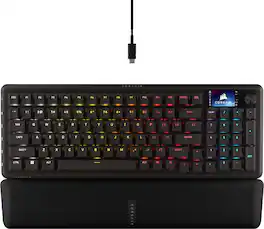
CORSAIR’s VANGUARD 96 WIRELESS shrinks a full keyboard with arrow keys, a tenkey pad, an LCD screen, rotary dial, and 6 programmable G-keys into a super-compact frame. Featuring wobble-free pre-lubricated CORSAIR MLX switches, it’s also hotswappable, supporting compatible 3-pin and 5-pin switches. The stunning LCD screen takes personalization to the next level with animations, stats, and game integration support. Quad-layer sound dampening provides satisfying keypress acoustics, and 8,000Hz wireless hyper-polling delivers lightning-fast inputs via SLIPSTREAM WIRELESS. VANGUARD 96 also features Elgato Virtual Stream Deck integration, FlashTap SOCD handling, and easy customization via our web-based utility, CORSAIR Web Hub.
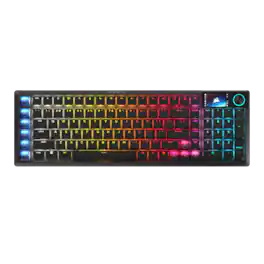
The sleek, low-profile VANGUARD AIR 99 WIRELESS keyboard delivers exceptional performance across all aspects of your life, making controlling everything seamless. Enhance productivity using Stream Deck integration and SD-keys to streamline your daily tasks. Unleash serious gaming performance with ultra-responsive OPX low-profile optical switches and 8,000Hz hyper-polling. With its elegant aluminum frame and brilliant LCD screen, it’ll be your stunning new desktop centerpiece. Enjoy exceptional typing feel and acoustics with premium gasket mounting and 5-layer sound dampening. Connect how you want, where you want. Get tri-mode connectivity (2.4GHz, Bluetooth, and USB-C) and multiplatform compatibility with PC, Mac, console, and more.

CORSAIR’s VANGUARD 96 pulls off the astonishing feat of shrinking a full keyboard with arrow keys, a tenkey pad, an LCD screen, rotary dial, and 6 programmable G-keys into a super-compact frame. Featuring wobble-free pre-lubricated CORSAIR MLX switches, it’s also hotswappable, supporting compatible 3-pin and 5-pin switches. The stunning LCD screen takes keyboard personalization to the next level with animations, stats, and game integration support. Quadlayer sound dampening provides satisfying keypress acoustics, and 8,000Hz hyper-polling delivers lightning-fast inputs. VANGUARD 96 also features Elgato Virtual Stream Deck integration, FlashTap SOCD handling, and easy customization via our web-based utility, CORSAIR Web Hub.

CORSAIR’s VANGUARD PRO 96 is a high-performance mechanical keyboard that continues CORSAIR’s game-changing legacy of innovation. Built for competitive players featuring magnetic MGX Hyperdrive Hall Effect switches and 8,000Hz hyper-polling for an edge in responsiveness. The optimized 96% form factor packs arrow keys, a numpad, an LCD screen, 6 G-keys, and a rotary dial into a footprint comparable to a TKL. It’s also hotswappable, enhancing compatible magnetic switches with quad-layer sound dampening for satisfying acoustics. VANGUARD PRO 96 features Elgato Stream Deck integration, FlashTap SOCD handling, Rapid Trigger, dual-actuation points, and customization via our lightweight web-based utility, CORSAIR Web Hub.
| Pros for CORSAIR - VANGUARD 96 WIRELESS Mechanical Gaming Keyboard for PC - Black | |||
|---|---|---|---|
| Build Quality, Connectivity, Noise Level, Battery Life, Performance | Build Quality, Noise Level, Connectivity, Battery Life, Key Feel | Build Quality, Noise Level, RGB Lighting, Feel, Size | Build Quality, Noise Level, RGB Lighting, Typing Feel, Switch Performance |
| Cons for CORSAIR - VANGUARD 96 WIRELESS Mechanical Gaming Keyboard for PC - Black | |||
| There were no cons for this product— | There were no cons for this product— | Software, Key Sensitivity, Port Placement | Software Compatibility, Key Functionality |
Specs
Reviews
Customers are saying
Customers praise the VANGUARD 96 WIRELESS Mechanical Gaming Keyboard for its excellent build quality and performance, whether used wired or wirelessly. Many appreciate its strong connectivity, including a special mode for PlayStation consoles, and find the noise level surprisingly quiet. Users also report good battery life and quickly adjusting to the keyboard's layout, with some describing the typing experience as wonderful.
- Build Quality (12)
- Performance (12)
- Connectivity (7)
Customer Images
The vast majority of our reviews come from verified purchases. Reviews from customers may include My Best Buy members, employees, and Tech Insider Network members (as tagged). Select reviewers may receive discounted products, promotional considerations or entries into drawings for honest, helpful reviews.
- Rated 5 out of 5 stars
Incredibly Versatile Yet Compact
The Corsair Vanguard 96 keyboard is one of the more versatile keyboards I've used, combining a 96% layout (which actually feels more compact than the number would suggest) with a great number of extra features that would usually expand the footprint of the keyboard. With premium switches, an onboard screen, and solid software running the show, this is a strong option for gamers and productivity focused users alike. Upon hooking up the keyboard, I immediately noticed the switches. On board are the Corsair MLX mechanical switches, which have a solid tactile feel while being very quiet thanks to the sound dampening in the frame. As a developer daily driving this keyboard for work, this is an incredibly comfortable keyboard to type on (also owing to the included, very high quality soft-touch magnetically attached wrist rest) and doesn't come with the concern of noise on calls that others I've had do. This setup also affords a large amount of flexibility as well, given the switches are hot-swappable with other 3 and 5 pin switches. This feature is a differentiator; it means you have the flexibility of having Corsair's great software support in concert with whatever switch you deem your favorite down the line. On the topic of software, it seems Corsair is making a shift away from the bloated app installation and has transitioned to a web based version of iCUE. I'm not entirely sure how I feel about this yet; I love the fact that it's one less app running on your gaming PC stealing your frames, but being web based has its own set of trade offs. Time will tell if this is the path forward for Corsair's line of products but I like that they're making an attempt at a better user experience. Beyond the switches, other controls on this board include the volume/control dial next to the LCD screen, which allows for some decent on the fly customizations. Nestled in on the left side of the keyboard are the six programmable G-Keys. These keys unlock the true versatility of this board and amazingly, they've been added in a way that doesn't add to the footprint of the keyboard. These can be configured in a number of ways and function very similar to other accessories like a Stream Deck. I've bound a couple of these to specific gaming functions in Call of Duty (for instance, I relocated my map hot key to one of these). The possibilities are nearly endless here, and again, the fact that they've integrated these into the frame is an amazing use of space and design techniques. Connectivity is another strong suit of the Vanguard 96 Wireless. For this, you have three options that cover all the bases: direct wire via a detachable USB-C connection, wireless via the included dongle, or Bluetooth. Like the rest of the keyboard, this wealth of connection options unlocks a lot of versatility, allowing you to quickly swap between a gaming PC, your work laptop, and your phone. Of note here, the advertised 8kHz polling rate (which likely means something to competitive gamers) is available in both wired and wireless dongle connections. Predictably, it's not available via Bluetooth connection. If you decide to use the keyboard in wireless mode, you'll get over 100 hours of battery life (according to Corsair, and confirmed in my personal usage). In a practical sense, this has meant I go weeks between charges, which is a very substantial amount of time in my book. My experience with the keyboard has been very positive, but there are a couple of downsides to mention here. First, while the build quality feels top notch in most of the package, the main board/chassis is made of plastic. This is a bit baffling, as every other board I've used in this range employs some version of metal (mostly aluminum) to provide an incredibly solid base. Given the wealth of features here, I can overlook that design decision, but it's worth noting nonetheless. Next, as mentioned earlier, the 8kHz polling rate is not available in Bluetooth connection mode. This again shouldn't be a surprise, but it's also worth noting. Finally, the layout here may not be for everyone. For me, this is a great layout that sacrifices zero buttons for a smaller footprint. However, I'll acknowledge that some of the non-primary keys (arrow keys, right shift, Home/Pg Up/Pg Down/End, etc) have been either relocated, crowded, or shrunk to accommodate the smaller footprint. Again, for me, the trade off is worth it, but there are times when using the arrow keys requires just an extra moment to look down to ensure I'm hitting the right keys. Overall, this is a great keyboard. It packs quality switches with a versatile layout and flexible connectivity options. If you can deal with the smaller form factor, this is a strong keyboard that deserves your consideration.
Jturn Posted
- Rated 4 out of 5 stars
Premium Typing and Acoustics.
Overall, this is a great keyboard. Its strongest point is that it sounds great and feels wonderful to type on. It also has all the features you’d want on a gaming or premium keyboard while offering tri-mode connectivity at a good price compared to the competition. However, if it is primarily for gaming I think going with analog is superior as it gives faster and more accurate movement. But if you’re not interested in analog or the shortcomings of that technology mechanical is the next best option. My biggest gripe is I would like dedicated media keys and/or an easier way to switch screens/features on the LCD display (currently FN + F12). Along with a dedicated Mac switch or shortcut to make it work natively on that OS. Especially, for this price point. Otherwise, Corsair continues to impress with top-tier keyboard offering. PROS: • Polling Rate: I like that it comes with 8,000 Hz hyper-polling in both wired and wireless mode. What I’ve always enjoyed about Corsair is that they were one of the first to the scene with this. They also have both 8,000 Hz polling plus 8,000 Hz key scanning. Which means no bottle neck. Personally, I do find this to be more receptive in gaming (where you do a lot of inputs back to back and require fine movement) and typing (120 – 150 wpm). The wireless dongle can be placed inside the keyboard for safe keeping. But with this being mechanical it isn’t as precise and fast as analog keys are. • Actuation/Sound: I love typing on this keyboard. This is the main reason why I got it. As the linear keys are very smooth and have a very nice feel and more importantly sound. I think they did a good job with the pre-lubing. The dampening that they use here I think is the best I’ve tried on a prebuilt. I don’t hear any pinging. And even the spacebar didn’t require any additional work which was wild. Additionally, with this being mechanical it feels better than analog. As you have a bit more parts in the switch itself giving more tactile feedback. • Tri-Connectivity: I really enjoy having choices. With this having slipstream wireless, Bluetooth, and wired connections it makes it great. As if I want to take it somewhere, use it on another computer, or just across the room I can. But if I want to ensure best performance I can plug it in. And if I’m have a peripheral device (phone, tablet, etc.) I can switch to Bluetooth quickly and flip through different devices. I have not noticed any problems with connection with the slipstream wireless (didn’t test Bluetooth out too much). • Bluetooth: To connect to the BT is it s numpad -, +, and enter. Which seems odd. But at the same time is smart as all lined up on the right. You can connect 3 devices and swap between them easily. • Toggle Switch: The toggle switch is satisfying by being just right. Hard enough to get it to intentionally move but also soft enough to stick exactly where you want it so turning on/off is easy and you don’t skip past the middle. • Size: The 96% size is nice. You still have all the keys you want but it takes up noticeably less room. The layout they use here is also intuitive and I’m a fan. • Hot Swappable: Supports compatible 3-pin or 5-pin mechanical switches (not optical/analog). Meaning if one goes bad or you want a different feel/switch you have the ability with the same chassis and features. Also, if you’re wanting to lube your own switches popping them out and taking apart the switches can yield better results. • Shortcuts: This keyboard is very heavy on productivity/shortcuts. You have Elgato Virtual Stream Deck integration (that I didn’t use as isn’t my jam), 6 dedicated shortcut keys on the left side (which I think is more helpful than the Elgato Virtual Stream Deck as saves to the device and then allows you to use it anywhere), along with full macro support. The dedicated shortcut keys I do find myself accidentally pressing as when I move the keyboard I tend to grab the left side. • Premium Keyboard Features: Comes with what you would expect with a premium keyboard of per-key RGB programmable lighting (not able to save to device), Full key rollover (NKRO) with 100% anti ghosting, 5 on-board profiles. • Software: Uses Corsair Web Hub instead of ICUE. I think it could be a bit more intuitive. We’ll see if that improves over time. • Other: FN secondary keys have a little label on the bottom of the keycap to help you remember. The secondary keys (&*) are backlit. Font, is professional and attractive. • Build Quality/Ergonomics: Everything feels solid without concerning wobble or it feeling cheap. It is lightweight. It has an aluminum top plate. On the bottom you have tracts for the cord (USB-C connection) to put out cord on the top/left/right. Along with step ups to give an angle if you want. It has a natural slight angle to it making it comfortable to type on for long periods. Also, not too high up where wrist is at a weird angle. It comes with one of the best magnetic wrist rests. Faux leather like material that has some give/padding (air) and looks professional. There is mild wobble of the keycaps from the stems. MEH: • LCD Screen: Feels a bit more gimmicky with the animations and game integrations support (which I didn’t test). Stats is helpful such as the polling rate, battery, etc. However, my biggest complaint is it needs another dial so that I can more easily switch the rotary dial, currently it is FN + F12. But on other keyboards I’ve tried they have a dedicated key or switch for that. Which I find to be superior. I also, would have preferred dedicated Play/Pause, Forward, Backward. As I use those a lot. There is a FN key combo for that along with the rotary dial setting. • Battery Life: I didn’t have enough time to test this properly. But they report 2.4 GHz w/ RGB off is 125 hours. Likely much less with 8,000 Hz polling. Bluetooth of 132 hours (RGB off). • RGB Brightness: Overall brightness of the keyboard isn’t dramatic. But that is typical for wireless keyboards that I’ve tried to help conserve battery life. Colors don’t pop dramatically. But do seem accurate. CONS: • Limited RGB: Corsair, continues to not allow you to save custom lighting effects to their “premium keyboards”. You have to have the web based mode up in order for that to work. Which arguably is more inconvenient than having ICUE up. However, you can create key assignments. And there are different profiles. Up to 5 with a memory bandwidth of 8 mb. • No Native Mac Support: While it “works” on Mac it doesn’t have a dedicated switch or shortcut to make the command = alt and option = windows. So, you have to either go into the web panel to swap or use MacOS do to it. I don’t think they should be able to claim Mac compatibility without this feature.
SirGalahad Posted
- Rated 5 out of 5 stars
An All-Around Ace
As a bit of a keyboard snob, I was hesitant to change out my daily driver keyboard on a whim. My full-size board was something I clung tightly to, and at the time the options for 96% keyboards (e.g. ones that maintain the 10key arrangement and cursor keys, but relocate or remove the six above the cursors) were few and far between. Corsair’s new Vanguard 96 tempted me despite a new switch type that was more linear than I would’ve preferred, but I took the chance on a premium keyboard with some trepidation. After a few days getting acclimated to both a new switch type and layout, I came away thoroughly impressed by this gaming-first keyboard that doesn’t sacrifice the fundamentals to get there. - Unboxing and Setup Corsair packaged the Vanguard 96 with just the right amount of premium flair, and did so with recyclable materials that minimize one-time-use plastics. I wasn’t expecting tissue paper to be a premium touch but Corsair nailed it here. The only four items in the box are the Vanguard 96 keyboard, a USB-A to USB-C cable, a double sided keycap puller, and the wrist rest, all packaged perfectly within the box to minimize dimensions. Good marks here. Further reducing materials and waste, a QR code links to the instruction manual on Corsair’s website, which is sadly devoid of quick start instructions, but the Vanguard’s included USB receiver for 2.4GHz wireless is simple enough to understand, and switching the power on to Bluetooth has the integrated screen guide you through pairing, though you can of course connect wired if you choose. Love of all things, the Vanguard is fully configurable via a web interface and doesn’t require a separate software download if you don’t want it. Already off to an amazing start! - Typing Experience The Corsair MLX switches are a new one for me…while I’m used to Cherry MX switches and expected to find one of the Red or Clear varieties under the keys when I pulled one off, finding a pink switch type was surprising. These switches feel somewhere between the aforementioned Reds and Clears, offering a smooth, linear, but resistant stroke that bottoms out fairly gently and with little noise. They took some getting used to from my preferred setup - MX Browns with 0.4mm O-rings - but once I got a feel for their resistance it was smooth sailing. The Vanguard 96 is an exceptionally quiet keyboard that doesn’t sacrifice typing feel for gaming performance. The high but smooth and linear resistance makes high-speed touch-typing on the keyboard responsive and accurate, and the keycaps have just the right amount of surface friction and tactile feel to hammer away with ease. Despite my switch type preference I was cruising within minutes and had no trouble feeling when I made a mistake. Keystrokes register consistently and accurately with no ghosting or double-tapping. The only downside to the MLX switches is that actuation distance can’t be adjusted, but this is a feature reserved for switches that incorporate HALL Effect sensors, which would’ve pushed this keyboard up a price class or two. Still, I have few complaints for the MLXes. - Gaming Experience I can’t claim to be able to tell the difference between 125Hz and 8,000Hz polling, but odds are if you’re a high level competitive gamer you probably aren’t shopping for your keyboard through Best Buy. In any case, in my experience the MLX switches do an excellent job registering rapidly changing game inputs, and n-key rollover ensures every new press registers without trouble. A dedicated gaming mode toggle can switch between key mapping as well as visual and responsiveness profiles, though automatic per-game-executable profiles remain beyond the scope of the web interface and internal storage for the keyboard. The six G-keys on the far left side of the keyboard can be mapped to any key or macro function using the Corsair web interface and saved to the keyboard (and these keys can have different functions once Game Mode is enabled, of course). These clicky switches are very similar to mouse buttons and have minimal throw, almost feeling a bit sloppy compared to the MLX switches, but can be quite handy for switching between game and lighting profiles if you don’t need them to perform macro functions. The dial on the top right of the keyboard has twenty tactile notches per 360-degree rotation, a push-down click, and can be programmed to any key or multimedia function. By default it will perform volume adjustment and mute/unmute. If you use the 10-keys often (hey, some of us also have office jobs and spend more time than we care to admit in spreadsheet software) you might find it’s a little too close to the minus key, but it’s fairly easy to adapt. - Customization I could spend hours customizing this keyboard using the Corsair web interface. Besides per-key macros, the best feature of the keyboard is fully customizable per-key backlighting, which includes being able to set different animations *per-key* and layer the effects so to your heart’s content. 8MB of on-device storage allows these profiles to save to the board so you won’t have to have any software running or website open in the background. Absolutely lovely. In addition to the usual smattering of key customizations, the usual Corsair flair of being able to upload your own images or animations (at up to 248x170 resolution) is available to make the keyboard your own. Images won’t extend fully to the left or right edges as they leave space for status indicators, but multiple images and animations can be saved to the keyboard and toggled using the Function and arrow keys. For those who want to go a step further to making the Vanguard 96 their own, all the keys on the keyboard tray are hot swappable to use either 3-post or 5-post key switches. Definitely a niche feature that most shopping for Corsair keyboards likely won’t utilize, but if you’re keen on getting a Corsair board and are on the fence about the MLX switches, the option to swap out is welcome all the same. As an added bonus, while Corsair offers standalone software to manage the Vanguard 96, the Corsair Web Hub handles everything including firmware updates for both the keyboard and wireless dongle. Very slick stuff. - Connectivity & Battery With multiple connection options, it’s entirely feasible to pair the Vanguard 96 to one device via Bluetooth and use the wireless dongle with another. Connecting directly through USB is an option as well. I would’ve liked to see an integrated USB port for a wireless mouse receiver as I’ve seen on wired Corsair keyboards, but the wireless-forward nature of the Vanguard 96 means that’s not exactly possible…USB over wireless is much more difficult to implement. While I haven’t been able to test battery life, the keyboard reports it hasn’t lost any of its 75% charge it shipped with after hours of use, even with backlighting enabled. Power settings can extend the battery life if you’re using it wirelessly - the keyboard can automatically shut off after any number of minutes then wake upon any keystroke and connect quickly. - Bottom Line At one point many years ago I would’ve scoffed at the idea of a $200 keyboard, but the amount of features the Corsair Vanguard packs in while feeling very high quality, as well as how painless it is to use and customize, makes it worth every penny. Highly recommended!
Turbolence Posted
Explore tech essentials Sponsored
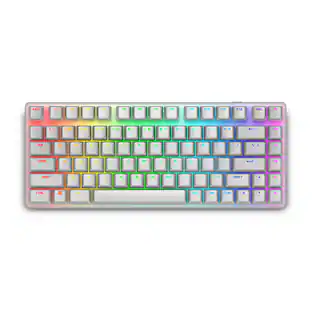 $179.99The price was $199.99
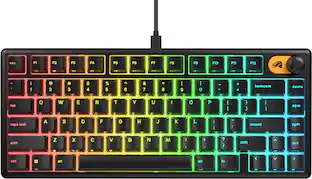 $49.99The price was $59.99
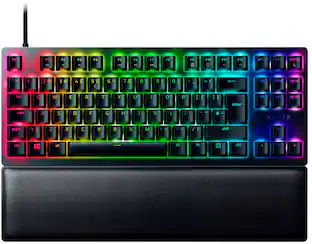 $89.99The price was $149.99
 $39.99The price was $54.99
 $89.99The price was $149.99