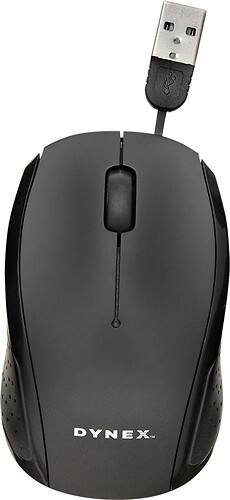
Dynex™ - USB Optical Mouse - Black
- General
- Product Name: USB Optical Mouse
- Brand: Dynex™
- Model Number: DX-WRM1402
- Features
- Mouse Type: Optical
- Performance
- Mouse Operation: Button(s) with scroll wheel
- Handedness: Ambidextrous
- Connectivity
- Operating System Compatibility: Windows, Mac
- Dimensions
- Product Height: 1.3 inches (The out of box height of the item. Height is measured as the vertical distance from the bottom of the item to the top as it would be primarily used or placed.)
- Product Length: 3.7 inches (The out of box length of the item. Length is measured as the longest dimension of the item.)
- Product Width: 2.3 inches (The out of box width of the item. Width is measured as the horizontal distance from one side of the item to the other as it would be primarily used or placed.)
- Product Weight: 2.3 ounces (The out of box weight of the item.)
- Warranty
- Manufacturer's Warranty - Parts: 1 year
- Manufacturer's Warranty - Labor: 1 year
- Other
- UPC: 600603153723
With Pixart 3515 sensor technology and up to 1000 dpi resolution, this Dynex™ DX-WRM1402 USB optical mouse enables you to control your computer with precision. A scrolling wheel offers easy operation.
- Up to 1000 dpi movement resolution: Along with Pixart 3515 sensor technology ensures precise operation.
- Optical technology: Offers pinpoint accuracy on most surfaces.
- Scrolling wheel: Helps simplify navigation.
- 2.5' cord: Permits a flexible range of motion during use. Retractable design reduces clutter.
- USB connectivity: For simple connection to your existing PC or Mac.
Whats Included
- Dynex™ USB Optical Mouse
- Owner's manual
Q: how do you change the battery
A: it's a USB there is no battery... it's getting it's power directly from the computer. If you purchased it and it's not working, see if you can take it back. This is not wireless it's corded.
Q: is window 8 compatible. its not working on my laptop
A: Try to unplug it and plug it back in again. If you are still getting issues plugging in the unit you may have a defective mouse.
A: no battery, one is, it might have lost the driver. try restarting the computer then plugging it into a different port for USB. If that doesn't work, it might just be dead. Dynex and Insignia are BBY brands and sometimes they last forever and sometimes they last a week.
A: i use a qtip and rubbing alcohole
Q: When the mouse arrow disappears, does this mean the battery needs to be changed?
A: No, this mouse does not operate on batteries. Not seeing the mouse arrow could mean that it is just off the screen, or the mouse is not responding. Try cleaning the mouse/surface that you are using it, ensuring that the mouse is plugged in and operating correctly. If you continue to experience issues, take it and your receipt back to the place of purchase to pursue warranty options. This has a 1 year manufacturer's warranty.
Q: Will this mouse work with the Acer 11.6" Chromebook?
A: it should, it's a standard mouse. So long as the Acer supports external devices you're fine
Q: switch right-handed to left-handed mouse click
A: you can do that with any mouse, you just have to fine the driver for it. Sometimes you can pull it up under control panel and switch any button for any mouse
Q: Is is windows XP home compatible?
A: yes



















