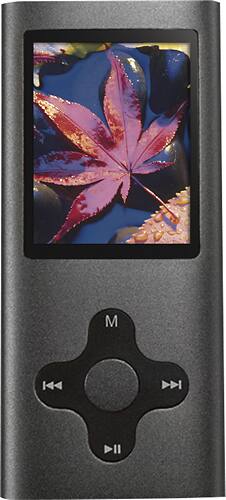
Eclipse - 180 Pro 4GB* Video MP3 Player - Gunmetal
- Key Specs
- Bluetooth Enabled: false (The device is capable of communicating with another device via Bluetooth, provided they are within the required range of each other. A Bluetooth-enabled device must also be the same Bluetooth version or higher than the accessory it is intended to pair with.)
- Storage Capacity: 4 gigabytes (Measured in megabytes (MB), gigabytes (GB) and terabytes (TB), this is the amount available for storing files, music, movies, photos and more. The total includes the capacity of the hard disk drive and solid state drive if both are included on the computer.)
- Video Playback: true
- General
- Product Name: 180 Pro 4GB* Video MP3 Player
- Brand: Eclipse
- Model Number: ECLIPSE-180-PRO GM
- Audio
- Supported File Formats: MP3, WAV
- Connectivity
- Wi-Fi Compatible: false
- Display
- Screen Size: 1.9 inches (Size of the screen, measured diagonally from corner to corner.)
- Display Screen: true
- Touch Screen: false (Touch-screen devices make navigating more intuitive. Using a touch-screen display, you can do things such as tap to select, hold and drag to move items, swipe to scroll, and pinch to zoom.)
- Features
- Voice Recorder: true
- Memory Card Slot: true
- Included
- Integrated Speaker(s): false
- Integrated Microphone: false
- Integrated Camera: Video
- Cable(s) Included: true
- Belt Clip Included: false
- Software Included: true
- Warranty
- Manufacturer's Warranty - Parts: 1 year
- Manufacturer's Warranty - Labor: 1 year
- Other
- UPC: 878376003082
Keep your music library with you while on the go with this Eclipse 180 Pro MP3 player that features a micro SD card slot (not included) for expansive storage. The built-in video camera lets you capture the action without switching devices.
- 4GB* internal flash memory: To store your favorite songs and videos.
- Ultracompact design: Checks in at just 0.25" thin and 3.2 oz., so you can take it with you on the go.
- Supported formats: Include MP3 and WAV, so you can listen to all of your tunes.
- 1.9" LCD screen: Makes it easy to navigate your library.
- FM tuner: Allows you to listen to over-the-air radio.
- USB 2.0 interface: Gives fast transfer rates and simple connectivity.
- Up to 8 hours of playback: For extended music sessions.
- Media Monkey: Music-management software included.
- Upgradable: To future formats and features.
- PC and Mac compatible: For multifunctional use.
Whats Included
- Eclipse 180 Pro 4GB* Video MP3 Player
- 1 pair of earbud headphones
- USB cable
- Owner's manual
Q: what is the sd card maximum capacity?
A: no, from what I read, it will only take up to a 16GB sd card. It might accept a 32 GB card, but it will only use and show 16 GB's of space.
A: undefined
Q: do songs come with this device? If so what songs?
A: undefined
Q: my eclipse mp3 player is not working no more
A: Same here, will not charge or power on absolutely nothing
A: undefined
Q: How long shall I charge this Eclipse 180 pro MP3?
A: undefined
Q: wont turn back on and stay on
A: I've never had this problem, but I do know that unplugging any device from a computer improperly can cause problems including losing data. From the sound of it, it may have lost some of the formatting. Without knowing more about your problem, I would suggest simply powering it down with the little switch on top, wait a few seconds and turn it back on. Maybe even try plugging it back into the computer, letting it fully charge (that could also be the problem) and then properly disconnect it from the computer by using the "disconnect player" app on the tool bar at the lower right. That has worked for me when I've turned it off in the middle of an audio.
Q: Is this player compatible with audible.com?
A: undefined














