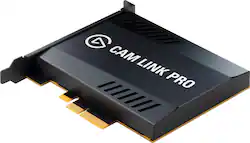
Elgato - Cam Link Pro - PCIe camera capture card, 4 HDMI inputs, 1080p60 Full HD, 4K30, Multiview, streaming, OBS, Zoom - Black
- Key Specs
- Video Input(s): HDMI
- Video Output(s): HDMI
- Maximum Supported Resolution (Video Capture): 1080p (Full HD) (The highest video resolution supported by the device to capture video from another source.)
- Maximum Supported Resolution (Video Passthrough): 1080p (Full HD) (The highest video resolution supported by the device for passing through video to another device.)
- Compatible Platform(s): Windows
- General
- Product Name: Cam Link Pro - PCIe camera capture card, 4 HDMI inputs, 1080p60 Full HD, 4K30, Multiview, streaming, OBS, Zoom
- Brand: Elgato
- Device Type: PC Card
- Model Number: 10GAW9901
- Color: Black
- Connectivity
- Video Input(s): HDMI
- Audio Input(s): HDMI
- Video Output(s): HDMI
- Audio Output(s): HDMI
- Display
- Maximum Supported Resolution (Video Capture): 1080p (Full HD) (The highest video resolution supported by the device to capture video from another source.)
- Maximum Supported Resolution (Video Passthrough): 1080p (Full HD) (The highest video resolution supported by the device for passing through video to another device.)
- Compatibility
- Compatible Platform(s): Windows
- Warranty
- Manufacturer's Warranty - Parts: 2 years
- Manufacturer's Warranty - Labor: 2 years
- Other
- UPC: 840006632252
A powerful video mixer engineered for multicam production, Cam Link Pro equips you to capture four video inputs with ultimate ease and flexibility. Connect cameras, computers, laptops, tablets or any device that outputs a clean HDMI signal. Stream or record in 4K or 1080p60 Full HD, control video feeds separately in broadcast software, and add four cameras to video streaming apps. Picture in Picture, Side by Side, Triple, or Quad — choose your Multiview layout in Elgato 4K Capture Utility, and switch layouts on the fly with Elgato Stream Deck. Perfect for live streaming, video conferencing, online teaching and more, Cam Link Pro makes advanced multicam production a breeze.
- PCIe Card: Four HDMI inputs
- Multicam Capture: Capture DSLRs, computers, laptops, tablets, etc.
- Stunning Quality: Stream live or record in 1080p60 or 4K30 quality
- Live Production: Control video feeds separately in OBS, vMix, and more
- Multiview Modes: Set picture in picture modes with Elgato Multiview
- Video Conferencing: Bring four cameras into Zoom, Slack, Microsoft Teams
- Stream Deck Integration: Switch cameras and Multiview modes with Stream Deck
- Perfect for: Live streaming, video meetings, online teaching
Whats Included
- Cam Link Pro
A: If you have a camera that can record in 4k, and if you also have a cord that can transmit that signal to your computer (aka a camera cord that has a hmdi 4k output as example) than you dont need the cam link pro. The passthrough on the cam link pro allows filtering up to 4k resolution with the option of 4 hmdi in inputs. This is for computers that do not have enough inputs for the camers you are running. I imagine in most instances this is not necessary to have. Yes it would work though.
Q: How will I know if this Cam Link Pro will work with my pc?
A: It installs in a slot inside your computer. Make sure your computer can receive this type of card. It becomes a HDMI video in. There shouldnt be a conflict with your camera if its output can convert to HDMI.
A: it will accept any HDMI source, like a play station or x box
Q: why get this instead of the original elgato card or is it just for the 4 HDMI ports?
A: We wanted the 4 HDMI ports.
Q: Can this be used to capture 2 other computers? So Two people can be displayed in a stream?
A: This is a capture card depending on what software you decide to use with it is up to you. Using vmix ecamm or streamyard even that can be done.
A: So you can add this to a streamdeck and then use that as your switcher. That's exactly what I do. Then you can have 4 outputs at 1080 60fps or even 4k 30fps
Q: Can they be used as outputs in a expansion chassis
A: Yes. I use this with a thunderbolt 3 laptop. I use a razor core. It works well. You could probably get an enclosure that isn't as expensive. The razor core has a full size atx power supply for when I switch this card out for a gpu.





















