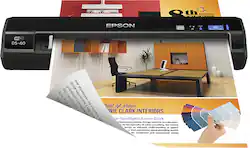
Epson - WorkForce DS-40 Wireless Portable Color Sheetfed Scanner - Black
- Key Specs
- Networking: Not Applicable
- Scan Method: Single pass
- Duplex Scan Function: false
- General
- Product Name: WorkForce DS-40 Wireless Portable Color Sheetfed Scanner
- Brand: Epson
- Model Number: EPSON WORKFORCE DS-40 PORTABLE Scanner
- Connectivity
- Scanner Connectivity: USB 2.0, Wi-Fi
- Minimum System Requirements: PC: Windows XP, XP Professional x64 Edition, Vista, 7 or 8.x; Mac: OS X 10.5.8 to 10.9.x; iOS: 5.x or later; Android: 4 or later
- Dimensions
- Product Height: 1.7 inches (The out of box height of the item. Height is measured as the vertical distance from the bottom of the item to the top as it would be primarily used or placed.)
- Product Width: 11.7 inches (The out of box width of the item. Width is measured as the horizontal distance from one side of the item to the other as it would be primarily used or placed.)
- Maximum Document Width: 8.5 inches
- Product Weight: 1.1 pounds (The out of box weight of the item.)
- Features
- Automatic Document Feeder Included: false
- Scanner Type: Sheetfed
- Scanner Resolution: Up to 600 (Refers to the number of pixels/dots, both horizontally and vertically, of the image produced by the scanner. Generally, the higher the resolution, the sharper and cleaner the produced image.)
- Document Size: Letter
- Scanner Info
- Scanner Bit Depth: 48 (Refers to the number of bits used to define each pixel in the captured image and determines the number of colors or tones that can be represented. Generally, the greater the bit depth, the better the image quality.)
- Certifications Listings & Approvals
- ENERGY STAR Certified: true (Devices carrying the ENERGY STAR service mark, such as computer products and peripherals, kitchen appliances, and other products, generally use 20% to 30% less energy than required by federal standards.)
- TWAIN Compliant: true (Products with this label are compliant with standards set by the TWAIN Working Group for regulating communication between software and digital imaging devices. Devices that are TWAIN compliant are compatible for use with each other without requiring additional software, even if they have different capabilities.)
- Other
- UPC: 010343913288
With built-in Wi-Fi, this Epson WorkForce DS-40 portable sheetfed scanner enables you to wirelessly scan receipts, business cards and other documents and send them to select Web-enabled smartphones, tablets and laptops for ease of use.
- Up to 600 dpi resolution: Ensures each word and image is captured in crisp, clear detail.
- 48-bit internal and 24-bit external color depth: Along with a 16-bit internal and 8-bit external grayscale depth recreates vibrant, true-to-life images.
- 8.5" x 36" maximum scan size in long paper mode (Windows only): Allows versatile scanning options. Maximum scan size for Mac is 8.5" x 14".
- Scans a letter-size page in as little as 8 seconds at 200 dpi resolution: Plus scans a letter-size page in as little as 29 seconds at 600 dpi resolution for fast completion of work.
- Epson DocumentScan app (download required): Lets you scan directly to enabled iOS and Android smartphones and tablets, so you can easily take important documents on the go.
- Scan directly to select Cloud services: Including Google Drive, Evernote, SharePoint, OneNote, SugarSync, OneDrive and Dropbox via your PC or Mac, making it simple to access scanned files from virtually anywhere with an Internet connection.
- Supports a variety of document sizes: Including A4, A5, A6, B5, A8, letter, legal and custom, so you can quickly scan receipts, statements, business cards, plastic ID cards and more.
- Color Enhance technology: Allows you to select and enhance a color from the RGB color channels when scanning a document in black-and-white, enabling you to bring out a particular element that may not show up clearly otherwise.
- Tools: Include text enhancement, skew correction, color drop-out, remove punch holes and scan documents into editable text and searchable PDFs for flexibility.
- Battery-powered design (requires 4 AA batteries, included): Allows on-the-go, wireless operation. The compact, lightweight design lets you slip the scanner into the included carrying bag for simple portability.
- Built-in Wi-Fi (802.11b/g/n): Enables fast and simple connection to the Internet, so you can wirelessly scan documents. WEP (64/128-bit), WPA-PSK (TKIP/AES) and WPA2-PSK (TKIP/AES) security features ensure a safe and private connection.
- USB 2.0 interface: Facilitates connection to your compatible PC or Mac and allows you to use your laptop as a power source. The TWAIN interface supports 3rd-party document management software for enhanced functionality.
- Optional AC adapter (not included): Makes it easy to power the scanner via most wall outlets.
Whats Included
- Epson WorkForce DS-40 Wireless Portable Color Sheetfed Scanner
- USB cable, 4 AA batteries, installation CD, carrying bag, calibration and cleaning sheets
- Epson Scan, Epson Document Capture Pro, Epson Net Config, Epson Net Setup, ABBYY FineReader Sprint OCR and NewSoft Presto! BizCard OCR software
- Owner's manual
Q: can this scanner scan to email?
A: Yes, the scanner will scan to email.
Q: Can this product be used to scan to an iPad without an internet connection?
A: Yes, it will work with any android or apple product. You must look for and download the Epson DocumentScan app from the google play or itunes app store (free). It will ONLY work with like 2 models of Epson scanners, one of which is the DS-40. By switching this scanner to "AP Mode" it creates its own wireless signal that your phone can connect to (via Wi-Fi). Open the app and search for the printer after connecting your phone or tablet to it's wireless signal, and that's pretty much it! Can scan directly to an iPad/tablet/cell phone without the need for a PC.
Q: Does it work with Windows 10?
A: Yes, works great with Windows 10.
Q: How is this scanner with photos, both old B&W and color?
A: This does well for all types of photos.
Q: Does it work with the surface pro 4? If so, is there anything to download for it?
A: Yes, the scanner does work with the surface pro 4.
Q: will this scan 11" x 17" documents
A: No. It is not wide enough.
Q: will it scan directly to your pc windows 10
A: Mine does.
Q: Will this scanner work with a Chromebook?
A: Just got done trying to get it to work with my Chromebook for a couple hours.. I can go through the setup process.. but it never does see it. Even when its a direct ad hoc connection.. it never brings it up during the search. Frustrating since a google search on compatible chromebook scanners listed this device.. =(
















