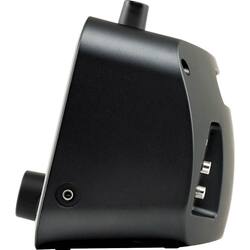
Grace Digital - Mondo+ Wireless Speaker and Internet Radio with Chromecast built-in - Matte Black
- Key Specs
- Voice Assistant Built-in: Google Assistant (A digital assistant built into the device that uses voice commands to answer questions and control smart devices.)
- Wireless: true
- Works With: Google Assistant (Compatible with or able to be connected to other smart devices or applications.)
- Rechargeable: false
- USB Device Charging: true
- General
- Product Name: Mondo+ Wireless Speaker and Internet Radio with Chromecast built-in
- Brand: Grace Digital
- Model Number: GDI-WHA6001
- Voice
- Voice Assistant Built-in: Google Assistant (A digital assistant built into the device that uses voice commands to answer questions and control smart devices.)
- Connectivity
- Wireless Multi-Room Audio: true (Technology that allows multiple speakers and/or soundbars to be connected wirelessly and play audio in separate rooms.)
- Wireless Multi-Room Technology: Google Cast (Proprietary technology that allows multiple speakers and/or soundbars to be connected wirelessly and play audio in separate rooms.)
- Wireless: true
- Headphone Jack: true (The device features an interface that allows for the connection of headphones.)
- Works With: Google Assistant (Compatible with or able to be connected to other smart devices or applications.)
- Auxiliary Input: true
- Features
- Remote Control Included: true
- Digital Display: true
- Power
- Rechargeable: false
- USB Device Charging: true
- Warranty
- Manufacturer's Warranty - Parts: 1 Year
- Manufacturer's Warranty - Labor: 1 Year
- Other
- UPC: 819127011888
Play online music with this Grace Digital Mondo+ internet radio. It provides direct access to over 100,000 internet radio stations, and its 3.5-inch color display lets you navigate through its settings to see the album image of the currently playing song. The alarm clock radio feature of this versatile Grace Digital Mondo+ makes it a cool bedside companion.
- Multiroom audio: Allows you to create multiple different streaming groups to stream aux in, Bluetooth audio to every room of your house.
- Wireless streaming lets you access all the music you love in one place: Enjoy your music library, radio stations and online services.
- 100,000+ Internet radio stations: Always in range of your favorite AM/FM/HD radio station via the internet.
- SHOUTcast music service: This the largest internet radio directory in the world with currently over 85,000 stations and growing every month.
- SiriusXM: The original 100% commercial-free Satellite Radio Service and official home of the NFL, Howard Stern, Martha Stewart and NASCAR.
- Reciva music service: Brings the world of 50,000 Internet radio stations into your home. Access an extremely diverse range of Internet radio stations from around the world, with broadcasts from nearly every country on the planet.
- Large color 3.5" display: For easy navigation through the menus, settings, and apps.
- Built in media player: Allows wirelessly stream your audio files from your PC, MAC or NAS.
- Chromecast built-in: This built-in software from Google eliminates the need for a separate Chromecast Audio dongle.
- Optional rechargeable lithium-ion battery: Allows for up to 12 hours of portable play via normal listening levels.
- Simple setup: Control your radios via the front panel, included remote control, or from anywhere in your house via the Grace Control Apps loaded on your smartphone or tablet.
- More ways to connect with the music you love: Bluetooth and Wi-Fi capability for pairing wireless devices, plus 3.5mm stereo mini input and USB port to recharge your smartphone or tablet at any time. |
Whats Included
- Grace Digital Mondo+ Wireless Speaker and Internet Radio with Chromecast built-in
- Remote with 2 AAA batteries
- AC power adapter
- Owner's Manual
Product Manuals
A: The battery is a separate purchase. SiriusXM is a subscription service, it does not come included with the device. Contact SiriusXM for rates. We have not found a way to log in to the services from MLB or NFL, I would check with SiriusXM to see if they offer those channels for listening on a connected device.
A: undefined
Q: How do I reset the time? It’s not displaying the correct time.
A: I just do a hard reset (hold power button until it completely turns off) and the time is accurate when I power it back on.
A: undefined
Q: Can the display light be dimmed and completely turned off?
A: Display Settings There are three different brightness backlight settings, and each type of backlighting can be set to a brightness from 0 to 19. In addition, each of the backlight settings can be set for two times of the day. This allows you to have two separate groups of settings, one for the daytime and one for the nighttime. Select the first option and set the time of day for that option, then you will be able to set the active, inactive, and standby settings for that time frame. Repeat the settings for your nighttime mode. Active: This setting controls the brightness of the display screen when the Mondo+ is On, and you are interacting with the Mondo+ by pressing buttons, etc. After 30 seconds of inactivity, the display changes to the inactive setting. Inactive: This setting controls the brightness of the display screen when the Mondo+ is On, but you have not interacted with the Mondo+ by pressing buttons, etc., for 30 seconds. You might use this setting to set the brightness when in a darkened room as you are falling asleep while listening to the Mondo+. Standby: This setting controls the brightness of the display screen when the Mondo+ is in Standby Mode. Advanced Features 30 Advanced Features Mondo+ User Guide To Set the Display Brightness: 1. Press the Home Button and turn the Tune Knob to highlight Radio Settings. Press the Tune Knob to select. 2. Turn the Tune Knob to highlight Display Settings and press the Tune Knob to select. 3. Turn the Tune Knob to highlight Display Brightness and press the Tune Knob to select. 4. Turn the Tune Knob and highlight Active, Inactive, or Standby and press the Tune Knob to select. 5. Turn the Tune Knob to the desired setting, 0 to 19 and press the Tune Knob to select your setting. Optionally - When the radio is in Standby Mode, you can rotate the Tune Knob to temporarily change the standby backlight brightness. This is perfect to make the display 100% dark while sleeping, or brighter to see the clock.
A: I only use the sleep/snooze button on the remote so you do the comparing. It is the last button on the second row down from the top which I can easily find in the dark. I can add as many multiples of 10 minutes as I want. I just keep counting and pushing.
A: 146.146 fixed some issues with the service from SiriusXM You can read the changes in firmware updates here https://support.gracedigital.com/hc/en-us/articles/115009880668-Mondo-Encore-What-s-in-the-latest-Software-3-6-19
A: If you have a SiriusXM subscription, yes.





















