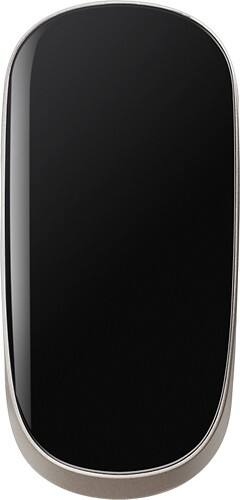
HP - Bluetooth Laser Mouse - Glossy Black
- Key Specs
- Number of Buttons (Total): 2
- General
- Product Name: Bluetooth Laser Mouse
- Brand: HP
- System Requirements: Apple MacOS X, Microsoft Windows XP, Microsoft Windows 7, Microsoft Windows Vista, Windows 8 (The software that a product must have for it to be able to integrate with another product.)
- Model Number: H6J32AA#ABA
- Features
- Mouse Type: Laser
- Performance
- Mouse Operation: Button(s)
- Handedness: Ambidextrous
- Number of Buttons (Total): 2
- Connectivity
- Operating System Compatibility: Mac, Windows
- Power
- Battery Size: AAA (The battery size required for operation.)
- Number of Batteries Required: 2
- Batteries Included: true (Indicates whether the product comes with the required batteries for its operation.)
- Dimensions
- Product Height: 0.6 inches (The out of box height of the item. Height is measured as the vertical distance from the bottom of the item to the top as it would be primarily used or placed.)
- Product Length: 4.5 inches (The out of box length of the item. Length is measured as the longest dimension of the item.)
- Product Width: 2.2 inches (The out of box width of the item. Width is measured as the horizontal distance from one side of the item to the other as it would be primarily used or placed.)
- Product Weight: 2.72 ounces (The out of box weight of the item.)
- Warranty
- Manufacturer's Warranty - Parts: 2 years
- Manufacturer's Warranty - Labor: 2 years
- Other
- UPC: 887758359785
Scroll effortlessly through lengthy work or gaming sessions with this HP wireless mouse. Built-in Bluetooth technology lets it connect to your computer without a USB port, and the 4-way touch scrolling offers precise, responsive navigation. This HP wireless mouse is lightweight and slim for easy portability in your laptop bag.
- Laser technology: This mouse uses a laser to detect movement with accuracy across a variety of surface types, including glass.
- Wirelessly connects to your computer with Bluetooth: This mouse connects to your computer without using wires or taking up a USB port.
- Standard right- and left-click buttons: For both gaming and everyday use.
- Ambidextrous design: Can be used comfortably whether you're right- or left-handed.
- Compatible with most Windows and Mac computers: Works across a wide array of computers.
Whats Included
- Batteries
- Mouse
- Quick Start Guide
- Warranty Card
Q: How do you get the mouse to work with Windows 7?
A: This unit must be used with a Bluetooth connection capable device.
Q: Can you use this mouse with an hp chormebook
A: If you have blu tooth capabilities yes
A: The mouse is power by 2 AAA batteries.
Q: MACBook
A: To pair Bluetooth devices using Mac OS: 1. Click the Bluetooth icon in the toolbar. 2. Click Set Up Bluetooth Device. The Bluetooth Setup Assistant starts. 3. Turn on the Bluetooth device, and then press the Connect button on the bottom of the device. In a few moments, the Bluetooth device should appear in the list of discovered Bluetooth devices. 4. Select the device, and then click Continue to begin the pairing process.














