HP - Envy Photo 7975 Wireless AI-Enabled All-in-One Inkjet Printer w/ 3 Months of Instant Ink (+1 Bonus Month of Ink w/ Code) - White
More Buying Options
Specifications
- NetworkingWired, WirelessENERGY STAR CertifiedYesPrinter TypeAll In OnePrinter Resolution (Color)Up to 4800 x 1200
- Key Specs
- Networking: Wired, Wireless
- ENERGY STAR Certified: true (Devices carrying the ENERGY STAR service mark, such as computer products and peripherals, kitchen appliances, and other products, generally use 20% to 30% less energy than required by federal standards.)
- Printer Type: All In One
- Printer Resolution (Color): Up to 4800 x 1200 (Refers to the number of pixels/dots, both horizontally and vertically, of the image produced by the printer in colored ink. Generally, the higher the resolution, the sharper and cleaner the produced image.)
- General
- Brand: HP
- Model Number: B63K3A#B1H
- Product Name: Envy Photo 7975 Wireless AI-Enabled All-in-One Inkjet Printer w/ 3 Months of Instant Ink (+1 Bonus Month of Ink w/ Code)
- Color: White
- Dimensions
- Product Height: 9.17 inches (The out of box height of the item. Height is measured as the vertical distance from the bottom of the item to the top as it would be primarily used or placed.)
- Product Width: 18.11 inches (The out of box width of the item. Width is measured as the horizontal distance from one side of the item to the other as it would be primarily used or placed.)
- Product Depth: 20.1 inches (The out of box depth of the item. Depth is measured as the distance from the front of the item to the back as it would be primarily used or placed.)
- Product Weight: 17.9 pounds (The out of box weight of the item.)
- Connectivity
- Wired Connectivity: USB-A
- Wireless Connectivity: Wi-Fi (The manner in which a device sends data to another device over a short distance without the use of wires or cables.)
- Connector Type(s): USB 2.0 (Type of interface connection found on the device.)
- Minimum System Requirements: PC: Windows 11, Windows 10 32 bit or 64 bit; 2 GB available hard disk space, MicrosoftInternet Explorer or Edge; Internet connection; Mac: macOS 15 Sequoia, macOS 14 Sonoma,macOS 13 Ventura; 2 GB HD; Internet required
- Power
- Rechargeable Battery: false
- Certifications Listings & Approvals
- EPEAT Qualified: true (The Electronic Product Environmental Assessment Tool (EPEAT) was designed to provide an environmental assessment tool for purchasers. In order to qualify for EPEAT, a product must meet all 23 required criteria.)
- EPEAT Level: Gold (The Electronic Product Environmental Assessment Tool (EPEAT) was designed to provide an environmental assessment tool for purchasers. In order to qualify for EPEAT, a product must meet all 23 required criteria. Products are rated Bronze, Silver or Gold based on how many of 28 optional criteria they meet (below 50%, 50%, 75%).)
- Ink
- Compatible Ink Cartridge(s): HP 64, HP 64XL
- Paper Info
- Instant Film Compatible: false
- Maximum Photo Length: 14 inches
- Maximum Photo Width: 8.5 inches
- Paper Feeder: Bottom loader
- Supported Paper Sizes: Main Tray: Letter, Executive, Statement (8.5 x 5.5 in), Legal, 4 x 6 in, 5 x 7 in, 8 x 10 in, 4 x 12in, Envelope (#10, A2); Photo Tray: 5 x 5 in, 4 x 6 in, 5 x 7 in
- Tray Capacity: 125
- Memory
- Memory Card Slot: false
- Features
- Touch Screen: true (Touch-screen devices make navigating more intuitive. Using a touch-screen display, you can do things such as tap to select, hold and drag to move items, swipe to scroll, and pinch to zoom.)
- Warranty
- Warranty - Parts: 1 year
- Warranty - Labor: 1 year
- Other
- UPC: 198990280394
From America's most trusted printer brand, the HP Envy Photo 7975 delivers color printing, scanning and copying, plus an automatic document feeder, 125-sheet paper capacity and separate photo tray. Seamlessly go from printing vibrant, high-quality photos and personalized creations to everyday documents. It's AI-enabled to intuitively adapt to your workflow, with wireless and security features that keep your multifunction printer up to date and secure.
- Perfect for home: The HP Envy Photo 7975 is great for printing documents, high-quality true-to-screen borderless photos, creative projects and more. Print speeds up to 10 pages per minute color, 15 pages per minute black.
- Perfectly formatted prints with HP AI: Print web pages and emails with precision—no wasted pages or awkward layouts; HP AI easily removes unwanted content, so your prints are just the way you want
- Key features: Print, copy, scan, automatic 2-sided printing, advanced photo features, separate photo tray, automatic document feeder, intuitive color touchscreen, mobile and wireless printing
- Bonus 1 Month of Instant Ink: Enter code "HOLIDAY25" to get 1 bonus month in addition to the 3 months of free Instant Ink service already included with this printer.
- 3 months of free Instant Ink: Subscribe to Instant Ink delivery service to get ink delivered directly to your door before you run out. After 3 months, monthly fee applies unless cancelled, and you save up to 50%.
- Dedicated photo tray: With a dedicated photo tray, easily go from printing photos to everyday documents without switching paper. Tray supports up to 5 x 6" photo paper.
- Vibrant photos: Print documents and borderless photos that look like they do on your screen with HP's true-to-screen tech, plus customize the backs of photos for personalized cards with HP's exclusive automatic 2-sided photo printing
- HP app: Print, scan, copy, or fax right from your smartphone with the easiest-to-use print app
- Wireless printing: Stay connected with our most reliable dual-band Wi-Fi, which automatically detects and resolves connection issues
- Sustainable design: This photo printer is made with 60% recycled plastic content
- Dynamic security: This printer is intended to work only with cartridges with original HP chips or circuitry and will block cartridges using non-HP chips or circuitry. Periodic firmware updates will maintain the effectiveness of these measures.
- Perfect for home: The HP Envy Photo 7975 is great for printing documents, high-quality true-to-screen borderless photos, creative projects and more. Print speeds up to 10 pages per minute color, 15 pages per minute black.
- Perfectly formatted prints with HP AI: Print web pages and emails with precision—no wasted pages or awkward layouts; HP AI easily removes unwanted content, so your prints are just the way you want
- Key features: Print, copy, scan, automatic 2-sided printing, advanced photo features, separate photo tray, automatic document feeder, intuitive color touchscreen, mobile and wireless printing
- Bonus 1 Month of Instant Ink: Enter code "HOLIDAY25" to get 1 bonus month in addition to the 3 months of free Instant Ink service already included with this printer.
- 3 months of free Instant Ink: Subscribe to Instant Ink delivery service to get ink delivered directly to your door before you run out. After 3 months, monthly fee applies unless cancelled, and you save up to 50%.
- Dedicated photo tray: With a dedicated photo tray, easily go from printing photos to everyday documents without switching paper. Tray supports up to 5 x 6" photo paper.
- Vibrant photos: Print documents and borderless photos that look like they do on your screen with HP's true-to-screen tech, plus customize the backs of photos for personalized cards with HP's exclusive automatic 2-sided photo printing
- HP app: Print, scan, copy, or fax right from your smartphone with the easiest-to-use print app
- Wireless printing: Stay connected with our most reliable dual-band Wi-Fi, which automatically detects and resolves connection issues
- Sustainable design: This photo printer is made with 60% recycled plastic content
- Dynamic security: This printer is intended to work only with cartridges with original HP chips or circuitry and will block cartridges using non-HP chips or circuitry. Periodic firmware updates will maintain the effectiveness of these measures.
Whats Included
- HP Envy Photo 7275 All-in-One Printer
- Original HP 64 Ink Cartridges: Black, Tri-color
- Reference guide
- Setup guide
- Power cord
- HP Envy Photo 7275 All-in-One Printer
- Original HP 64 Ink Cartridges: Black, Tri-color
- Reference guide
- Setup guide
- Power cord
Product Manuals
Compare similar products

From America's most trusted printer brand, the HP Envy Photo 7975 delivers color printing, scanning and copying, plus an automatic document feeder, 125-sheet paper capacity and separate photo tray. Seamlessly go from printing vibrant, high-quality photos and personalized creations to everyday documents. It's AI-enabled to intuitively adapt to your workflow, with wireless and security features that keep your multifunction printer up to date and secure.

The HP OfficeJet Pro 8125e delivers fast color printing, 225-sheet paper capacity, and scan and copy capabilities. It's AI-enabled to intuitively adapt to your workflow, with wireless and security features that keep your multifunction printer up to date and secure.

The HP OfficeJet Pro 8135e delivers fast color printing, 225-sheet paper capacity, and scan, copy and fax capabilities. It's AI-enabled to intuitively adapt to your workflow, with wireless and security features that keep your multifunction printer up to date and secure.
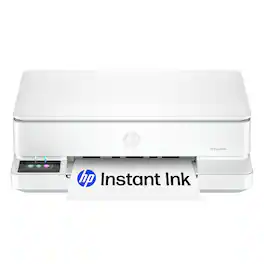
From America's most trusted printer brand, the HP Envy 6165e All-in-One delivers color printing, scanning and copying, plus 100-sheet paper capacity. It's AI-enabled to intuitively adapt to your workflow, with wireless and security features that keep your multifunction printer up to date and secure, and prints high-quality documents and photos every time with true-to-screen tech. This inkjet printer also lets you easily navigate print jobs with its intuitive color touchscreen.
| Pros for HP - Envy Photo 7975 Wireless AI-Enabled All-in-One Inkjet Printer w/ 3 Months of Instant Ink (+1 Bonus Month of Ink w/ Code) - White | |||
|---|---|---|---|
| Connectivity, Ease of Use, Photo Quality, Printing Speed, Noise Level | Overall Performance, Print Quality, Setup, Connectivity, Ease of Use | Print Quality, Overall Performance, Setup, Ease of use, Size | Overall Performance, Print Quality, Ease of Use, Setup, Connectivity |
| Cons for HP - Envy Photo 7975 Wireless AI-Enabled All-in-One Inkjet Printer w/ 3 Months of Instant Ink (+1 Bonus Month of Ink w/ Code) - White | |||
| Paper Capacity | There were no cons for this product— | Connectivity, Software | Paper Tray Capacity |
Specs

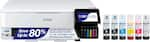
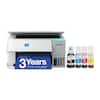
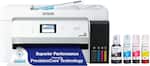
- Epson - EcoTank ET-3930 Wireless All-in-One Color Supertank Inkjet Printer - WhiteBlack Friday Deal$309.99
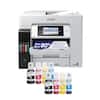
- Epson - EcoTank Photo ET-8550 All-in-One Wide-format Supertank Printer - WhiteBlack Friday Deal$499.99
Reviews
Customers are saying
Customers value the Envy Photo 7975 for its photo printing quality, easy connectivity, and simple setup. The printer's size is also appreciated by some users. However, a few customers have reported issues with the cartridge system.
Customer Images
The vast majority of our reviews come from verified purchases. Reviews from customers may include My Best Buy members, employees, and Tech Insider Network members (as tagged). Select reviewers may receive discounted products, promotional considerations or entries into drawings for honest, helpful reviews.
- Rated 5 out of 5 stars
Great printer
Nice printer very reliable easy to set up it’s nice to print when you are away from the printer
Posted by OwenP
- Rated 4 out of 5 stars
Quick, quiet, and efficient photo and doc printer
My daughter is a senior and asked for a photo printer, however I think she really needed a document printer more, so we compromised and picked up the HP Envy Photo 7975 All in One Inkjet printer. This review is based on the first three days of use, where I'm fairly certain my daughter went through no less than 2 boxes of photo paper and begrudgingly printed at least two of her senior projects so I could see them prior to her turning them in. TL:DR - The printer is great for a dorm room, it's quiet, fast, and the prints are crisp. Pros: Fast, quiet, and efficient printing of documents, probably won't wake up a roommate when printing last minute essays. Photo print quality is good, and will allow her to print her memories from anywhere. Wifi setup is quick and easy, allowing you to print from any device on the same network Cons: The app limits bulk prints to no more than 5 copies. The app has a lot of HP ad content to navigate to get to the functions you want to use. In the box is a black ink cartridge, color cartridge, power cable, printer, and instructions. Setup is straight forward, plug in the printer, a QR code shows up on the printer touchscreen to install the app, once that is installed the app will walk you through installing the ink cartridges and connecting to wifi. If you do not already have a HP account, you'll need to create one. While the app isn't required to use the printer, functionality is limited if you do not use it. You can also use it as a direct wired printer via USB 2.0 port, however the cable to connect to a computer is not included. Using the printer is straightforward, once you are connected to wifi you can print from any other device that is on the same wifi network, phones, tablets, printers, etc. From the app you can also start a print, scan, enhance scanned photos, create copies, check printer ink levels, check paper levels, and run diagnostics. Printing is easy, there is a large paper tray divided into two sections, a top section for smaller photo paper, and a larger bottom tray for normal 8x11 printer paper as well as photo paper up to 8.5" x 14". Additional features I appreciate are the double sided printing, photo editing functionality, and 3 months free ink if you enroll in the Instant Ink service, which will help me ensure the teenager has ink when she goes off to college in a few months. Overall the printer is fast and relatively quiet, lightweight at 18 lbs, and relatively small footprint all of which make this a great dorm room printer. My teen loves the photo option so she can print her own photos and projects, and scale her prints beyond the standard 4"x6" photo tray. It isn't quite as efficient as a document printer, and the app only allows the option to print up to 5 copies at once, so there are limitations with the software that slow down bulk printing functionality. I'm satisfied with the performance and trade offs between photo and document printing, and happy to have found something that my daughter and I can agree upon for her to use while she's away at school.
Posted by EngineerMom
- Rated 3 out of 5 stars
Decent mid-level AIO, costly ink
HP Envy Photo 7975 All-in-one printer Never have we had such a plethora of reasonably priced printer options, with more and more options and feature sets to select from than we do now. But the more things change, the more they seem to stay the same. HP offers a full line-up of printers, from entry level basic DeskJet, home personal Envy Photo Printers, step-up Office Jet, and culminating in high-volume professional Laser Jet series. This Envy 79765 is a solid unit, with the ability to effortlessly and easily print, scan, and copy, without headache nor complicated setup. My main drawback with this unit is the same as previous models, namely the Instant ain’t program, following the Gillette razor blade model, I.e. sell the razor cheaply and milk consumers on the on-going consumables. Print quality is as you’d expect, blocks are not nearly as dark as laser jet quality (therefore cannot be used reliably for submitting tax returns). I had not received dedicated photo paper in time for this review, so the muted colors on plain paper may not be truly indicative of the optimal quality the unit is capable of. I’ve owned a previous dye-sublimation 4x6 that was the pinnacle, with quality far exceeding this unit glossy or matte. Specs: *2.7 inch LCD touchscreen *1200x1200 resolution black *4800x1200 resolution color *ink: HP 64, 64XL cartridges *pages per minutes black 15 *pages per minute color 10 Pros : +quick setup +touch screen +quiet operation +solid build quality +dual-band networking +two-sided photo printing +photo printing priority +self-healing Wi-Fi networking Cons: -clunky paper loading mechanism (push photo tray out of the way) -speed is slow compared to business grade units -limited paper capacity , 125 sheets or 15 photo -lack of ethernet port , WiFi or USB-B only -single tri-color cartridge HP 64/64XL -Instant ink subscription drawback -third party cartridges not allowed -HP ads and marketing bloat Conclusion: The HP ENVY Photo 7975 is a decent sub $200 AIO all-in-one printer. It handles photos admirably, and general printing tasks capably, however alternate branded photo printers I’ve owned with individual color cartridges seem to have more color vibrancy and visual pop from my perspective. Recommended: while the Envy 7975 is fine for general purpose usage, high-volume or quality output suggest upgrade from DeskKet technology to LasetJet.
Posted by TechReviews







