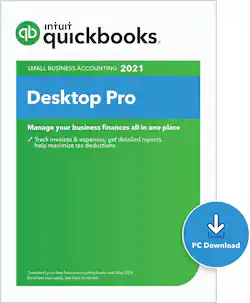
Intuit - QuickBooks Desktop Pro 2021 [Digital]
- Key Specs
- Number of Users: 1
- Number of Licenses: 1
- Software Format: Digital (Physical software requires a disc, cartridge, etc. be inserted into the gaming console or computer to download and/or operate the software. Digital software allows for downloading and/or playing the software on the gaming console or computer without a physical disc, cartridge, etc. Physical (Download Code Only) software is purchased in physical form with a code that allows for downloading and/or playing the software on the gaming console or computer without a physical disc, cartridge, etc.)
- General
- Product Name: QuickBooks Desktop Pro 2021
- Brand: Intuit
- Publisher: Intuit
- Model Number: INT940800V522
- Features
- Designated Use: Business
- Invoice Creation: true
- Purchase Rights
- Number of Users: 1
- Number of Licenses: 1
- Compatibility
- Software Format: Digital (Physical software requires a disc, cartridge, etc. be inserted into the gaming console or computer to download and/or operate the software. Digital software allows for downloading and/or playing the software on the gaming console or computer without a physical disc, cartridge, etc. Physical (Download Code Only) software is purchased in physical form with a code that allows for downloading and/or playing the software on the gaming console or computer without a physical disc, cartridge, etc.)
- Format: Digital Download
- Requirements
- System Requirements: 2.4 GHz CPU; 4 GB RAM (8 GB recommended); 2.5 GB disk space recommended; 1280x1024 screen resolution or higher; product registration required (The software that a product must have for it to be able to integrate with another product.)
- Download Requirements: Internet connection
- Other
- UPC: 028287561083
QuickBooks Desktop Pro helps organize your business finances in one place, so you can be more productive. Simple to set up and use, with step-by-step tutorials available. Stay on top of invoices, manage expenses, get reliable reports for tax time, and import data from a spreadsheet.
Whats Included
- QuickBooks Desktop Pro 2021
Q: Once you download this one, you don't have to renew each year?
A: Not with this particular one. This is a purchase so that’s why it’s more expensive. The yearly ones are cheaper.
Q: Can I use this on two computers, work and work from home computer?
A: Install the Quickbooks software on both computers, but do NOT check "Multiple users". Set up everything on one computer. Then use a flashdrive to do a "backup", it will be a *.qbb file, your company file will be *.qbw. Take the backup on the flash drive to the other computer and do a "restore from back up", Then everything you have on the office computer is now on your home computer. Make Sure to designate folder USB i.e. qkbooks backup USB, on flashdrive so they are never confused. because you may want to make a backup on either computer's hard drive at some point. When you go to office, backup home computer, go to office use Restore from back up. I used to use Dropbox, but my accountant could not open the Accountant's file. Dropbox must add something to the file and it prevents the integration. So I went back to just using USB and no more problems with the Accountant's File (I transmit annually for our year end taxes).
A: I thought I had the same problem until I realized the product code was "buried" in the email with the download instructions. It was hard to see and notice, but the product code was there....
Q: Does it have payroll as well in quickbooks pro
A: You have to purchase the subscription from intuit but the option is present in the program to add features at any given time
A: undefined
Q: How many years is this product for? 1, 2, 3?
A: 3 years




















