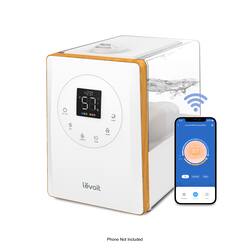
Levoit - Smart Hybrid Ultrasonic Humidifier - White
- Key Specs
- Maximum Recommended Room Size: 753 square feet (The maximum recommended area size in which the product is designed to operate and produce optimal results. Generally, running a unit too big or too small for the space will result in ineffective operation and wasted energy.)
- App Compatible: true (The product can be connected to a program or software application on a mobile device, which then receives collected data from the product.)
- Works With: Amazon Alexa, Google Assistant (Compatible with or able to be connected to other smart devices or applications.)
- Reservoir Capacity: 6.34 quarts
- Humidifier Type: Ultrasonic
- Low-Water Indicator: true
- General
- Product Name: Smart Hybrid Ultrasonic Humidifier
- Brand: Levoit
- Model Number: HEAPHULVSUS0045
- Color: White
- Dimensions
- Maximum Recommended Room Size: 753 square feet (The maximum recommended area size in which the product is designed to operate and produce optimal results. Generally, running a unit too big or too small for the space will result in ineffective operation and wasted energy.)
- Product Height: 11.3 inches (The out of box height of the item. Height is measured as the vertical distance from the bottom of the item to the top as it would be primarily used or placed.)
- Product Width: 7.7 inches (The out of box width of the item. Width is measured as the horizontal distance from one side of the item to the other as it would be primarily used or placed.)
- Product Depth: 11.6 inches (The out of box depth of the item. Depth is measured as the distance from the front of the item to the back as it would be primarily used or placed.)
- Product Weight: 6 pounds (The out of box weight of the item.)
- Compatibility
- App Compatible: true (The product can be connected to a program or software application on a mobile device, which then receives collected data from the product.)
- Works With: Amazon Alexa, Google Assistant (Compatible with or able to be connected to other smart devices or applications.)
- Capacity
- Reservoir Capacity: 6.34 quarts
- Features
- Humidifier Type: Ultrasonic
- Low-Water Indicator: true
- Auto Shut-Off: true (Feature automatically turns off the product.)
- Timer: true
- Adjustable Humidistat: true (A humidistat is a measuring device able to monitor and maintain a set level of humidity, or moisture, in the air.)
- Antimicrobial: false
- Number of Output Settings: 3
- Built-in Diffuser: true
- Top Fill: true
- Other
- UPC: 810043375054
Control your atmosphere with convenient settings on the Smart Hybrid Ultrasonic Humidifier. With cool and warm mist options, as well as 3 mist levels, you can choose which settings suit your room. For hands-free control, download the free VeSync app to connect to a third-party voice assistant, or to adjust settings from your phone.
- Large Coverage: Purify 403 sq ft spaces with whisper-quiet noise levels as low as 24dB.
- PlasmaPro Technology: Generates negative and positive ions that bind with airborne contaminants and help neutralize particulate matter.
- Smart Control: Control air purifier settings and receive real-time notifications about air quality, filter life, and more.
- H13 True HEPA: Capture at least 99.97% of 0.3-micron airborne particles, including dust, pollen, and pet dander.
- HEPASmart Technology: Filter 99.99% of bacteria and mold, as well as 99.9% of viruses.
- Reduce Odors: With more carbon and the exclusive ARC Formula, neutralize smoke, fumes, VOCs, and household odors.
- Real-Time Air Quality: The laser dust sensor scans surrounding air for particles and shows the detected amount on the display.
Whats Included
- 1 x Smart Hybrid Ultrasonic Humidifier
- 6 x Aroma Pad (1 Pre-Installed)
- 6 x Absorption Pad (1 Pre-Installed)
- 2 x Water Filter Sponge (1 Pre-Installed)
- 1 x Cleaning Brush
- 1 x User Manual
- 1 x Quick Start Guide
- 1 x Remote
A: With the VeSync app, you can program individual timers or create a schedule, check current humidity levels in the humidifier’s environment, and more. The app will notify you if the water level is low and more water is needed.
A: To help reduce white dust, we recommend regular cleaning as detailed in the manual and using distilled water for best results. As another alternative, purified or filtered water will be slightly better than tap water. However, you are more than welcome to use tap water. The unit may need to be cleaned more often.
A: The LV600S has a Sleep Mode function that changes the humidifier’s mist setting to an automatic mode and turns off the display lights. You can also turn off the display lights by pressing and holding the mist level button for 3 seconds.
Q: I'm not interested in using the app. Does this model come with a remote?
A: I ordered it and it arrived, it does come with a small remote.

















