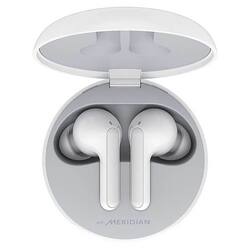
LG - TONE Free HBS-FN6 - True Wireless Earbud Headphones - White
- Key Specs
- Noise Cancelling (Active): true
- Connection Type: Wireless
- Wireless Connectivity: Bluetooth (The manner in which a device sends data to another device over a short distance without the use of wires or cables.)
- True Wireless: true (These headphones not only lack wires between the device and headphones, they also lack wires between the headphones themselves. (true wireless is really only possible with in-ear headphones))
- Water Resistant: true (Resists some degree of water penetration.)
- Carrying Case: true
- Built-In Microphone: true
- Microphone Features: Noise cancelling
- Headphone Fit: In-Ear
- Battery Charge Time: 6 hours (Battery charge time will vary depending on the product configuration, product model, applications loaded on the product, power management setting of the product and the product features used by the customer. Charging time will likely decrease with time and usage of the battery.)
- General
- Product Name: TONE Free HBS-FN6 - True Wireless Earbud Headphones
- Brand: LG
- Model Number: LGHBS-FN6.ACUSWHI
- Color: White
- Audio
- Noise Cancelling (Active): true
- Sound Isolating: true
- Environmental Noise Control: true (A technology that automatically or manually adjusts, or eliminates, ambient background sound to allow conversational voices to be heard clearer.)
- Integrated Amplifier: false
- Volume Limiting Function: false
- Connectivity
- Connection Type: Wireless
- Wireless Connectivity: Bluetooth (The manner in which a device sends data to another device over a short distance without the use of wires or cables.)
- True Wireless: true (These headphones not only lack wires between the device and headphones, they also lack wires between the headphones themselves. (true wireless is really only possible with in-ear headphones))
- Features
- Water Resistant: true (Resists some degree of water penetration.)
- Waterproof: false (Designed or treated to be impervious to water in certain situations. Products are tested under controlled laboratory conditions and then assigned an Ingress Protection (IP) rating to denote the degree of protection from water ingress. The level of protection may decrease over time with natural wear of the product.)
- Carrying Case: true
- Built-In Microphone: true
- Microphone Features: Noise cancelling
- Design
- Headphone Fit: In-Ear
- Power
- Rechargeable: true
- Battery Charge Time: 6 hours (Battery charge time will vary depending on the product configuration, product model, applications loaded on the product, power management setting of the product and the product features used by the customer. Charging time will likely decrease with time and usage of the battery.)
- Charging Accessory Included: Case, Cable
- Battery Life Provided by Charging Case: 12 hours
- Warranty
- Manufacturer's Warranty - Parts: 1 year
- Manufacturer's Warranty - Labor: 1 year
- Other
- UPC: 815425023158
Clear and spatial sound with Meridian, a fresh Uvnano charging case, and a sleek, comfortable design turn the true wireless earbuds experience up a notch.
- Customizable EQ Settings: EQ fined tuned by Meridian Audio to deliver natural and authentic sound
- Battery Life: 6 hrs music play + 12 hrs additional playtime with the charging case
- Fast Charging: Fast Charging : 5 minutes charging = 1 hours
- Kills 99.9% of bacteria: Introducing the newly designed LG TONE Free HBS-FN6, equipped with a Uvnano charging case that kills 99.9% of bacteria while charging. So you can jam on with less worries.
- Noise Reduction & Echo Cancellation: Dual Microphones on each earbud for Improved Call Clarity
Whats Included
- TONE Free HBS-FN6 - True Wireless Earbud Headphones
Q: How to pair this earbuds and What comes with it I know it come with the app
A: Activate Bluetooth on your phone or device. While the earbud is mounted in the charging case, open the charging case lid and press the pairing button for 3 to 5 seconds until the blue indicator light blinks. When the Fast Pair connection pop-up appears on the top area of the mobile phone screen, tap it to connect. Please note that it only supports Android 6.0 or higher, and requires configuring Bluetooth and location information settings of the mobile device. If the pop-up does not appear, select LG HBS-FN6 from the Bluetooth menu on the mobile phone and connect it. You will receive the earbuds, UV Charging Case, Extra Ear Gels (small & large), a USB Type C™ Charging Cable, a Reference guide and a User Manual. ^Daphane
Q: Are these earbuds compatible with Samsung cellphones?
A: These can be paired with any device that supports Bluetooth connectivity, version 5. ^Daphane


















