Logitech - C920s Pro 1080 Video Conferencing, Streaming, and Gaming Webcam with Privacy Shutter - Black
Logitech - C920s Pro 1080 Video Conferencing, Streaming, and Gaming Webcam with Privacy Shutter - Black
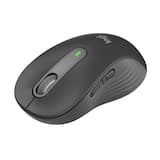
- Logitech - Signature M650 L Full-size Wireless Optical Scroll Mouse with Silent Clicks - Wireless - Graphite$33.99$39.99
More Buying Options
Related Item

Specifications
- Video ResolutionFull HD (1080p)
- Key Specs
- Video Resolution: Full HD (1080p) (Refers to the number of pixels, both horizontally and vertically, used to capture the video. The higher the resolution the finer the video detail that can be seen.)
- General
- Brand: Logitech
- Model Number: 960-001257
- Product Name: C920s Pro 1080 Video Conferencing, Streaming, and Gaming Webcam with Privacy Shutter
- Color: Black
- Camera
- Video Resolution: Full HD (1080p) (Refers to the number of pixels, both horizontally and vertically, used to capture the video. The higher the resolution the finer the video detail that can be seen.)
- Maximum Video Frame Rate: 1080p (Full HD) @ 30 FPS (The maximum frequency at which consecutive images can be captured by a video recording device.)
- Megapixels: 3 megapixels (Measures the amount of graphic resolution that the product can capture.)
- Image Resolution (Display): 1920 x 1080 (Refers to the number of pixels, both horizontally and vertically, used to either capture an image or display it. The higher the resolution the finer the image details.)
- Autofocus: true (Allows the camera to automatically focus through the lens, rather than by adjusting the lens manually.)
- Field of View (Diagonal): 78 degrees
- Features
- Integrated Microphone: true
- Mount Type: Clip-on
- Privacy Shutter: true
- Plug And Play Operation: true (The product can work when first used or connected, without reconfiguration or adjustment by the user.)
- 360 Degrees Rotation: false (The product is capable of turning freely about an axis, incorporating horizontal points of view covering 360 degrees.)
- Connectivity
- System Requirements: Intel Core 2 Duo 2.4 GHz, 2 GB RAM, USB 2.0 port, Windows 7 and higher, macOS 10.10 or higher, Chrome OS 29.0.1547.70 or higher (The software that a product must have for it to be able to integrate with another product.)
- Connectivity: USB-A
- Cable Length: 5 feet
- Dimensions
- Product Height: 1.7 inches (The out of box height of the item. Height is measured as the vertical distance from the bottom of the item to the top as it would be primarily used or placed.)
- Product Width: 3.7 inches (The out of box width of the item. Width is measured as the horizontal distance from one side of the item to the other as it would be primarily used or placed.)
- Product Depth: 2.8 inches (The out of box depth of the item. Depth is measured as the distance from the front of the item to the back as it would be primarily used or placed.)
- Product Weight: 0.36 pounds (The out of box weight of the item.)
- Warranty
- Warranty - Parts: 1 year
- Warranty - Labor: None
- Other
- UPC: 097855145833
Logitech C920s is a budget-friendly, work-from-anywhere webcam that delivers a professional video meeting experience. It includes features designed to make you look and sound great in your next meeting. A 78º diagonal field of view perfectly frames you and your space, while autofocus adjusts smoothly and precisely. RightLight 2 technology automatically adjusts to your lighting situation even in low-light or backlit conditions. And dual integrated mics accurately capture your voice from multiple angles for greater nuance. If you’re streaming or recording, use Logitech’s Capture app to edit and customize. Flip down the lens cover at any point to protect your privacy.
- Full HD 1080p video calls: Empower your streaming with stunning Full HD and seamless performance. Enjoy vibrant clarity and sound, while effortlessly adapting to any environment.
- Full HD 1080p video recording: Stream and record in flawless Full HD, capturing vibrant colors and smooth video at 1080p/30fps or 720p/30fps.
- Full HD optimal clarity: Impress in every video call with a 78° field of view and Full HD clarity, ensuring you always look your best.
- Auto light correction: With Full HD auto focus and auto light correction, your stream stays sharp and vibrant—ensuring you look your best in any light.
- Built-in stereo mics: Dual microphones capture your voice naturally and clearly from every angle, making you sound your best in every call.
- Advanced customizations: Customize video settings with the Logi Options+ App to enhance your video meeting experience and look your best always.*
- Full HD 1080p video calls: Empower your streaming with stunning Full HD and seamless performance. Enjoy vibrant clarity and sound, while effortlessly adapting to any environment.
- Full HD 1080p video recording: Stream and record in flawless Full HD, capturing vibrant colors and smooth video at 1080p/30fps or 720p/30fps.
- Full HD optimal clarity: Impress in every video call with a 78° field of view and Full HD clarity, ensuring you always look your best.
- Auto light correction: With Full HD auto focus and auto light correction, your stream stays sharp and vibrant—ensuring you look your best in any light.
- Built-in stereo mics: Dual microphones capture your voice naturally and clearly from every angle, making you sound your best in every call.
- Advanced customizations: Customize video settings with the Logi Options+ App to enhance your video meeting experience and look your best always.*
Whats Included
- Webcam with 5 ft (1.5 m) attached USB-A cable
- Privacy shutter
- User documentation
- Webcam with 5 ft (1.5 m) attached USB-A cable
- Privacy shutter
- User documentation
Product Manuals
Disclaimers
- *Requires Logi Options+ app. Logi Options+ only available on Windows and macOS. Download or view software compatibility at logi.com/optionsplus.
- *Requires Logi Options+ app. Logi Options+ only available on Windows and macOS. Download or view software compatibility at logi.com/optionsplus.
Q: Does this webcam have a built-in microphone?
A: Yes, the Logitech C920s has dual microphones for stereo audio.
Q: Does this webcam come with any software?
A: Yes, the Logitech C920s includes Logi Tune software.
Q: Can I use this webcam with a Mac?
A: Yes, this webcam is compatible with macOS 10.10 or higher.
Q: What is the field of view for this webcam?
A: The Logitech C920s webcam has a diagonal field of view of 78 degrees.
Q: How does the webcam perform in low light conditions?
A: The C920 HD Pro Webcam uses Logitech RightLight 2 technology to adjust to lighting conditions and produce bright, contrasted images even in dim lighting.
Q: What is the maximum video resolution of this webcam?
A: The Logitech C920s webcam can record video at a maximum resolution of 1080p (Full HD) at 30 frames per second.
A: Hi! I use the C920s with my Macbook Pro. It is much better in clarity when using it with Zoom calls or even FaceTime, compared to the built in camera. I hope that helps!
A: The cord for the C920S HD 5 ft. (1.5 m) long
Compare similar products

Logitech C920s is a budget-friendly, work-from-anywhere webcam that delivers a professional video meeting experience. It includes features designed to make you look and sound great in your next meeting. A 78º diagonal field of view perfectly frames you and your space, while autofocus adjusts smoothly and precisely. RightLight 2 technology automatically adjusts to your lighting situation even in low-light or backlit conditions. And dual integrated mics accurately capture your voice from multiple angles for greater nuance. If you’re streaming or recording, use Logitech’s Capture app to edit and customize. Flip down the lens cover at any point to protect your privacy.

Live stream with outstanding clarity with the Logitech C922 webcam, designed and built for streamers who take their game seriously. With a choice of 30 fps at 1080p or the hyperfast 60 fps at 720p, you can record or go live with vibrant, true-to-life video on channels like Twitch and YouTube. Broadcast masterfully with reliable no-drop audio, autofocus, and a 78° diagonal field of view. Two omni-directional microphones accurately capture your voice from multiple angles for greater nuance. Go pro with features for XSplit, or customize your stream with Logitech Capture.

Look, sound, and meet better with Brio 100—a simple and affordable webcam that lets you show your best self in video calls. Full HD 1080p resolution and auto-light balance bring clarity and brightness to your calls, so you look your best. Sound better with a built-in microphone, and get total privacy with an integrated shutter.

Show up to every video call feeling confident, seen, and heard. Logitech Brio 500 includes features like auto light correction for low-lighting conditions, auto-framing so you can move during calls, and Show Mode for presenting objects on your desk. Brio 500 Webcam creates a more authentic Google, Teams, or Zoom meeting experience, allowing you to connect genuinely with others.
| Pros for Logitech - C920s Pro 1080 Video Conferencing, Streaming, and Gaming Webcam with Privacy Shutter - Black | |||
|---|---|---|---|
| Ease of Use, Setup, Video Quality, Overall Performance, Privacy Feature | There were no pros for this product— | Ease of Use, Setup, Image Quality | There were no pros for this product— |
| Cons for Logitech - C920s Pro 1080 Video Conferencing, Streaming, and Gaming Webcam with Privacy Shutter - Black | |||
| Focus, Field of View, Autofocus, Compatibility, Cable Length | There were no cons for this product— | Focus, Field of View, Mounting, Adjustability, Design | There were no cons for this product— |
Specs
Reviews
Customers are saying
Customers consistently note the great video quality and overall performance of the C920s Pro webcam. Many appreciate its ease of use, simple setup, and the added privacy feature. However, some users have reported issues with the focus and autofocus, while others desire a longer cable. Additionally, a few customers mentioned compatibility problems across different platforms.
Customer Images
The vast majority of our reviews come from verified purchases. Reviews from customers may include My Best Buy members, employees, and Tech Insider Network members (as tagged). Select reviewers may receive discounted products, promotional considerations or entries into drawings for honest, helpful reviews.
- Rated 4 out of 5 stars
Professional-Grade Webcam That Delivers Real Value
The Logitech C920s Pro 1080 webcam is a standout performer in its price range. Video quality is sharp and consistent, with accurate color and solid autofocus. It handles lighting changes well, making it ideal for both professional meetings and content creation. The dual microphones deliver clear audio, and the privacy shutter is a smart, practical feature. Setup is fast and simple, and compatibility across platforms is seamless. However, low-light performance can show some grain, and the Logitech software feels limited for advanced users. The mounting clip could be more secure, especially on thinner screens. Overall, this webcam offers excellent value and performance. It’s not perfect, but it’s reliable, well-designed, and a smart choice for anyone serious about video quality. Final Verdict: A top-tier webcam with minor flaws.
DevineO Posted
- Rated 5 out of 5 stars
Great Camera
The Logitech C920s Pro 1080 Webcam with Privacy Shutter is an outstanding piece of technology that has significantly enhanced my video conferencing and streaming experiences. Its sleek design, coupled with a range of impressive features, has made it a standout product in the market. The video quality of the C920s Pro is exceptional. Whether in well-lit environments or low-light settings, the auto-focus functionality ensures that the images remain sharp and clear. The 1080p resolution delivers vibrant and lifelike visuals, making my video calls and recordings professional and engaging. One of the standout features of this webcam is the built-in privacy shutter. It's incredibly convenient, allowing me to control when the camera is active and providing an added layer of security. The peace of mind it offers is invaluable, particularly in today's privacy-conscious digital landscape. Furthermore, the audio quality is top-notch. The stereo sound captures my voice accurately and minimizes background noise effectively, ensuring that my conversations are crystal clear. The integration with various video conferencing platforms has been seamless, making it effortless to set up and use with applications like Zoom, Skype, and Microsoft Teams. I appreciate the user-friendly software that accompanies the C920s Pro. It allows me to customize settings such as brightness, contrast, and white balance, giving me the flexibility to adjust the video output according to my preferences and the specific environment. The durability of the device is also commendable. Despite regular use, the webcam has maintained its high performance, demonstrating that it's a reliable and long-lasting investment. Additionally, the plug-and-play functionality has made it incredibly easy to set up, even for someone like me who isn't particularly tech-savvy. Overall, the Logitech C920s Pro 1080 Webcam with Privacy Shutter has exceeded my expectations. Its exceptional video and audio quality, convenient privacy features, and user-friendly design make it a must-have for anyone seeking a high-quality webcam for professional or personal use. I highly recommend this product to anyone in need of a reliable and feature-rich webcam solution.
Hassan Posted
- Rated 5 out of 5 stars
Great Little Webcam
This is a great Webcam! Extremely clear picture, works great for Zoom meetings with clients and great for online school classes. Also has a great mic that produces good sound for others listening on the other end of calls. Also great for web calls. Has a buikt in camera cover and is able to be tripod mounted. It also stands by itself on a flat surface or can sit on top of your laptop screen or desktop monitor. The mount is easily adjustable for differen monitor sizes (depth). Camera can also tilt up and down.
DeNiece Posted