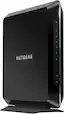
NETGEAR - Nighthawk AC1900 Router with DOCSIS 3.0 Cable Modem - Black
Key Accessories:
- Amazon - Echo Dot (5th Gen, 2022 Release) Smart Speaker with Alexa - Glacier White$49.99
More Buying Options
Related Item

Highlights
Compare similar products
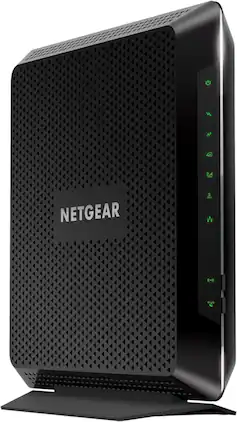
The Nighthawk Dual-Band AC1900 Router with 24 x 8 DOCSIS 3.0 Cable Modem delivers WiFi speeds of up to 1.9Gbps. It ensures uninterrupted HD video streaming with 24x8 channel bonding. Save up to $120 a year by eliminating Internet service provider rental fees. This cable modem router supports XFINITY from Comcast, Cox & more.

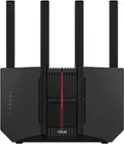
Leverage the power of Wi-Fi 7 for speeds up to 3.6 Gbps at 1.2x faster than Wi-Fi 6. The Nighthawk RS100 Wi-Fi 7 Dual-band Router provides up to 2,000 sq. ft. Wi-Fi coverage and capacity for up to 50 devices. Experience stunning streaming, video conferencing and reliably connect smart home devices. NETGEAR Armor protects your family’s Wi-Fi by creating an automatic shield for all connected devices.

Leverage the power of Wi-Fi 7 for speeds up to 9.3Gbps at 2.4 times faster than Wi-Fi 6 and 320MHz high-capacity channels for up to 100 devices. The NETGEAR Nighthawk RS300 Wi-Fi 7 tri-band router offers three bands of Wi-Fi, including the ultrafast 6GHz band. The high-performance antenna design provides up to 2500 sq. ft. of Wi-Fi coverage, and you can connect your high-demand devices to the two 2.5Gbps and two 1Gbps LAN ports for ultrafast wired speeds. Enjoy the very best of next-gen 4K/8K video streaming, gaming, videoconferencing, security system, and smart home devices.

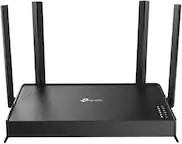
The NETGEAR 4-Stream AX1800 Wi-Fi 6 Router provides reliable Wi-Fi 6 for high capacity with consistent and powerful signal strength to all your connected devices. With speeds up to 1.8 Gbps, this router is recommended for a small to medium home, up to 1,500 sq. ft., with up to 20 connected devices. Powerful dual-core 880 MHz processor ensures superior performance for concurrent real-time applications such as multimedia streaming, web surfing and audio/video chats. With NETGEAR Armor, you get peace of mind Internet security.
| Pros for NETGEAR - Nighthawk AC1900 Router with DOCSIS 3.0 Cable Modem - Black | |||
|---|---|---|---|
| Speed, Ease of use, Performance, Range, Setup | Overall Performance, Connectivity, Speed, Coverage, Signal Strength | Speed, Overall Performance, Connectivity, Signal Strength, Coverage | Overall Performance, Connectivity, Speed, Signal Strength, Size |
| Cons for NETGEAR - Nighthawk AC1900 Router with DOCSIS 3.0 Cable Modem - Black | |||
| Lag, Buffering | Setup Process | Setup | Setup Difficulty |
Specs
Reviews
Customers are saying
Customers enjoy the Nighthawk AC1900 Router with DOCSIS 3.0 Cable Modem for its speed, ease of use, and top-notch performance. Many have found the setup to be very easy, with great signal strength and wide coverage. While the majority of users experience positive connectivity, a few have reported experiencing lag.
- Speed (3238)
- Ease of use (2517)
- Performance (2446)
- Lag (97)
- Buffering (66)
Customer Images
The vast majority of our reviews come from verified purchases. Reviews from customers may include My Best Buy members, employees, and Tech Insider Network members (as tagged). Select reviewers may receive discounted products, promotional considerations or entries into drawings for honest, helpful reviews.
- Rated 5 out of 5 stars
Best purchase made!!
The only high-speed internet provider I can use is Comcast xFinity and their SB3 & newest SB4 would not allow for a steady connection and would be offline more than online. Read the end to note if you have xFinity Home, which is Comcast’s security system. After 11 tech visits and 3 supervisors came by, countless call ins, I decided to purchase my own modem/router combo to see if I could resolve the inconsistency & it was resolved. The associate at the local Best Buy suggested this one since I have so much connected with my home being smart and have several Nest Cameras streaming 24/7. Right when I changed out the modem settings with tech support via FB Messanger (as tech support closed at 8pm), my life changed. I now have constant high speed internet connection and it has not once went down in the couple weeks I have owned this brand and model. If I knew it would have resolved my issues since Jan 2019 and it’s June 2019 now, I would have made this purchase much sooner. Comcast employees can’t explain why “using my own modem and router is working but their devices wouldn’t. Not even the newest model on the market, the SB6). I have Google Home Hub, Brother laser printer, 2 iPhone Max Xs phones, HD xFinity cable box, Samsung TV, 4 Nest Outdoor Cameras, smart defuser, smart doorbell camera, my xFinity Home alarm system, and much more connected at all times and nothing once since changing to this modem/router have had any issues. When I tell Google Hub to stream one of my cameras, it doesn’t have one delay and I can also have it streaming on my phone app and MacBook Pro all at the same time without gang flaws. With the rented devices, it would lag and have the time not work. It’s literally night and day difference and I recommend this one to everyone. It has a high range which covers far corners of the home I live in which is 3200 total sq feet. Have great signal while outside and on patio far from where it is plugged in, it’s excellent. Well worth the money spent to have decent internet access and Comcast xFinity has no reason on why, as I stated above, my personally owned modem will work while the two they offer did not, it is pitiful. Also, saving the extra $15 per month will add up and eventually over time save me monthly rental fees. My neighbor which runs off the same cable line as the house was built in the 1890s and made into two units have their services and while mine was down, theirs remained up and online. They own their own modem and router which worked when mine wouldn’t. Same connection, different results. All cable lines were replaced, the converters changed out to new ones, the pole had MOCHA filters all changed out, they couldn’t resolve the issue whatsoever. Note: the touchpad for xFinity Home (alarm system) doesn’t recognize this modem as a modem nor router). Home technicians had to come and place a “side car” gateway, which is plugged into the Ethernet port on back of this device to allow touchpad to utilize WiFi for smart functions and notifications while backup 3g still worked but had delays, the WiFi option didn’t recognize it. I even had a tech from India call center try to make the SB6 modem from xFinity act as a gateway and it would not work (I was given tech a temporary access codes to go into tech settings). It was free of charge for technician to place the “side car” which is basically a wireless router with hidden SSDI and password, all secure and unable to access in general for the touchpad to sync properly to WiFi settings. It’s some security protocol which I tried googling yet not able to resolve on my part. **photo attached shows the “side car” needed and installed.**
MattInLouisiana Posted
- Rated 5 out of 5 stars
Best router hands down for Gaming and Streaming
This is hands down the BEST router for gaming and streaming. I had a Motorola Surfboard and it always dropped Wi-Fi connections. I upgraded my internet to Xfinity Extream 150mbps down and I was not getting the speed. I got this router and it peeks at 190mbps most times. But please be aware that you MUST go through the router settings and check EVERY signal channel on both 2.4ghz and 5ghz bands for the BEST speed. Change the channel and do a speed test. Right each channel down with the speed and determine which channel outputs the best signal and max speed. Trust me and ALWAYS open your ports within the router for best PS4 and Xbox connections.
PSNdeaofly Posted
- Rated 5 out of 5 stars
Great buy!!
We have RCN and was getting sick of paying a rental fee for their modem/router. Heard great things about the Nighthawk series from friends and decided to buy this when I noticed it on sale. Set up was a breeze -- simple and quick. The Nighthawk also offers all sorts of advanced set up options that are easily accessible for those who know what they are doing. My only worry was whether or not the internet connection would not be unreliable or too slow through the device, and after several months, we've had no problems staying connected and our internet speed is great. Highly recommend!!
Ryan Posted