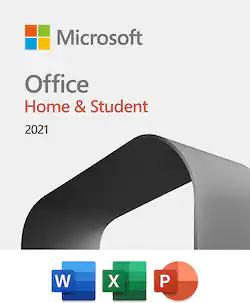
Microsoft - Office Home & Student 2021 (1 Device) - Mac OS, Windows [Digital]
- Key Specs
- Number of Users: 1
- Number of Devices: 1
- Number of Licenses: 1
- Operating System Compatibility: Mac OS, Windows
- Software Format: Digital (Physical software requires a disc, cartridge, etc. be inserted into the gaming console or computer to download and/or operate the software. Digital software allows for downloading and/or playing the software on the gaming console or computer without a physical disc, cartridge, etc. Physical (Download Code Only) software is purchased in physical form with a code that allows for downloading and/or playing the software on the gaming console or computer without a physical disc, cartridge, etc.)
- General
- Product Name: Office Home & Student 2021 (1 Device)
- Brand: Microsoft
- Publisher: Microsoft
- Model Number: 79G-05343
- Features
- Included Mobile App(s): false
- Included Application(s): Excel, PowerPoint, Word
- Designated Use: Home
- Cloud Storage Included: 0 gigabytes
- Language(s): English
- Cloud Based Software: false
- Purchase Rights
- Number of Users: 1
- Number of Devices: 1
- Number of Licenses: 1
- Purchase Rights: One-time purchase for 1 person
- Compatibility
- Operating System Compatibility: Mac OS, Windows
- Software Format: Digital (Physical software requires a disc, cartridge, etc. be inserted into the gaming console or computer to download and/or operate the software. Digital software allows for downloading and/or playing the software on the gaming console or computer without a physical disc, cartridge, etc. Physical (Download Code Only) software is purchased in physical form with a code that allows for downloading and/or playing the software on the gaming console or computer without a physical disc, cartridge, etc.)
- Number Of Discs: 0
- Requirements
- System Requirements: Windows 10,1.6 GHz, 2-core processor,4 GB, 2 GB (32bit) RAM,Mac OS Extended or APFS (The software that a product must have for it to be able to integrate with another product.)
- Subscription: false
- Digital Download Type: Productivity software download
- Digital Delivery Type: Download
- Download Requirements: Internet connection
- Download File Size: 2 gigabytes
- Hard Drive Space Required: 10 gigabytes
- Warranty
- Manufacturer's Warranty - Parts: None
- Manufacturer's Warranty - Labor: None
- Other
- UPC: 889842822618
For students and families who want classic Office apps installed on one PC or Mac for use at home or school. 
Whats Included
- Microsoft Office Home & Student 2021 (1 Device) [Digital]
- Microsoft Office Home & Student 2021 (1 Device) [Digital]
Q: IS THE A ONE TIME FOR ALL TIME DOWNLOAD AND NOT AN ANNUAL?
A: One time purchase.
A: Yes, since you own the product you can transfer it from your old computer to your new computer. You have to deactivate it from the old computer and install it on your new computer. This link will help explain how to perform the process. https://mobiletrans.wondershare.com/how-to/transfer-microsoft-office-to-another-computer.html
Q: If the download does not work can I return this product
A: No. Best Buy refused to refund my money, and refused to contact Microsoft tech support to verify my issues, despite repeated requests to do so. This is not consistent with my previous experiences with Best Buy. Although I believe the problem is with Microsoft, thus far I have been unable to get a refund. Because I bought the program at Best Buy, I thought that they would have attempted to be an advocate for a loyal customer who had just bought a MacBook Pro on the same day. This is a very expensive computer, and it is a shame that I cannot use the program that was designed to work with it.
A: The software runs offline - which is why it is a great alternative for those who need it that way.
Q: Will my docs from an older version of office automatically populate in this version if I upgrade?
A: Yes, I believe so. Office Suite 10 supports older Microsoft Office formats as well as the latest one.
Q: Is this a subscription or can I buy it out right?
A: Office Home & Student 2021 is a one-time download, which does not require a subscription or future payment of any kind.
Q: Does this version of Office work with Windows 11?
A: Thank you for your question. Yes, this product is compatible with both Windows 10 and Windows 11.
Q: Which versions of Office contain One Note?
A: Office Home & Student 2021 includes OneNote access as one of its many features.