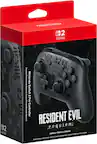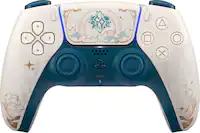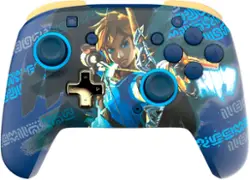
PDP - REMATCH GLOW Wireless Controller For Nintendo Switch, Nintendo Switch - OLED Model - Link Hero
- Key Specs
- Wireless: true
- Battery Size: Battery pack (The battery size required for operation.)
- Compatible Platform(s): Nintendo Switch, Nintendo Switch – OLED Model, Nintendo Switch Lite
- General
- Brand: PDP
- Model Number: 500-202-LKHG
- Product Name: REMATCH GLOW Wireless Controller For Nintendo Switch, Nintendo Switch - OLED Model
- Color: Link Hero
- Features
- Product Type: Controller
- Headset Jack: true
- Button Mapping: true
- Connectivity
- Wireless: true
- Maximum Wireless Range: 30 feet
- Motion-Sensing Technology: false (By using accelerometers or other sensors, devices are able to track motion and provide input.)
- Power
- Rechargeable Battery: true
- Charging Interface(s): USB (The connection for transmitting power to charge the device.)
- Battery Chemistry: Lithium-ion polymer
- Battery Size: Battery pack (The battery size required for operation.)
- Batteries Included: true (Indicates whether the product comes with the required batteries for its operation.)
- Dimensions
- Product Height: 4.3 inches (The out of box height of the item. Height is measured as the vertical distance from the bottom of the item to the top as it would be primarily used or placed.)
- Product Width: 5.9 inches (The out of box width of the item. Width is measured as the horizontal distance from one side of the item to the other as it would be primarily used or placed.)
- Product Length: 2.25 inches (The out of box length of the item. Length is measured as the longest dimension of the item.)
- Product Weight: 0.83 pounds (The out of box weight of the item.)
- Cord Length: 96 inches
- Compatibility
- Compatible Platform(s): Nintendo Switch, Nintendo Switch – OLED Model, Nintendo Switch Lite
- Warranty
- Warranty - Parts: https://pdp.com/pages/product-warranty-information
- Warranty - Labor: Limited warranty
- Other
- UPC: 708056071547
The Link Hero REMATCH GLOW Wireless Controller will power up your play with a unique design that glows in the dark after exposure to light. With its 40-hour battery life, you'll need to call it quits before the controller and since it's rechargeable, you'll be saving the planet and your bank account. Get comfy on the couch for a long day of gaming with the 30-foot wireless range. Program other button functions to the dual back buttons for faster actions in-game and a customized gaming experience. Give your gaming a glow up with the officially licensed REMATCH GLOW Wireless Controller for Nintendo Switch. *Does not support Motion Controls
- Rechargeable Battery: Built-in, rechargeable battery with up to 40 hours of play time on a single charge
- Unique Glow Design: Unique design glows in the dark after exposure to light
- Wireless Connection: 30-foot wireless connection so you play comfortably on the couch
- Customizable Buttons: Customize your gameplay with dual programmable back buttons
- Officially Licensed: Officially licensed by Nintendo
- Rechargeable Battery: Built-in, rechargeable battery with up to 40 hours of play time on a single charge
- Unique Glow Design: Unique design glows in the dark after exposure to light
- Wireless Connection: 30-foot wireless connection so you play comfortably on the couch
- Customizable Buttons: Customize your gameplay with dual programmable back buttons
- Officially Licensed: Officially licensed by Nintendo
Whats Included
- Charging Cable
- QSG
- Charging Cable
- QSG
Product Manuals
A: A. To program the back buttons, hold the “function” button and press the button you’d like to map a control to. Once the LED is flashing, press any button on the controller to map that button’s function to the back. The LED will blink quickly 3 times, indicating successful programming. B. To clear a mapped function or disable the back buttons completely, hold down the “function” button and double press any back button. There is a 'wired' version manual that has the same back button functions. Have not yet tested the above because I too have searched for a manual that doesn't exist.
A: It came with a charging cord that you attach to the game system.
Q: Is it compatible with Switch 2?
A: undefined
Q: How do you get the glowing effect?
A: The glow in the dark effect works with light,It doesnt have led lights,More so its based on sunlight
A: undefined
A: No only nintendo switch pro controllers or joycons are motion controlled.
A: No it doesn’t,It doesnt have the amiibo reader,Only the joycons and nintendo pro controller do
A: Where the charging port is,There is a small button,Hold it for a few seconds,The controller’s lights will start to wave back and forth symbolizing its ready to pair,in the switch all you have to do is go to controllers(The little joycon symbol) and hit “change grip/order” from there it’ll auto connect