A:Answeri've done a lot of digging on SSD upgrades for this model, since it's been difficult to get a very clear answer about exactly what i was asking haha! my goal was to use dual hard drives, the HDD for mass storage and the SSD as a boot drive (meaning, you install windows or your OS of choice onto the SSD to improve speed).
SO! this is what i've found (note i am not a computer expert ,this has just been the result of like 2 weeks of research on this particular model for this particular use. im going to try and be as clear/straightforward with this, so that people with very little prior knowledge can know what to look for):
-this model of laptop only has one hard drive slot, so normally to use SSD you would have to remove the HDD. typically this would sacrifice hard drive space for speed, unless you want to pay a whole lot to get a 1TB SSD. they are much cheaper than they used to be though!
-what it does have, though, is an M.2 slot. lots of newer models appear to have these slots, but dont advertise that for some reason.
-you can use an M.2 SSD in addition to the HDD which comes installed on purchase, so that you can take advantage of the SSD speed with the HDD storage space.
-you need a 2280 SATA III M.2 SSD.
-the 2280 refers to the size (22mm wide, 80mm long) and SATA refers to what type of slot is compatible (the other being PCI. this is compatible with SATA not PCI. i believe PCI is newer/faster)
-lots of laptops are compatible with multiple lengths of M.2 SSDs (so you might see 2240 or 2260 or something) but this model appears to ONLY support 2280.
-to install the M.2 SSD appears to be fairly straightforward, but requires a screw to mount it. the laptop DOES NOT come with the screw. depending on who you buy from, the M.2 SSD sometimes comes with a screw, and sometimes does not. pay attention to this when buying! i have no idea where to get the screw if it doesnt come with the SSD. the samsung model ones are easiest to find but i am fairly certain they DO NOT come with the screw. check in the reviews, customers usually say if it came with it or not.
-to install, you have to open up the back, stick the M.2 SSD in the slot, and screw it in place. then, put the back back on. i have checked with acer and they said that this does not void the warranty as long as you do not damage the laptop in the process.
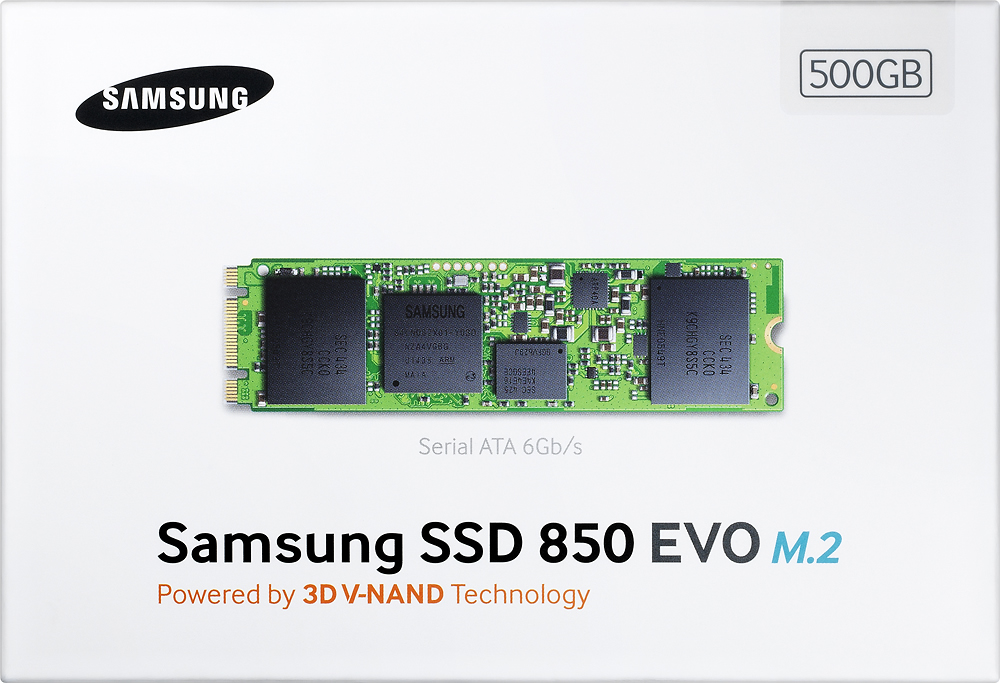
they don't list the M.2 drive in the specs or anything, but i have verified with both best buy and the acer website that this laptop does, in fact, have the slot. the only reason i knew to check this was because of a reviewer on the slightly older model of this laptop (R5-571TG-78G6, also on best buy, you can check this review yourself). i'll add a compatible M.2 SSD that you can buy here at best buy as a recommended product, but keep in mind that you can find cheaper ones from different sellers, and can also have different sizes depending on your needs. also, once again, samsung DOES NOT appear to include the necessary screw. just linking the best buy one so people (like me) who are coming in with very little knowledge have an example.
okay! i think that's everything. comment on this or whatever if i was unclear or made a mistake. just thought i'd add this here in case anyone else was having trouble, since it was such a struggle for me to gather this fairly simple info. for instructions on installation, there are a lot of videos readily available on youtube to show you how!
A:AnswerWhile there is an SSD slot under the battery on the bottom of the system, Acer does not support upgrades or offer the screw that is needed to secure the SSD to the mainboard. Our documentation does show the screw type as M2.0*3.5L #1 NY with torque of 2±0.2, if this may help you.
A:AnswerWhile this model has an SSD slot it is not considered user accessible since the back cover must be removed completely to get to the slot. We are unable to make recommendations on what drive to purchase but it supports M.2 2242/2260/2280 SATA Gen3x2 SSD in 128GB/256GB/512GB SSD sizes.
A:AnswerThe entire bottom case must be removed to access the battery. Removing the bottom case is not just a matter of removing screws and taking it off as there are several steps and methods needed to successfully remove it without damage. Because of this, Acer does not consider the battery as a user removable/replaceable part.
A:AnswerI just purchased mine last month after a lot of review searching and looking at machines. This has all the bells and whistles ..RAM, Processor Speed, good graphics card, touch screen, lightup keyboard, a very nice touchpad and the ability to be used as a tablet or laptop. Thus far, the only thing I can say that I'm 'so so' about is that it's just a little bit heavier than I would like .. but then again, it's built very solid with an very nice metal case all around.
I'd say go for it ...I'm really enjoying mine , it's a great machine.
PS as with most laptop/tablets in this size, there is no DVD player built in.
A:AnswerHere are my observations. The fan doesn't run audibly during normal daily tasks and is very quiet. Things such as browsing, typing a document or spreadsheet, watching an online movie, etc. The only time it becomes quite pronounced is during graphics intensive gaming or code compiling.
A:Answerany m.2 nvme ssd both sata and m keyed fit and work, however, the nvme gen 3.0 m keyed like the WD black SN750 only run at 1 lane speeds but my benchmarks produce still 896 random vs. other's I've bought and tried in it and newer pc's I've upgraded for customers such as sata m.2's are around 5-600 still 5x faster than the 1TB that it comes with but slower than the nvme
A:AnswerThe memory is not considered user upgradeable; Acer provides the system with the specifications as is. If you need a model with more memory please check the models at https://www.acer.com/ac/en/US/content/home
Click the links for "For Home" or "For Work" at the top of the page to see the available models.
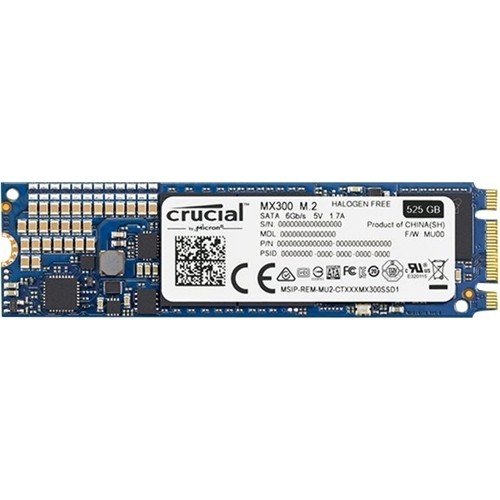
A:AnswerI would recommend this Crucial drive: http://www.bestbuy.com/site/crucial-525gb-internal-sata-solid-state-drive-for-laptops/5711401.p?skuId=5711401
I installed the crucial drive and it works great. The laptop has an empty M.2 port. I cloned the original drive to this one, and use the original drive as additional storage. My laptop is much faster now. The Crucial M.2 drive came with the needed screw so installing was super easy. I think there are 8 screws on the bottom. I used a credit card to unsnap the cover all around the laptop. Just be careful taking off the cover and take it nice and slow.
A:AnswerI personally have not played any streamed games. However, from the information that I do know,. 60 fps requires Google Chrome. So if you want those 60fps, you would need to download Google Chrome and use that as your browser for those games. I can say that with the Nvivida GeForce graphics along with its own 2GB Ram, I have not had any problems whatsoever playing WildTangent games. This laptop has excellent graphics and I absolutely love my new Acer Aspire R laptop. Hope that helps.
A:AnswerI AM NOT AN AMERICAN CITIZENS - I AM ARGENTINE CITIZENS - I DONT TAKE THE OPTION TO PAY IN 12 MONTH BECOUSE MY CARD ADD CHARGE FOR THIS PAYMENT - THANK YOU