“acer tablet wont turn on charged it all night and it wont turn on held the power button for 10 seconds and still nothing what could the problem be”
Answer This Question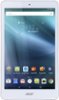
1-4 of 4 Answers
Check the charge cable, try connecting the device to a pc or laptop with the usb
Sorry, there was a problem. Please try again later.Don't hold down the button that long. Only a two or three second hold is all it needs.
Sorry, there was a problem. Please try again later.Take it into BestBuy and have them look at it.
Sorry, there was a problem. Please try again later.Sorry to hear it is not powering on for you. Here is an article that we found on troubleshooting tablet power issues, http://acer.custhelp.com/app/answers/detail/a_id/35491
Sorry, there was a problem. Please try again later.