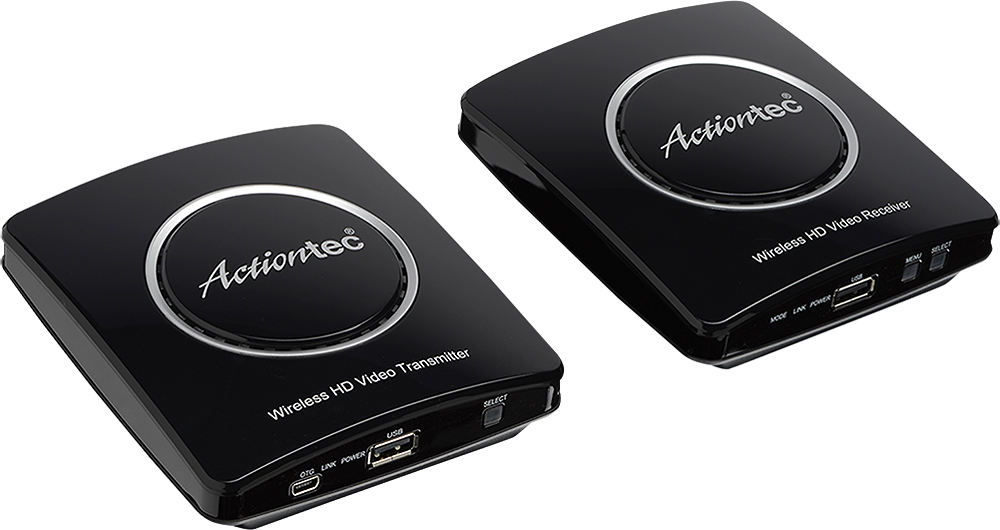
A:AnswerI don't see why not. The transmitter sends both picture and sound to your TV and the sound bar connects to the Tv's sound output connection. I connected mine thru the optical output on my Samsung TV.
A:AnswerThese devices are designed for HDMI and don't have coax connections. You would need to convert the coax to HDMI for the input line and then connect the provided HDMI cable to the primary TV. Then the receiving box would connect to the second TV with the additional provided HDMI cable.
A:AnswerThey need a wall connection I wouldn’t recommend it with your lap top if your gonna be moving around “you can use it “ but you’ll need to unplug and Te plug. I do use these with my pc to my projector easily stream movies over.
A:AnswerNo....your DVD should be right next to your TV or close enough to attach. The only purpose for this device is for cable boxes so you don’t have to run cable wire around the room. Let’s say you want to position your TV on the opposite side of the room from where the cable outlet is. You would need to run cable wire from the outlet to the other side of the room. Or you would need to reposition the cable outlet which can be expensive or require you to do some work. This device saves you that cost and trouble by allowing you to leave your cable box on the side of the room where the outlet is but send the signal to the opposite side of the room wirelessly.
But your DVD player doesn’t need a cable outlet. You can put the DVD player on the same side as the TV. Unless I’m missing something in which case I will need more info about what you are dealing with.
A:AnswerNot sure I understand the question. From my understanding the fire stick should plug directly into the TV. I mean I guess theoretically I don’t see why it wouldn’t work but why not just plug it directly into the TV? This product is for situations where you have conventional cable wire but your TV is no where near the outlet. So instead of running cable wire or hdmi all over the place you can use one of these boxes next to the cable box and then transmit HD wirelessly. But you don’t have that problem with a fire stick. It’s already wireless.
A:AnswerI need more info. Pls provide info about your cable boxes. This product plugs one box into your cable box and then transmits that signal to the other box which is connected to the TV. So I am confused when you say you have two TVs.
A:AnswerIt attaches using an HDMI cable to your TV, I have mine sitting in back of the TV on the mounting. It does face the other one on the opposite side of the room for better reception.
A:AnswerNot sure I understand the question and may need more info. Audio is transferred over the HDMI. This product only uses HDMI connections. It can’t transmit via any other connection.