“does this phone have a screen mirroring option to connect to a tv?”
Answer This Question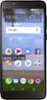
1-4 of 4 Answers
No
Sorry, there was a problem. Please try again later.No
Sorry, there was a problem. Please try again later.Yes, download a casting app from play store that supports your brand of TV. Enable screen mirroring on TV. perform a scan on the casting app on the phone to discover your tv. Once your tv shows upas a device click on it and start casting. Both the app and the TV should be on the same wifi network.I used an app called Castify that supports a variety of Tvs. I wasable to cast videos from my TCL lx to my ROKU TV. Hope this helps. Have fun!
Sorry, there was a problem. Please try again later.I bought this phone recently for my 81 year old mother, since it was $30 and she doesn't use her phone much. Yes, it does have a mirroring option. In the pull down settings menu at the top of the screen on the second page there's a Cast icon. I was able to connect to a 65" Samsung smart tv no problem. It mirrored whatever was on the phone's screen.
Sorry, there was a problem. Please try again later.