Questions & Answers
- Model:
- B0CDWWS127
- |
- SKU:
- 6603338
Q: QuestionDoes the echo 21 come with the wall mount?
Asked by Anonymous.
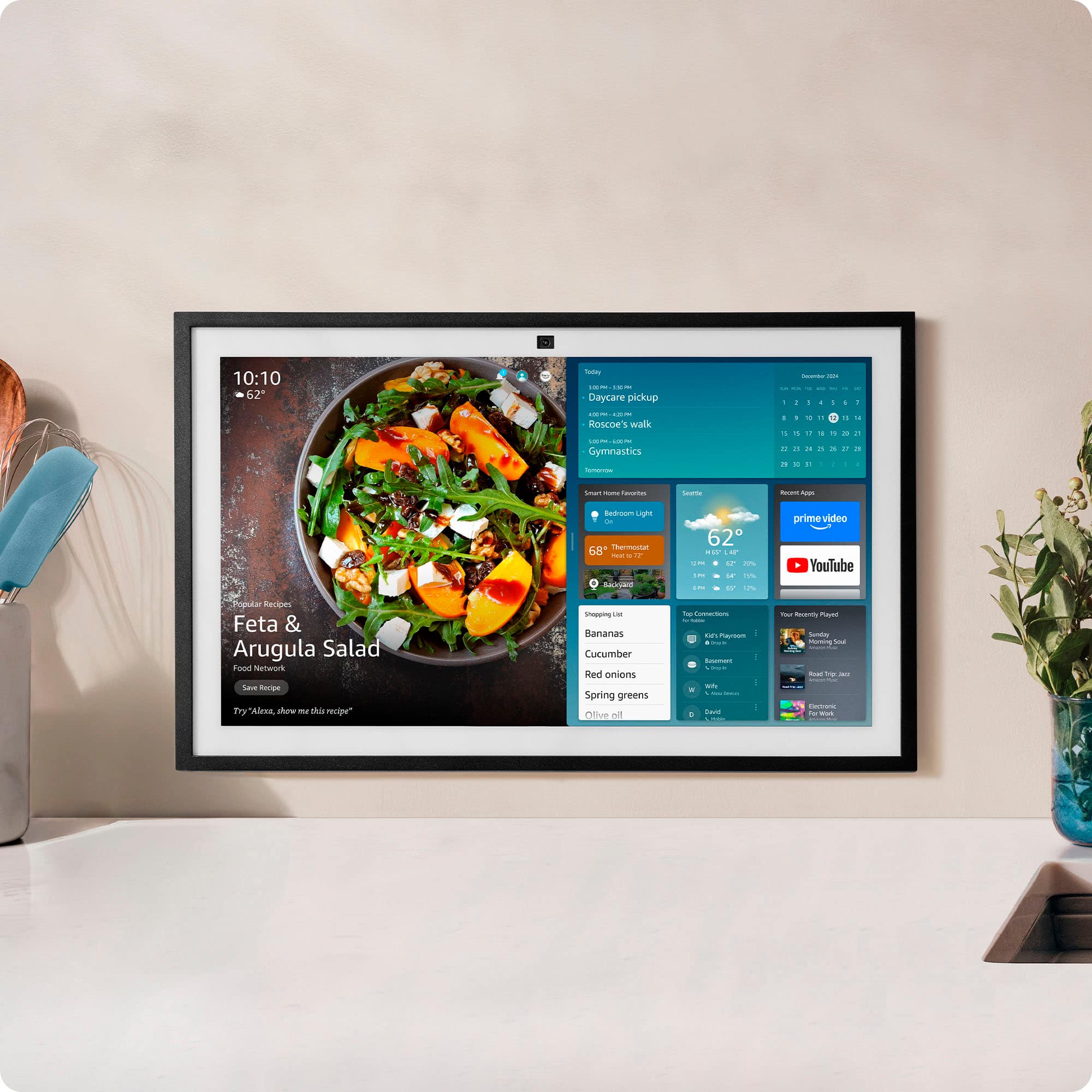
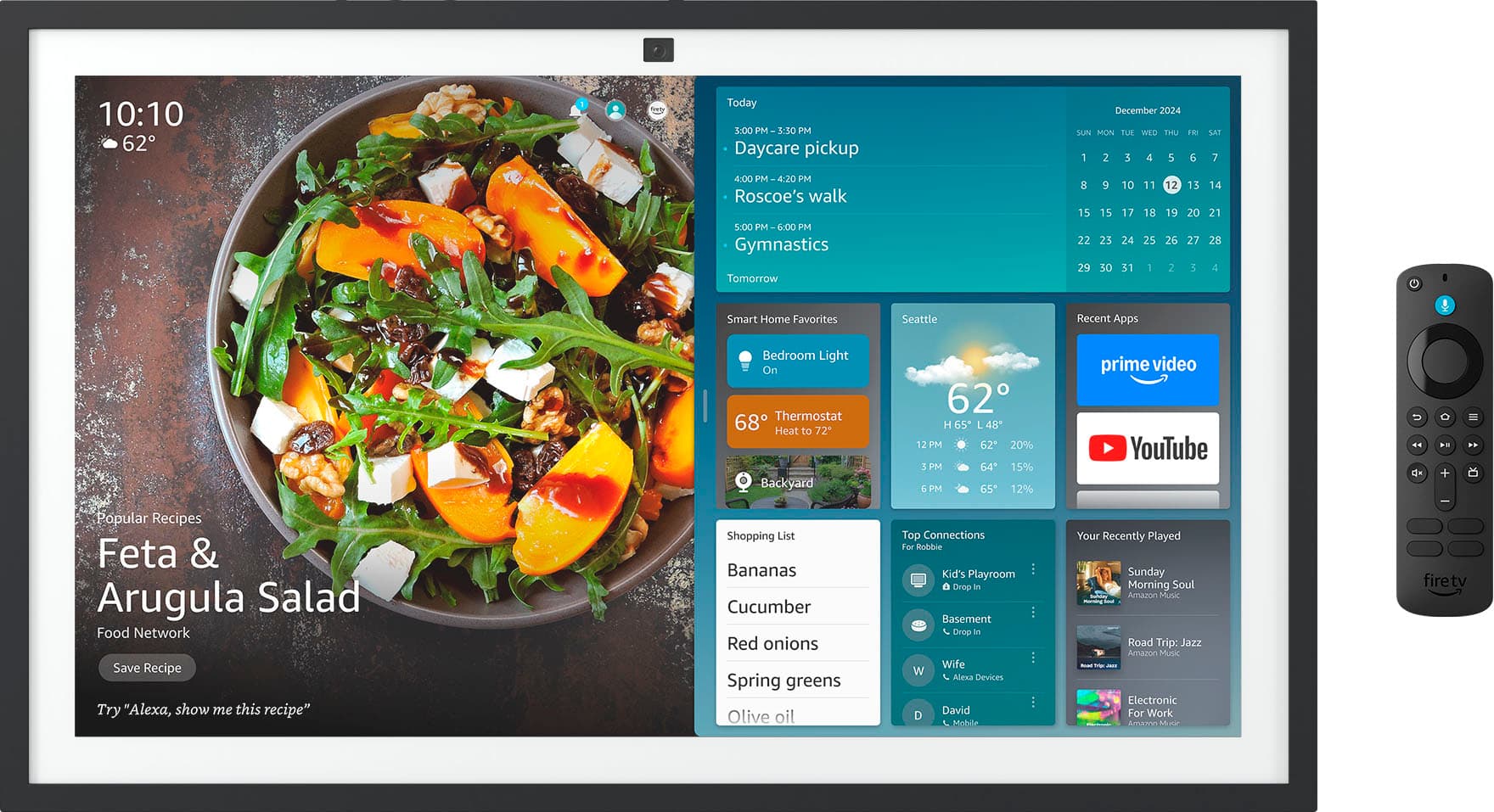
- A:Answer Hello and thank you for asking this question. The Echo show 15 and 21 come with a wall mount and screws for wall mounting. I hope this answers your question and that you have a great day.
Answered by Amazon Devices Customer Support
Q: QuestionDoes the 21" come in any other color besides Black?
Asked by nana.
- A:Answer Hi Nana, The Amazon Echo Show 21 Smart Display is only officially offered in black by Amazon right now. You can get third-party frame accessories in other colors (like white or light brown) that snap on to change the look, but the device itself doesn’t come in different color options. Hope this helps!
Answered by Amazon Devices Customer Support
Q: QuestionDoes it come with a mount or stand stand?
Asked by MarkW.
- A:Answer Hi MarkW, Yes — the Echo Show 21 comes with a wall mount included in the box. Hope this helps!
Answered by Amazon Devices Customer Support
Q: QuestionI read that it has a micro usb port primary used for ethernet connection. Does it support power over ethernet where the usb connection would supply power?
Asked by Tony.
- A:Answer Hi Tony! No, the micro USB port on the show 21 is only for an ethernet adapter when WIFI isn't available or has a weak signal for a customer and wants his show 21 to be wired. Hope this answers your question!
Answered by Amazon Devices Customer Support
Q: QuestionCan this be used as an external computer monitor?
Asked by Junior.
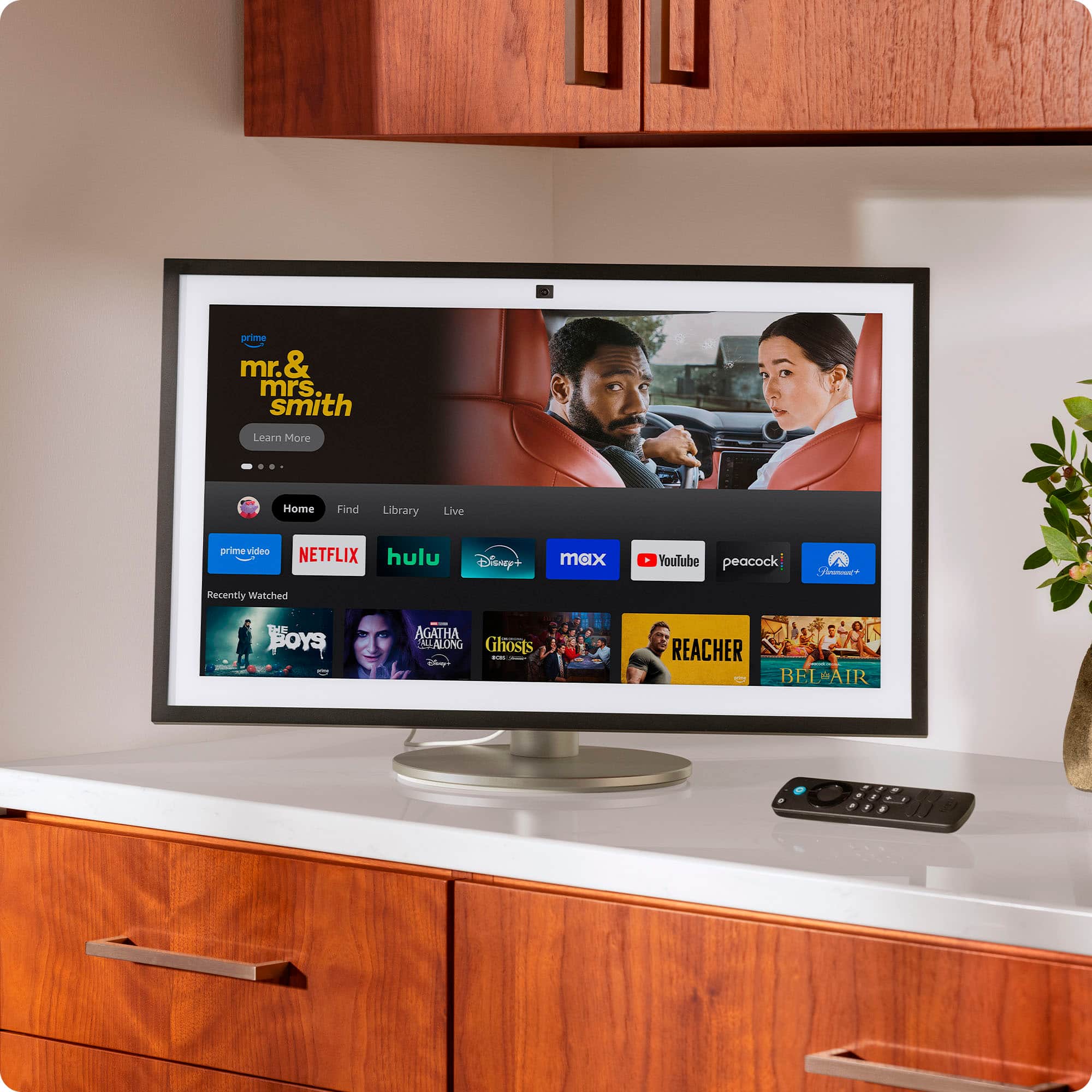
- A:Answer Hello Junior, the Amazon Echo Show 21 cannot be used as a computer monitor. There are no inputs on the device. It does have a Fire TV interface built in so you can stream movies and TV shows via your favorite streaming services. Have a great day!
Answered by Amazon Devices Customer Support
Q: QuestionCan i use screen mirroring from my iphone?
Asked by Anonymous.
- A:Answer Hello, the Echo Show 21 does not support screen mirroring from any device at this time. Have a great day!
Answered by Amazon Devices Customer Support
Q: QuestionWho do I contact if the remote that came with my echo 21 does not work
Asked by Smallfry.
- A:Answer Hello Dee and thank you for your question! First, I would like to troubleshoot the remote for your Amazon Echo Show 21. Make sure you have fresh batteries in the remote. In the settings of the Amazon Echo Show 21, under the FireTV options, you can select the FireTV remote. Check to see if it is connected. If not, perform a remote reset by holding Back, Menu, and Left for 12 seconds. Then re-pair by holding the Home button for approx 10 seconds. This should pair the remote to the device. If not, you will need to reach out directly to the retailers (Best Buy) customer service for next steps. Hope this helps! Have a great day!
Answered by Amazon Devices Customer Support
Q: QuestionCan the screen be turned vertically and hung that way?
Asked by Jessi.
- A:Answer Hello Jessie and thank you for your question! Yes, you can either display the Amazon Echo Show 21" in portrait landscape. Hope this helps! Have a great day!
Answered by Amazon Devices Customer Support
Q: QuestionDoes it Facetime?
Asked by Anonymous.
- A:Answer "Hello! You can use Drop In to instantly check-in with others in your household. Drop In is an optional feature that lets you connect instantly to supported Alexa-enabled devices, like an intercom. Use Drop In to open an instant conversation between your devices or with your Alexa contacts. When you receive a Drop In, the light indicator on your Echo pulses green and you connect to your contact automatically. You can use Drop In to: 1. Have a two-way conversation by connecting to one of your Alexa-enabled devices (""drop in on Kitchen""). 2. Connect to a specific device group (""drop in on living room""). Only one Alexa-enabled device from the device group connects. 3. Have a group conversation with all supported Alexa-enabled devices under your Amazon household, which are not set to do not disturb. To start a group conversation ask Alexa to Drop In everywhere. All supported Alexa-enabled devices under your Amazon household account will connect regardless of their physical location. 4. Drop In on a contact who granted you Drop In permissions. 5. Receive Drop In from a contact whom you granted Drop In permissions. Have a great day! "
Answered by Amazon Devices Customer Support
Q: QuestionCan the calendar integrate with an apple watch and Apple IPAD
Asked by Loophole.
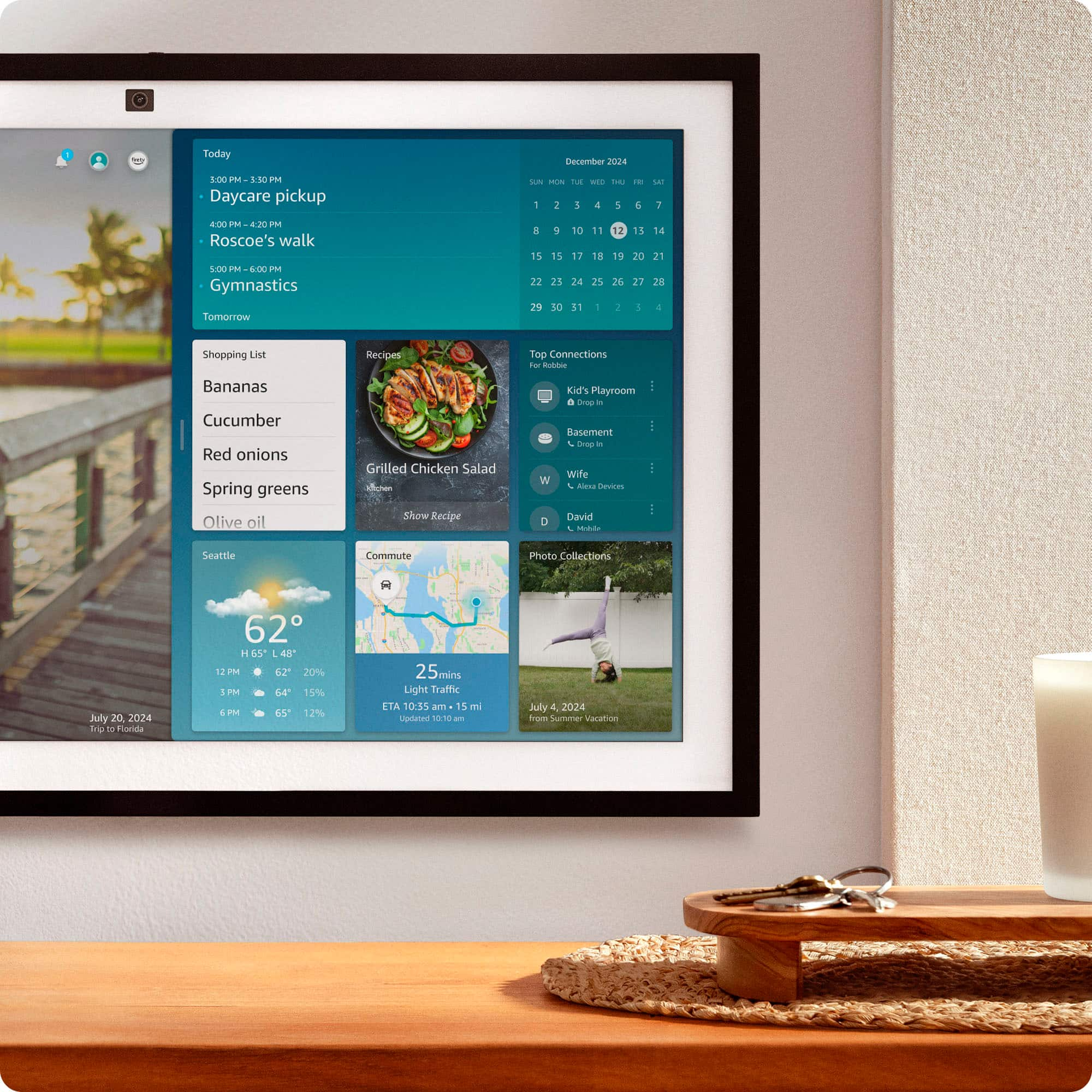
- A:Answer Hi Sorney, Yes - this works as long as you link your Apple Calendar to Alexa. Once linked, the same events will show on the Echo Show 21, your iPad, and your Apple Watch. Hope this helps!
Answered by Amazon Devices Customer Support
Q: QuestionDoes Echo Show 21 come with hanging bracket? If not, what is suggested to use to hang?
Asked by RMcK.
- A:Answer Hi RMcK! Yes, the Amazon Echo Show 21 comes with a wall mounting bracket and all the necessary hardware (screws, anchors, template) to hang it on your wall in either portrait or landscape orientation. I hope this answers your question!
Answered by Amazon Devices Customer Support
Q: QuestionI would like to know more about the photo frame aspect of this device. If no one uses Amazon photos, then how exactly do friends/family can share photos to it? Do they send it to a email address like other photo frames?
Asked by JPB.
- A:Answer Hi JPB! All Amazon customers automatically have 5GB of photo storage available for free, which upgrades to an unlimited photo storage for Prime members. While the Show 21 isn't primarily a photo frame, you can enable shared folders and sync them to your device via Amazon Photos. This also includes the ability to easily share a link that allows your family members to quickly and easily join! You can use Amazon Photos to combine multiple different shared folders so that they'll all show on your device, giving you better control over exactly what photos show where. Uploading photos is easy as well with the Amazon Photos app! I hope that helps, have a great rest of your day!
Answered by Amazon Devices Customer Support
Q: QuestionHow many Amazon accounts can linked?
Asked by Doug.
- A:Answer Hello and thank you for asking this question. Echo speakers and displays have one primary user, and up to six additional household members can be added. I hope this answers your question and that you have a wonderful day.
Answered by Amazon Devices Customer Support
Q: QuestionI want to get this for my dad. He is elderly and I want something where I can check on him when he doesn’t answer his phone. Is it possible to monitor through the camera when necessary from my own phone?
Asked by Tmar.
- A:Answer Yes as long as it’s tied into your personal account or if his show is part of a family account. You can simply drop in on the device from your own show, phone or pc.
Answered by MichaelF
Q: QuestionCan you connect more than iPhone so when a FaceTime call comes into either phone you can get it on the Alexa?
Asked by Tmar.
- A:Answer Hi Tee, No, FaceTime calls from iPhones won’t come through on Echo Show 21. Echo Show doesn’t support FaceTime. You can get video calls on the Echo Show — but only from people who use Alexa Calling. Either from another Echo, or the Alexa app on a phone/tablet. Hope this helps!
Answered by Amazon Devices Customer Support
Q: QuestionDoes the echo 21 have an hdmi port?
Asked by Anonymous.
- A:Answer Hello and thank you for your question! No, the Amazon Echo Show 21 does not have an hdmi port. Hope this helps! Have a great day!
Answered by Amazon Devices Customer Support
Q: QuestionCan the echo show be used internationally?
Asked by Anonymous.
- A:Answer Hello. Thank you for your question. The Echo Show can be used internationally, but there are some important limitations to consider. While the device will work for basic functions like video streaming and Alexa interactions, you'll need to ensure you have a power adapter compatible with your destination country's voltage (the Echo Show uses a 100-240V power supply) and a stable internet connection. Additionally, Amazon services must be available in your destination country. Keep in mind that some features may be limited or unavailable depending on your location, as certain Alexa services, content, and skills vary by country. You'll also need to update your Amazon account settings to reflect your new location for optimal functionality. I hope that helps and have a great day!
Answered by Amazon Devices Customer Support
Q: QuestionDoes this work with all simply safe home security products
Asked by Mike.
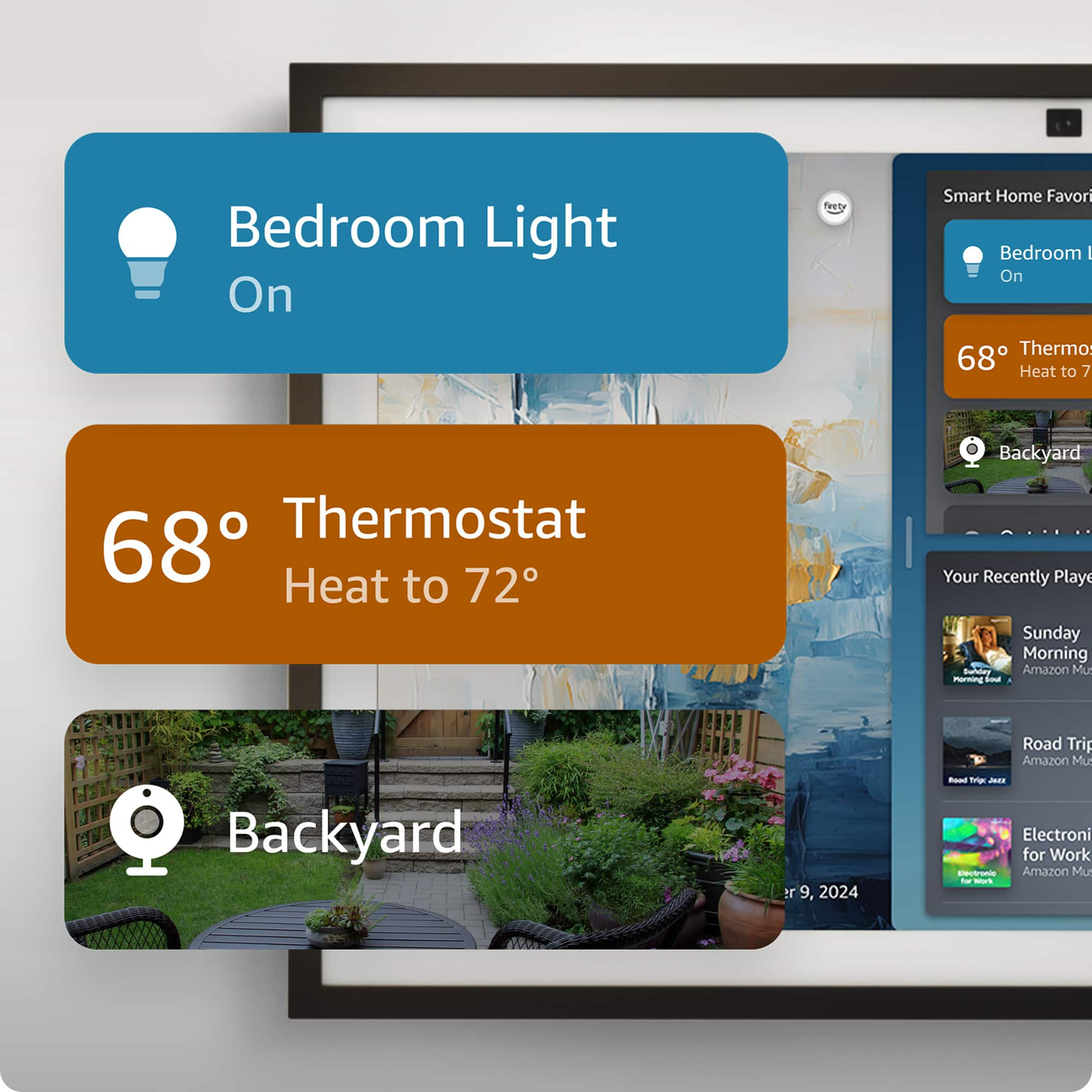
- A:Answer Hi Mike, Yes, the Amazon Echo Show 21 works with SimpliSafe security products through the SimpliSafe Alexa skill! What you can do: Voice control - Arm/disarm your SimpliSafe system using voice commands with your voice PIN Status checks - Ask Alexa about your system's current status Camera viewing - Display live feeds from compatible SimpliSafe cameras directly on the 21" screen Smart home dashboard - Control SimpliSafe through the Echo Show's smart home hub interface Setup process: Enable the SimpliSafe skill in the Alexa app Link your SimpliSafe account Set up your voice PIN for security The large 21" display makes it especially convenient for viewing camera feeds and managing your security system visually, while the voice control lets you quickly arm or disarm without using your phone. I hope this information helps, have a great day!
Answered by Amazon Devices Customer Support
Q: QuestionDoes this come with alexa plus
Asked by LisaE.
- A:Answer Hello Crenster and thank you for your question! The Amazon echo show 21" comes with early access to Alexa+, users can choose to upgrade the device or keep on the original Alexa. The first month on Alexa+ is free, followed by a $19.99 per month fee or free for Amazon Prime users. Hope this helps! Have a great day!

Answered by Amazon Devices Customer Support
Q: Questionwhat kind of wall mount can be used
Asked by mount.
- A:Answer Hi Mount, The Amazon Echo Show 21 comes with its own wall mounting hardware included in the box, including a mounting bracket, screws, anchors, and a template for easy installation. This basic fixed bracket allows you to securely attach the device to a wall (such as drywall, wood stud, or concrete) in either landscape or portrait orientation. It supports the device's weight (around 7-10 lbs) and provides a flush-to-wall setup without extension. For detailed instructions, Amazon provides a step-by-step guide, and you can optionally hire a professional via Amazon Home Services. Hope you have a great day.
Answered by Amazon Devices Customer Support
Most-viewed items
- $229.99Your price for this item is $229.99
- $304.95Your price for this item is $304.95$319.99The comparable value for this item is $319.99
- $254.99Your price for this item is $254.99$299.99The comparable value for this item is $299.99
- $99.99Your price for this item is $99.99
- $629.99Your price for this item is $629.99
- $99.99Your price for this item is $99.99
- $149.99Your price for this item is $149.99
- $88.95Your price for this item is $88.95$89.99The comparable value for this item is $89.99
- $179.99Your price for this item is $179.99$219.99The comparable value for this item is $219.99
- $99.99Your price for this item is $99.99
- $149.99Your price for this item is $149.99$179.99The comparable value for this item is $179.99