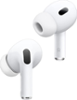
“How do you set them up on a device? And also, can you switch the device that it is on?”
Answer This Question
1-5 of 5 Answers
I have only set these up on Apple devices, but I can confirm that on those setup is SUPER easy. In fact, once you set them up on one Apple device, they are automatically authorized to work with others using the same Apple ID. In my case, I opened Bluetooth settings on my iPhone. Once I experimented with them that way, I opened my iPad, opened settings, and simply pressed “connect” to use the AirPods with that device. It couldn’t have been easier. The only thing you can’t do is have them connected and ready to play audio from two devices at the same moment, which makes total sense. I also really like that the case also functions as a mobile charger. You can listen to the AirPods for about 5 hours, then put them in the case for 15 minutes, and the AirPods are ready for another 3 hours of use. Great design! These AirPods have become indispensable to my daily activity. I really am glad I bought them.
I would recommend:
Sorry, there was a problem. Please try again later.It will automatically connect to the nearest IPhone and ask if this is the device you want it to connect to. Yes you can change the device it is on
Sorry, there was a problem. Please try again later.To set them up to your iPhone you just need to hold the AirPods right next to your iPhone and you can also use them for other devices. Just turn on your Bluetooth until it connects
Sorry, there was a problem. Please try again later.I have an iphone X. The phone found the airpods. Very easy to install. As long as you have Bluetooth on the device, just pair the two up.
Sorry, there was a problem. Please try again later.To setup AirPods with another device for example a laptop Place AirPods in their pod, open the lid, if the light isn’t white hold the sync button on the case for 15 seconds or so until the light turns amber then it will turn white, at this time your device should be able to find the AirPods and the rest is the same as any other Bluetooth device. And yes you can sync the AirPods with more than one device but not to be used at the same time.
Sorry, there was a problem. Please try again later.