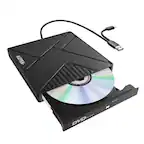
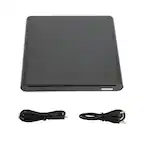
A:AnswerYes. You connect the usb adapter to your MacBook Pro and then connect the USB port from the Super Drive to the adapter. Once you insert a CD/DVD wait a couple of seconds and a display will appear on your laptop. From there on it’s pretty easy to access what you want. I was very happy with this purchase!
A:AnswerAny blank DVD-R. I usually use Verbatim or Memorex brand. Use DVD-RW if you want the ability to rewrite over it. Blank CD-R would have enough space for a movie
A:AnswerIt is compatible with The 2020 MacBook Air as long as you use it with an adapter. MacBook Air 2020 only has USB-C ports, and the SuperDrive connects to a computer via a regular USB port. I used an adapter from Apple with my MacBook Air, and it worked perfectly fine.
A:AnswerYes, it will definitely work with 2020 MacBook Air computers. I have a 2020 MacBook Air, and this drive works flawlessly with it. The only thing you need to remember is that you have to use an adapter with it, since the 2020 MacBook Air only has usb-c ports. I bought the usb-c adapter from Apple to work with it, and it was fine with that.

A:AnswerThe box says it is compatible with Mac systems that do not have optical drives. It says nothing about iPads. If your iPad has a USB port, you can try. There are no guarantees it will work.