“I want to run an app off of my Iphone on to a Samsung computer monitor in my bedroom, it is for a stationary cycling app called Zwift. I would also like to connect it to my big tv in the living room so I can watch Apple TV programs, is this possible?”
Answer This Question
1-3 of 3 Answers
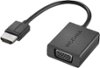
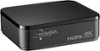
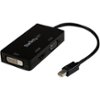
Depending on the computer monitor, yes. I have my Apple TV connected to a 1920x1080 Dell computer monitor in my bedroom, and my Samsung TV in the Den. To connect this to a computer monitor, check what input the monitor has, if it has HDMI then you're good to go. If it uses DVI or VGA, just purchase a connector/converter (BestBuy should have them). If you want to display it to 2 monitors, just buy an HDMI switch or HDMI splitter, but remember, the signal will be the same, so it will display in the lower resolution (My TV is 4K, but I have to display it at 1080p so I can also get the signal on the Dell monitor in my bedroom). One more note, you may also need another source for audio if you're using a computer monitor.
I would recommend:
Sorry, there was a problem. Please try again later.Dottie, you can use the screen-mirror feature with Apple TV that will show whatever you have playing on your iPhone.
Sorry, there was a problem. Please try again later.Yes! In fact that's what our company does (not for cycling but rather live analytics). The apple TV is awesome for mirroring. The only thing to note is portrait mode will have large black bars on the sides of the TV as the resolution cannot be blown up. If your app cannot go in landscape mode, you probably would be better off flipping your TV 90 degrees (also supported in the settings) or using an Ipad to access the app since that will natively support landscape if it's developed for an iPad. Hope it helps.
Sorry, there was a problem. Please try again later.