“would i put my modem ,where the wire comes in the house would the best spot for your modem be at the beginning ,where the wire comes in the house”
Answer This Question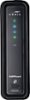
1-10 of 11 Answers
It depends on your preferences. The starting signal is provided by a coaxial cable that connects to the modem like it would to a tv. From the modem you can then connect four Ethernet cables to be connected to computer, printers, etc... Price differences on the cable isn't that different either. 50 feet of coaxial cable cost $39.99 and 50 feet of Ethernet cable cost $29.99. You also would have to consider that the Wi-Fi signal is stronger the closer you are to it so if you use Wi-Fi more when your down in the basement when the modem is upstairs then the signal won't be that strong. So put the modem where you would use Wi-Fi the most to get the best signal out of it or if not using Wi-Fi then I would recommend putting the modem close to your Ethernet connected devices to use one long coaxial cable and then up to four short Ethernet cable instead of one short coaxial cable and four long Ethernet cables.
Sorry, there was a problem. Please try again later.If you're using an all-in-one cable modem/Wi-Fi router you want to place it as close to the center of the house and as high as possible to get the best coverage. You also need to make sure you don't have any metal objects like an A/C unit, hot water heater, or metal fireplace next to it because they will block the signal. If you use a separate cable modem you could place it near where the cable comes in the house and then use a separate Wi-Fi router near the center of the house. Using a separate cable modem and Wi-Fi router tends to give you better range and more configuration options than using an all-in-one cable modem/Wi-Fi router.
Sorry, there was a problem. Please try again later.Typically, yes. But you should be able to run a longer coax with minimal signal loss.
Sorry, there was a problem. Please try again later.You can use any active cable output
Sorry, there was a problem. Please try again later.Actually you can put it anywhere that's convenient for a wire connection between the modem and the outlet coming from your server and at a location where the wi-fi output signal of the router covers the area you want to use it in.
Sorry, there was a problem. Please try again later.You don't have to, you can place it wherever you like as long as you have it hooked to a working cable outlet in your house. Mine is about 60 ft from the main entry point of my cable system and I get the full 60mb/s speed with no hick-ups at all. But speeds vary according to your area and the condition of the equipment in your area. Anyway, you should not have any degradation to service as long as you have good wiring in your house and/or going to the modem.
Sorry, there was a problem. Please try again later.I would put it in a location where the wifi signal will reach the rooms you need it to. If you have a large house and put it too far from the devices that use wifi the signal strength will decrease. For streaming this can become an issue of frequent buffering and the like.
Sorry, there was a problem. Please try again later.There is no "best spot" it has to be connected to the cable at some point in the house, depending on the provider they might need to place a db filter on that specific line, I usually let them come in and set up their modem then after the 1st month, call customer service, and have them come back out and get their equipment and have them initiate my new Motorola modem at the same time. NOTE that with Comcast, this process to get the modem onto their network could take up to 3 hours so be prepared for me it took less than an hour but network traffic and the competency of the Rep has a lot to play into that
Sorry, there was a problem. Please try again later.I tried it out with a signal splitter at the point where the cable comes into our house and master bedroom. It is then routed to the front of the house for the living room TV. The modem was tested here In addition, we have a separate input to our house that comes into my office. This is the one that we settled on. The modem/router worked equally well in all the above configurations.
Sorry, there was a problem. Please try again later.The modem is close to where the cable enters the house.
Sorry, there was a problem. Please try again later.