“have a charter communications modem and macbook air -compatible? i have had 2 different netgears - hate them and their customer service is a misnomer. want to upgrade. have read some disturbing reviews regarding the apple product - which i checked out first online. this sounds great - but is it the right one for what i have? i live in a very rural area.”
Answer This Question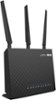
1-9 of 9 Answers
I used to use Netgear routers and they worked fine for me but I like the performance and features of the Asus routers. The RT-AC68P is a BestBuy exclusive router and I highly recommend it at this time as it is one of their best models. I use a lot of Apple devices and they seem to work fine with Asus routers. I can't say whether Asus support is any different than Netgear because I've never had to use Asus support. I never had a problem with my Asus routers and I read the independent online router support forums for help. The one recommendation though is that you upgrade the Asus router firmware right away after you set it up. Asus routers don't auto upgrade their firmware like the Netgear routers do. However upgrading isn't really that hard. After you have connected and set up your Asus router you can log into the router for administration and go in the router settings under Administration tab and firmware upgrade and check for latest firmware. After the upgrade is fully complete and the router has rebooted with everything working ok you can do a full reset of the router with the manual reset button. This reset is important to do after the first time you upgrade the firmware but you will probably not have to do it very often after this first time. All this firmware upgrade process should only take a few minutes. Read the Asus router instructions for details. Asus support could also help you with any firmware upgrade questions. There are also full instructions on the Asus support web site and in independent web sites and forums such as those at smallnetbuilder.com or snbforums.com .
Sorry, there was a problem. Please try again later.This router is compatible with all MacBook Air models. You didn't mention what model year yours was, but if it is one of the newer ones with 802.11ac, you will be able to connect to this router at extremely fast speeds on the 5GHz band.
Sorry, there was a problem. Please try again later.I have a Macbook Pro connected to this router and no issues. As far as Charter, it shouldn't matter who provides your internet.
Sorry, there was a problem. Please try again later.Have multiple Apple products: Macbook Air, Ipads mini and Air, and Iphones. This router performs perfectly with top speeds throughout my home on all Mac and Windows Devices.
Sorry, there was a problem. Please try again later.No problem with iPhones & iPads connecting. Works great! MacBooks do connect to it, but need some attention. What you need to do is open up wireless window & use the "ask for assistance to connect". Once connected check Safari. Note: you may need to turn off & on wireless a couple times on your MacBook until safari works. LAN line connects easier.
Sorry, there was a problem. Please try again later.I have charter as well and works perfect with my modem so far. Can't speak about Mac but have IPad Air 2 that works well with it.
Sorry, there was a problem. Please try again later.This router will work with what you have. Its got super long wireless range and the speed is FAST too. very easy to setup.
Sorry, there was a problem. Please try again later.Yes it is the right one RT-AC68P.
Sorry, there was a problem. Please try again later.The AC1900 has a dedicated WAN port where you would plug the Ethernet cable from the Modem. Living in a rural area is only important if your internet connection from your ISP is low bandwidth and you use your internet connection for high bandwidth applications such as gaming, file sharing or other high demand intensive use. A wireless router will not make your internet connection any faster but, it can make your browsing experience appear less than adequate if it is a very poor quality router. Wireless router speed is not to be confused with your Internet connection speed and is based on the available bandwidth to share between connected devices and the router. In other words, it is how much bandwidth that is available between the router and your Macbook Air, not the speed of your Internet. Assuming that your internet speed is adequate and all you are using is the Macbook Air, you should have no problem. In this regard it should work with your modem with no problem. I also use Apple products and have at least 3 laptops and 7 other wireless devices all connected to the router at the same time and never experienced even a blip in performance. Change the default password Use a UPS Place it centrally so that the signal is not blocked by fortified walls or multiple walls and do not expect to be connected a block away.
Sorry, there was a problem. Please try again later.