“whats the best router that i can get to hold up to 3phones, 3 gaming systems and 2 computers one a laptop 4 tablets i have a dlink router it sucks i also have a modem from twc thats just as bad we replaced their modem finally after telling them we were having problems out to wazoo with the internet connection dropping they shipped us a new one and we sent the old one back. The dlink router we have is small and theirs 5 of us in the house totaling 13 devices so when playing video games or streaming watching netflix it just drops you on all 3 of our gaming systems PS3. WII, and XBox 360. Also have the same problems on the tablets 1 gigaset tablet, 1 kindle, and 2 kindle fires. The phones we have 2 android phones and 1 I phone 6. if anyone can please help me I have one chance to get this right so we don"t end up with another product like dlink.”
Answer This Question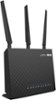
1-10 of 10 Answers
Some considerations to improve your situation. First, please think in terms of bandwidth demands per device. That is, video and gaming takes a lot of bandwidth (BW), voice (like Vonage, Skype, vchat) a bit less, browsing and email demands much less and messaging demands are irrelevant. Then ask if these demands are going on simultaneously. If so, which demands and from what sources are these demands occurring? The best thing to do for the high BW and low latency demands is to use hardwired connections to these locations; best examples being the boxes, play station, steaming DVDs, TVs, roku's, AppleTV, PCs used for streAming, etc).. Reason is you get 10x more performance and no noticeable contention over the hardwired connections in comparison to the wireless capabilities of your 1 wireless router. It also leaves only those wireless-only devices (phones and tablets) to use the wireless spectrum of your router. Next, realize your router has 2 bands. 2.4ghz and the 5ghz bands. Divide up which devices will use which bands so they share the BW capacity of BOTH BANDS in a reasonable manner. If you need more wireless capacity, then get two wireless routers and divide the demand loads across the 4 available wireless bands of both routers - hey, you might actually get to use your DLink and an ASUS to support your 16 devices. The name of the game here is to manage the available wireless capacity. If you don't you'll not arrive at a happy place. It's the 10 pounds into a 5 pound bag problem you have, not a product technology problem. Additional configuration options can me asserted to provide BW allocation per device in the QOS options of your router but in the end, you'll need the wireless BW capacity to be available for your devices. So spectrum budget manage is the key. Hope you follow the engineering aspects of why and what needs to be done. RegArds..m
Sorry, there was a problem. Please try again later.I have 4 macs, 2 iphones, ipad, apple tv, roku, xbox one, 360 and wii u connected. All devices have had 0 connection issues and zero lag. Obviously internet connection is important but the ASUS 1900 will give you congestion free access to the internet.
Sorry, there was a problem. Please try again later.Our new Asus AC1900 dual works great with all of our devices. We have 2 desktops, 2 Nooks, an iPad, 2 smart phones and no problems. We also have 2 smart TVs that we watch Netflix on - no problems.
Sorry, there was a problem. Please try again later.This router can handle all that and more. I have about 32 devices connected and have friends that come over with their xbox ones having up to 4 going a once and there is no lag.
Sorry, there was a problem. Please try again later.The Asus is great. 2 iPhones, 2 iPads, Apple TV, and 3 PCs, as well as my PS3 and 4.
Sorry, there was a problem. Please try again later.This router sounds like what you need. Its dual band, providing two distinct wifi signals (5 ghz and 2.4 ghz). We put all our video streaming and gaming devices on the 5 ghz (or wired) and all our other devices on the 2.4 ghz. It does very well.
Sorry, there was a problem. Please try again later.Yes. The asus 1900.can deliver for that many devices. I recommend hard wireing your desktops and gaming consoles if possible with cat 5 cable and running the other devices wifim just a thought
Sorry, there was a problem. Please try again later.i pushed this router to test it out. Ran 2 Apple minis 3 iPhones, and Netflix on both T.V.s no problem. I have xfinity with 100mbps.
Sorry, there was a problem. Please try again later.My Asus wireless 1900 av is a little pricey but works with 2 iPhone 6s, ipad, iPad mini, kindle nook, wii, a notebook, a tablet and Netflix on two TVs. The only issue is when both TVs stream Netflix at the same time. The TV farthest away from the router sometimes has buffering issues.
Sorry, there was a problem. Please try again later.This one works great for me with 4 iPads, 2 phones, 2 computers, and 3 streaming TVs. I heard gaming uses a lot of bandwidth so you might want a tri band or 2 of these if you are using to much. Anyway you can't go wrong with this router. Read the reviews online and they all say this one is the fastest.
Sorry, there was a problem. Please try again later.
