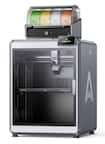
A:AnswerYou need to do some research on this, as there are many times of filament out there and not all will work with the a1 mini. But for starters you can use PLA & PETG but do your research on PETG. I like Overture PLA 1.7mm. So far so good!
A:AnswerSystem requirements for computers generally necessitate a modern operating system (Windows 10/11 or macOS), an Intel i5/AMD Ryzen 5 processor, 8GB RAM, and SSD storage
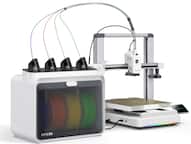
A:AnswerYes, i would put a dust cover over the three empty ports, I had some stray filament drop in the empty port, took a while to find what was causing all the printer jams.
A:AnswerIt comes with a small amount of filament and a few preprogrammed projects and the app is called Bambu Handy. Bambu Handy has a huge library of project to select from, no need to lose your mind trying to figure it out.