Questions & Answers
- Model:
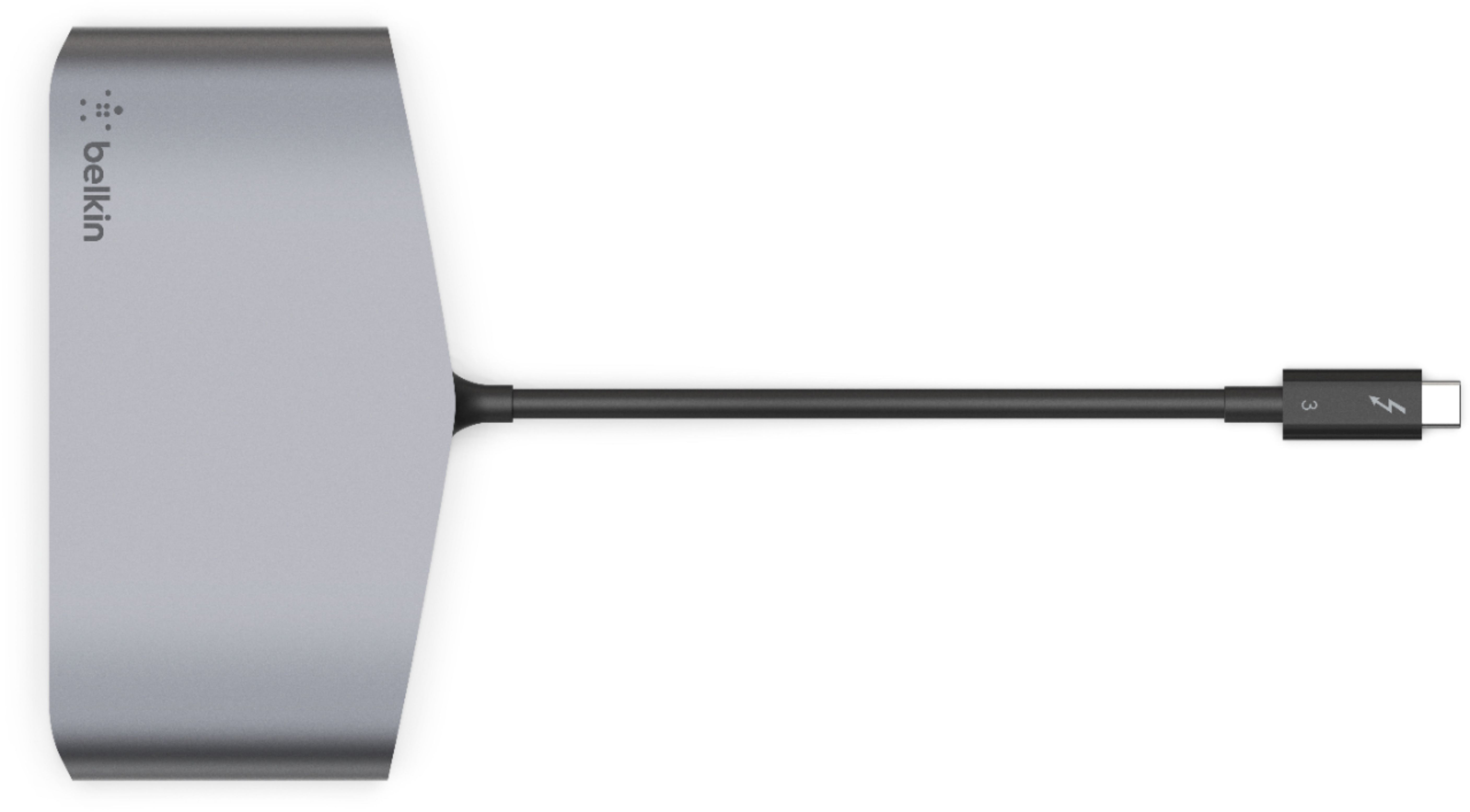
- F4U098BT
- |
- SKU:
- 6343826
Q: QuestionDoes it support gigabite ethernet?
Asked by Ramon.
- A:Answer Absolutely.
Answered by dejesuserik
Q: QuestionIs this compatible with the Macbook Air?
Asked by Anonymous.
- A:Answer Yes, We purchased this for my son. He uses several ports on this device simultaneously with his new MacBook Air.
Answered by Ranger
Q: QuestionMy Dell 2 in 1 has only one Thunderbolt port, does it allow pass-through power?
Asked by Dale.
Q: QuestionI just bought the MacBook Pro with the M1 chip, which has the Thunderbolt 4 I believe. Is this docking station compatable?
Asked by Briz1.
- A:Answer Yes it is
Answered by Zeldaman
Q: QuestionIs this compatible with Thunderbolt 4 plug in?
Asked by Yolanda.
- A:Answer Hi, Yolanda. Thunderbolt 4 is backward compatible with Thunderbolt 3. However, we don't have any official documentation yet, so, this may or may not work.
Answered by BelkinStaff

Q: QuestionIs this compatible with a Dell laptop with Windows 10 Enterprise?
Asked by Chris.
- A:Answer The Thunder-bolt device is compatible with windows 10. No drivers needed to add. Dual-monitors, Network adaptor and USB work great.
Answered by Sighmen
Q: QuestionI have one Zephyrus G14 with Ryzen 9... I know that i don't have a Thunderbolt port, but I would like to know if this Docking Station works in my SS type-C port.
Asked by Eddie.
- A:Answer Hi, Eddie. The Belkin F4U098 Thunderbolt 3 Dock Mini HD will only work with Windows or OS X computers that are equipped with Thunderbolt 3 ports.
Answered by BelkinStaff

Q: QuestionDoes this work with with a 2017 MacBook air, to support two external monitors that are display/hdmi?
Asked by Jared.
- A:Answer I don't think that will be possible. Although this dock uses Thunderbolt 3 which can support this, your Macbook air does not. As per EveryMac.com: Apple MacBook Air "Core i5" 1.8 13" (2017*) Specs, 2nd Display Support: Dual/Mirroring* 2nd Max. Resolution: 3840x2160 (4K)* Details: *Although Apple originally only reported that this model could support a single external display up to 2560x1600, third-parties discovered that it actually could support a 3840x2160 (4K) display, and Apple subsequently revised their official documentation to confirm this, as well". There's no mention of support for two external monitors.
Answered by JeffnJazz
Q: Questionwill this work with Hp z book firefly 14 G7
Asked by hp.
- A:Answer Hi, hp. Our Belkin F4U098 is tested to work with Windows® 8 or higher and macOS® Sierra or higher. It is also compatible with OS X and Windows devices that are equipped with Thunderbolt 3 technology.
Answered by BelkinStaff

Q: QuestionDoes this work with Microsoft Surface 4 laptop?
Asked by Gail.
- A:Answer Hi, Gail. The Belkin F4U098 is compatible with OS X and Windows devices that are equipped with USB-C port, and with Thunderbolt 3 technology.
Answered by BelkinStaff

Q: Questionwill it work with dell xos laptops
Asked by ks.
- A:Answer Hi, KS. The Belkin Thunderbolt 3 Dock Mini will work with Windows laptops that are equipped with Thunderbolt 3 technology.
Answered by BelkinStaff

Q: QuestionMy laptop is hp pavilion 15-cc141tx it is work evga box?
Asked by Danu.
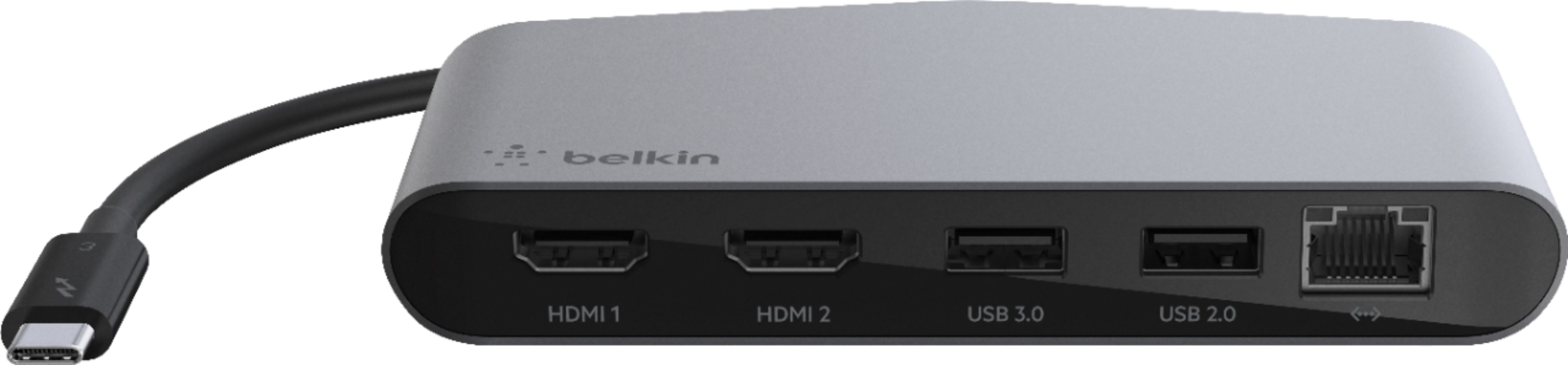
- A:Answer Hi, Danu. The Belkin F4U098 was tested for compatibility with Windows® 8 or higher, and macOS® Sierra or higher, and the unit comes with the following ports: - 2 HDMI 4K ports - 1 USB-A 3.0 port - 1 USB-A 2.0 port - 1 gigabit Ethernet port
Answered by BelkinStaff

Q: QuestionIs this docking station compatible with a "all in one" DESKTOP-J5RET3D?
Asked by Anonymous.
- A:Answer Hi. Our Belkin F4U098 is a docking solution that connects to your computer via a single tethered cable. It has 2 (two) HDMI ports, 1 (one) USB-A 3.0 port, 1 (one) USB-A 2.0 port and 1 (one) gigabit Ethernet port. Also, it is compatible with OS X® and Windows devices that are equipped with Thunderbolt 3 technology.
Answered by BelkinStaff

Q: QuestionDoes this work with an HP Envy 360x laptop with Windows 10 and does it plug into an HDMI port on the laptop and will it give me 2 more USB B type ports?
Asked by pbab.
- A:Answer Hi pbab. The Belkin Thunderbolt 3 Docking Station needs to be plugged into the Thunderbolt 3 (USB-C) port of the host computer. It only supports two USB-A ports, two HDMI ports, and one Ethernet port; it does not have USB-B port.
Answered by BelkinStaff

Q: QuestionIs this compatible with a Surface 3 Laptop?
Asked by ABJ.
- A:Answer no, I tried 2 belkin docks and neither worked with my Surface 3 laptop. Must use a microsoft dock
Answered by accountant
Q: QuestionIs this compatible with LenovoX270?
Asked by BambuL2.
- A:Answer Hi, BambuL2. The Belkin F4U098 works with most USB-C devices that are equipped with Thunderbolt 3 technology. Click here to learn more, https://www.belkin.com/us/support-article?articleNum=316322.
Answered by BelkinStaff

Q: QuestionWill this support two monitors, one with VGA and one HDMI?
Asked by Anonymous.
- A:Answer Hello there. The Belkin Thunderbolt™ 3 Dock Mini HD only has HDMI for Video Output. You may want to check Thunderbolt™ 3 Express Dock HD - Dual 4k Display, 85W PSU (https://www.belkin.com/us/p/P-F4U095/), where it can support USB-C video adapters such as HDMI, DVI, DisplayPort, and VGA. You can check this link to view our Thunderbolt Dock comparison: (https://www.belkin.com/us/support-article?articleNum=217446).
Answered by BelkinStaff

Q: QuestionWill this station work with my IdeaPad 3?
Asked by Chuck.
- A:Answer Hi, Chuck. The Thunderbolt 3 Dock Mini HD is only designed for devices that are equipped with Thunderbolt 3 technology.
Answered by BelkinStaff

Q: QuestionWill this be compatible with the new m1 mac mini?
Asked by diggitydawg.
- A:Answer Yes, diggitydawg. It has not been tested, but, the dock is designed for devices that are equipped with Thunderbolt 3 technlogy.
Answered by BelkinStaff

Q: QuestionI recently purchased this and have been using it for about two weeks. I have noticed that the unit seems to get rather warm- is this normal?
Asked by Leigh.
- A:Answer Hello, Leigh, Thanks for letting us know about this. Can you tell us how warm it is? Please email us at [email protected] with your contact details and the link to this post. Include your contact details and the link to this post. We'd like to have our Product Experts to check on the device.
Answered by BelkinStaff

Best-selling docking stations
- Black Friday Deal$87.99Your price for this item is $87.99
- Black Friday Deal$34.99Your price for this item is $34.99
- Black Friday Deal$37.99Your price for this item is $37.99
- $84.99Your price for this item is $84.99$89.99The comparable value for this item is $89.99
- $29.99Your price for this item is $29.99$39.99The comparable value for this item is $39.99
- Black Friday Deal$55.99Your price for this item is $55.99
- Black Friday Deal$99.99Your price for this item is $99.99
- $29.99Your price for this item is $29.99$34.99The comparable value for this item is $34.99
- Black Friday Deal$89.99Your price for this item is $89.99
- Black Friday Deal$55.99Your price for this item is $55.99
- Black Friday Deal$69.99Your price for this item is $69.99
- $139.99Your price for this item is $139.99
- $79.99Your price for this item is $79.99$89.99The comparable value for this item is $89.99
- $49.99Your price for this item is $49.99$59.99The comparable value for this item is $59.99
- $49.99Your price for this item is $49.99$64.99The comparable value for this item is $64.99
- $84.99Your price for this item is $84.99$99.99The comparable value for this item is $99.99
- $149.99Your price for this item is $149.99
- $63.99Your price for this item is $63.99$79.99The comparable value for this item is $79.99
- $57.99Your price for this item is $57.99$69.99The comparable value for this item is $69.99