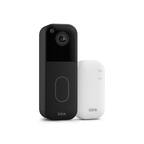
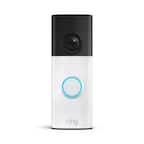
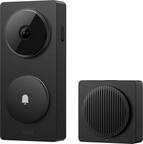
A:AnswerPart of the Blink system lets you store video and stream it for free, but the subscription adds things like cloud storage and longer storage as well.
A:AnswerIf you don't have a good option for hiding the wires you have a couple options:
Use the batteries Lithium batteries shoudl give you a year or so before replacement
Drill a hole into your home and use something like Raceway conduit to hide the wires going a plugins or the like to make power available.
I would suggest simply using batteries instead though, as they are easy to replace, last a while, and warn you when they are low.
A:AnswerThe box comes with a backplate and the camera. You screw in the backplate and snap on the camera easy peasy.
if you take the camera apart you risk not only damaging it, but opening it up to environmental damage as well as voiding the warranty.
A:AnswerMy phone makes a sound when someone rings it and I have motion detection that i setup for the hours that were not home or when were asleep. If you have having latency issues you might consider relocation your Router or the Blink module in your home to make sure everything is in range or possible a range extender for your Wifi. If you have the old blink module there is a newer version that might help as well.
A:AnswerFree with Limited Storage
$3 a month for 1 blink device
$10 for all your blink devices
Check out amazon's website for more info.
Current as of today
A:AnswerNope. Only 2.4g. Do yourself a favor and pass on blink. Horrendously slow. False sense of security. I wish someone would have told me before I spent over $600 on the equipment.
A:AnswerYou install a wire on the power cord and plug it in. Then the built in antenna will send the picture to your phone number setup in your blink account.