A:AnswerThanks for the question.
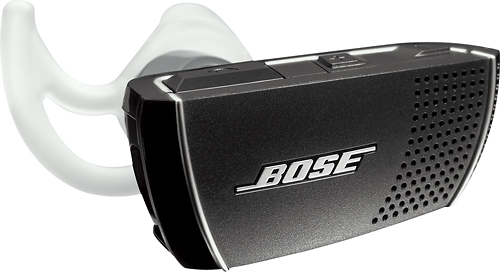
The Bose® Bluetooth® Headset Series 2 will connect to and take calls with any Blackberry device that supports Bluetooth. For music and media audio playback, ensure that your model of Blackberry supports the A2DP service for audio streaming.
The Headset does feature a ‘Multipoint Mode’ used for connecting two phones at once. When set up correctly in this mode, the headset can answer incoming calls from either device.
A:AnswerThe Bose Bluetooth Series 2 headset is certainly compatible with the Samsung Note (as well as any cell phone with Bluetooth).
We hope this helps!
A:AnswerYes, but you must first hold the answer button down on the blue tooth for 2-3 seconds then it prompts you to give a command to your phone. The instructions are in the paperwork you get with the device.
A:AnswerRingtones are not customizable when using our Bluetooth headset. All incoming calls will be identified in the headset by a chime style tone. Thank you for the question.
A:AnswerHi, thanks for your question.
If your computer supports Bluetooth, the Bose Bluetooth Series II headset will be able to pair with both your iPhone 4 and PC.
A:AnswerThe Main difference is that the BT2 supports the A2DP protocol for sending music and notifications from your phone. The original BT1 headset was only usable for phone calls via the handsfree protocol.
A:AnswerThis Bluetooth not only fits comfortable, with an app it also say the name first when a text comes in.there maybe be an app also available for callers name