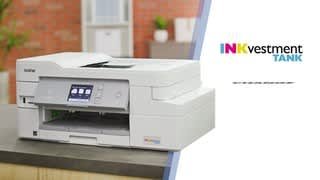
A:AnswerYes, the scanner is compatible with iOs. This printer has the same capacity as the Pixma G4210 and is similar in size and has prints at a slightly faster speed. The Canon is more cost-effective to operate and rates higher on photos.
A:AnswerSorry, I have not yet seen a problem noted with this printer. However, if you are referring to an E****, you can clean or replace the pads and download a free software solution to reset the printers end of life notice. Youtube.
A:AnswerI don't see "transparency" listed among the print options when you pull up your print screen. However, I do see glossy paper as an option. I have attached a link that will show you how Brother recommends you handle transparencies. https://support.brother.com/g/b/faqend.aspx?c=us&lang=en&prod=hl5070n_all&faqid=faq00002085_001. You may want to call customer support as well.
A:AnswerWe are sorry to hear that you are experiencing issues with your Brother MFC-J995DW printer and we'd like to help. We have many helpful resources on our support website which should address these issues. If the problems persist, feel free to contact Brother Customer Service directly.
A:AnswerThat really depends on what you're printing, but if you're mainly printing text documents with color graphics, like an Excel form, it can print roughly 1,000 pages before needing more ink.