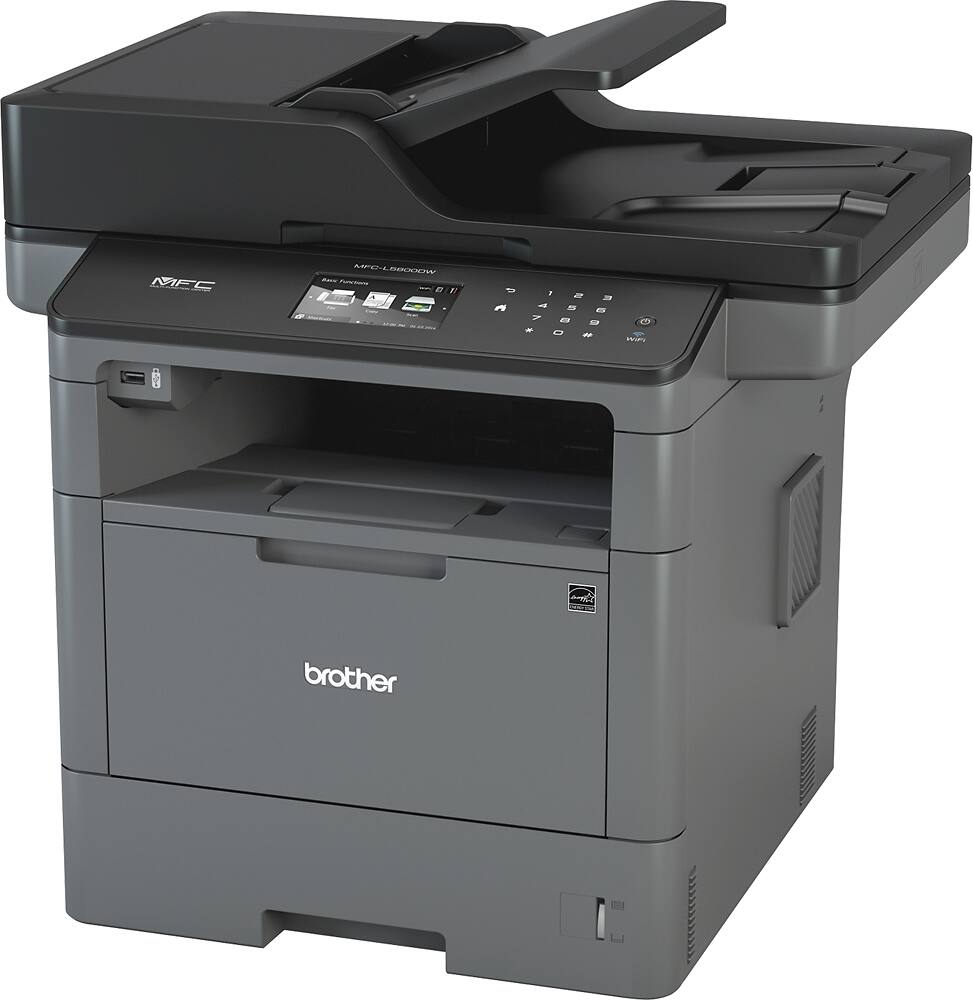
Questions & Answers
- Model:
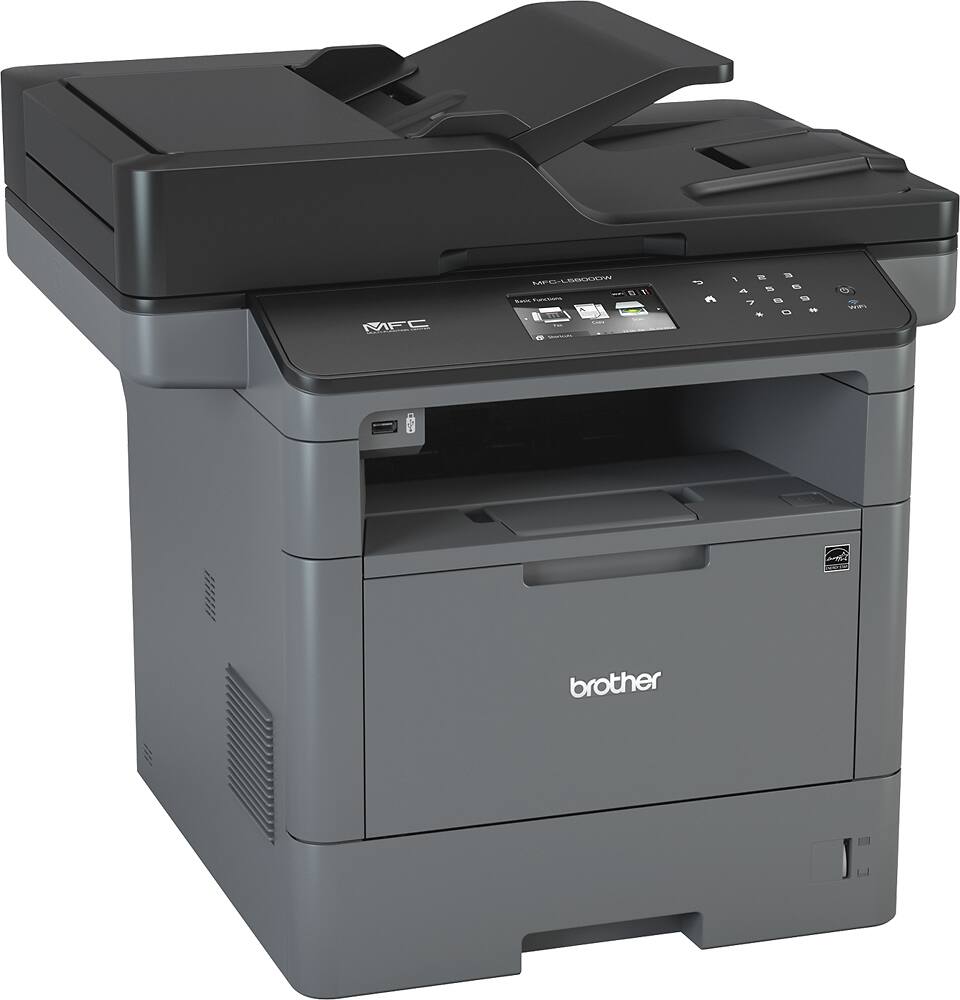
- MFC-L5800DW-US
- |
- SKU:
- 5043700
Highly rated by customers for: Print Quality, Speed, Ease of use
$449.99Your price for this item is $449.99
Page Showing 1-20 of 33 questions
Q: QuestionCan is scan a two sided document?
Asked by RH.
- A:Answer Unfortunately the Brother MFCL5800DW machine is not automated duplex scanning. We suggest you to check our Brother MFCL5850DW machine that includes the 2-sided scanning.
Answered by Brother

Q: QuestionCan this print in color?
Asked by Lester.
- A:Answer No, MFC-L5800DW is a Monochrome Laser All-in One Printer.
Answered by Brother

Q: QuestionI don't need to print in color but I need to scan in color. Can the scanner capture color?
Asked by printersnob.
- A:Answer Yes, this machine can scan in color and black and white.
Answered by Brother
Q: Questiontoner used for brother mfc L500 DW copier
Asked by charles.
- A:Answer there is no toner available for mfc-L500. For MFC-L5800DW toner is TN-820 or 850.
Answered by Young
Q: QuestionHow easy is this printing envelopes? Is the envelope able to be retrieved from the front of printer?.
Asked by Darlene.
- A:Answer Yes, use the front feeder for envelopes and it will make a U-turn back to you, so you will retrieved from the front of the printer.
Answered by Poisonz
Q: QuestionCan this printer be password protected?
Asked by Michaeline.
- A:Answer Yes, this product is password protected
Answered by CommunityAnswer
Q: Questiondoes this scan legal size documents? does this have dual trays to print legal and letter at the same time?
Asked by weetoeu247.
- A:Answer This item does not have dual trays but it does scan legal size documents.
Answered by CommunityAnswer
Q: QuestionCan you scan and emai directly to a server?
Asked by Anonymous.
- A:Answer Yes, the Brother MFCL5800DW is able to Scan to E-mail Server. I have included a link to the FAQ answer that should assist you. Please follow all the steps listed in the following link. Answer Link: https://help.brother-usa.com/AgentWeb/api/contextmanager/v.32401210004/workspaceContext/workspace/processedPrint/Answer/179376 If you need more assistance, we would be glad to help you. Our Brother customer support team is available to assist you directly at www.brother-usa.com/brother-support.
Answered by Brother

Q: QuestionCan the MFCL5800DW print from a mobile device such as a smart phone?
Asked by Pluthos.
- A:Answer Yes, the Brother MFCL5800DW is able to print on mobile devices. I have included a link to the FAQ answer that should assist you. Please follow all the steps listed in the following link. Answer Link: https://help.brother-usa.com/AgentWeb/api/contextmanager/v.32311020002/workspaceContext/workspace/processedPrint/Answer/127704 Answer Link: https://help.brother-usa.com/AgentWeb/api/contextmanager/v.32311020002/workspaceContext/workspace/processedPrint/Answer/58764 Answer Link: https://help.brother-usa.com/AgentWeb/api/contextmanager/v.32311020002/workspaceContext/workspace/processedPrint/Answer/61185 If you need more assistance, we would be glad to help you. Our Brother customer support team is available to assist you directly at www.brother-usa.com/brother-support.
Answered by Brother

Q: QuestionIs there a toner included with printer? If so, how many printouts will it yield?
Asked by Tonia.
- A:Answer The Brother MFCL5800DW includes 1 toner cartridge which yields approximately 3,000 pages.
Answered by Brother

Q: QuestionThis will be a gift for someone who has no internet at all. Does this require an internet connection for anything? Set-up? Printing? Scanning?
Asked by Sara.
- A:Answer The Brother MFCL5800DW will require internet connection to download the full drivers and software. After downloading the software you can connect the Brother MFCL5800DW via USB Cable to computer with out internet connection. The Brother MFCL5800DW has Wi-Fi Direct that allows you to configure a secured wireless network between your machine and a mobile device without using a router. Below is an answer link that will give you more information on Wi-Fi Direct. Answer Link: Using Wi-Fi Direct to connect to a mobile device
Answered by Brother

Q: QuestionCan I use this printer in an office with no wifi?
Asked by Sara.
- A:Answer The Brother MFCL5800DW can be used in an office without Wi-Fi. The machine can be connected directly to your computer via USB cable, or via Ethernet cable to your router.
Answered by Brother

Q: QuestionIs the scanning glass bed legal size?
Asked by Jurist.
- A:Answer The Brother MFC-L5800DW is able to scan legal size paper on the scanner glass and through the Auto Document Feeder on top.
Answered by Brother

Q: QuestionCan you add an additional tray to make this dual tray?
Asked by TMcc.
- A:Answer The Brother MFCL5800DW is able to use a lower paper tray. You can install either the LT5500 (250 sheets) or the LT6500 (500 sheets). If you have any questions, please feel free to contact us directly. Our Brother Customer Support Team is available to assist you direct: www.brother-usa.com/brother-support
Answered by Brother

Q: QuestionDo you need software to scan to folder if the machine is connect to the computer directly and not networked or on the wi-fi?
Asked by Leia.
- A:Answer Yes, the Brother MFC-L5800DW requires drivers and software to scan via USB, WiFi or Ethernet to the computer.
Answered by Brother

Q: QuestionCan you scan using the document feeder? Or are the scans only one page at a time on the flatbed?
Asked by Anonymous.
- A:Answer The Brother MFC-L5800DW can scan multiple pages using the the document feeder and flat bed.
Answered by Brother

Q: QuestionIs this printer 5G compatible
Asked by GoJLD.
- A:Answer The Brother MFCL5800DW is not 5G compatible. However, your computer can be connected to the 5 GHz band network and be able to print or scan (depending on your machine's specifications), to the Brother machine connected to the 2.4 GHz band.
Answered by Brother

Q: QuestionCan you print letter and legal sized documents simultaneously?
Asked by Anonymous.
- A:Answer Do not load different sizes and types of paper in the paper tray at the same time for the Brother MFC-L5800DW.
Answered by Brother

Page 1, Showing 1-20 of 33 questions
Most-viewed items
- $129.00Your price for this item is $129.00$215.00The comparable value for this item is $215.00
- $149.00Your price for this item is $149.00$209.00The comparable value for this item is $209.00
- $189.00Your price for this item is $189.00$279.00The comparable value for this item is $279.00
- $134.98Your price for this item is $134.98
- $179.98Your price for this item is $179.98
- $119.99Your price for this item is $119.99$169.99The comparable value for this item is $169.99
- $459.00Your price for this item is $459.00$659.00The comparable value for this item is $659.00
- $279.99Your price for this item is $279.99$379.99The comparable value for this item is $379.99
- $69.99Your price for this item is $69.99$129.99The comparable value for this item is $129.99
- $179.99Your price for this item is $179.99$239.99The comparable value for this item is $239.99
- $289.99Your price for this item is $289.99$379.99The comparable value for this item is $379.99
- $149.99Your price for this item is $149.99$199.99The comparable value for this item is $199.99
- $249.99Your price for this item is $249.99
- $202.53Your price for this item is $202.53
- $119.99Your price for this item is $119.99$160.99The comparable value for this item is $160.99