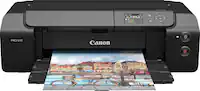
A:AnswerYes it does, but only a few sheets. I haven't opened it yet, so I don't have an actual count.
I think that any high quality "High Gloss" paper would work just fine.
A:AnswerI have a Canon 90D and a Canon R7, I have printed from my phone but not directly from the camera. I have not attempted directly from the camera. I'm sure you can, as it is a feature spoken about in the user manual as well as the online "setup" videos.
A:AnswerI guess windows 11 does not accept this printer. We cannot get it to print. It looks like a very nice program if the printer would work. I am very disappointed it .
A:AnswerI don't know, as it is a slightly older printer, but it is wireless. It works great as wired printer, especially for larger documents. I hope this helps.