A:AnswerThat depends on the age of your car/battery. You can use the "Surveillance Auto-Shutoff" setting to limit how long the camera is in Parking mode to prevent battery drain. 8 hour intervals should work for most vehicles.
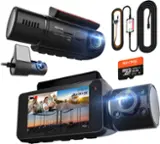
To use Parking Mode you will need the hardwire kit accessory (part number CA-MICROUSB-003) so that your camera can receive constant power from the car when it is off.
Thanks!
Cobra Team
A:AnswerYou can connect to power source in cabin, cigarette lighter plug ect. If you connect it to a source that is always powered on, it will always stay on unless you select sleep mode.
A:AnswerThe only software that allows you to view is Mac. Or the latest "editing"software for PC ..the app is worthless...same with wifi... WORTHLESS. Also the files get "corrupted"after viewing on PC so copy them first
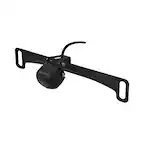
A:AnswerThe rear camera is recording continuously when the car is on. When you are in Parking Mode or Motion Detection mode while the car is off/parked the camera will only record when it detects movement or an impact in order to conserve your battery.
A:AnswerIf you go to the very last page of the settings menu on the camera, there is a format SD card option, you will need to format it in the camera itself for it to work.
A:AnswerI have had. this about two week and so far a little dissatisfied with it. It is suppose to record when motion is detected and does not notify you. I have had some problems with it.