“Has anyone had any problems with this mouse doing random dpi jumps because I have.”
Answer This Question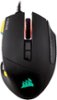
1-6 of 6 Answers
Yes, you have to download the Corsair software to update the drivers so it doesn't do that.
Sorry, there was a problem. Please try again later.Hasnt happened to me at all.
Sorry, there was a problem. Please try again later.You might be accidentally changing the profile on the mouse by hitting the small button by the mouse wheel
Sorry, there was a problem. Please try again later.Usually when using the buttons on top i cant find which speed it is on. And maybe once i had DPI differences but once i opened the CUE software i was able to check it and it fixed on its own.
Sorry, there was a problem. Please try again later.Nope I have had no issues Sometimes you have go in game configs and rewrite mouse acceleration to off or type the proper code in launch settings to permanently disable mouse acceleration and shut it off in Windows mouse settings. Assuming you tried this I would test another mouse to see if the same issues are happening and that will be the real answer.
Sorry, there was a problem. Please try again later.Only happens to me at the beginning of every on/off cycle. Other wise the profile you made should kick start off the bat and dpi shouldn't change. Unless your hitting the dpi change key which is located on top of the mouse 2nd one furthest away from the mouse scroll wheel. If all this is not helpful check to see that the drives for the mouse are up-to-date by going to corsair website.
Sorry, there was a problem. Please try again later.